
Gateway Direct Api
XML Product Specification 1-1-9.1
Zappte™ XML Product SpecificationDocument revision 1-1-9.1 February 2024
Transaction Request Message
The following table shows the logical structure of the transaction request message. The Document Structure column lists the element name and its place in the message structure in order and indentation. The Qualifications column explains the conditions for supplying that element to a transaction.
- ippay - Required root element.
- TransactionType - Required
- TerminalID - Required
- TransactionID - Optional, can be numeric, alpha or alphanumeric. Case insensitive. Must be unique to the TID within 90 days
- Origin - RECURRING. Unless irrelevant to the transaction.
- OrderNumber - Optional(this field drives dynamic descriptor when product is turned on, else is only informational). Dynamic Descriptor allows merchants to pass through an alternative “doing business as” (DBA) name in the Charge Description field so that it appears on the customer's bank statement. This additional information can help avoid unnecessary disputes. For example, if your legal merchant name is different from the DBA name you’re using for your ecommerce website, the descriptor can be the website name. That way, it will appear on the customer’s bank statement to help them recognize the charge. At this time, American Express does not support the Dynamic Descriptor product for merchants using the American Express OptBlue Program.
- CardNum - Required on all credit card transactions unless token is provided.
- CardPresent - Attribute is Boolean, default is false
- Token - Attribute is Boolean, default is false. When used, response returns a token that replaces unencrypted PAN to be used for future transactions.
- Token - Optional. Used to declare that the transaction will be using a token in lieu of CardNum or Echeck
- CVV2 - Optional(this value indicates a card present transaction and may not be stored under any circumstances. CVV cannot be sent in on trans with a RECURRING Origin)
- CardExpMonth - Required for SALE, AUTHONLY transactions
- CardExpYear - Required for SALE, AUTHONLY transactions
- AccountType - Attribute contains value of Checking, Savings, and BusinessCk
- AccountNumber - Required, but only as part of the optional ECHECK element
- ABA - Required, but only as part of the optional ECHECK element
- CheckNumber - Required, but only as part of the optional ECHECK element
- Tokenize - Attribute is Boolean, default is false. When used, response returns a token that replaces ABA & Account Number to be used for future transactions.
- CardName - Optional, but highly recommended
- TotalAmount - Required for SALE, and AUTHONLY Transactions
- FeeAmount - Optional( this is an informational field only and does not affect the total amount of the transaction. If fee or tax should be included, it should be calculated into the total amount value)
- TaxAmount - Optional
- BillingAddress - Optional
- BillingCity - Optional
- BillingStateProv - Optional
- BillingPostalCode - Optional, but highly recommended
- BillingCountry - Optional
- BillingPhone - Optional
- Email - Optional
- UserIPAddress - Optional
- UserHost - Optional
- UDField1 - Optional. Can be required to be unique for each merchant within 30 days. If this service is turned on, any transactions submitted with a non-unique, previously used value within 30 days of the attempt, will be automatically declined. Please contact Support if you are interested in this feature. Can be forced to be unique, and trans with non-unique values within 30 days can be auto-declined, if we turn feature on - please contact us, available in test and prod.
- UDField2 - Optional
- UDField3 - Optional
- ShippingInfo - Optional
- CustomerPO - Optional
- ShippingMethod - Optional, value of SAME DAY, OVERNIGHT, PRIORITY, GROUND or ELECTRONIC
- ShippingName - Optional
- ShippingAddr - Optional
- Address - Optional
- City - Optional
- StateProv - Optional
- Country - Optional
- Phone - Optional
Transaction Element Definitions
The following properties describe the request transactions.
ippay – root element, enclosing the following transaction elements (JetPay root element tag is supported for backwards compatibility with legacy integrations):
- TransactionType – Required for all transactions. Must be one of the following values:
SALE, AUTHONLY, CAPT, VOID, CREDIT, CHECK, REVERSAL, VOIDACH,
TOKENIZE, or PING
- SALE – Authorizes and captures a credit card charge in a single transaction
- AUTHONLY – The credit card limit is checked to verify that a certain amount is available (and to reserve that amount), but the card is not charged. Either a CAPT is used to complete the transaction.
- CAPT – A credit card charge using an amount equal to or less than the amount of a previous AUTHONLY transaction. The AUTHONLY transaction is required to be present in the database.
- VOID – The VOID transaction removes a credit card transaction from the host before the transaction settles. If a transaction has already settled, it cannot be VOIDed (when a transaction is not VOIDed before settlement, a CREDIT transaction is required to reverse the charge). See also CREDIT.
- CREDIT – The CREDIT transaction submits a credit card transaction reversal for settlement. The CREDIT reverses a transaction regardless of the settlement status of the transaction it reverses
- TOKENIZE – Tokenization is designed for merchants looking to utilize offsite storage of sensitive cardholder data. Depending on the usage, tokens take the place of the card number & expiration data or ABA & Account number. No other cardholder information is associated with the token.
- Echeck – Is echeck through entire API, except where it is an actual xml field and so cannot be changed.
- REVERSAL – ECHECK: Refer to XML Feature Description for ECHECK Processing.
- The Gateway Provider PING – Verify active communication with acquirer software. ResponseText reads 'PING' to acknowledge this transaction.
- TerminalD – Required for all transactions. This ID is issued by Merchant Services when an account is set up with the merchant bank.
- TransactionID – Optional. If used, a unique value is required. If not used, the Gateway Provider will generate and return a TransactionID in its response message. The TransactionID is an 18-character value. For a 'SALE', 'AUTHONLY', the value must be unique for the particular TerminalID. For a 'CAPT', 'VOID', 'ENQ', 'REVERSAL' or 'ACK' transaction, the TransactionID must match a TransactionID already submitted and still available within the database
- Approval – Required for FORCE transactions. Supply an authorization code from an earlier AUTHONLY response.
- Origin – The manner in which this transaction was communicated to the merchant. Possible values are 'INTERNET' (ecommerce merchants), 'POS' (retail merchants with magnetic cardreaders), 'RECURRING' (ecommerce and MOTO merchants), 'PHONE ORDER' (MOTO merchants), 'PREPAID' (for PREPAID cards) and 'MAIL ORDER' (MOTO merchants).If Origin Prepaid is not used, the transaction is likely to be declined
- OrderNumber – A string referencing an order. When dynamic descriptor functionality is enabled, the contents of this field shows up after the header on the cardholder statement. At this time, American Express does not support the Dynamic Descriptor product for merchants using the American Express OptBlue Program.
- CardNum – The credit card number of PAN ('personal account number') submitted for a
transaction. The PAN is vs, mc, ds and jcb are 16 digits and amex 15, depending on the type of the credit card.
- Tokenize – Tokenization is designed for merchants looking to utilize offsite storage of
sensitive cardholder data. Depending on the usage, tokens take the place of the card
number & expiration data or ABA & Account number. No other cardholder information
is associated with the token.
Tokens are format preserving in the following respects:- Tokens are the same character length as submitted data
- 1st digit of Credit Card Number is preserved in token
- Last 4 digits of Credit Card number are preserved in token
- Tokenize – Tokenization is designed for merchants looking to utilize offsite storage of
sensitive cardholder data. Depending on the usage, tokens take the place of the card
number & expiration data or ABA & Account number. No other cardholder information
is associated with the token.
- Token – Used to declare that the transaction will be using a token in lieu of CardNum or Echeck. Tokenization is designed for merchants looking to utilize offsite storage of sensitive cardholder data. Depending on the usage, tokens take the place of the card number & expiration data or ABA & Account number. No other cardholder information is associated with the token.
- CVV2 – The Card Verification Value printed on the back of a credit card. The CVV2 number is a three- or four-digit value. These CVV2 digits provide additional security for a transaction, assuring the physical presence of a credit card. Please note the terminology differences between credit card companies, in that Visa uses the CVV2 term (meaning 'Card Verification Value 2'), MasterCard uses CVC2 term (meaning 'Card Validation Code 2'), and American Express uses the CID term (meaning 'Card IDentifier code'). CVV cannot be stored.
- CardExpMonth – Two-digit card expiration month
- CardExpYear – Two-digit card expiration year
- ACH – ECHECK: Refer to XML Feature Description for ECHECK Processing. References to ‘ach’ mean ‘echeck’
- CardName – We have no knowledge of cardholder data beyond what is sent to us with the original transaction so if the merchant would like to know which customer they are charging this card for, they need to include it in the xml request. Highly recommended.
- TotalAmount – Purchase price to be transacted, including taxes and fees. The currency type assumed for the amount is dependent on the merchant. DIGITS ONLY: no decimal point, no dollar sign, no plus / minus sign. Value must be non-zero. Last two digits on the right are always presumed to be cents value. Example: 100 would represent $1.00; 10000 would represent $100.00
- FeeAmount – The surcharge applied to a transaction. The surcharge value within this element is assumed to be already included in TotalAmount. DIGITS ONLY: no decimal point, no dollar sign, no plus / minus sign. Last two digits on the right are always presumed to be cents value.
- TaxAmount – Tax applied to a transaction. The tax value within this element is assumed to be already included in the total amount. DIGITS ONLY: no decimal point, no dollar sign, no plus / minus sign. Last two digits on the right are always presumed to be cents value.
- BillingAddress – Cardholder’s address
- BillingCity – Cardholder’s city (special characters not permitted)
- BillingStateProv – Cardholder’s state code abbreviation (consisting of two uppercase alphabetic characters)
- BillingPostalCode – Cardholder’s zip code (must be a properly formatted zip)
- BillingCountry – Cardholder’s country, a valid ISO Country Code (consisting of three uppercase alphabetic characters)
- BillingPhone – Cardholder’s telephone number (field min is 4 characters, not including special characters or white spaces)
- Email – Cardholder’s email address
- UserIPAddr – Customer’s IP address
- UserHost – Customer’s host name
- UDField1 – User-defined field, currently being used to pass the External Reference ID wherever applicable. The value in the UDField1 can be required to be unique for each merchant within 30 days. If this service is turned on, any transactions submitted with a non-unique, previously used value within 30 days of the attempt, will be automatically declined. Please contact Support if you are interested in this feature. Can be forced to be unique, and trans with non-unique values within 30 days can be auto-declined, if we turn feature on - please contact us, available in test and prod.
- UDField2 – User-defined field, currently being used to pass the CTROUTD, wherever applicable
- UDField3 – User-defined field
- ShippingInfo – When a product or service is shipped to a customer, this category enables
collection of the shipping data. This is best applied to cardholder-not-present transactions.
Ecommerce merchants and MOTO merchants always submit cardholder-not-present
transactions; they may submit shipping information to improve their transaction qualification.
- CustomerPO – The cardholder’s purchase order number
- ShippingMethod – The manner of delivering a purchase to the recipient. One of five shipping methods may be specified: 1. SAME DAY: courier delivery 2. OVERNIGHT: next day delivery 3. PRIORITY: two to three days shipping time 4. GROUND: four or more days shipping time 5. ELECTRONIC: delivery of purchase by electronic means
- ShippingName – The name of the recipient of the order
- ShippingAddr – The destination shipping address data
- TransactionType – Required for all transactions. Must be one of the following values:
SALE, AUTHONLY, CAPT, VOID, CREDIT, CHECK, REVERSAL, VOIDACH,
TOKENIZE, or PING
Transaction Response Message
The following table describes the logical structure of the transaction response message, sent in response to an initiating transaction request message.
- ippayResponse - Required root element.
- TransactionID - Present, matching the request’s TransactionID. Absent only when ErrMsg is present.
- ipTransID - Present if enabled by the Gateway Provider. Unique internally generated value that can be used to recall transaction data for future use.
- ActionCode - Present in all responses. '000' = approved
- Token - Present when Token attribute used. Contains token generated by the Gateway Provider for submitted data.
- Approval - Present in many transactions. Absent when the issuer bank declines a transaction. Absent for PING. Absent when ErrMsg is present
- CVV2 - Present when a CVV2 or CVC2 or CID value is submitted in request.
- VerificationResult - Present when a CAVV value is submitted in request
- ResponseText - Present, except when ErrMsg is present
- AddressMatch - Present only when address info is submitted
- ZipMatch - Present only when address info is submitted
- AVS - Present only when address info is submitted
- ErrMsg - Present only when an XML message completely fails, indicating that the incoming message cannot be processed. Usually contains a message pointing out XML syntax errors Useful for debug feedback during development.
Response Transaction Element Definitions
The following properties describe the request messages:
ippayResponse – root element, enclosing the following transaction elements:
- TransactionID – This 18-character value matches the TransactionID submitted in the corresponding the request transaction message. If no TransactionID was submitted, IP Pay will generate and return an 18-character value in the response. This value can be used to correlate the transaction’s acknowledgment information with its submitted request data.
- ipTransID – This unique 18-character value is internally generated by the Gateway Provider for a transaction message. The system does not return this value by default.
- ActionCode – The ActionCode is three (3) characters. The ActionCode contains a '000' value to indicate that a transaction has been approved by the issuer bank. The ActionCode will be some other value when either the issuer bank declines the transaction or if the server host detects an error.
- Token – Tokenization is designed for merchants looking to utilize offsite storage of sensitive
cardholder data. Depending on the usage, tokens take the place of the card number & expiration
data or ABA & Account number. No other cardholder information is associated with the token.
Tokens are format preserving in the following respects:
- Tokens are the same character length as submitted data
- 1st digit of Credit Card number is preserved in token
- Last 4 digits of Credit Card number are preserved in token
- Last 4 digits of account number are preserved for ACH/ECheck transactions
- Tokens are the same character length as submitted data
- Approval – The issuing bank returns an authorization code, six (6) alphanumeric characters long. A 'PING' transaction does not return an Approval value.
- ResponseText – Message from the server, describing to the ActionCode. Note that a '000' ActionCode* may have multiple ResponseText values, including 'APPROVED', 'ACCEPTED', 'CAPTURED', and 'PING'. Other ActionCodes will contain a ResponseText value of 'DECLINED' or some similar phrase.
- AVS – A code indicating that AVS ('Address Verification Service') results for a transaction. Refer to 'Appendix B' in this reference for an explanation of the valid result codes, 'A', 'B', 'C', 'D', 'E', 'F', 'G', 'K', 'L', 'M', 'N', 'O', 'P', 'R', 'S', 'U', 'W', 'X', 'Y', and 'Z'.
- AddressMatch – Code indicating the address match results for a credit card transaction.
Returns 'Y', 'N', or 'X', where:
- Y – The address matches.
- N – The address does not match.
- X – No result available (AVS requested but not performed).
- ZipMatch – Code indicating the postal code match results for a credit card transaction.
Returns 'Y', 'N', or 'X', where:
- Y – The postal code matches.
- N – The postal code does not match.
- X – No result available (AVS requested but not performed).
- CVV2 – The response code to a Visa CVV2 or a MasterCard CVC2 or an American Express CID submission. Refer to 'Appendix C' in this reference for a explanation of the valid result codes, 'M', 'N', 'P', 'S', and 'U'.
- VerificationResult – The response code to a Visa CAVV (VbV) or a MasterCard UCAF (SecureCodeTM) submission. Refer to 'Appendix D' in this reference for a explanation of the valid result codes, '0' thru '9' and 'A' thru 'D'.
- ErrMsg – Error message, if any. This error message usually describes an XML syntax error in the submitted transaction. This element will usually also contain a message that points out the specific XML syntax errors within the submitted XML document. You should only expect to see this ErrMsg element during development. If you see this element in your production software system, analyze your software immediately and make corrections accordingly.
If network error response is received on gateway, it is likely we will automatically void the transaction but best practice is to ENQ anyway.
General Examples
The following is a sample 'AUTHONLY' transaction for $87.99:
<ippay>
   <TransactionType>AUTHONLY</TransactionType>
   <TerminalID>TESTTERMINAL</TerminalID>
   <TransactionID>010327153017T10018</TransactionID>
   <CardNum>4000300020001000</CardNum>
   <CardExpMonth>12</CardExpMonth>
   <CardExpYear>14</CardExpYear>
   <TotalAmount>8799</TotalAmount>
</ippay>
var httpClient = new HttpClient();
var bodyXmlString =@"<ippay>" + "\n" +
@"   <TransactionType>AUTHONLY</TransactionType>" + "\n" +
@"   <TerminalID>TESTTERMINAL</TerminalID>" + "\n" +
@"   <TransactionID>010327153017T10018</TransactionID>" + "\n" +
@"   <CardNum>4000300020001000</CardNum>" + "\n" +
@"   <CardExpMonth>12</CardExpMonth>" + "\n" +
@"   <CardExpYear>14</CardExpYear>" + "\n" +
@"   <TotalAmount>8799</TotalAmount>" + "\n" +
@"</ippay>";

var stringContent = new StringContent(bodyXmlString, Encoding.UTF8, "application/xml");
var respone = await httpClient.PostAsync("https://testgtwy.ippay.com/ippay/", stringContent);
Console.WriteLine(response.Content);
var request = require('request');
var options = {
  'method': 'POST',
  'url': 'https://testgtwy.ippay.com/ippay/',
  'headers': {
    'Content-Type': 'application/xml'
  },
  body: '<ippay>\n   <TransactionType>AUTHONLY</TransactionType>\n   <TerminalID>TESTTERMINAL</TerminalID>\n   <TransactionID>010327153017T10018</TransactionID>\n   <CardNum>4000300020001000</CardNum>\n   <CardExpMonth>12</CardExpMonth>\n   <CardExpYear>14</CardExpYear>\n   <TotalAmount>8799</TotalAmount>\n</ippay>'

};
request(options, function (error, response) {
  if (error) throw new Error(error);
  console.log(response.body);
});
<?php
require_once 'HTTP/Request2.php';
$request = new HTTP_Request2();
$request->setUrl('https://testgtwy.ippay.com/ippay/');
$request->setMethod(HTTP_Request2::METHOD_POST);
$request->setConfig(array(
  'follow_redirects' => TRUE
));
$request->setHeader(array(
  'Content-Type' => 'application/xml'
));
$request->setBody('<ippay>\n   <TransactionType>AUTHONLY</TransactionType>\n   <TerminalID>TESTTERMINAL</TerminalID>\n   <TransactionID>010327153017T10018</TransactionID>\n   <CardNum>4000300020001000</CardNum>\n   <CardExpMonth>12</CardExpMonth>\n   <CardExpYear>14</CardExpYear>\n   <TotalAmount>8799</TotalAmount>\n</ippay>');
try {
  $response = $request->send();
  if ($response->getStatus() == 200) {
    echo $response->getBody();
  }
  else {
    echo 'Unexpected HTTP status: ' . $response->getStatus() . ' ' .
    $response->getReasonPhrase();
  }
}
catch(HTTP_Request2_Exception $e) {
  echo 'Error: ' . $e->getMessage();
}
The following shows the sample response to the above 'AUTHONLY' request:
<ippayResponse>
   <TransactionID>010327153017T10018</TransactionID>
   <ActionCode>000</ActionCode>
   <Approval>502F6B</Approval>
   <ResponseText>APPROVED</ResponseText>
</ippayResponse>
The following examples illustrate the transaction messages, showing a sample request message with a corresponding sample response message.
AUTHONLY Transaction Example
An 'AUTHONLY' transaction is the most basic type of transaction. In an 'AUTHONLY' transaction, the Gateway Provider accepts the XML transaction block containing the credit card transaction information, retrieves an authorization response from the issuer of the credit card, and responds back to the original sender with that resulting authorization information.
Required data for an 'AUTHONLY' transaction request is:
<TransactionType> = AUTHONLY
<TerminalID> = your terminal ID, assigned by the Gateway Provider
<TransactionID> = Optional: character string, exactly eighteen characters long, if used, a unique value is required
<CardNum> = valid credit card number
<CardExpMonth> = credit card expiration month (two digits)
<CardExpYear> = credit card expiration year (two digits)
<TotalAmount> = transaction amount (digits only)
Minimum data returned from a successful 'AUTHONLY' transaction response is:
<TransactionID> = matching the value in the request, above or generated by
the Gateway Provider if no value is sent.
<ActionCode> = 000
<Approval> = character string exactly six characters long
<ResponseText> = the transaction’s outcome status
CAPT Transaction Example
This first 'CAPT' transaction demonstrates the primary way to complete a sale for the 'AUTHONLY' transaction example from the previous section:
<ippay>
   <TransactionType>CAPT</TransactionType>
   <TerminalID>TESTTERMINAL</TerminalID>
   <TransactionID>010327153017T10018</TransactionID>
</ippay>
var httpClient = new HttpClient();
var bodyXmlString =@"<ippay>" + "\n" +
@"   <TransactionType>CAPT</TransactionType>" + "\n" +
@"   <TerminalID>TESTTERMINAL</TerminalID>" + "\n" +
@"   <TransactionID>010327153017T10018</TransactionID>" + "\n" +
@"</ippay>";

var stringContent = new StringContent(bodyXmlString, Encoding.UTF8, "application/xml");
var respone = await httpClient.PostAsync("https://testgtwy.ippay.com/ippay/", stringContent);
Console.WriteLine(response.Content);
var request = require('request');
var options = {
  'method': 'POST',
  'url': 'https://testgtwy.ippay.com/ippay/',
  'headers': {
    'Content-Type': 'application/xml'
  },
  body: '<ippay>\n   <TransactionType>CAPT</TransactionType>\n   <TerminalID>TESTTERMINAL</TerminalID>\n   <TransactionID>010327153017T10018</TransactionID>\n</ippay>'

};
request(options, function (error, response) {
  if (error) throw new Error(error);
  console.log(response.body);
});
<?php
require_once 'HTTP/Request2.php';
$request = new HTTP_Request2();
$request->setUrl('https://testgtwy.ippay.com/ippay/');
$request->setMethod(HTTP_Request2::METHOD_POST);
$request->setConfig(array(
  'follow_redirects' => TRUE
));
$request->setHeader(array(
  'Content-Type' => 'application/xml'
));
$request->setBody('<ippay>\n   <TransactionType>CAPT</TransactionType>\n   <TerminalID>TESTTERMINAL</TerminalID>\n   <TransactionID>010327153017T10018</TransactionID>\n</ippay>');
try {
  $response = $request->send();
  if ($response->getStatus() == 200) {
    echo $response->getBody();
  }
  else {
    echo 'Unexpected HTTP status: ' . $response->getStatus() . ' ' .
    $response->getReasonPhrase();
  }
}
catch(HTTP_Request2_Exception $e) {
  echo 'Error: ' . $e->getMessage();
}
For this first 'CAPT' transaction, the following response illustrates how the returning XML would look:
<ippayResponse>
   <TransactionID>010327153017T10018</TransactionID>
   <ActionCode>000</ActionCode>
   <Approval>502F6B</Approval>
   <ResponseText>APPROVED</ResponseText>
</ippayResponse>
The second 'CAPT' transaction demonstrates the alternative way to complete a sale for the 'AUTHONLY' transaction example from the previous section:
<ippay>
   <TransactionType>CAPT</TransactionType>
   <TerminalID>TESTTERMINAL</TerminalID>
   <TransactionID>555555555555T10018</TransactionID>
   <CardNum>4000300020001000</CardNum>
   <CardExpMonth>12</CardExpMonth>
   <CardExpYear>14</CardExpYear>
   <TotalAmount>8799</TotalAmount>
   <Approval>502F6B</Approval>
</ippay>
var httpClient = new HttpClient();
var bodyXmlString = @"<ippay>" + "\n" +
@"   <TransactionType>CAPT</TransactionType>" + "\n" +
@"   <TerminalID>TESTTERMINAL</TerminalID>" + "\n" +
@"   <TransactionID>555555555555T10018</TransactionID>" + "\n" +
@"   <CardNum>4000300020001000</CardNum>" + "\n" +
@"   <CardExpMonth>12</CardExpMonth>" + "\n" +
@"   <CardExpYear>14</CardExpYear>" + "\n" +
@"   <TotalAmount>8799</TotalAmount>" + "\n" +
@"   <Approval>502F6B</Approval>" + "\n" +
@"</ippay>";

var stringContent = new StringContent(bodyXmlString, Encoding.UTF8, "application/xml");
var respone = await httpClient.PostAsync("https://testgtwy.ippay.com/ippay/", stringContent);
Console.WriteLine(response.Content);
var request = require('request');
var options = {
  'method': 'POST',
  'url': 'https://testgtwy.ippay.com/ippay/',
  'headers': {
    'Content-Type': 'application/xml'
  },
  body: '<ippay>\n   <TransactionType>CAPT</TransactionType>\n   <TerminalID>TESTTERMINAL</TerminalID>\n   <TransactionID>555555555555T10018</TransactionID>\n   <CardNum>4000300020001000</CardNum>\n   <CardExpMonth>12</CardExpMonth>\n   <CardExpYear>14</CardExpYear>\n   <TotalAmount>8799</TotalAmount>\n   <Approval>502F6B</Approval>\n</ippay>'

};
request(options, function (error, response) {
  if (error) throw new Error(error);
  console.log(response.body);
});
<?php
require_once 'HTTP/Request2.php';
$request = new HTTP_Request2();
$request->setUrl('https://testgtwy.ippay.com/ippay/');
$request->setMethod(HTTP_Request2::METHOD_POST);
$request->setConfig(array(
  'follow_redirects' => TRUE
));
$request->setHeader(array(
  'Content-Type' => 'application/xml'
));
$request->setBody('<ippay>\n   <TransactionType>CAPT</TransactionType>\n   <TerminalID>TESTTERMINAL</TerminalID>\n   <TransactionID>555555555555T10018</TransactionID>\n   <CardNum>4000300020001000</CardNum>\n   <CardExpMonth>12</CardExpMonth>\n   <CardExpYear>14</CardExpYear>\n   <TotalAmount>8799</TotalAmount>\n   <Approval>502F6B</Approval>\n</ippay>');
try {
  $response = $request->send();
  if ($response->getStatus() == 200) {
    echo $response->getBody();
  }
  else {
    echo 'Unexpected HTTP status: ' . $response->getStatus() . ' ' .
    $response->getReasonPhrase();
  }
}
catch(HTTP_Request2_Exception $e) {
  echo 'Error: ' . $e->getMessage();
}
For the above 'CAPT' transaction, the following response illustrates how the returning XML would look:
<ippayResponse>
   <TransactionID>555555555555T10018</TransactionID>
   <ActionCode>000</ActionCode>
   <Approval>502F6B</Approval>
   <ResponseText>APPROVED</ResponseText>
</ippayResponse>
When the Gateway Provider declines a 'CAPT' transaction, the response would look like this:
<ippayResponse>
   <ActionCode>940</ActionCode>
   <ResponseText>RECORD NOT FOUND</ResponseText>
</ippayResponse>
A 'CAPT' (or 'capture') transaction enables a previously authorized transaction to be settled into a complete sale. In a 'CAPT' transaction, the Gateway Provider accepts the XML transaction block containing the credit card transaction information, looks up the matching authorized transaction, and responds back to the original sender with the resulting sale information.
The matching 'AUTHONLY' transaction for this capture operation must have been authorized through the Gateway Provider in order for the 'CAPT' transaction to be successful. If a transaction was not authorized through the Gateway Provider, the response to the 'CAPT' will indicate that the authorization was not found.
Submitted data for a 'CAPT' transaction request are:
<TransactionType> = CAPT (required)
<TerminalID> = your terminal ID, assigned by the Gateway Provider (required)
<TransactionID> = character string, exactly eighteen characters long, either
matching the target 'AUTHONLY' transaction or otherwise
containing a unique value. (required)
<CardNum> = target credit card number
<CardExpMonth> = credit card expiration month (two digits)
<CardExpYear> = credit card expiration year (two digits) OR
<Token> - A token can also be submitted here instead of the card number and expiry.
<Approval> = six characters long, matching the code from 'AUTHONLY' transaction
<TotalAmount> = transaction amount (digits only)
Minimum data returned from a successful 'AUTHONLY' transaction response are:
<TransactionID> = matching the value in the request, above or generated by the Gateway Provider if no value is sent
<ActionCode> = 000
<Approval> = character string exactly six characters long
<ResponseText> = the transaction’s outcome status
'Capturing' an authorized transaction gets accomplished in two ways:
- Submitting the matching transaction ID for the authorization (primary way)
- Submitting the credit card information along with a matching total amount and authorization code (secondary way, if primary way gets no match).
SALE Transaction Example
The following is a sample 'SALE' transaction for $999.99, using a Visa card:
<ippay>
   <TransactionType>SALE</TransactionType>
   <TerminalID>TESTTERMINAL</TerminalID>
   <TransactionID>010327153017T10017</TransactionID>
   <CardNum>4000300020001000</CardNum>
   <CardExpMonth>12</CardExpMonth>
   <CardExpYear>14</CardExpYear>
   <TotalAmount>99999</TotalAmount>
</ippay>
var httpClient = new HttpClient();
var bodyXmlString = @"<ippay>" + "\n" +
@"   <TransactionType>SALE</TransactionType>" + "\n" +
@"   <TerminalID>TESTTERMINAL</TerminalID>" + "\n" +
@"   <TransactionID>010327153017T10017</TransactionID>" + "\n" +
@"   <CardNum>4000300020001000</CardNum>" + "\n" +
@"   <CardExpMonth>12</CardExpMonth>" + "\n" +
@"   <CardExpYear>14</CardExpYear>" + "\n" +
@"   <TotalAmount>99999</TotalAmount>" + "\n" +
@"</ippay>";

var stringContent = new StringContent(bodyXmlString, Encoding.UTF8, "application/xml");
var respone = await httpClient.PostAsync("https://testgtwy.ippay.com/ippay/", stringContent);
Console.WriteLine(response.Content);
var request = require('request');
var options = {
  'method': 'POST',
  'url': 'https://testgtwy.ippay.com/ippay/',
  'headers': {
    'Content-Type': 'application/xml'
  },
  body: '<ippay>\n   <TransactionType>SALE</TransactionType>\n   <TerminalID>TESTTERMINAL</TerminalID>\n   <TransactionID>010327153017T10017</TransactionID>\n   <CardNum>4000300020001000</CardNum>\n   <CardExpMonth>12</CardExpMonth>\n   <CardExpYear>14</CardExpYear>\n   <TotalAmount>99999</TotalAmount>\n</ippay>'

};
request(options, function (error, response) {
  if (error) throw new Error(error);
  console.log(response.body);
});
<?php
require_once 'HTTP/Request2.php';
$request = new HTTP_Request2();
$request->setUrl('https://testgtwy.ippay.com/ippay/');
$request->setMethod(HTTP_Request2::METHOD_POST);
$request->setConfig(array(
  'follow_redirects' => TRUE
));
$request->setHeader(array(
  'Content-Type' => 'application/xml'
));
$request->setBody('<ippay>\n   <TransactionType>SALE</TransactionType>\n   <TerminalID>TESTTERMINAL</TerminalID>\n   <TransactionID>010327153017T10017</TransactionID>\n   <CardNum>4000300020001000</CardNum>\n   <CardExpMonth>12</CardExpMonth>\n   <CardExpYear>14</CardExpYear>\n   <TotalAmount>99999</TotalAmount>\n</ippay>');
try {
  $response = $request->send();
  if ($response->getStatus() == 200) {
    echo $response->getBody();
  }
  else {
    echo 'Unexpected HTTP status: ' . $response->getStatus() . ' ' .
    $response->getReasonPhrase();
  }
}
catch(HTTP_Request2_Exception $e) {
  echo 'Error: ' . $e->getMessage();
}
The following shows how the successful response would look:
<ippayResponse>
   <TransactionID>010327153017T10017</TransactionID>
   <ActionCode>000</ActionCode>
   <Approval>002F6B</Approval>
   <ResponseText>APPROVED</ResponseText>
</ippayResponse>
A 'SALE' transaction is a 'two-in-one' operation, completing both an 'AUTHONLY' transaction and a 'CAPT' transaction using only a single submission.
The required data for a 'SALE' transaction request are the same as for an 'AUTHONLY' transaction request (except that the TransactionType is 'SALE' instead of 'AUTHONLY'). The minimum data returned from a successful 'SALE' transaction response are the same as for an 'AUTHONLY' transaction response.
Third party gateway – SALE Transaction Example
POS Sale transactions performed by stand alone or semi-integrated terminals such as Verifone, Magtek, Dejavoo, and Pax will have transaction data delayed in the reporting system up to 1 hour. The Gateway will have no knowledge of this transaction until pulled from the processor and populated in the DB with transaction details.
Request XML:
<ippay>
   <Origin>INTERNET</Origin>
   <TerminalID>TESTTERMINAL</TerminalID>
   <TransactionID> MND000000000139053</TransactionID>
   <UDField1>ERID0000000001</UDField1>
   <TransactionType>SALE</TransactionType>
   <TotalAmount>123</TotalAmount>
   <CardNum CardPresent='false'>4111111111111111</CardNum>
   <CardExpMonth>12</CardExpMonth>
   <CardExpYear>17</CardExpYear>
   <CVV2>123</CVV2>
</ippay>
var httpClient = new HttpClient();
var bodyXmlString = @"<ippay>" + "\n" +
@"   <Origin>INTERNET</Origin>" + "\n" +
@"   <TerminalID>TESTTERMINAL</TerminalID>" + "\n" +
@"   <TransactionID> MND000000000139053</TransactionID>" + "\n" +
@"   <UDField1>ERID0000000001</UDField1>" + "\n" +
@"   <TransactionType>SALE</TransactionType>" + "\n" +
@"   <TotalAmount>123</TotalAmount>" + "\n" +
@"   <CardNum CardPresent='false'>4111111111111111</CardNum>" + "\n" +
@"   <CardExpMonth>12</CardExpMonth>" + "\n" +
@"   <CardExpYear>17</CardExpYear>" + "\n" +
@"   <CVV2>123</CVV2>" + "\n" +
@"</ippay>";

var stringContent = new StringContent(bodyXmlString, Encoding.UTF8, "application/xml");
var respone = await httpClient.PostAsync("https://testgtwy.ippay.com/ippay/", stringContent);
Console.WriteLine(response.Content);
var request = require('request');
var options = {
  'method': 'POST',
  'url': 'https://testgtwy.ippay.com/ippay/',
  'headers': {
    'Content-Type': 'application/xml'
  },
  body: '<ippay>\n   <Origin>INTERNET</Origin>\n   <TerminalID>TESTTERMINAL</TerminalID>\n   <TransactionID> MND000000000139053</TransactionID>\n   <UDField1>ERID0000000001</UDField1>\n   <TransactionType>SALE</TransactionType>\n   <TotalAmount>123</TotalAmount>\n   <CardNum CardPresent=\'false\'>4111111111111111</CardNum>\n   <CardExpMonth>12</CardExpMonth>\n   <CardExpYear>17</CardExpYear>\n   <CVV2>123</CVV2>\n</ippay>'

};
request(options, function (error, response) {
  if (error) throw new Error(error);
  console.log(response.body);
});
<?php
require_once 'HTTP/Request2.php';
$request = new HTTP_Request2();
$request->setUrl('https://testgtwy.ippay.com/ippay/');
$request->setMethod(HTTP_Request2::METHOD_POST);
$request->setConfig(array(
  'follow_redirects' => TRUE
));
$request->setHeader(array(
  'Content-Type' => 'application/xml'
));
$request->setBody('<ippay>\n   <Origin>INTERNET</Origin>\n   <TerminalID>TESTTERMINAL</TerminalID>\n   <TransactionID> MND000000000139053</TransactionID>\n   <UDField1>ERID0000000001</UDField1>\n   <TransactionType>SALE</TransactionType>\n   <TotalAmount>123</TotalAmount>\n   <CardNum CardPresent=\'false\'>4111111111111111</CardNum>\n   <CardExpMonth>12</CardExpMonth>\n   <CardExpYear>17</CardExpYear>\n   <CVV2>123</CVV2>\n</ippay>');
try {
  $response = $request->send();
  if ($response->getStatus() == 200) {
    echo $response->getBody();
  }
  else {
    echo 'Unexpected HTTP status: ' . $response->getStatus() . ' ' .
    $response->getReasonPhrase();
  }
}
catch(HTTP_Request2_Exception $e) {
  echo 'Error: ' . $e->getMessage();
}
Response XML:
<ippayResponse>
   <TransactionID> MND000000000139053</TransactionID>
   <ActionCode>000</ActionCode>
   <Approval>TEST06</Approval>
   <CVV2>P</CVV2>
   <ResponseText>APPROVED</ResponseText>
</ippayResponse>
VOID Transaction Example
Presuming that the target sale transaction was successfully approved and has not yet settled, the following 'VOID' transaction removes that target sale:
<ippay>
   <TransactionType>VOID</TransactionType>
   <TerminalID>TESTTERMINAL</TerminalID>
   <TransactionID>010327153017T10018</TransactionID>
   <CardNum>4000300020001000</CardNum>
   <CardExpMonth>12</CardExpMonth>
   <CardExpYear>14</CardExpYear>
   <TotalAmount>8799</TotalAmount>
   <Approval>502F6B</Approval>
</ippay>
var httpClient = new HttpClient();
var bodyXmlString = @"<ippay>" + "\n" +
@"   <TransactionType>VOID</TransactionType>" + "\n" +
@"   <TerminalID>TESTTERMINAL</TerminalID>" + "\n" +
@"   <TransactionID>010327153017T10018</TransactionID>" + "\n" +
@"   <CardNum>4000300020001000</CardNum>" + "\n" +
@"   <CardExpMonth>12</CardExpMonth>" + "\n" +
@"   <CardExpYear>14</CardExpYear>" + "\n" +
@"   <TotalAmount>8799</TotalAmount>" + "\n" +
@"   <Approval>502F6B</Approval>" + "\n" +
@"</ippay>";

var stringContent = new StringContent(bodyXmlString, Encoding.UTF8, "application/xml");
var respone = await httpClient.PostAsync("https://testgtwy.ippay.com/ippay/", stringContent);
Console.WriteLine(response.Content);
var request = require('request');
var options = {
  'method': 'POST',
  'url': 'https://testgtwy.ippay.com/ippay/',
  'headers': {
    'Content-Type': 'application/xml'
  },
  body: '<ippay>\n   <TransactionType>VOID</TransactionType>\n   <TerminalID>TESTTERMINAL</TerminalID>\n   <TransactionID>010327153017T10018</TransactionID>\n   <CardNum>4000300020001000</CardNum>\n   <CardExpMonth>12</CardExpMonth>\n   <CardExpYear>14</CardExpYear>\n   <TotalAmount>8799</TotalAmount>\n   <Approval>502F6B</Approval>\n</ippay>'

};
request(options, function (error, response) {
  if (error) throw new Error(error);
  console.log(response.body);
});
<?php
require_once 'HTTP/Request2.php';
$request = new HTTP_Request2();
$request->setUrl('https://testgtwy.ippay.com/ippay/');
$request->setMethod(HTTP_Request2::METHOD_POST);
$request->setConfig(array(
  'follow_redirects' => TRUE
));
$request->setHeader(array(
  'Content-Type' => 'application/xml'
));
$request->setBody('<ippay>\n   <TransactionType>VOID</TransactionType>\n   <TerminalID>TESTTERMINAL</TerminalID>\n   <TransactionID>010327153017T10018</TransactionID>\n   <CardNum>4000300020001000</CardNum>\n   <CardExpMonth>12</CardExpMonth>\n   <CardExpYear>14</CardExpYear>\n   <TotalAmount>8799</TotalAmount>\n   <Approval>502F6B</Approval>\n</ippay>');
try {
  $response = $request->send();
  if ($response->getStatus() == 200) {
    echo $response->getBody();
  }
  else {
    echo 'Unexpected HTTP status: ' . $response->getStatus() . ' ' .
    $response->getReasonPhrase();
  }
}
catch(HTTP_Request2_Exception $e) {
  echo 'Error: ' . $e->getMessage();
}
The following shows how the response to the 'VOID' transaction would look:
<ippayResponse>
   <TransactionID>010327153017T10018</TransactionID>
   <ActionCode>000</ActionCode>
   <Approval>502F6B</Approval>
   <ResponseText>VOID PROCESSED</ResponseText>
</ippayResponse>
A 'VOID' transaction removes an approved transaction before settlement.
<TransactionType> = VOID
<TerminalID> = your terminal ID, assigned by the Gateway Provider
<TransactionID> = character string, exactly eighteen characters long, matching the target 'CAPT' or 'SALE' or 'FORCE' transaction.(required)
<CardExpMonth> = credit card expiration month (two digits)
<CardNum> = valid credit card number
<CardExpYear> = credit card expiration year (two digits)
<Approval> = six characters long, matching the authorization code from the original transaction.
<TotalAmount> = transaction amount (digits only)
Minimum data returned from a successful 'VOID' transaction response is:
<TransactionID> = matching the value in the request, above or generated by the Gateway Provider if no value is sent
<ActionCode> = 000
<Approval> = character string exactly six characters long
<ResponseText> = the transaction’s outcome status
A 'VOID' transaction differs from a 'CREDIT' transaction in that the 'VOID' acts upon an existing transaction, deleting it from the settlement table before settlement occurs. After a transaction has been VOIDed, a cardholder may still see a pending authorization on their card for a few days. Once the issuer determines that the transaction will not settle, the funds will be released back to the cardholder and the pending authorization will fall away. A 'CREDIT' transaction is a full transaction in and of itself and returns money back to a cardholder after a 'SALE' or 'AUTHONLY'/'CAPT' has taken it away.
A 'VOID' transaction will remove the matching 'CAPT', 'SALE' transaction. A 'VOID' will not remove an 'AUTHONLY' unless a matching 'CAPT' transaction has been successfully performed.
If a 'VOID' transaction is attempted after the pre-arranged settlement cut-off time, the Gateway Provider responds with a 'RECORD NOT FOUND' text response. As mentioned above, a settled transaction cannot be VOIDed; a settled transaction can only be reversed using a 'CREDIT' transaction.
Card Not Present–VOID Transaction Example
Request XML:
<ippay>
   <Origin>INTERNET</Origin>
   <TerminalID>TESTTERMINAL</TerminalID>
   <TransactionID>MND000000000139053</TransactionID>
   <UDField1>ERID0000000001</UDField1>
   <TransactionType>VOID</TransactionType>
   <TotalAmount>123</TotalAmount>
   <CardNum CardPresent='false'>4111111111111111</CardNum>
   <CardExpMonth>12</CardExpMonth>
   <CardExpYear>17</CardExpYear>
</ippay>
var httpClient = new HttpClient();
var bodyXmlString = @"<ippay>" + "\n" +
@"   <Origin>INTERNET</Origin>" + "\n" +
@"   <TerminalID>TESTTERMINAL</TerminalID>" + "\n" +
@"   <TransactionID>MND000000000139053</TransactionID>" + "\n" +
@"   <UDField1>ERID0000000001</UDField1>" + "\n" +
@"   <TransactionType>VOID</TransactionType>" + "\n" +
@"   <TotalAmount>123</TotalAmount>" + "\n" +
@"   <CardNum CardPresent='false'>4111111111111111</CardNum>" + "\n" +
@"   <CardExpMonth>12</CardExpMonth>" + "\n" +
@"   <CardExpYear>17</CardExpYear>" + "\n" +
@"</ippay>";

var stringContent = new StringContent(bodyXmlString, Encoding.UTF8, "application/xml");
var respone = await httpClient.PostAsync("https://testgtwy.ippay.com/ippay/", stringContent);
Console.WriteLine(response.Content);
var request = require('request');
var options = {
  'method': 'POST',
  'url': 'https://testgtwy.ippay.com/ippay/',
  'headers': {
    'Content-Type': 'application/xml'
  },
  body: '<ippay>\n   <Origin>INTERNET</Origin>\n   <TerminalID>TESTTERMINAL</TerminalID>\n   <TransactionID>MND000000000139053</TransactionID>\n   <UDField1>ERID0000000001</UDField1>\n   <TransactionType>VOID</TransactionType>\n   <TotalAmount>123</TotalAmount>\n   <CardNum CardPresent=\'false\'>4111111111111111</CardNum>\n   <CardExpMonth>12</CardExpMonth>\n   <CardExpYear>17</CardExpYear>\n</ippay>'

};
request(options, function (error, response) {
  if (error) throw new Error(error);
  console.log(response.body);
});
<?php
require_once 'HTTP/Request2.php';
$request = new HTTP_Request2();
$request->setUrl('https://testgtwy.ippay.com/ippay/');
$request->setMethod(HTTP_Request2::METHOD_POST);
$request->setConfig(array(
  'follow_redirects' => TRUE
));
$request->setHeader(array(
  'Content-Type' => 'application/xml'
));
$request->setBody('<ippay>\n   <Origin>INTERNET</Origin>\n   <TerminalID>TESTTERMINAL</TerminalID>\n   <TransactionID>MND000000000139053</TransactionID>\n   <UDField1>ERID0000000001</UDField1>\n   <TransactionType>VOID</TransactionType>\n   <TotalAmount>123</TotalAmount>\n   <CardNum CardPresent=\'false\'>4111111111111111</CardNum>\n   <CardExpMonth>12</CardExpMonth>\n   <CardExpYear>17</CardExpYear>\n</ippay>');
try {
  $response = $request->send();
  if ($response->getStatus() == 200) {
    echo $response->getBody();
  }
  else {
    echo 'Unexpected HTTP status: ' . $response->getStatus() . ' ' .
    $response->getReasonPhrase();
  }
}
catch(HTTP_Request2_Exception $e) {
  echo 'Error: ' . $e->getMessage();
}
Response XML:
<ippayResponse>
   <TransactionID>MND000000000139053</TransactionID>
   <ActionCode>000</ActionCode>
   <Approval>132621</Approval>
   <ResponseText>APPROVED</ResponseText>
</ippayResponse>
VOIDs for card not present transactions prior to settlement will be handled using the existing standards.
CREDIT Transaction Example
The following is a sample 'CREDIT' transaction for $999.99, using a Visa card:
<ippay>
   <TransactionType>CREDIT</TransactionType>
   <TerminalID>TESTTERMINAL</TerminalID>
   <TransactionID>010327153017T10023</TransactionID>
   <CardNum>4000300020001000</CardNum>
   <CardExpMonth>12</CardExpMonth>
   <CardExpYear>14</CardExpYear>
   <TotalAmount>99999</TotalAmount>
</ippay>
var httpClient = new HttpClient();
var bodyXmlString = @"<ippay>" + "\n" +
@"   <TransactionType>CREDIT</TransactionType>" + "\n" +
@"   <TerminalID>TESTTERMINAL</TerminalID>" + "\n" +
@"   <TransactionID>010327153017T10023</TransactionID>" + "\n" +
@"   <CardNum>4000300020001000</CardNum>" + "\n" +
@"   <CardExpMonth>12</CardExpMonth>" + "\n" +
@"   <CardExpYear>14</CardExpYear>" + "\n" +
@"   <TotalAmount>99999</TotalAmount>" + "\n" +
@"</ippay>";

var stringContent = new StringContent(bodyXmlString, Encoding.UTF8, "application/xml");
var respone = await httpClient.PostAsync("https://testgtwy.ippay.com/ippay/", stringContent);
Console.WriteLine(response.Content);
var request = require('request');
var options = {
  'method': 'POST',
  'url': 'https://testgtwy.ippay.com/ippay/',
  'headers': {
    'Content-Type': 'application/xml'
  },
  body: '<ippay>\n   <TransactionType>CREDIT</TransactionType>\n   <TerminalID>TESTTERMINAL</TerminalID>\n   <TransactionID>010327153017T10023</TransactionID>\n   <CardNum>4000300020001000</CardNum>\n   <CardExpMonth>12</CardExpMonth>\n   <CardExpYear>14</CardExpYear>\n   <TotalAmount>99999</TotalAmount>\n</ippay>'

};
request(options, function (error, response) {
  if (error) throw new Error(error);
  console.log(response.body);
});
<?php
require_once 'HTTP/Request2.php';
$request = new HTTP_Request2();
$request->setUrl('https://testgtwy.ippay.com/ippay/');
$request->setMethod(HTTP_Request2::METHOD_POST);
$request->setConfig(array(
  'follow_redirects' => TRUE
));
$request->setHeader(array(
  'Content-Type' => 'application/xml'
));
$request->setBody('<ippay>\n   <TransactionType>CREDIT</TransactionType>\n   <TerminalID>TESTTERMINAL</TerminalID>\n   <TransactionID>010327153017T10023</TransactionID>\n   <CardNum>4000300020001000</CardNum>\n   <CardExpMonth>12</CardExpMonth>\n   <CardExpYear>14</CardExpYear>\n   <TotalAmount>99999</TotalAmount>\n</ippay>');
try {
  $response = $request->send();
  if ($response->getStatus() == 200) {
    echo $response->getBody();
  }
  else {
    echo 'Unexpected HTTP status: ' . $response->getStatus() . ' ' .
    $response->getReasonPhrase();
  }
}
catch(HTTP_Request2_Exception $e) {
  echo 'Error: ' . $e->getMessage();
}
The following shows how the successful response would look:
<ippayResponse>
   <TransactionID>010327153017T10017</TransactionID>
   <ActionCode>000</ActionCode>
   <Approval>002F6B</Approval>
   <ResponseText>APPROVED</ResponseText>
</ippayResponse>
The 'CREDIT' transaction complements the 'SALE' transaction. The 'CREDIT' transaction is used to reverse a 'SALE', crediting the cardholder’s account.
The required data for a 'CREDIT' transaction request is the same as for a 'SALE' transaction request (except that the TransactionType is 'CREDIT' instead of 'SALE'). The minimum data returned from a successful 'CREDIT' transaction response is almost the same as for a 'SALE' transaction response, except that AVS and CVV2 (and CVC2 and CID) are unavailable. This particular example also demonstrates submission of a 'CREDIT' transaction.
Card Not Present–CREDIT
Request XML:
<ippay>
   <Origin>INTERNET</Origin>
   <TerminalID>TESTTERMINAL</TerminalID>
   <TransactionID>MND000000000139053</TransactionID>
   <UDField1>ERID0000000001</UDField1>
   <TransactionType>CREDIT</TransactionType>
   <TotalAmount>123</TotalAmount>
   <CardNum CardPresent='false'>4111111111111111</CardNum>
   <CardExpMonth>12</CardExpMonth>
   <CardExpYear>17</CardExpYear>
</ippay>
var httpClient = new HttpClient();
var bodyXmlString = @"<ippay>" + "\n" +
@"   <Origin>INTERNET</Origin>" + "\n" +
@"   <TerminalID>TESTTERMINAL</TerminalID>" + "\n" +
@"   <TransactionID>MND000000000139053</TransactionID>" + "\n" +
@"   <UDField1>ERID0000000001</UDField1>" + "\n" +
@"   <TransactionType>CREDIT</TransactionType>" + "\n" +
@"   <TotalAmount>123</TotalAmount>" + "\n" +
@"   <CardNum CardPresent='false'>4111111111111111</CardNum>" + "\n" +
@"   <CardExpMonth>12</CardExpMonth>" + "\n" +
@"   <CardExpYear>17</CardExpYear>" + "\n" +
@"</ippay>";

var stringContent = new StringContent(bodyXmlString, Encoding.UTF8, "application/xml");
var respone = await httpClient.PostAsync("https://testgtwy.ippay.com/ippay/", stringContent);
Console.WriteLine(response.Content);
var request = require('request');
var options = {
  'method': 'POST',
  'url': 'https://testgtwy.ippay.com/ippay/',
  'headers': {
    'Content-Type': 'application/xml'
  },
  body: '<ippay>\n   <Origin>INTERNET</Origin>\n   <TerminalID>TESTTERMINAL</TerminalID>\n   <TransactionID>MND000000000139053</TransactionID>\n   <UDField1>ERID0000000001</UDField1>\n   <TransactionType>CREDIT</TransactionType>\n   <TotalAmount>123</TotalAmount>\n   <CardNum CardPresent=\'false\'>4111111111111111</CardNum>\n   <CardExpMonth>12</CardExpMonth>\n   <CardExpYear>17</CardExpYear>\n</ippay>'

};
request(options, function (error, response) {
  if (error) throw new Error(error);
  console.log(response.body);
});
<?php
require_once 'HTTP/Request2.php';
$request = new HTTP_Request2();
$request->setUrl('https://testgtwy.ippay.com/ippay/');
$request->setMethod(HTTP_Request2::METHOD_POST);
$request->setConfig(array(
  'follow_redirects' => TRUE
));
$request->setHeader(array(
  'Content-Type' => 'application/xml'
));
$request->setBody('<ippay>\n   <Origin>INTERNET</Origin>\n   <TerminalID>TESTTERMINAL</TerminalID>\n   <TransactionID>MND000000000139053</TransactionID>\n   <UDField1>ERID0000000001</UDField1>\n   <TransactionType>CREDIT</TransactionType>\n   <TotalAmount>123</TotalAmount>\n   <CardNum CardPresent=\'false\'>4111111111111111</CardNum>\n   <CardExpMonth>12</CardExpMonth>\n   <CardExpYear>17</CardExpYear>\n</ippay>');
try {
  $response = $request->send();
  if ($response->getStatus() == 200) {
    echo $response->getBody();
  }
  else {
    echo 'Unexpected HTTP status: ' . $response->getStatus() . ' ' .
    $response->getReasonPhrase();
  }
}
catch(HTTP_Request2_Exception $e) {
  echo 'Error: ' . $e->getMessage();
}
Response XML:
<ippayResponse>
   <TransactionID>MND000000000139053</TransactionID>
   <ActionCode>000</ActionCode>
   <Approval>132621</Approval>
   <ResponseText>RETURN ACCEPTED</ResponseText>
</ippayResponse>
CREDITs for card not present transactions will include the original PAN fields per existing standard.
'ENQ' Transaction Example
You may 'ENQ' (enquire) on an transaction, checking the status of that transaction:
For 'enhanced' ENQ functionality, searches for transactions will be required to provide the TerminalID (per standard), and one of the following:
Enhanced ENQ for UDField1:
<ippay>
   <TransactionType>ENQ</TransactionType>
   <TerminalID>TESTTERMINAL</TerminalID>
   <UDField1>UDTEST0203201701</UDField1>
</ippay>
var httpClient = new HttpClient();
var bodyXmlString = @"<ippay>" + "\n" +
@"   <TransactionType>ENQ</TransactionType>" + "\n" +
@"   <TerminalID>TESTTERMINAL</TerminalID>" + "\n" +
@"   <UDField1>UDTEST0203201701</UDField1>" + "\n" +
@"</ippay>";

var stringContent = new StringContent(bodyXmlString, Encoding.UTF8, "application/xml");
var respone = await httpClient.PostAsync("https://testgtwy.ippay.com/ippay/", stringContent);
Console.WriteLine(response.Content);
var request = require('request');
var options = {
  'method': 'POST',
  'url': 'https://testgtwy.ippay.com/ippay/',
  'headers': {
    'Content-Type': 'application/xml'
  },
  body: '<ippay>\n   <TransactionType>ENQ</TransactionType>\n   <TerminalID>TESTTERMINAL</TerminalID>\n   <UDField1>UDTEST0203201701</UDField1>\n</ippay>'

};
request(options, function (error, response) {
  if (error) throw new Error(error);
  console.log(response.body);
});
<?php
require_once 'HTTP/Request2.php';
$request = new HTTP_Request2();
$request->setUrl('https://testgtwy.ippay.com/ippay/');
$request->setMethod(HTTP_Request2::METHOD_POST);
$request->setConfig(array(
  'follow_redirects' => TRUE
));
$request->setHeader(array(
  'Content-Type' => 'application/xml'
));
$request->setBody('<ippay>\n   <TransactionType>ENQ</TransactionType>\n   <TerminalID>TESTTERMINAL</TerminalID>\n   <UDField1>UDTEST0203201701</UDField1>\n</ippay>');
try {
  $response = $request->send();
  if ($response->getStatus() == 200) {
    echo $response->getBody();
  }
  else {
    echo 'Unexpected HTTP status: ' . $response->getStatus() . ' ' .
    $response->getReasonPhrase();
  }
}
catch(HTTP_Request2_Exception $e) {
  echo 'Error: ' . $e->getMessage();
}
Enhanced ENQ for UDField2:
<ippay>
   <TransactionType>ENQ</TransactionType>
   <TerminalID>TESTTERMINAL</TerminalID>
   <UDField2>UDTEST0203201701</UDField2>
</ippay>
var httpClient = new HttpClient();
var bodyXmlString = @"<ippay>" + "\n" +
@"   <TransactionType>ENQ</TransactionType>" + "\n" +
@"   <TerminalID>TESTTERMINAL</TerminalID>" + "\n" +
@"   <UDField2>UDTEST0203201701</UDField2>" + "\n" +
@"</ippay>";

var stringContent = new StringContent(bodyXmlString, Encoding.UTF8, "application/xml");
var respone = await httpClient.PostAsync("https://testgtwy.ippay.com/ippay/", stringContent);
Console.WriteLine(response.Content);
var request = require('request');
var options = {
  'method': 'POST',
  'url': 'https://testgtwy.ippay.com/ippay/',
  'headers': {
    'Content-Type': 'application/xml'
  },
  body: '<ippay>\n   <TransactionType>ENQ</TransactionType>\n   <TerminalID>TESTTERMINAL</TerminalID>\n   <UDField2>UDTEST0203201701</UDField2>\n</ippay>'

};
request(options, function (error, response) {
  if (error) throw new Error(error);
  console.log(response.body);
});
<?php
require_once 'HTTP/Request2.php';
$request = new HTTP_Request2();
$request->setUrl('https://testgtwy.ippay.com/ippay/');
$request->setMethod(HTTP_Request2::METHOD_POST);
$request->setConfig(array(
  'follow_redirects' => TRUE
));
$request->setHeader(array(
  'Content-Type' => 'application/xml'
));
$request->setBody('<ippay>\n   <TransactionType>ENQ</TransactionType>\n   <TerminalID>TESTTERMINAL</TerminalID>\n   <UDField2>UDTEST0203201701</UDField2>\n</ippay>');
try {
  $response = $request->send();
  if ($response->getStatus() == 200) {
    echo $response->getBody();
  }
  else {
    echo 'Unexpected HTTP status: ' . $response->getStatus() . ' ' .
    $response->getReasonPhrase();
  }
}
catch(HTTP_Request2_Exception $e) {
  echo 'Error: ' . $e->getMessage();
}
Enhanced ENQ for UDField1 & UDField2:
<ippay>
   <TransactionType>ENQ</TransactionType>
   <TerminalID>TESTTERMINAL</TerminalID>
   <UDField1>UDTEST0203201701</UDField1>
   <UDField2>UDTEST0203201701</UDField2>
</ippay>
var httpClient = new HttpClient();
var bodyXmlString = @"<ippay>" + "\n" +
@"   <TransactionType>ENQ</TransactionType>" + "\n" +
@"   <TerminalID>TESTTERMINAL</TerminalID>" + "\n" +
@"   <UDField1>UDTEST0203201701</UDField1>" + "\n" +
@"   <UDField2>UDTEST0203201701</UDField2>" + "\n" +
@"</ippay>";

var stringContent = new StringContent(bodyXmlString, Encoding.UTF8, "application/xml");
var respone = await httpClient.PostAsync("https://testgtwy.ippay.com/ippay/", stringContent);
Console.WriteLine(response.Content);
var request = require('request');
var options = {
  'method': 'POST',
  'url': 'https://testgtwy.ippay.com/ippay/',
  'headers': {
    'Content-Type': 'application/xml'
  },
  body: '<ippay>\n   <TransactionType>ENQ</TransactionType>\n   <TerminalID>TESTTERMINAL</TerminalID>\n   <UDField1>UDTEST0203201701</UDField1>\n   <UDField2>UDTEST0203201701</UDField2>\n</ippay>'

};
request(options, function (error, response) {
  if (error) throw new Error(error);
  console.log(response.body);
});
<?php
require_once 'HTTP/Request2.php';
$request = new HTTP_Request2();
$request->setUrl('https://testgtwy.ippay.com/ippay/');
$request->setMethod(HTTP_Request2::METHOD_POST);
$request->setConfig(array(
  'follow_redirects' => TRUE
));
$request->setHeader(array(
  'Content-Type' => 'application/xml'
));
$request->setBody('<ippay>\n   <TransactionType>ENQ</TransactionType>\n   <TerminalID>TESTTERMINAL</TerminalID>\n   <UDField1>UDTEST0203201701</UDField1>\n   <UDField2>UDTEST0203201701</UDField2>\n</ippay>');
try {
  $response = $request->send();
  if ($response->getStatus() == 200) {
    echo $response->getBody();
  }
  else {
    echo 'Unexpected HTTP status: ' . $response->getStatus() . ' ' .
    $response->getReasonPhrase();
  }
}
catch(HTTP_Request2_Exception $e) {
  echo 'Error: ' . $e->getMessage();
}
The response would look similar to the original response for the originating transaction:
<ippayResponse>
   <TransactionID>M20170203170826130</TransactionID>
   <TransactionType>AUTHONLY</TransactionType>
   <ActionCode>000</ActionCode>
   <Approval>TEST10</Approval>
   <ResponseText>APPROVED</ResponseText>
</ippayResponse>
An 'ENQ' (or “enquire”) transaction enables verification and review of a previous transaction, including a previous 'AUTHONLY', 'SALE', 'CAPT', 'ECHECK' or 'REVERSAL' transaction. In an 'ENQ' transaction, the Gateway Provider accepts the XML transaction block containing the credit card transaction information, looks up the matching authorized transaction, and responds back to the original sender with the resulting search information.
The matching transaction for the enquire operation must have been authorized or settled through the Gateway Provider for the 'ENQ' transaction to be successful. If a target transaction was not processed through the Gateway Provider, the response to the 'ENQ' will indicate that the transaction was not found.
Submitted data for a 'ENQ' transaction request is:
<TransactionType> = ENQ (required)
<TerminalID> = your terminal ID, assigned by the Gateway Provider (required)
<TransactionID> = character string, exactly eighteen characters long, matching the target transaction. (required)
Minimum data returned from a successful 'ENQ' transaction response is:
<TransactionID> = matching the value in the request, above or generated by the Gateway Provider if no value is sent
<ActionCode> = 000
<Approval> = character string exactly six characters long
<ResponseText> = the transaction’s outcome status
'Debug' Response
The following example shows how a response looks when an syntax error is detected. To generate an error response, submit a request with a misspelled element; for this example, change the
<TotalAmount>tag to<Amount>. Of course, since the element is misspelled, you will get the following response:
   <ippayResponse>
      <TransactionID></TransactionID>
      <ActionCode>900</ActionCode>
      <ResponseText>INVALID MESSAGE TYPE</ResponseText>
      <ErrMsg>
         INPUT XML STREAM FAILS PARSING. Faulty message.
         Error on line 11, column 15
         Message: Unknown element ‘Amount’
      </ErrMsg>
   </ippayResponse>
During testing, errors in building a syntactically correct request message can occur. The server parses a request message and determines where the XML syntax error occurs within the message. The ErrMsg element is filled in and sent back, informing developers of problems in building a syntactically correct message.
Tokenization
Tokens are data that can be used in the place of card information when performing transactions. Because the tokens are not card holder information, merchants using them do not have to protect them in the same way they have to protect card holder information. The token takes the place of the card number & expiration date or ABA & Account number. No other card holder information is associated with the token.
Tokens take the place of the card number & expiration data, or ABA & Account number. No other card holder information is associated with the token.
Token Format
Tokens are format preserving in the following respects:
- Tokens are same character length as submitted data
- 1st digit of Credit Card number is preserved in token
- Last 4 digits of Credit Card number are preserved in token
- Last 4 digits of account number are preserved for ACH/ECheck Transactions.
Credit Card Processing Tokenization Options
- Create token for an unencrypted PAN
- Process credit card transaction with unencrypted PAN and return token for future use
- Process credit card transaction with existing token
- Update existing token with new expiration date
ECheck Processing Tokenization Options
- Create a token for a routing and account number without processing a transaction
- Process ECheck transaction and return token for future use
- Process ECheck transaction with existing token
REST Based Tokenization Requests
For simple token-only transactions and easy integration via Ajax to integrate with web based billing platforms, we have created a REST-like interface for token requests.
The following the API calls are designed for merchants and platforms looking to utilize offsite storage of sensitive cardholder data. The API calls for tokenization still utilize the same XML structure of credit card and ECHECK transaction, with small field additions to declare the use or creation of a token.
The first step to using tokenization is getting a token that maps to a card number and expiration date.
'TOKENIZE' Transaction Example for Credit Cards
A sample 'TOKEN' transaction request is illustrated below:
<ippay>
   <TransactionID>TOKENTEST000000023</TransactionID>
   <TransactionType>TOKENIZE</TransactionType>
   <TerminalID>TESTTERMINAL</TerminalID>
   <CardNum>4000300020001000</CardNum>
   <CardExpMonth>12</CardExpMonth>
   <CardExpYear>14</CardExpYear>
</ippay>
var httpClient = new HttpClient();
var bodyXmlString = @"<ippay>" + "\n" +
@"   <TransactionID>TOKENTEST000000023</TransactionID>" + "\n" +
@"   <TransactionType>TOKENIZE</TransactionType>" + "\n" +
@"   <TerminalID>TESTTERMINAL</TerminalID>" + "\n" +
@"   <CardNum>4000300020001000</CardNum>" + "\n" +
@"   <CardExpMonth>12</CardExpMonth>" + "\n" +
@"   <CardExpYear>14</CardExpYear>" + "\n" +
@"</ippay>";

var stringContent = new StringContent(bodyXmlString, Encoding.UTF8, "application/xml");
var respone = await httpClient.PostAsync("https://testgtwy.ippay.com/ippay/", stringContent);
Console.WriteLine(response.Content);
var request = require('request');
var options = {
  'method': 'POST',
  'url': 'https://testgtwy.ippay.com/ippay/',
  'headers': {
    'Content-Type': 'application/xml'
  },
  body: '<ippay>\n   <TransactionID>TOKENTEST000000023</TransactionID>\n   <TransactionType>TOKENIZE</TransactionType>\n   <TerminalID>TESTTERMINAL</TerminalID>\n   <CardNum>4000300020001000</CardNum>\n   <CardExpMonth>12</CardExpMonth>\n   <CardExpYear>14</CardExpYear>\n</ippay>'

};
request(options, function (error, response) {
  if (error) throw new Error(error);
  console.log(response.body);
});
<?php
require_once 'HTTP/Request2.php';
$request = new HTTP_Request2();
$request->setUrl('https://testgtwy.ippay.com/ippay/');
$request->setMethod(HTTP_Request2::METHOD_POST);
$request->setConfig(array(
  'follow_redirects' => TRUE
));
$request->setHeader(array(
  'Content-Type' => 'application/xml'
));
$request->setBody('<ippay>\n   <TransactionID>TOKENTEST000000023</TransactionID>\n   <TransactionType>TOKENIZE</TransactionType>\n   <TerminalID>TESTTERMINAL</TerminalID>\n   <CardNum>4000300020001000</CardNum>\n   <CardExpMonth>12</CardExpMonth>\n   <CardExpYear>14</CardExpYear>\n</ippay>');
try {
  $response = $request->send();
  if ($response->getStatus() == 200) {
    echo $response->getBody();
  }
  else {
    echo 'Unexpected HTTP status: ' . $response->getStatus() . ' ' .
    $response->getReasonPhrase();
  }
}
catch(HTTP_Request2_Exception $e) {
  echo 'Error: ' . $e->getMessage();
}
The response would return a token that can be used for future transactions.
<IPPayResponse>
   <TransactionID>TOKENTEST000000023</TransactionID>
   <ActionCode>000</ActionCode>
   <Approval>TOKEN70</Approval>
   <ResponseText>TOKENIZED</ResponseText>
   <Token>4J9F3J2J2D0C3000</Token>
</IPPayResponse>
The 'TOKENIZE' transaction creates a token for an unencrypted PAN and expiration date. In a 'TOKENIZE' transaction, the Gateway Provider accepts the XML transaction block containing the credit card transaction information, creates an entry in its existing merchant record database, and responds back to the original sender with a token that can be used in lieu of the PAN & expiration date for processing future transactions.
Submitted data for a 'TOKENIZE' transaction request is:
<TransactionType> = TOKENIZE (required)
<TerminalID> = your terminal ID, assigned by the Gateway Provider (required)
<TransactionID> = character string, exactly eighteen characters long, matching the target transaction. (recommended)
<CardNum> = target credit card number
<CardExpMonth> = credit card expiration month (two digits)
<CardExpYear> = credit card expiration year (two digits)
Minimum data returned from a successful 'TOKENIZE' transaction response is:
<TransactionID> = matching the value in the request, above or randomly generated by the Gateway Provider
<ActionCode> = 000
<Token> = Returned token. Tokens are format preserving in the following respects:
- Tokens are same character length as submitted data
- 1st digit of Credit Card number is preserved in token
- Last 4 digits of Credit Card number are preserved in token
<Approval> = character string
<ResponseText> = the transaction’s outcome status
For Credit Card tokenization responses, tokens are format preserving in the following respects:
- Tokens are same character length as submitted data
- 1st digit of Credit Card number is preserved in token
- Last 4 digits of Credit Card number are preserved in token
Credit Card Transaction with New Token Request Example
Taking our previous sample 'SALE' transaction for $999.99:
<ippay>
   <TransactionType>SALE</TransactionType>
   <TerminalID>TESTTERMINAL</TerminalID>
   <TransactionID>010327153017T10017</TransactionID>
   <CardNum>4000300020001000</CardNum>
   <CardExpMonth>12</CardExpMonth>
   <CardExpYear>14</CardExpYear>
   <TotalAmount>99999</TotalAmount>
</ippay>
var httpClient = new HttpClient();
var bodyXmlString = @"<ippay>" + "\n" +
@"   <TransactionType>SALE</TransactionType>" + "\n" +
@"   <TerminalID>TESTTERMINAL</TerminalID>" + "\n" +
@"   <TransactionID>010327153017T10017</TransactionID>" + "\n" +
@"   <CardNum>4000300020001000</CardNum>" + "\n" +
@"   <CardExpMonth>12</CardExpMonth>" + "\n" +
@"   <CardExpYear>14</CardExpYear>" + "\n" +
@"   <TotalAmount>99999</TotalAmount>" + "\n" +
@"</ippay>";

var stringContent = new StringContent(bodyXmlString, Encoding.UTF8, "application/xml");
var respone = await httpClient.PostAsync("https://testgtwy.ippay.com/ippay/", stringContent);
Console.WriteLine(response.Content);
var request = require('request');
var options = {
  'method': 'POST',
  'url': 'https://testgtwy.ippay.com/ippay/',
  'headers': {
    'Content-Type': 'application/xml'
  },
  body: '<ippay>\n   <TransactionType>SALE</TransactionType>\n   <TerminalID>TESTTERMINAL</TerminalID>\n   <TransactionID>010327153017T10017</TransactionID>\n   <CardNum>4000300020001000</CardNum>\n   <CardExpMonth>12</CardExpMonth>\n   <CardExpYear>14</CardExpYear>\n   <TotalAmount>99999</TotalAmount>\n</ippay>'

};
request(options, function (error, response) {
  if (error) throw new Error(error);
  console.log(response.body);
});
<?php
require_once 'HTTP/Request2.php';
$request = new HTTP_Request2();
$request->setUrl('https://testgtwy.ippay.com/ippay/');
$request->setMethod(HTTP_Request2::METHOD_POST);
$request->setConfig(array(
  'follow_redirects' => TRUE
));
$request->setHeader(array(
  'Content-Type' => 'application/xml'
));
$request->setBody('<ippay>\n   <TransactionType>SALE</TransactionType>\n   <TerminalID>TESTTERMINAL</TerminalID>\n   <TransactionID>010327153017T10017</TransactionID>\n   <CardNum>4000300020001000</CardNum>\n   <CardExpMonth>12</CardExpMonth>\n   <CardExpYear>14</CardExpYear>\n   <TotalAmount>99999</TotalAmount>\n</ippay>');
try {
  $response = $request->send();
  if ($response->getStatus() == 200) {
    echo $response->getBody();
  }
  else {
    echo 'Unexpected HTTP status: ' . $response->getStatus() . ' ' .
    $response->getReasonPhrase();
  }
}
catch(HTTP_Request2_Exception $e) {
  echo 'Error: ' . $e->getMessage();
}
We would update it in the following manner to return a token:
<ippay>
   <TransactionType>SALE</TransactionType>
   <TerminalID>TESTTERMINAL</TerminalID>
   <TransactionID>TOKENTEST000000024</TransactionID>
   <CardNum Tokenize='true'>4000300020001000</CardNum>
   <CardExpMonth>12</CardExpMonth>
   <CardExpYear>14</CardExpYear>
   <TotalAmount>99999</TotalAmount>
</ippay>
var httpClient = new HttpClient();
var bodyXmlString = @"<ippay>" + "\n" +
@"   <TransactionType>SALE</TransactionType>" + "\n" +
@"   <TerminalID>TESTTERMINAL</TerminalID>" + "\n" +
@"   <TransactionID>TOKENTEST000000024</TransactionID>" + "\n" +
@"   <CardNum Tokenize='true'>4000300020001000</CardNum>" + "\n" +
@"   <CardExpMonth>12</CardExpMonth>" + "\n" +
@"   <CardExpYear>14</CardExpYear>" + "\n" +
@"   <TotalAmount>99999</TotalAmount>" + "\n" +
@"</ippay>";

var stringContent = new StringContent(bodyXmlString, Encoding.UTF8, "application/xml");
var respone = await httpClient.PostAsync("https://testgtwy.ippay.com/ippay/", stringContent);
Console.WriteLine(response.Content);
var request = require('request');
var options = {
  'method': 'POST',
  'url': 'https://testgtwy.ippay.com/ippay/',
  'headers': {
    'Content-Type': 'application/xml'
  },
  body: '<ippay>\n   <TransactionType>SALE</TransactionType>\n   <TerminalID>TESTTERMINAL</TerminalID>\n   <TransactionID>TOKENTEST000000024</TransactionID>\n   <CardNum Tokenize=\'true\'>4000300020001000</CardNum>\n   <CardExpMonth>12</CardExpMonth>\n   <CardExpYear>14</CardExpYear>\n   <TotalAmount>99999</TotalAmount>\n</ippay>'

};
request(options, function (error, response) {
  if (error) throw new Error(error);
  console.log(response.body);
});
<?php
require_once 'HTTP/Request2.php';
$request = new HTTP_Request2();
$request->setUrl('https://testgtwy.ippay.com/ippay/');
$request->setMethod(HTTP_Request2::METHOD_POST);
$request->setConfig(array(
  'follow_redirects' => TRUE
));
$request->setHeader(array(
  'Content-Type' => 'application/xml'
));
$request->setBody('<ippay>\n   <TransactionType>SALE</TransactionType>\n   <TerminalID>TESTTERMINAL</TerminalID>\n   <TransactionID>TOKENTEST000000024</TransactionID>\n   <CardNum Tokenize=\'true\'>4000300020001000</CardNum>\n   <CardExpMonth>12</CardExpMonth>\n   <CardExpYear>14</CardExpYear>\n   <TotalAmount>99999</TotalAmount>\n</ippay>');
try {
  $response = $request->send();
  if ($response->getStatus() == 200) {
    echo $response->getBody();
  }
  else {
    echo 'Unexpected HTTP status: ' . $response->getStatus() . ' ' .
    $response->getReasonPhrase();
  }
}
catch(HTTP_Request2_Exception $e) {
  echo 'Error: ' . $e->getMessage();
}
The response would change to the following. Original Response:
<ippayResponse>
   <TransactionID>010327153017T10017</TransactionID>
   <ActionCode>000</ActionCode>
   <Approval>002F6B</Approval>
   <ResponseText>APPROVED</ResponseText>
</ippayResponse>
Updated Response with token:
<ippayResponse>
   <TransactionID>TOKENTEST000000024</TransactionID>
   <ActionCode>000</ActionCode>
   <Token>4H4B4D6G4C6L1000</Token>
   <Approval>TEST88</Approval>
   <ResponseText>APPROVED</ResponseText>
</ippayResponse>
Another way of getting a token that maps to a credit card number and expiration date is to tokenize a card number as part of an existing transaction. This is accomplished by setting the tokenize attribute under the cardnum element to true in an existing credit card transaction.
Credit Card Transactions using Tokens
Once you have a token in place, it can be used for processing transactions in the following manner:
<ippay>
   <TransactionID>TOKENTEST000000026</TransactionID>
   <TransactionType>SALE</TransactionType>
   <TerminalID>TESTTERMINAL</TerminalID>
   <Token>4H4B4D6G4C6L1000</Token>
   <TotalAmount>100</TotalAmount>
</ippay>
var httpClient = new HttpClient();
var bodyXmlString = @"<ippay>" + "\n" +
@"   <TransactionID>TOKENTEST000000026</TransactionID>" + "\n" +
@"   <TransactionType>SALE</TransactionType>" + "\n" +
@"   <TerminalID>TESTTERMINAL</TerminalID>" + "\n" +
@"   <Token>4H4B4D6G4C6L1000</Token>" + "\n" +
@"   <TotalAmount>100</TotalAmount>" + "\n" +
@"</ippay>";

var stringContent = new StringContent(bodyXmlString, Encoding.UTF8, "application/xml");
var respone = await httpClient.PostAsync("https://testgtwy.ippay.com/ippay/", stringContent);
Console.WriteLine(response.Content);
var request = require('request');
var options = {
  'method': 'POST',
  'url': 'https://testgtwy.ippay.com/ippay/',
  'headers': {
    'Content-Type': 'application/xml'
  },
  body: '<ippay>\n   <TransactionID>TOKENTEST000000026</TransactionID>\n   <TransactionType>SALE</TransactionType>\n   <TerminalID>TESTTERMINAL</TerminalID>\n   <Token>4H4B4D6G4C6L1000</Token>\n   <TotalAmount>100</TotalAmount>\n</ippay>'

};
request(options, function (error, response) {
  if (error) throw new Error(error);
  console.log(response.body);
});
<?php
require_once 'HTTP/Request2.php';
$request = new HTTP_Request2();
$request->setUrl('https://testgtwy.ippay.com/ippay/');
$request->setMethod(HTTP_Request2::METHOD_POST);
$request->setConfig(array(
  'follow_redirects' => TRUE
));
$request->setHeader(array(
  'Content-Type' => 'application/xml'
));
$request->setBody('<ippay>\n   <TransactionID>TOKENTEST000000026</TransactionID>\n   <TransactionType>SALE</TransactionType>\n   <TerminalID>TESTTERMINAL</TerminalID>\n   <Token>4H4B4D6G4C6L1000</Token>\n   <TotalAmount>100</TotalAmount>\n</ippay>');
try {
  $response = $request->send();
  if ($response->getStatus() == 200) {
    echo $response->getBody();
  }
  else {
    echo 'Unexpected HTTP status: ' . $response->getStatus() . ' ' .
    $response->getReasonPhrase();
  }
}
catch(HTTP_Request2_Exception $e) {
  echo 'Error: ' . $e->getMessage();
}
And the response will be as normal:
<ippayResponse>
   <TransactionID>TOKENTEST000000026</TransactionID>
   <ActionCode>000</ActionCode>
   <Approval>TEST03</Approval>
   <ResponseText>APPROVED</ResponseText>
</ippayResponse>
The expiration dates for tokens can be updated and maintained in the following manner.
<ippay>
   <TransactionID>TOKENTEST000000023</TransactionID>
   <TransactionType>TOKENIZE</TransactionType>
   <Token>4B7F2A5H0K7B1000</Token>
   <CardExpMonth>12</CardExpMonth>
   <CardExpYear>14</CardExpYear>
   <TerminalID>TESTTERMINAL</TerminalID>
</ippay>
var httpClient = new HttpClient();
var bodyXmlString = @"<ippay>" + "\n" +
@"   <TransactionID>TOKENTEST000000023</TransactionID>" + "\n" +
@"   <TransactionType>TOKENIZE</TransactionType>" + "\n" +
@"   <Token>4B7F2A5H0K7B1000</Token>" + "\n" +
@"   <CardExpMonth>12</CardExpMonth>" + "\n" +
@"   <CardExpYear>14</CardExpYear>" + "\n" +
@"   <TerminalID>TESTTERMINAL</TerminalID>" + "\n" +
@"</ippay>";

var stringContent = new StringContent(bodyXmlString, Encoding.UTF8, "application/xml");
var respone = await httpClient.PostAsync("https://testgtwy.ippay.com/ippay/", stringContent);
Console.WriteLine(response.Content);
var request = require('request');
var options = {
  'method': 'POST',
  'url': 'https://testgtwy.ippay.com/ippay/',
  'headers': {
    'Content-Type': 'application/xml'
  },
  body: '<ippay>\n   <TransactionID>TOKENTEST000000023</TransactionID>\n   <TransactionType>TOKENIZE</TransactionType>\n   <Token>4B7F2A5H0K7B1000</Token>\n   <CardExpMonth>12</CardExpMonth>\n   <CardExpYear>14</CardExpYear>\n   <TerminalID>TESTTERMINAL</TerminalID>\n</ippay>'

};
request(options, function (error, response) {
  if (error) throw new Error(error);
  console.log(response.body);
});
<?php
require_once 'HTTP/Request2.php';
$request = new HTTP_Request2();
$request->setUrl('https://testgtwy.ippay.com/ippay/');
$request->setMethod(HTTP_Request2::METHOD_POST);
$request->setConfig(array(
  'follow_redirects' => TRUE
));
$request->setHeader(array(
  'Content-Type' => 'application/xml'
));
$request->setBody('<ippay>\n   <TransactionID>TOKENTEST000000023</TransactionID>\n   <TransactionType>TOKENIZE</TransactionType>\n   <Token>4B7F2A5H0K7B1000</Token>\n   <CardExpMonth>12</CardExpMonth>\n   <CardExpYear>14</CardExpYear>\n   <TerminalID>TESTTERMINAL</TerminalID>\n</ippay>');
try {
  $response = $request->send();
  if ($response->getStatus() == 200) {
    echo $response->getBody();
  }
  else {
    echo 'Unexpected HTTP status: ' . $response->getStatus() . ' ' .
    $response->getReasonPhrase();
  }
}
catch(HTTP_Request2_Exception $e) {
  echo 'Error: ' . $e->getMessage();
}
And the response will be as follows:
<IPPayResponse>
   <TransactionID>TOKENTEST000000023</TransactionID>
   <ActionCode>000</ActionCode>
   <Approval>TOKEN71</Approval>
   <ResponseText>TOKENIZED</ResponseText>
   <Token>4B7F2A5H0K7B1000</Token>
</IPPayResponse>
If the token is not present in the system, an ActionCode of 900 is returned with a Cannot locate
Card information for the Token <TOKEN VALUE> error message.
Using Credit Card Tokens in REFUNDS Transaction Example Request XML
Using Credit Card Tokens in REFUNDS Transaction Example Request XML:
<ippay>
   <TerminalID>TESTTERMINAL</TerminalID>
   <TransactionType>CREDIT</TransactionType>
   <TotalAmount>123</TotalAmount>
   <Token>4D4F0H7C5K6L1000</Token>
</ippay>
var httpClient = new HttpClient();
var bodyXmlString = @"<ippay>" + "\n" +
@"   <TerminalID>TESTTERMINAL</TerminalID>" + "\n" +
@"   <TransactionType>CREDIT</TransactionType>" + "\n" +
@"   <TotalAmount>123</TotalAmount>" + "\n" +
@"   <Token>4D4F0H7C5K6L1000</Token>" + "\n" +
@"</ippay>";

var stringContent = new StringContent(bodyXmlString, Encoding.UTF8, "application/xml");
var respone = await httpClient.PostAsync("https://testgtwy.ippay.com/ippay/", stringContent);
Console.WriteLine(response.Content);
var request = require('request');
var options = {
  'method': 'POST',
  'url': 'https://testgtwy.ippay.com/ippay/',
  'headers': {
    'Content-Type': 'application/xml'
  },
  body: '<ippay>\n   <TerminalID>TESTTERMINAL</TerminalID>\n   <TransactionType>CREDIT</TransactionType>\n   <TotalAmount>123</TotalAmount>\n   <Token>4D4F0H7C5K6L1000</Token>\n</ippay>'

};
request(options, function (error, response) {
  if (error) throw new Error(error);
  console.log(response.body);
});
<?php
require_once 'HTTP/Request2.php';
$request = new HTTP_Request2();
$request->setUrl('https://testgtwy.ippay.com/ippay/');
$request->setMethod(HTTP_Request2::METHOD_POST);
$request->setConfig(array(
  'follow_redirects' => TRUE
));
$request->setHeader(array(
  'Content-Type' => 'application/xml'
));
$request->setBody('<ippay>\n   <TerminalID>TESTTERMINAL</TerminalID>\n   <TransactionType>CREDIT</TransactionType>\n   <TotalAmount>123</TotalAmount>\n   <Token>4D4F0H7C5K6L1000</Token>\n</ippay>');
try {
  $response = $request->send();
  if ($response->getStatus() == 200) {
    echo $response->getBody();
  }
  else {
    echo 'Unexpected HTTP status: ' . $response->getStatus() . ' ' .
    $response->getReasonPhrase();
  }
}
catch(HTTP_Request2_Exception $e) {
  echo 'Error: ' . $e->getMessage();
}
Response XML:
<ippayResponse>
   <TransactionID>H20170120044026560</TransactionID>
   <ActionCode>000</ActionCode>
   <Approval>224026</Approval>
   <ResponseText>RETURN ACCEPTED</ResponseText>
</ippayResponse>
Echeck Tokenization Transaction
Tokens are also available for Echeck transactions. In an ECHECK transaction, they take the place of both the ABA (routing code) and DDA (account number). Tokens for ECHECK transactions are generated in a manner similar to that of credit card transactions.
'TOKENIZE' Transaction Example for ECHECK
A sample 'TOKEN' transaction request for ECHECK is illustrated below:
<ippay>
   <TransactionID>000000000000000234</TransactionID>
   <TransactionType>TOKENIZE</TransactionType>
   <TerminalID>TESTTERMINAL</TerminalID>
   <ABA>123456789</ABA>
   <AccountNumber>99944495</AccountNumber>
</ippay>
var httpClient = new HttpClient();
var bodyXmlString = @"<ippay>" + "\n" +
@"   <TransactionID>000000000000000234</TransactionID>" + "\n" +
@"   <TransactionType>TOKENIZE</TransactionType>" + "\n" +
@"   <TerminalID>TESTTERMINAL</TerminalID>" + "\n" +
@"   <ABA>123456789</ABA>" + "\n" +
@"   <AccountNumber>99944495</AccountNumber>" + "\n" +
@"</ippay>";
var stringContent = new StringContent(bodyXmlString, Encoding.UTF8, "application/xml");
var respone = await httpClient.PostAsync("https://testgtwy.ippay.com/ippay/", stringContent);
Console.WriteLine(response.Content);
var request = require('request');
var options = {
  'method': 'POST',
  'url': 'https://testgtwy.ippay.com/ippay/',
  'headers': {
    'Content-Type': 'application/xml'
  },
  body: '<ippay>\n   <TransactionID>000000000000000234</TransactionID>\n   <TransactionType>TOKENIZE</TransactionType>\n   <TerminalID>TESTTERMINAL</TerminalID>\n   <ABA>123456789</ABA>\n   <AccountNumber>99944495</AccountNumber>\n</ippay>'

};
request(options, function (error, response) {
  if (error) throw new Error(error);
  console.log(response.body);
});
<?php
require_once 'HTTP/Request2.php';
$request = new HTTP_Request2();
$request->setUrl('https://testgtwy.ippay.com/ippay/');
$request->setMethod(HTTP_Request2::METHOD_POST);
$request->setConfig(array(
  'follow_redirects' => TRUE
));
$request->setHeader(array(
  'Content-Type' => 'application/xml'
));
$request->setBody('<ippay>\n   <TransactionID>000000000000000234</TransactionID>\n   <TransactionType>TOKENIZE</TransactionType>\n   <TerminalID>TESTTERMINAL</TerminalID>\n   <ABA>123456789</ABA>\n   <AccountNumber>99944495</AccountNumber>\n</ippay>');
try {
  $response = $request->send();
  if ($response->getStatus() == 200) {
    echo $response->getBody();
  }
  else {
    echo 'Unexpected HTTP status: ' . $response->getStatus() . ' ' .
    $response->getReasonPhrase();
  }
}
catch(HTTP_Request2_Exception $e) {
  echo 'Error: ' . $e->getMessage();
}
The response would return a token that can be used for future transactions:
<IPPayResponse>
   <TransactionID>000000000000000234</TransactionID>
   <ActionCode>000</ActionCode
   ><Approval>TOKEN79</Approval>
   <ResponseText>TOKENIZED</ResponseText>
   <Token>4H6A5C0K2A5F4495</Token>
</IPPayResponse>
The 'TOKENIZE' transaction creates a token for an unencrypted PAN and expiration date. In a 'TOKENIZE' transaction, the Gateway Provider accepts the XML transaction block containing the credit card transaction information, creates an entry in its existing merchant record database, and responds back to the original sender with a token that can be used in lieu of the PAN & expiration date for processing future transactions.
For ECHECK tokenization responses, tokens are format preserving in the following respects:
- Tokens are same character length as submitted data
- Last 4 digits of the account number are preserved
Echeck Transaction with New Token Request Example
Another way of getting a token that maps to an ABA and DDA is to tokenize the information as part of an existing transaction. Taking a sample 'ECHECK' transaction below:
<ippay>
   <TransactionType>CHECK</TransactionType>
   <TerminalID>TESTTERMINAL</TerminalID>
   <CardName>Mickey Mouse</CardName>
   <TotalAmount>1399</TotalAmount>
   <FeeAmount>100</FeeAmount>
   <ACH Type='SAVINGS' SEC='PPD'>
      <AccountNumber>11111999</AccountNumber>
      <ABA>071025661</ABA>
      <CheckNumber>15</CheckNumber>
   </ACH>
</ippay>
var httpClient = new HttpClient();
var bodyXmlString = @"<ippay>" + "\n" +
@"   <TransactionType>CHECK</TransactionType>" + "\n" +
@"   <TerminalID>TESTTERMINAL</TerminalID>" + "\n" +
@"   <CardName>Mickey Mouse</CardName>" + "\n" +
@"   <TotalAmount>1399</TotalAmount>" + "\n" +
@"   <FeeAmount>100</FeeAmount>" + "\n" +
@"   <ACH Type='SAVINGS' SEC='PPD'>" + "\n" +
@"      <AccountNumber>11111999</AccountNumber>" + "\n" +
@"      <ABA>071025661</ABA>" + "\n" +
@"      <CheckNumber>15</CheckNumber>" + "\n" +
@"   </ACH>" + "\n" +
@"</ippay>";

var stringContent = new StringContent(bodyXmlString, Encoding.UTF8, "application/xml");
var respone = await httpClient.PostAsync("https://testgtwy.ippay.com/ippay/", stringContent);
Console.WriteLine(response.Content);
var request = require('request');
var options = {
  'method': 'POST',
  'url': 'https://testgtwy.ippay.com/ippay/',
  'headers': {
    'Content-Type': 'application/xml'
  },
  body: '<ippay>\n   <TransactionType>CHECK</TransactionType>\n   <TerminalID>TESTTERMINAL</TerminalID>\n   <CardName>Mickey Mouse</CardName>\n   <TotalAmount>1399</TotalAmount>\n   <FeeAmount>100</FeeAmount>\n   <ACH Type=\'SAVINGS\' SEC=\'PPD\'>\n      <AccountNumber>11111999</AccountNumber>\n      <ABA>071025661</ABA>\n      <CheckNumber>15</CheckNumber>\n   </ACH>\n</ippay>'

};
request(options, function (error, response) {
  if (error) throw new Error(error);
  console.log(response.body);
});
<?php
require_once 'HTTP/Request2.php';
$request = new HTTP_Request2();
$request->setUrl('https://testgtwy.ippay.com/ippay/');
$request->setMethod(HTTP_Request2::METHOD_POST);
$request->setConfig(array(
  'follow_redirects' => TRUE
));
$request->setHeader(array(
  'Content-Type' => 'application/xml'
));
$request->setBody('<ippay>\n   <TransactionType>CHECK</TransactionType>\n   <TerminalID>TESTTERMINAL</TerminalID>\n   <CardName>Mickey Mouse</CardName>\n   <TotalAmount>1399</TotalAmount>\n   <FeeAmount>100</FeeAmount>\n   <ACH Type=\'SAVINGS\' SEC=\'PPD\'>\n      <AccountNumber>11111999</AccountNumber>\n      <ABA>071025661</ABA>\n      <CheckNumber>15</CheckNumber>\n   </ACH>\n</ippay>');
try {
  $response = $request->send();
  if ($response->getStatus() == 200) {
    echo $response->getBody();
  }
  else {
    echo 'Unexpected HTTP status: ' . $response->getStatus() . ' ' .
    $response->getReasonPhrase();
  }
}
catch(HTTP_Request2_Exception $e) {
  echo 'Error: ' . $e->getMessage();
}
We would update it in the following manner to return a token:
<ippay>
   <TransactionType>CHECK</TransactionType>
   <TransactionID>SC0327153017T10018</TransactionID>
   <TerminalID>TESTTERMINAL</TerminalID>
   <CardName>Mickey Mouse</CardName>
   <TotalAmount>1399</TotalAmount>
   <FeeAmount>100</FeeAmount>
   <ACH Tokenize='true' Type='SAVINGS' SEC='PPD'>
      <AccountNumber>11111999</AccountNumber>
      <ABA>071025661</ABA>
      <CheckNumber>15</CheckNumber>
   </ACH>
</ippay>
var httpClient = new HttpClient();
var bodyXmlString = @"<ippay>" + "\n" +
@"   <TransactionType>CHECK</TransactionType>" + "\n" +
@"   <TransactionID>SC0327153017T10018</TransactionID>" + "\n" +
@"   <TerminalID>TESTTERMINAL</TerminalID>" + "\n" +
@"   <CardName>Mickey Mouse</CardName>" + "\n" +
@"   <TotalAmount>1399</TotalAmount>" + "\n" +
@"   <FeeAmount>100</FeeAmount>" + "\n" +
@"   <ACH Tokenize='true' Type='SAVINGS' SEC='PPD'>" + "\n" +
@"      <AccountNumber>11111999</AccountNumber>" + "\n" +
@"      <ABA>071025661</ABA>" + "\n" +
@"      <CheckNumber>15</CheckNumber>" + "\n" +
@"   </ACH>" + "\n" +
@"</ippay>";

var stringContent = new StringContent(bodyXmlString, Encoding.UTF8, "application/xml");
var respone = await httpClient.PostAsync("https://testgtwy.ippay.com/ippay/", stringContent);
Console.WriteLine(response.Content);
var request = require('request');
var options = {
  'method': 'POST',
  'url': 'https://testgtwy.ippay.com/ippay/',
  'headers': {
    'Content-Type': 'application/xml'
  },
  body: '<ippay>\n   <TransactionType>CHECK</TransactionType>\n   <TransactionID>SC0327153017T10018</TransactionID>\n   <TerminalID>TESTTERMINAL</TerminalID>\n   <CardName>Mickey Mouse</CardName>\n   <TotalAmount>1399</TotalAmount>\n   <FeeAmount>100</FeeAmount>\n   <ACH Tokenize=\'true\' Type=\'SAVINGS\' SEC=\'PPD\'>\n      <AccountNumber>11111999</AccountNumber>\n      <ABA>071025661</ABA>\n      <CheckNumber>15</CheckNumber>\n   </ACH>\n</ippay>'

};
request(options, function (error, response) {
  if (error) throw new Error(error);
  console.log(response.body);
});
<?php
require_once 'HTTP/Request2.php';
$request = new HTTP_Request2();
$request->setUrl('https://testgtwy.ippay.com/ippay/');
$request->setMethod(HTTP_Request2::METHOD_POST);
$request->setConfig(array(
  'follow_redirects' => TRUE
));
$request->setHeader(array(
  'Content-Type' => 'application/xml'
));
$request->setBody('<ippay>\n   <TransactionType>CHECK</TransactionType>\n   <TransactionID>SC0327153017T10018</TransactionID>\n   <TerminalID>TESTTERMINAL</TerminalID>\n   <CardName>Mickey Mouse</CardName>\n   <TotalAmount>1399</TotalAmount>\n   <FeeAmount>100</FeeAmount>\n   <ACH Tokenize=\'true\' Type=\'SAVINGS\' SEC=\'PPD\'>\n      <AccountNumber>11111999</AccountNumber>\n      <ABA>071025661</ABA>\n      <CheckNumber>15</CheckNumber>\n   </ACH>\n</ippay>');
try {
  $response = $request->send();
  if ($response->getStatus() == 200) {
    echo $response->getBody();
  }
  else {
    echo 'Unexpected HTTP status: ' . $response->getStatus() . ' ' .
    $response->getReasonPhrase();
  }
}
catch(HTTP_Request2_Exception $e) {
  echo 'Error: ' . $e->getMessage();
}
The response would change to the following. Original Response:
<ippayResponse>
   <ActionCode>000</ActionCode>
   <Approval>TOKEN78</Approval>
   <ResponseText>TOKENIZED</ResponseText>
   <Token>I8H1C6F4J2I20088</Token>
</ippayResponse>
Updated Response with token:
<ippayResponse>
   <TransactionID>SC0327153017T10018</TransactionID>
   <ActionCode>000</ActionCode>
   <Token>I8H1C6F4J2I20088</</Token>
   <Approval>TEST29</Approval>
   <ResponseText>APPROVED</ResponseText>
</ippayResponse>
Echeck Transactions using Tokens
Once you have a token in place, it can be used for processing transactions in the following manner:
<ippay>
   <TransactionType>CHECK</TransactionType>
   <TerminalID>TESTTERMINAL</TerminalID>
   <TransactionID>SC0327153017T10018</TransactionID>
   <CardName>Mickey Mouse</CardName>
   <TotalAmount>1399</TotalAmount>
   <FeeAmount>100</FeeAmount>
   <ACH Type = “SAVINGS” SEC = “PPD”>
      <Token>I8H1C6F4J2I20088</Token>
      <CheckNumber>15</CheckNumber>
   </ACH>
</ippay>
var httpClient = new HttpClient();
var bodyXmlString = @"<ippay>" + "\n" +
@"   <TransactionType>CHECK</TransactionType>" + "\n" +
@"   <TerminalID>TESTTERMINAL</TerminalID>" + "\n" +
@"   <TransactionID>SC0327153017T10018</TransactionID>" + "\n" +
@"   <CardName>Mickey Mouse</CardName>" + "\n" +
@"   <TotalAmount>1399</TotalAmount>" + "\n" +
@"   <FeeAmount>100</FeeAmount>" + "\n" +
@"   <ACH Type = “SAVINGS” SEC = “PPD”>" + "\n" +
@"      <Token>I8H1C6F4J2I20088</Token>" + "\n" +
@"      <CheckNumber>15</CheckNumber>" + "\n" +
@"   </ACH>" + "\n" +
@"</ippay>";

var stringContent = new StringContent(bodyXmlString, Encoding.UTF8, "application/xml");
var respone = await httpClient.PostAsync("https://testgtwy.ippay.com/ippay/", stringContent);
Console.WriteLine(response.Content);
var request = require('request');
var options = {
  'method': 'POST',
  'url': 'https://testgtwy.ippay.com/ippay/',
  'headers': {
    'Content-Type': 'application/xml'
  },
  body: '<ippay>\n   <TransactionType>CHECK</TransactionType>\n   <TerminalID>TESTTERMINAL</TerminalID>\n   <TransactionID>SC0327153017T10018</TransactionID>\n   <CardName>Mickey Mouse</CardName>\n   <TotalAmount>1399</TotalAmount>\n   <FeeAmount>100</FeeAmount>\n   <ACH Type = “SAVINGS” SEC = “PPD”>\n      <Token>I8H1C6F4J2I20088</Token>\n      <CheckNumber>15</CheckNumber>\n   </ACH>\n</ippay>'

};
request(options, function (error, response) {
  if (error) throw new Error(error);
  console.log(response.body);
});
<?php
require_once 'HTTP/Request2.php';
$request = new HTTP_Request2();
$request->setUrl('https://testgtwy.ippay.com/ippay/');
$request->setMethod(HTTP_Request2::METHOD_POST);
$request->setConfig(array(
  'follow_redirects' => TRUE
));
$request->setHeader(array(
  'Content-Type' => 'application/xml'
));
$request->setBody('<ippay>\n   <TransactionType>CHECK</TransactionType>\n   <TerminalID>TESTTERMINAL</TerminalID>\n   <TransactionID>SC0327153017T10018</TransactionID>\n   <CardName>Mickey Mouse</CardName>\n   <TotalAmount>1399</TotalAmount>\n   <FeeAmount>100</FeeAmount>\n   <ACH Type = “SAVINGS” SEC = “PPD”>\n      <Token>I8H1C6F4J2I20088</Token>\n      <CheckNumber>15</CheckNumber>\n   </ACH>\n</ippay>');
try {
  $response = $request->send();
  if ($response->getStatus() == 200) {
    echo $response->getBody();
  }
  else {
    echo 'Unexpected HTTP status: ' . $response->getStatus() . ' ' .
    $response->getReasonPhrase();
  }
}
catch(HTTP_Request2_Exception $e) {
  echo 'Error: ' . $e->getMessage();
}
And the response will be as normal:
<ippayResponse>
   <TransactionID>SC0327153017T10018</TransactionID>
   <ActionCode>000</ActionCode>
   <Approval>TEST03</Approval>
   <ResponseText>APPROVED</ResponseText>
</ippayResponse>
Industry Specific Examples
The Gateway Provider can process POS (point-of-sale) terminal transactions via the Internet from brick-and-mortar store locations. In these cases, a brick-and-mortar store is presumed to be any shop, restaurant, or hotel that consummates credit card sales for purchases made with physical credit cards. This document covers the XML features that support POS terminal transactions via the Gateway Provider. The Gateway is constructed to support the POS features described below.
For credit card sales, the credit card is physically presented to the merchant to pay for the sale. The merchant may scan data from the credit card’s magnetic stripe using a magnetic card reader in order to initiate the credit card transaction. The merchant may also key in data read from the credit card to initiate the credit card transaction.
PIN-based debit card sales are also available through the Gateway Provider.
This is targeted for developers of POS terminal software. A developer may be writing software for a POS terminal device capable of network communications. A developer may be enhancing a merchant’s custom POS server, used throughout all their retail stores. A developer may be developing a POS terminal emulation program (also known as a 'virtual terminal') destined to run as either a website-based application or perhaps as a standalone application. This document covers the XML specifications necessary for communicating a POS transaction to the Gateway Provider.
For debit card processing, the reader of this document is presumed to already understand PIN-based debit card processing using a PIN pad. The reader must already understand encryption techniques associated with PIN pads. This document explains the tools needed for setting up PIN-based debit card processing; this document does not explain how to work with a PIN pad.
The reader of this document is also presumed to be familiar with XML. XML is a markup language for building so-called 'XML documents.' Transactions are defined through XML documents. As you browse through the examples at the end of this document, please keep in mind that each transaction is an XML document, that XML is case-sensitive, and that the Gateway Provider strives to follow XML document conventions for defining its transactions. We recommend that the reader review the authoring rules for XML documents, allowing a more implicit understanding of the syntax rules behind transactions.
Recurring / Bill Payment Examples
An example of a 'RECURRING' transaction appears below:
<ippay>
   <TransactionType>SALE</TransactionType>
   <TerminalID>TESTTERMINAL</TerminalID>
   <TransactionID>475835825796NWAYeh</TransactionID>
   <CardNum CardPresent=”false”>4000300020001000</CardNum>
   <CardExpMonth>07</CardExpMonth>
   <CardExpYear>14</CardExpYear>
   <TotalAmount>12500</TotalAmount>
   <Origin>RECURRING</Origin>
   <IndustryInfo Type=”MOTO”> </IndustryInfo>
</ippay>
var httpClient = new HttpClient();
var bodyXmlString = @"<ippay>" + "\n" +
@"   <TransactionType>SALE</TransactionType>" + "\n" +
@"   <TerminalID>TESTTERMINAL</TerminalID>" + "\n" +
@"   <TransactionID>475835825796NWAYeh</TransactionID>" + "\n" +
@"   <CardNum CardPresent=”false”>4000300020001000</CardNum>" + "\n" +
@"   <CardExpMonth>07</CardExpMonth>" + "\n" +
@"   <CardExpYear>14</CardExpYear>" + "\n" +
@"   <TotalAmount>12500</TotalAmount>" + "\n" +
@"   <Origin>RECURRING</Origin>" + "\n" +
@"   <IndustryInfo Type=”MOTO”> </IndustryInfo>" + "\n" +
@"</ippay>";

var stringContent = new StringContent(bodyXmlString, Encoding.UTF8, "application/xml");
var respone = await httpClient.PostAsync("https://testgtwy.ippay.com/ippay/", stringContent);
Console.WriteLine(response.Content);
var request = require('request');
var options = {
  'method': 'POST',
  'url': 'https://testgtwy.ippay.com/ippay/',
  'headers': {
    'Content-Type': 'application/xml'
  },
  body: '<ippay>\n   <TransactionType>SALE</TransactionType>\n   <TerminalID>TESTTERMINAL</TerminalID>\n   <TransactionID>475835825796NWAYeh</TransactionID>\n   <CardNum CardPresent=”false”>4000300020001000</CardNum>\n   <CardExpMonth>07</CardExpMonth>\n   <CardExpYear>14</CardExpYear>\n   <TotalAmount>12500</TotalAmount>\n   <Origin>RECURRING</Origin>\n   <IndustryInfo Type=”MOTO”> </IndustryInfo>\n</ippay>'

};
request(options, function (error, response) {
  if (error) throw new Error(error);
  console.log(response.body);
});
<?php
require_once 'HTTP/Request2.php';
$request = new HTTP_Request2();
$request->setUrl('https://testgtwy.ippay.com/ippay/');
$request->setMethod(HTTP_Request2::METHOD_POST);
$request->setConfig(array(
  'follow_redirects' => TRUE
));
$request->setHeader(array(
  'Content-Type' => 'application/xml'
));
$request->setBody('<ippay>\n   <TransactionType>SALE</TransactionType>\n   <TerminalID>TESTTERMINAL</TerminalID>\n   <TransactionID>475835825796NWAYeh</TransactionID>\n   <CardNum CardPresent=”false”>4000300020001000</CardNum>\n   <CardExpMonth>07</CardExpMonth>\n   <CardExpYear>14</CardExpYear>\n   <TotalAmount>12500</TotalAmount>\n   <Origin>RECURRING</Origin>\n   <IndustryInfo Type=”MOTO”> </IndustryInfo>\n</ippay>');
try {
  $response = $request->send();
  if ($response->getStatus() == 200) {
    echo $response->getBody();
  }
  else {
    echo 'Unexpected HTTP status: ' . $response->getStatus() . ' ' .
    $response->getReasonPhrase();
  }
}
catch(HTTP_Request2_Exception $e) {
  echo 'Error: ' . $e->getMessage();
}
The transaction response is the same as you’ve observed in the general examples:
<ippayResponse>
   <TransactionID>475835825796NWAYeh</TransactionID>
   <ActionCode>000</ActionCode>
   <Approval>099852</Approval>
   <ResponseText>APPROVED</ResponseText>
</ippayResponse>
An example of a 'BILL PAYMENT' transaction requires a different Origin:
<ippay>
   <TransactionType>SALE</TransactionType>
   <TerminalID>TESTTERMINAL</TerminalID>
   <TransactionID>475835825796NWAYeh</TransactionID>
   <CardNum CardPresent=”false”>4000300020001000</CardNum>
   <CardExpMonth>07</CardExpMonth>
   <CardExpYear>14</CardExpYear>
   <TotalAmount>12500</TotalAmount>
   <Origin>BILL PAYMENT</Origin>
   <IndustryInfo Type=”MOTO”> </IndustryInfo>
</ippay>
var httpClient = new HttpClient();
var bodyXmlString = @"<ippay>" + "\n" +
@"   <TransactionType>SALE</TransactionType>" + "\n" +
@"   <TerminalID>TESTTERMINAL</TerminalID>" + "\n" +
@"   <TransactionID>475835825796NWAYeh</TransactionID>" + "\n" +
@"   <CardNum CardPresent=”false”>4000300020001000</CardNum>" + "\n" +
@"   <CardExpMonth>07</CardExpMonth>" + "\n" +
@"   <CardExpYear>14</CardExpYear>" + "\n" +
@"   <TotalAmount>12500</TotalAmount>" + "\n" +
@"   <Origin>BILL PAYMENT</Origin>" + "\n" +
@"   <IndustryInfo Type=”MOTO”> </IndustryInfo>" + "\n" +
@"</ippay>";

var stringContent = new StringContent(bodyXmlString, Encoding.UTF8, "application/xml");
var respone = await httpClient.PostAsync("https://testgtwy.ippay.com/ippay/", stringContent);
Console.WriteLine(response.Content);
var request = require('request');
var options = {
  'method': 'POST',
  'url': 'https://testgtwy.ippay.com/ippay/',
  'headers': {
    'Content-Type': 'application/xml'
  },
  body: '<ippay>\n   <TransactionType>SALE</TransactionType>\n   <TerminalID>TESTTERMINAL</TerminalID>\n   <TransactionID>475835825796NWAYeh</TransactionID>\n   <CardNum CardPresent=”false”>4000300020001000</CardNum>\n   <CardExpMonth>07</CardExpMonth>\n   <CardExpYear>14</CardExpYear>\n   <TotalAmount>12500</TotalAmount>\n   <Origin>BILL PAYMENT</Origin>\n   <IndustryInfo Type=”MOTO”> </IndustryInfo>\n</ippay>'

};
request(options, function (error, response) {
  if (error) throw new Error(error);
  console.log(response.body);
});
<?php
require_once 'HTTP/Request2.php';
$request = new HTTP_Request2();
$request->setUrl('https://testgtwy.ippay.com/ippay/');
$request->setMethod(HTTP_Request2::METHOD_POST);
$request->setConfig(array(
  'follow_redirects' => TRUE
));
$request->setHeader(array(
  'Content-Type' => 'application/xml'
));
$request->setBody('<ippay>\n   <TransactionType>SALE</TransactionType>\n   <TerminalID>TESTTERMINAL</TerminalID>\n   <TransactionID>475835825796NWAYeh</TransactionID>\n   <CardNum CardPresent=”false”>4000300020001000</CardNum>\n   <CardExpMonth>07</CardExpMonth>\n   <CardExpYear>14</CardExpYear>\n   <TotalAmount>12500</TotalAmount>\n   <Origin>BILL PAYMENT</Origin>\n   <IndustryInfo Type=”MOTO”> </IndustryInfo>\n</ippay>');
try {
  $response = $request->send();
  if ($response->getStatus() == 200) {
    echo $response->getBody();
  }
  else {
    echo 'Unexpected HTTP status: ' . $response->getStatus() . ' ' .
    $response->getReasonPhrase();
  }
}
catch(HTTP_Request2_Exception $e) {
  echo 'Error: ' . $e->getMessage();
}
Again, the transaction response appears similar to the general examples:
<ippayResponse>
   <TransactionID>475835825796NWAYeh</TransactionID>
   <ActionCode>000</ActionCode>
   <Approval>099852</Approval>
   <ResponseText>APPROVED</ResponseText>
</ippayResponse>
Recurring transactions are low-risk transactions submitted on a periodic basis. A customer authorizes periodic payments to a merchant, enabling the merchant to submit authorizations to the credit card companies with prior approval, but without the customer’s involvement in performing the subsequent periodic transactions. The merchant fulfills a periodic subscription or a standing order according to a merchant-customer agreement, and the merchant fills the customer’s order automatically without customer interaction.
An example of a merchant who would use recurring payments is an Internet Service Provider with a monthly subscription fee. Their customer subscribes to their service, agreeing to a monthly fee automatically applied to their credit card. The merchant sends monthly transactions to fulfill their customer’s subscription to their services.
Bill payment transactions are also low-risk transactions that are submitted on a periodic basis. However, for bill payment, a customer’s relationship with their merchant is usage-oriented (instead of subscription-oriented). A customer may need to approve a variable monthly bill for fees accrued during that period, and bill payment fits the description of the transactions made by that customer.
Merchants who use bill payment may include telephone companies and other companies who send periodic billing to regular customers. The merchant may maintain a website that enables bill payment by their customer.
Some merchants start out with misconceptions when considering the use of recurring transactions; the following explanations are significant for clarification of these misconceptions:
The Gateway Provider supports recurring transactions. Recurring transactions are simply transactions that are automatically authorized by an agreement between a merchant and their customer. The merchant is authorized to submit recurring transactions without the customer’s direct involvement subsequent to the initial authorization.
Recurring transactions ARE NOT AN AUTOMATED CUSTOMER BILLING SERVICE. Some merchants mistakenly think that they only must set up a repeat billing scheme with IPpay and that the Gateway Provider will take care of the rest. This is not so.
The purpose of declaring a recurring transaction is to declare a transaction’s risk. Recurring transactions are considered low-risk by the credit card industry, and fee schedules for transactions are lower for recurring transactions. The reason for submitted a recurring transaction is to be awarded lower transaction rates, not to set up automated billing.
The Gateway Provider is in the business of lowering your transaction fees. When you submit recurring transactions, you’re declaring to the credit card companies that you have a legal agreement between you and your customer for payment. Based on this declaration, credit card companies award a lower transaction fee.
Ecommerce Industry-Specific Example
Implicit defaults for an ecommerce transaction request are in bold type:
<Origin>INTERNET</Origin>
<CardNum CardPresent=”false”>
<IndustryInfo Type=”ECOMMERCE”>
var httpClient = new HttpClient();
var bodyXmlString = @"<Origin>INTERNET</Origin>" + "\n" +
@"<CardNum CardPresent=”false”>" + "\n" +
@"<IndustryInfo Type=”ECOMMERCE”>";

var stringContent = new StringContent(bodyXmlString, Encoding.UTF8, "application/xml");
var respone = await httpClient.PostAsync("https://testgtwy.ippay.com/ippay/", stringContent);
Console.WriteLine(response.Content);
var request = require('request');
var options = {
  'method': 'POST',
  'url': 'https://testgtwy.ippay.com/ippay/',
  'headers': {
    'Content-Type': 'application/xml'
  },
  body: '<Origin>INTERNET</Origin>\n<CardNum CardPresent=”false”>\n<IndustryInfo Type=”ECOMMERCE”>'

};
request(options, function (error, response) {
  if (error) throw new Error(error);
  console.log(response.body);
});
<?php
require_once 'HTTP/Request2.php';
$request = new HTTP_Request2();
$request->setUrl('https://testgtwy.ippay.com/ippay/');
$request->setMethod(HTTP_Request2::METHOD_POST);
$request->setConfig(array(
  'follow_redirects' => TRUE
));
$request->setHeader(array(
  'Content-Type' => 'application/xml'
));
$request->setBody('<Origin>INTERNET</Origin>\n<CardNum CardPresent=”false”>\n<IndustryInfo Type=”ECOMMERCE”>');
try {
  $response = $request->send();
  if ($response->getStatus() == 200) {
    echo $response->getBody();
  }
  else {
    echo 'Unexpected HTTP status: ' . $response->getStatus() . ' ' .
    $response->getReasonPhrase();
  }
}
catch(HTTP_Request2_Exception $e) {
  echo 'Error: ' . $e->getMessage();
}
The following example illustrates a 'SALE' transaction while explicitly declaring all default values. The explicitly declared defaults and optional data appear in bold print in the following example:
<ippay>
   <TransactionType>SALE</TransactionType>
   <TerminalID>TESTMERCHANT</TerminalID>
   <TransactionID>010327153017T10017</TransactionID>
   <Origin>INTERNET</Origin>
   <CardNum CardPresent=”false”>4000300020001000</CardNum>
   <CVV2>1234</CVV2>
   <CardExpMonth>12</CardExpMonth>
   <CardExpYear>14</CardExpYear>
   <CardName>Bob Tucker</CardName>
   <TotalAmount>99899</TotalAmount>
   <BillingAddress>8800 Central Dr.</BillingAddress>
   <BillingCity>Dallas</BillingCity>
   <BillingStateProv>TX</BillingStateProv>
   <BillingPostalCode>75251</BillingPostalCode>
   <BillingCountry>USA</BillingCountry>
   <BillingPhone>214-890-1800></BillingPhone>
   <Email>btucker@ippay.com</Email>
   <UserIPAddress>123.456.789.000</UserIPAddress>
   <UserHost>PHX.QW.AOL.COM</UserHost>
   <ShippingInfo>
         <CustomerPO>ABC12345</CustomerPO>
         <ShippingMethod>OVERNIGHT</ShippingMethod>
         <ShippingName>John Public</ShippingName>
         <ShippingAddr>
            <Address>3150 139th Avenue SE</Address>
            <City>Bellevue</City>
            <StateProv>WA</StateProv>
            <PostalCode>98005</PostalCode>
            <Country>USA</Country>
            <Phone>123456789</Phone>
         </ShippingAddr>
   </ShippingInfo>
   <IndustryInfo Type=”ECOMMERCE”>
      <UserAgent>MOZILLA/4.0 (COMPATIBLE; MSIE 6.0; WINDOWS XP)</UserAgent>
   </IndustryInfo>
</ippay>
var httpClient = new HttpClient();
var bodyXmlString = @"<ippay>" + "\n" +
@"   <TransactionType>SALE</TransactionType>" + "\n" +
@"   <TerminalID>TESTMERCHANT</TerminalID>" + "\n" +
@"   <TransactionID>010327153017T10017</TransactionID>" + "\n" +
@"   <Origin>INTERNET</Origin>" + "\n" +
@"   <CardNum CardPresent=”false”>4000300020001000</CardNum>" + "\n" +
@"   <CVV2>1234</CVV2>" + "\n" +
@"   <CardExpMonth>12</CardExpMonth>" + "\n" +
@"   <CardExpYear>14</CardExpYear>" + "\n" +
@"   <CardName>Bob Tucker</CardName>" + "\n" +
@"   <TotalAmount>99899</TotalAmount>" + "\n" +
@"   <BillingAddress>8800 Central Dr.</BillingAddress>" + "\n" +
@"   <BillingCity>Dallas</BillingCity>" + "\n" +
@"   <BillingStateProv>TX</BillingStateProv>" + "\n" +
@"   <BillingPostalCode>75251</BillingPostalCode>" + "\n" +
@"   <BillingCountry>USA</BillingCountry>" + "\n" +
@"   <BillingPhone>214-890-1800></BillingPhone>" + "\n" +
@"   <Email>btucker@ippay.com</Email>" + "\n" +
@"   <UserIPAddress>123.456.789.000</UserIPAddress>" + "\n" +
@"   <UserHost>PHX.QW.AOL.COM</UserHost>" + "\n" +
@"   <ShippingInfo>" + "\n" +
@"         <CustomerPO>ABC12345</CustomerPO>" + "\n" +
@"         <ShippingMethod>OVERNIGHT</ShippingMethod>" + "\n" +
@"         <ShippingName>John Public</ShippingName>" + "\n" +
@"         <ShippingAddr>" + "\n" +
@"            <Address>3150 139th Avenue SE</Address>" + "\n" +
@"            <City>Bellevue</City>" + "\n" +
@"            <StateProv>WA</StateProv>" + "\n" +
@"            <PostalCode>98005</PostalCode>" + "\n" +
@"            <Country>USA</Country>" + "\n" +
@"            <Phone>123456789</Phone>" + "\n" +
@"         </ShippingAddr>" + "\n" +
@"   </ShippingInfo>" + "\n" +
@"   <IndustryInfo Type=”ECOMMERCE”>" + "\n" +
@"      <UserAgent>MOZILLA/4.0 (COMPATIBLE; MSIE 6.0; WINDOWS XP)</UserAgent>" + "\n" +
@"   </IndustryInfo>" + "\n" +
@"</ippay>";

var stringContent = new StringContent(bodyXmlString, Encoding.UTF8, "application/xml");
var respone = await httpClient.PostAsync("https://testgtwy.ippay.com/ippay/", stringContent);
Console.WriteLine(response.Content);
var request = require('request');
var options = {
  'method': 'POST',
  'url': 'https://testgtwy.ippay.com/ippay/',
  'headers': {
    'Content-Type': 'application/xml'
  },
  body: '<ippay>\n   <TransactionType>SALE</TransactionType>\n   <TerminalID>TESTMERCHANT</TerminalID>\n   <TransactionID>010327153017T10017</TransactionID>\n   <Origin>INTERNET</Origin>\n   <CardNum CardPresent=”false”>4000300020001000</CardNum>\n   <CVV2>1234</CVV2>\n   <CardExpMonth>12</CardExpMonth>\n   <CardExpYear>14</CardExpYear>\n   <CardName>Bob Tucker</CardName>\n   <TotalAmount>99899</TotalAmount>\n   <BillingAddress>8800 Central Dr.</BillingAddress>\n   <BillingCity>Dallas</BillingCity>\n   <BillingStateProv>TX</BillingStateProv>\n   <BillingPostalCode>75251</BillingPostalCode>\n   <BillingCountry>USA</BillingCountry>\n   <BillingPhone>214-890-1800></BillingPhone>\n   <Email>btucker@ippay.com</Email>\n   <UserIPAddress>123.456.789.000</UserIPAddress>\n   <UserHost>PHX.QW.AOL.COM</UserHost>\n   <ShippingInfo>\n         <CustomerPO>ABC12345</CustomerPO>\n         <ShippingMethod>OVERNIGHT</ShippingMethod>\n         <ShippingName>John Public</ShippingName>\n         <ShippingAddr>\n            <Address>3150 139th Avenue SE</Address>\n            <City>Bellevue</City>\n            <StateProv>WA</StateProv>\n            <PostalCode>98005</PostalCode>\n            <Country>USA</Country>\n            <Phone>123456789</Phone>\n         </ShippingAddr>\n   </ShippingInfo>\n   <IndustryInfo Type=”ECOMMERCE”>\n      <UserAgent>MOZILLA/4.0 (COMPATIBLE; MSIE 6.0; WINDOWS XP)</UserAgent>\n   </IndustryInfo>\n</ippay>'

};
request(options, function (error, response) {
  if (error) throw new Error(error);
  console.log(response.body);
});
<?php
require_once 'HTTP/Request2.php';
$request = new HTTP_Request2();
$request->setUrl('https://testgtwy.ippay.com/ippay/');
$request->setMethod(HTTP_Request2::METHOD_POST);
$request->setConfig(array(
  'follow_redirects' => TRUE
));
$request->setHeader(array(
  'Content-Type' => 'application/xml'
));
$request->setBody('<ippay>\n   <TransactionType>SALE</TransactionType>\n   <TerminalID>TESTMERCHANT</TerminalID>\n   <TransactionID>010327153017T10017</TransactionID>\n   <Origin>INTERNET</Origin>\n   <CardNum CardPresent=”false”>4000300020001000</CardNum>\n   <CVV2>1234</CVV2>\n   <CardExpMonth>12</CardExpMonth>\n   <CardExpYear>14</CardExpYear>\n   <CardName>Bob Tucker</CardName>\n   <TotalAmount>99899</TotalAmount>\n   <BillingAddress>8800 Central Dr.</BillingAddress>\n   <BillingCity>Dallas</BillingCity>\n   <BillingStateProv>TX</BillingStateProv>\n   <BillingPostalCode>75251</BillingPostalCode>\n   <BillingCountry>USA</BillingCountry>\n   <BillingPhone>214-890-1800></BillingPhone>\n   <Email>btucker@ippay.com</Email>\n   <UserIPAddress>123.456.789.000</UserIPAddress>\n   <UserHost>PHX.QW.AOL.COM</UserHost>\n   <ShippingInfo>\n         <CustomerPO>ABC12345</CustomerPO>\n         <ShippingMethod>OVERNIGHT</ShippingMethod>\n         <ShippingName>John Public</ShippingName>\n         <ShippingAddr>\n            <Address>3150 139th Avenue SE</Address>\n            <City>Bellevue</City>\n            <StateProv>WA</StateProv>\n            <PostalCode>98005</PostalCode>\n            <Country>USA</Country>\n            <Phone>123456789</Phone>\n         </ShippingAddr>\n   </ShippingInfo>\n   <IndustryInfo Type=”ECOMMERCE”>\n      <UserAgent>MOZILLA/4.0 (COMPATIBLE; MSIE 6.0; WINDOWS XP)</UserAgent>\n   </IndustryInfo>\n</ippay>');
try {
  $response = $request->send();
  if ($response->getStatus() == 200) {
    echo $response->getBody();
  }
  else {
    echo 'Unexpected HTTP status: ' . $response->getStatus() . ' ' .
    $response->getReasonPhrase();
  }
}
catch(HTTP_Request2_Exception $e) {
  echo 'Error: ' . $e->getMessage();
}
Ecommerce merchants transact card-not-present transactions via an Internet website and the default industry type for card-not-present transactions is ecommerce. Although the Gateway Provider assumes several default values for ecommerce transactions, it’s useful for merchants to explicitly declare those defaults.
Billing and shipping information is also applicable in ecommerce transactions. Although all are optional, the Gateway Provider recommends that at least the BillingAddress and BillingPostalCode should always be submitted to enable AVS.
Optional data included in an ecommerce transaction are:
<BillingAddress> = the billing address information and billing postal code
<BillingCity> information to enable AVS processing (recommended).
<BillingStateProv>
<BillingPostalCode>
<BillingCountry>
<BillingPhone>
<Email> = the customer’s email address
<UserIPAddress> = the customer’s IP address from which the transaction originated
<UserHost> = the name of the customer’s server
<ShippingInfo>
<CustomerPO> = the customer’s purchase order number
<ShippingMethod> = delivery method for the purchase.
<ShippingName> = the recipient’s name.
<ShippingAddr>
<Address> = the customer’s shipping address info.
<City>
<StateProv>
<PostalCode>
<Country>
<Phone>
<IndustryInfo Type='ECOMMERCE'>
<UserAgent> = the customer’s HTTP browser type
Above, notice that the Origin, the CardPresent attribute, and the IndustryInfo Type attribute contain explicit values. For ecommerce transactions, the Origin is always 'INTERNET', the CardPresent attribute always has a 'false' value, and the IndustryInfo Type attribute always has a value of 'ECOMMERCE'.
Please note that the above example includes AVS ('Address Verification Service') data, including the BillingAddress, BillingPostalCode, and so on. Although the submission of AVS information is always optional, the Gateway Provider recommends that ecommerce merchants submit all billing information in every ecommerce transaction. Discounted transaction fees and enhanced chargeback protection may be awarded to merchants submitted AVS data.
It is considered a good programming practice to always explicitly declare your default values and not depend on implicit defaults for any contingency.
MOTO Industry-Specific Examples
The explicit values require for declaring a MOTO transaction request appear below:
<CardNum CardPresent=”false”>
<IndustryInfo Type=”MOTO”>
var httpClient = new HttpClient();
var bodyXmlString = @"<CardNum CardPresent=”false”>" + "\n" +
@"<IndustryInfo Type=”MOTO”>";

var stringContent = new StringContent(bodyXmlString, Encoding.UTF8, "application/xml");
var respone = await httpClient.PostAsync("https://testgtwy.ippay.com/ippay/", stringContent);
Console.WriteLine(response.Content);
var request = require('request');
var options = {
  'method': 'POST',
  'url': 'https://testgtwy.ippay.com/ippay/',
  'headers': {
    'Content-Type': 'application/xml'
  },
  body: '<CardNum CardPresent=”false”>\n<IndustryInfo Type=”MOTO”>'

};
request(options, function (error, response) {
  if (error) throw new Error(error);
  console.log(response.body);
});
<?php
require_once 'HTTP/Request2.php';
$request = new HTTP_Request2();
$request->setUrl('https://testgtwy.ippay.com/ippay/');
$request->setMethod(HTTP_Request2::METHOD_POST);
$request->setConfig(array(
  'follow_redirects' => TRUE
));
$request->setHeader(array(
  'Content-Type' => 'application/xml'
));
$request->setBody('<CardNum CardPresent=”false”>\n<IndustryInfo Type=”MOTO”>');
try {
  $response = $request->send();
  if ($response->getStatus() == 200) {
    echo $response->getBody();
  }
  else {
    echo 'Unexpected HTTP status: ' . $response->getStatus() . ' ' .
    $response->getReasonPhrase();
  }
}
catch(HTTP_Request2_Exception $e) {
  echo 'Error: ' . $e->getMessage();
}
The Origin values must be one of two possible values:
<Origin>MAIL ORDER</Origin>
<Origin>PHONE ORDER</Origin>
var httpClient = new HttpClient();
var bodyXmlString = @"<Origin>MAIL ORDER</Origin>" + "\n" +
@"<Origin>PHONE ORDER</Origin>";

var stringContent = new StringContent(bodyXmlString, Encoding.UTF8, "application/xml");
var respone = await httpClient.PostAsync("https://testgtwy.ippay.com/ippay/", stringContent);
Console.WriteLine(response.Content);
var request = require('request');
var options = {
  'method': 'POST',
  'url': 'https://testgtwy.ippay.com/ippay/',
  'headers': {
    'Content-Type': 'application/xml'
  },
  body: '<Origin>MAIL ORDER</Origin>\n<Origin>PHONE ORDER</Origin>'

};
request(options, function (error, response) {
  if (error) throw new Error(error);
  console.log(response.body);
});
<?php
require_once 'HTTP/Request2.php';
$request = new HTTP_Request2();
$request->setUrl('https://testgtwy.ippay.com/ippay/');
$request->setMethod(HTTP_Request2::METHOD_POST);
$request->setConfig(array(
  'follow_redirects' => TRUE
));
$request->setHeader(array(
  'Content-Type' => 'application/xml'
));
$request->setBody('<Origin>MAIL ORDER</Origin>\n<Origin>PHONE ORDER</Origin>');
try {
  $response = $request->send();
  if ($response->getStatus() == 200) {
    echo $response->getBody();
  }
  else {
    echo 'Unexpected HTTP status: ' . $response->getStatus() . ' ' .
    $response->getReasonPhrase();
  }
}
catch(HTTP_Request2_Exception $e) {
  echo 'Error: ' . $e->getMessage();
}
The following example illustrates a typical phone order sale. The sale illustrated here was transacted via telephone. MOTO-specific data appears in bold print:
<ippay>
   <TransactionType>SALE</TransactionType>
   <TerminalID>TESTTERMINAL</TerminalID>
   <TransactionID>010327153017T10017</TransactionID>
   <Origin>PHONE ORDER</Origin>
   <CardNum CardPresent=”false”>4000300020001000</CardNum>
   <CVV2>1234</CVV2>
   <CardExpMonth>12</CardExpMonth>
   <CardExpYear>14</CardExpYear>
   <CardName>Bob Tucker</CardName>
   <TotalAmount>99899</TotalAmount>
   <BillingAddress>8800 Central Dr.</BillingAddress>
   <BillingCity>Dallas</BillingCity>
   <BillingStateProv>TX</BillingStateProv>
   <BillingPostalCode>75251</BillingPostalCode>
   <BillingCountry>USA</BillingCountry>
   <BillingPhone>214-890-1800></BillingPhone>
   <Email>btucker@ippay.com</Email>
   <ShippingInfo>
         <CustomerPO>ABC12345</CustomerPO>
         <ShippingMethod>OVERNIGHT</ShippingMethod>
         <ShippingName>John Public</ShippingName>
         <ShippingAddr>
            <Address>3150 139th Avenue SE</Address>
            <City>Bellevue</City>
            <StateProv>WA</StateProv>
            <PostalCode>98005</PostalCode>
            <Country>USA</Country>
            <Phone>123456789</Phone>
         </ShippingAddr>
   </ShippingInfo>
   <IndustryInfo Type=”MOTO”>
      <PhoneANI>9725038900</PhoneANI>
      <PhoneII>00</PhoneII>
   </IndustryInfo>
</ippay>
var httpClient = new HttpClient();
var bodyXmlString = @"<ippay>" + "\n" +
@"   <TransactionType>SALE</TransactionType>" + "\n" +
@"   <TerminalID>TESTTERMINAL</TerminalID>" + "\n" +
@"   <TransactionID>010327153017T10017</TransactionID>" + "\n" +
@"   <Origin>PHONE ORDER</Origin>" + "\n" +
@"   <CardNum CardPresent=”false”>4000300020001000</CardNum>" + "\n" +
@"   <CVV2>1234</CVV2>" + "\n" +
@"   <CardExpMonth>12</CardExpMonth>" + "\n" +
@"   <CardExpYear>14</CardExpYear>" + "\n" +
@"   <CardName>Bob Tucker</CardName>" + "\n" +
@"   <TotalAmount>99899</TotalAmount>" + "\n" +
@"   <BillingAddress>8800 Central Dr.</BillingAddress>" + "\n" +
@"   <BillingCity>Dallas</BillingCity>" + "\n" +
@"   <BillingStateProv>TX</BillingStateProv>" + "\n" +
@"   <BillingPostalCode>75251</BillingPostalCode>" + "\n" +
@"   <BillingCountry>USA</BillingCountry>" + "\n" +
@"   <BillingPhone>214-890-1800></BillingPhone>" + "\n" +
@"   <Email>btucker@ippay.com</Email>" + "\n" +
@"   <ShippingInfo>" + "\n" +
@"         <CustomerPO>ABC12345</CustomerPO>" + "\n" +
@"         <ShippingMethod>OVERNIGHT</ShippingMethod>" + "\n" +
@"         <ShippingName>John Public</ShippingName>" + "\n" +
@"         <ShippingAddr>" + "\n" +
@"            <Address>3150 139th Avenue SE</Address>" + "\n" +
@"            <City>Bellevue</City>" + "\n" +
@"            <StateProv>WA</StateProv>" + "\n" +
@"            <PostalCode>98005</PostalCode>" + "\n" +
@"            <Country>USA</Country>" + "\n" +
@"            <Phone>123456789</Phone>" + "\n" +
@"         </ShippingAddr>" + "\n" +
@"   </ShippingInfo>" + "\n" +
@"   <IndustryInfo Type=”MOTO”>" + "\n" +
@"      <PhoneANI>9725038900</PhoneANI>" + "\n" +
@"      <PhoneII>00</PhoneII>" + "\n" +
@"   </IndustryInfo>" + "\n" +
@"</ippay>";

var stringContent = new StringContent(bodyXmlString, Encoding.UTF8, "application/xml");
var respone = await httpClient.PostAsync("https://testgtwy.ippay.com/ippay/", stringContent);
Console.WriteLine(response.Content);
var request = require('request');
var options = {
  'method': 'POST',
  'url': 'https://testgtwy.ippay.com/ippay/',
  'headers': {
    'Content-Type': 'application/xml'
  },
  body: '<ippay>\n   <TransactionType>SALE</TransactionType>\n   <TerminalID>TESTTERMINAL</TerminalID>\n   <TransactionID>010327153017T10017</TransactionID>\n   <Origin>PHONE ORDER</Origin>\n   <CardNum CardPresent=”false”>4000300020001000</CardNum>\n   <CVV2>1234</CVV2>\n   <CardExpMonth>12</CardExpMonth>\n   <CardExpYear>14</CardExpYear>\n   <CardName>Bob Tucker</CardName>\n   <TotalAmount>99899</TotalAmount>\n   <BillingAddress>8800 Central Dr.</BillingAddress>\n   <BillingCity>Dallas</BillingCity>\n   <BillingStateProv>TX</BillingStateProv>\n   <BillingPostalCode>75251</BillingPostalCode>\n   <BillingCountry>USA</BillingCountry>\n   <BillingPhone>214-890-1800></BillingPhone>\n   <Email>btucker@ippay.com</Email>\n   <ShippingInfo>\n         <CustomerPO>ABC12345</CustomerPO>\n         <ShippingMethod>OVERNIGHT</ShippingMethod>\n         <ShippingName>John Public</ShippingName>\n         <ShippingAddr>\n            <Address>3150 139th Avenue SE</Address>\n            <City>Bellevue</City>\n            <StateProv>WA</StateProv>\n            <PostalCode>98005</PostalCode>\n            <Country>USA</Country>\n            <Phone>123456789</Phone>\n         </ShippingAddr>\n   </ShippingInfo>\n   <IndustryInfo Type=”MOTO”>\n      <PhoneANI>9725038900</PhoneANI>\n      <PhoneII>00</PhoneII>\n   </IndustryInfo>\n</ippay>'

};
request(options, function (error, response) {
  if (error) throw new Error(error);
  console.log(response.body);
});
<?php
require_once 'HTTP/Request2.php';
$request = new HTTP_Request2();
$request->setUrl('https://testgtwy.ippay.com/ippay/');
$request->setMethod(HTTP_Request2::METHOD_POST);
$request->setConfig(array(
  'follow_redirects' => TRUE
));
$request->setHeader(array(
  'Content-Type' => 'application/xml'
));
$request->setBody('<ippay>\n   <TransactionType>SALE</TransactionType>\n   <TerminalID>TESTTERMINAL</TerminalID>\n   <TransactionID>010327153017T10017</TransactionID>\n   <Origin>PHONE ORDER</Origin>\n   <CardNum CardPresent=”false”>4000300020001000</CardNum>\n   <CVV2>1234</CVV2>\n   <CardExpMonth>12</CardExpMonth>\n   <CardExpYear>14</CardExpYear>\n   <CardName>Bob Tucker</CardName>\n   <TotalAmount>99899</TotalAmount>\n   <BillingAddress>8800 Central Dr.</BillingAddress>\n   <BillingCity>Dallas</BillingCity>\n   <BillingStateProv>TX</BillingStateProv>\n   <BillingPostalCode>75251</BillingPostalCode>\n   <BillingCountry>USA</BillingCountry>\n   <BillingPhone>214-890-1800></BillingPhone>\n   <Email>btucker@ippay.com</Email>\n   <ShippingInfo>\n         <CustomerPO>ABC12345</CustomerPO>\n         <ShippingMethod>OVERNIGHT</ShippingMethod>\n         <ShippingName>John Public</ShippingName>\n         <ShippingAddr>\n            <Address>3150 139th Avenue SE</Address>\n            <City>Bellevue</City>\n            <StateProv>WA</StateProv>\n            <PostalCode>98005</PostalCode>\n            <Country>USA</Country>\n            <Phone>123456789</Phone>\n         </ShippingAddr>\n   </ShippingInfo>\n   <IndustryInfo Type=”MOTO”>\n      <PhoneANI>9725038900</PhoneANI>\n      <PhoneII>00</PhoneII>\n   </IndustryInfo>\n</ippay>');
try {
  $response = $request->send();
  if ($response->getStatus() == 200) {
    echo $response->getBody();
  }
  else {
    echo 'Unexpected HTTP status: ' . $response->getStatus() . ' ' .
    $response->getReasonPhrase();
  }
}
catch(HTTP_Request2_Exception $e) {
  echo 'Error: ' . $e->getMessage();
}
Alternatively, a mail order sale looks like this:
<ippay>
   <TransactionType>SALE</TransactionType>
   <TerminalID>TESTTERMINAL</TerminalID>
   <TransactionID>010327153017T10017</TransactionID>
   <Origin>MAIL ORDER</Origin>
   <CardNum CardPresent=”false”>4000300020001000</CardNum>
   <CVV2>1234</CVV2>
   <CardExpMonth>12</CardExpMonth>
   <CardExpYear>14</CardExpYear>
   <CardName>Bob Tucker</CardName>
   <TotalAmount>99899</TotalAmount>
   <BillingAddress>8800 Central Dr.</BillingAddress>
   <BillingCity>Dallas</BillingCity>
   <BillingStateProv>TX</BillingStateProv>
   <BillingPostalCode>75251</BillingPostalCode>
   <BillingCountry>USA</BillingCountry>
   <BillingPhone>214-890-1800></BillingPhone>
   <Email>btucker@ippay.com</Email>
   <ShippingInfo>
         <CustomerPO>ABC12345</CustomerPO>
         <ShippingMethod>OVERNIGHT</ShippingMethod>
         <ShippingName>John Public</ShippingName>
         <ShippingAddr>
            <Address>3150 139th Avenue SE</Address>
            <City>Bellevue</City>
            <StateProv>WA</StateProv>
            <PostalCode>98005</PostalCode>
            <Country>USA</Country>
            <Phone>123456789</Phone>
         </ShippingAddr>
   </ShippingInfo>
   <IndustryInfo Type=”MOTO”></IndustryInfo>
</ippay>
var httpClient = new HttpClient();
var bodyXmlString = @"<ippay>" + "\n" +
@"   <TransactionType>SALE</TransactionType>" + "\n" +
@"   <TerminalID>TESTTERMINAL</TerminalID>" + "\n" +
@"   <TransactionID>010327153017T10017</TransactionID>" + "\n" +
@"   <Origin>MAIL ORDER</Origin>" + "\n" +
@"   <CardNum CardPresent=”false”>4000300020001000</CardNum>" + "\n" +
@"   <CVV2>1234</CVV2>" + "\n" +
@"   <CardExpMonth>12</CardExpMonth>" + "\n" +
@"   <CardExpYear>14</CardExpYear>" + "\n" +
@"   <CardName>Bob Tucker</CardName>" + "\n" +
@"   <TotalAmount>99899</TotalAmount>" + "\n" +
@"   <BillingAddress>8800 Central Dr.</BillingAddress>" + "\n" +
@"   <BillingCity>Dallas</BillingCity>" + "\n" +
@"   <BillingStateProv>TX</BillingStateProv>" + "\n" +
@"   <BillingPostalCode>75251</BillingPostalCode>" + "\n" +
@"   <BillingCountry>USA</BillingCountry>" + "\n" +
@"   <BillingPhone>214-890-1800></BillingPhone>" + "\n" +
@"   <Email>btucker@ippay.com</Email>" + "\n" +
@"   <ShippingInfo>" + "\n" +
@"         <CustomerPO>ABC12345</CustomerPO>" + "\n" +
@"         <ShippingMethod>OVERNIGHT</ShippingMethod>" + "\n" +
@"         <ShippingName>John Public</ShippingName>" + "\n" +
@"         <ShippingAddr>" + "\n" +
@"            <Address>3150 139th Avenue SE</Address>" + "\n" +
@"            <City>Bellevue</City>" + "\n" +
@"            <StateProv>WA</StateProv>" + "\n" +
@"            <PostalCode>98005</PostalCode>" + "\n" +
@"            <Country>USA</Country>" + "\n" +
@"            <Phone>123456789</Phone>" + "\n" +
@"         </ShippingAddr>" + "\n" +
@"   </ShippingInfo>" + "\n" +
@"   <IndustryInfo Type=”MOTO”></IndustryInfo>" + "\n" +
@"</ippay>";

var stringContent = new StringContent(bodyXmlString, Encoding.UTF8, "application/xml");
var respone = await httpClient.PostAsync("https://testgtwy.ippay.com/ippay/", stringContent);
Console.WriteLine(response.Content);
var request = require('request');
var options = {
  'method': 'POST',
  'url': 'https://testgtwy.ippay.com/ippay/',
  'headers': {
    'Content-Type': 'application/xml'
  },
  body: '<ippay>\n   <TransactionType>SALE</TransactionType>\n   <TerminalID>TESTTERMINAL</TerminalID>\n   <TransactionID>010327153017T10017</TransactionID>\n   <Origin>MAIL ORDER</Origin>\n   <CardNum CardPresent=”false”>4000300020001000</CardNum>\n   <CVV2>1234</CVV2>\n   <CardExpMonth>12</CardExpMonth>\n   <CardExpYear>14</CardExpYear>\n   <CardName>Bob Tucker</CardName>\n   <TotalAmount>99899</TotalAmount>\n   <BillingAddress>8800 Central Dr.</BillingAddress>\n   <BillingCity>Dallas</BillingCity>\n   <BillingStateProv>TX</BillingStateProv>\n   <BillingPostalCode>75251</BillingPostalCode>\n   <BillingCountry>USA</BillingCountry>\n   <BillingPhone>214-890-1800></BillingPhone>\n   <Email>btucker@ippay.com</Email>\n   <ShippingInfo>\n         <CustomerPO>ABC12345</CustomerPO>\n         <ShippingMethod>OVERNIGHT</ShippingMethod>\n         <ShippingName>John Public</ShippingName>\n         <ShippingAddr>\n            <Address>3150 139th Avenue SE</Address>\n            <City>Bellevue</City>\n            <StateProv>WA</StateProv>\n            <PostalCode>98005</PostalCode>\n            <Country>USA</Country>\n            <Phone>123456789</Phone>\n         </ShippingAddr>\n   </ShippingInfo>\n   <IndustryInfo Type=”MOTO”></IndustryInfo>\n</ippay>'

};
request(options, function (error, response) {
  if (error) throw new Error(error);
  console.log(response.body);
});
<?php
require_once 'HTTP/Request2.php';
$request = new HTTP_Request2();
$request->setUrl('https://testgtwy.ippay.com/ippay/');
$request->setMethod(HTTP_Request2::METHOD_POST);
$request->setConfig(array(
  'follow_redirects' => TRUE
));
$request->setHeader(array(
  'Content-Type' => 'application/xml'
));
$request->setBody('<ippay>\n   <TransactionType>SALE</TransactionType>\n   <TerminalID>TESTTERMINAL</TerminalID>\n   <TransactionID>010327153017T10017</TransactionID>\n   <Origin>MAIL ORDER</Origin>\n   <CardNum CardPresent=”false”>4000300020001000</CardNum>\n   <CVV2>1234</CVV2>\n   <CardExpMonth>12</CardExpMonth>\n   <CardExpYear>14</CardExpYear>\n   <CardName>Bob Tucker</CardName>\n   <TotalAmount>99899</TotalAmount>\n   <BillingAddress>8800 Central Dr.</BillingAddress>\n   <BillingCity>Dallas</BillingCity>\n   <BillingStateProv>TX</BillingStateProv>\n   <BillingPostalCode>75251</BillingPostalCode>\n   <BillingCountry>USA</BillingCountry>\n   <BillingPhone>214-890-1800></BillingPhone>\n   <Email>btucker@ippay.com</Email>\n   <ShippingInfo>\n         <CustomerPO>ABC12345</CustomerPO>\n         <ShippingMethod>OVERNIGHT</ShippingMethod>\n         <ShippingName>John Public</ShippingName>\n         <ShippingAddr>\n            <Address>3150 139th Avenue SE</Address>\n            <City>Bellevue</City>\n            <StateProv>WA</StateProv>\n            <PostalCode>98005</PostalCode>\n            <Country>USA</Country>\n            <Phone>123456789</Phone>\n         </ShippingAddr>\n   </ShippingInfo>\n   <IndustryInfo Type=”MOTO”></IndustryInfo>\n</ippay>');
try {
  $response = $request->send();
  if ($response->getStatus() == 200) {
    echo $response->getBody();
  }
  else {
    echo 'Unexpected HTTP status: ' . $response->getStatus() . ' ' .
    $response->getReasonPhrase();
  }
}
catch(HTTP_Request2_Exception $e) {
  echo 'Error: ' . $e->getMessage();
}
MOTO is an industry term that stands for 'Mail Order / Telephone Order'merchant. MOTO transactions must explicitly declare certain industry-specific data within every submitted transaction. The only default that a MOTO transaction may presume is that the CardPresent attribute is always 'false.'
Billing and shipping information is also applicable in MOTO transactions. Although all are optional, the Gateway Provider recommends that at least the BillingAddress and BillingPostalCode should always be submitted to enable AVS.
Optional data included in an ecommerce transaction are:
<BillingAddress> = the billing address information and billing postal
<BillingCity> code information to enable AVS processing (recommended).
<BillingStateProv>
<BillingPostalCode>
<BillingCountry>
<BillingPhone>
<Email> = the customer’s email address
<ShippingInfo>
<CustomerPO> = the customer’s purchase order number
<ShippingMethod> = delivery method for the purchase.
<ShippingName> = the recipient’s name.
<ShippingAddr>
<Address> = the customer’s shipping address info.
<City>
<StateProv>
<PostalCode>
<Country>
<Phone>
<IndustryInfo Type='MOTO'>
Although the submission of AVS information is always optional, the Gateway Provider recommends that MOTO merchants submit all billing information in every ecommerce transaction. Discounted transaction fees and enhanced chargeback protection may be awarded to merchants submitting AVS data.
AVS and billing information is omitted in the above examples solely for the sake of brevity. Although AVS participation is optional, MOTO merchants are urged to always submit AVS data in every transaction. Refer to the prior 'SALE' examples in earlier sections for an example of an AVS submission.
Additional examples
The Gateway Provider accepts some industry-specific data to be submitted for many market verticals. By default, the Gateway Provider supports the retail and ecommerce verticals; all other verticals must explicitly declare their industry type within a transaction.
The verticals recognized and supported by the Gateway Provider include:
RETAIL - This retail industry type is presumed when magnetic track data is submitted, or when the merchant declares a 'card present' condition for a transaction.
ECOMMERCE - This ecommerce industry type becomes the default for all
'card not present' transactions.
MOTO - The mail order and telephone order industry vertical must declare this industry type in all their transactions.
HOTEL - The hotel and lodging industry submit numerous industry-specific data for this vertical, including room number, room rates, etc..
PARKINGPaid-parking companies can receive reports for their submitted parking transaction data.
AUTORENTALThe auto rental industry submits industry-specific data for their vertical
POS Features for the Retail Industry Type
The retail industry consists of brick-and-mortar merchants that submit card-present transactions to the Gateway Provider. Transactions are commonly submitted using a POS ('point-of-sale') terminal device having a magnetic stripe reader. Some merchants have developed and deployed POS terminal emulators to run on standard desktop computers and submit standard retail transactions. All of these POS transactions are classified as a RETAIL industry type.
Methods of Securely Posting an XML file
If you are using Java, you can download the Java Secure Socket Extension package available at http://java.sun.com.
If you are using Microsoft technologies, you can use the XMLHTTPRequest object of msxml.dll. Please note that this solution is built upon wininet.dll, which is not scalable. Another solution is to use the rope.dll that is included with the SOAP toolkit.
Gateway can no longer accept a connection utilizing the 3DES cipher. As such, you will not be able to use Windows 2000, XP or 2003. Connection via SSLv3 is also disabled.
Connecting to the Gateway Provider
For XML development or testing XML-generating software.
https://testgtwy.ippay.com/ippay/
Production gateway for live transactions or sending XML according to this specification.
https://gtwy.ippay.com/ippay/
Refer to your merchant boarding welcome kit for your production credentials.
Please refer to the Test Simulator and Test cases sections for more a detailed procedure on testing and debugging transaction code.
The production gateway should not be used for test purposes (unless a test of live transaction data is deliberately planned with intent to settle that transaction data).
Stress testing is not permitted over the Internet connections without the specific consent of the Gateway Provider. Any entity discovered to be stress testing over the Internet without consent of the Gateway Provider will be categorized as a Denial of Service operator and be prohibited from using these URLs without notice.
Address Verification (AVS) Example
The following 'SALE' example illustrates a transaction invoking AVS:
<ippay>
   <TransactionType>SALE</TransactionType>
   <TerminalID>TESTTERMINAL</TerminalID>
   <TransactionID>010327153017T10017</TransactionID>
   <CardNum>4000300020001000</CardNum>
   <CardExpMonth>12</CardExpMonth>
   <CardExpYear>14</CardExpYear>
   <TotalAmount>99999</TotalAmount>
   <CardName>Bob Tucker</CardName>
   <BillingAddress>8800 Central Dr.</BillingAddress>
   <BillingCity>Dallas</BillingCity>
   <BillingStateProv>TX</BillingStateProv>
   <BillingPostalCode>75251</BillingPostalCode>
   <BillingCountry>USA</BillingCountry>
   <BillingPhone>412-890-1800</BillingPhone>
</ippay>
var httpClient = new HttpClient();
var bodyXmlString = @"<ippay>" + "\n" +
@"   <TransactionType>SALE</TransactionType>" + "\n" +
@"   <TerminalID>TESTTERMINAL</TerminalID>" + "\n" +
@"   <TransactionID>010327153017T10017</TransactionID>" + "\n" +
@"   <CardNum>4000300020001000</CardNum>" + "\n" +
@"   <CardExpMonth>12</CardExpMonth>" + "\n" +
@"   <CardExpYear>14</CardExpYear>" + "\n" +
@"   <TotalAmount>99999</TotalAmount>" + "\n" +
@"   <CardName>Bob Tucker</CardName>" + "\n" +
@"   <BillingAddress>8800 Central Dr.</BillingAddress>" + "\n" +
@"   <BillingCity>Dallas</BillingCity>" + "\n" +
@"   <BillingStateProv>TX</BillingStateProv>" + "\n" +
@"   <BillingPostalCode>75251</BillingPostalCode>" + "\n" +
@"   <BillingCountry>USA</BillingCountry>" + "\n" +
@"   <BillingPhone>412-890-1800</BillingPhone>" + "\n" +
@"</ippay>";

var stringContent = new StringContent(bodyXmlString, Encoding.UTF8, "application/xml");
var respone = await httpClient.PostAsync("https://testgtwy.ippay.com/ippay/", stringContent);
Console.WriteLine(response.Content);
var request = require('request');
var options = {
  'method': 'POST',
  'url': 'https://testgtwy.ippay.com/ippay/',
  'headers': {
    'Content-Type': 'application/xml'
  },
  body: '<ippay>\n   <TransactionType>SALE</TransactionType>\n   <TerminalID>TESTTERMINAL</TerminalID>\n   <TransactionID>010327153017T10017</TransactionID>\n   <CardNum>4000300020001000</CardNum>\n   <CardExpMonth>12</CardExpMonth>\n   <CardExpYear>14</CardExpYear>\n   <TotalAmount>99999</TotalAmount>\n   <CardName>Bob Tucker</CardName>\n   <BillingAddress>8800 Central Dr.</BillingAddress>\n   <BillingCity>Dallas</BillingCity>\n   <BillingStateProv>TX</BillingStateProv>\n   <BillingPostalCode>75251</BillingPostalCode>\n   <BillingCountry>USA</BillingCountry>\n   <BillingPhone>412-890-1800</BillingPhone>\n</ippay>'

};
request(options, function (error, response) {
  if (error) throw new Error(error);
  console.log(response.body);
});
<?php
require_once 'HTTP/Request2.php';
$request = new HTTP_Request2();
$request->setUrl('https://testgtwy.ippay.com/ippay/');
$request->setMethod(HTTP_Request2::METHOD_POST);
$request->setConfig(array(
  'follow_redirects' => TRUE
));
$request->setHeader(array(
  'Content-Type' => 'application/xml'
));
$request->setBody('<ippay>\n   <TransactionType>SALE</TransactionType>\n   <TerminalID>TESTTERMINAL</TerminalID>\n   <TransactionID>010327153017T10017</TransactionID>\n   <CardNum>4000300020001000</CardNum>\n   <CardExpMonth>12</CardExpMonth>\n   <CardExpYear>14</CardExpYear>\n   <TotalAmount>99999</TotalAmount>\n   <CardName>Bob Tucker</CardName>\n   <BillingAddress>8800 Central Dr.</BillingAddress>\n   <BillingCity>Dallas</BillingCity>\n   <BillingStateProv>TX</BillingStateProv>\n   <BillingPostalCode>75251</BillingPostalCode>\n   <BillingCountry>USA</BillingCountry>\n   <BillingPhone>412-890-1800</BillingPhone>\n</ippay>');
try {
  $response = $request->send();
  if ($response->getStatus() == 200) {
    echo $response->getBody();
  }
  else {
    echo 'Unexpected HTTP status: ' . $response->getStatus() . ' ' .
    $response->getReasonPhrase();
  }
}
catch(HTTP_Request2_Exception $e) {
  echo 'Error: ' . $e->getMessage();
}
The following shows how the successful response would look:
<ippayResponse>
   <TransactionID>010327153017T10017</TransactionID>
   <ActionCode>000</ActionCode>
   <Approval>002F6B</Approval>
   <ResponseText>APPROVED</ResponseText>
   <AddressMatch>Y</AddressMatch>
   <ZipMatch>Y</ZipMatch>
   <AVS>Y</AVS>
</ippayResponse>
By verifying billing address information, merchants ensure that their customers are representing their financial responsibilities in good faith. For example, an online dating service that advertises a trustworthy reputation may wish to verify their subscribers’ billing addresses, or a travel agency might wish to verify that they are delivering some expensive plane tickets to a proven billing address. However, regardless of whether AVS is actually necessary for a business to operate, submission of correct AVS mitigates fraud thereby reducing risk for transactions. This is reason alone for any merchant to participate in AVS.
The credit card companies all perform AVS by comparing the numeric digits in the transaction’s billing address with information on file for a cardholder. If the numeric digits in the address and postal code match are sent, the merchant receives an AVS response along with the transaction authorization. The AVS response reflects the result of the comparison of the numeric digits in the address and postal code.
American Express also performs a name-matching operation. By submitting the cardholder’s name on an Amex transaction, additional AVS responses are available.
The above example is applicable to 'AUTHONLY' transactions in addition to the 'SALE' transactions.
AVS is automatically invoked whenever an incoming transaction contains billing address data. Merchants may invoke AVS for 'AUTHONLY' and 'SALE' transactions only. AVS is not available for 'CAPT', 'FORCE', 'CREDIT', or other transactions.
AVS Result Codes
The Gateway Provider offers cardholder address verification through AVS, a system available widely throughout North America and much of Europe. With address verification, the merchant submits a customer’s address and postal code information in a transaction and the credit card issue verifies and validates the address information against their internal billing address data. The result code sent by an issuer advises the merchant of a customer’s billing integrity when completing the credit card transaction.
Visa and MasterCard both call this feature AVS, which stands for 'Address Verification Service.' American Express calls this feature AAV, which stands for 'Address Authentication and Verification.'
Almost all North American issuers support AVS using Visa and MasterCard association rules. According to these rules, an issuer compares the numeric digits within a cardholder’s address and postal information with their own stored billing information. All alphabetic information is ignored. The address and postal code match (or fail to match) and an AVS result code is generated by the issuer. This is returned to the merchant during an authorization.
American Express adds cardholder name matching to their AAV. A merchant can submit their customer’s name in addition to the billing address information and may receive a number of additional AVS result codes. Shipping address information may also be submitted in an Amex transaction, and additional result codes are anticipated from Amex in the future.
For most issuers, the AVS works independent of the action code. In other words, a transaction may be approved even though billing address information doesn’t match. Because transaction approval is independent of billing address integrity, it’s up to the merchant to decide the importance of correct billing address information when completing a sale. A merchant may simply allow a transaction to proceed, or a merchant might independently discontinue the sale in spite of an approval.
The Gateway Provider, based on the AVS result code, automatically fills the AddressMatch and ZipMatch elements. The possible AddressMatch and ZipMatch values are 'Y', 'N', or 'X', and the value is determined with the AVS result code.
The Gateway Provider offers an 'Automatic AVS Rejection' feature, where merchants may automatically decline transactions showing degraded AVS results. Automatic AVS Rejection is an optional service that requires a merchant to subscribe before the Gateway Provider will automatically reject transaction on behalf of the merchant.
| AVS Result | Description |
|---|---|
| A - (all) | Address matches, postal code absent or does not match. - (All) |
| M - (all) | Street address and postal code match. CM Name, street address and postal code match. (Visa/MC) - (Amex) |
| N - (all) | Neither address nor postal code matches. - (All) |
| R - (all) | Retry. - (All) |
| S - (all) | AVS unavailable. - (All) |
| U - (all) | AVS unavailable. - (All) |
| Z - (Visa) | W was replaced by Z. - (Visa) |
| W - (MC/Amex) | Postal code matches, address absent or does not match. - (MC) CM Name, street address and postal code are all incorrect. - (Amex) |
| Y - (all) | Street address and postal code match. - (All) |
| Z - (all) | Postal code matches, address absent or does not match. - (All) |
| B - (Visa/MC) | Street address match. Postal code has invalid format. - (Visa/MC) |
| E - (Amex) | CM Name incorrect. Street address and postal code match. - (Amex) |
| C - (Visa/MC) | Street address and postal code have invalid formats. - (Visa/MC) |
| K - (Amex) | CM Name matches. - (Amex) |
| G - (Visa/MC) | Non-AVS participant outside U.S. Address not verified. - (Visa/MC) |
| L - (Amex) | CM Name and postal code match. - (Amex) |
| I - (Visa/MC) | Street address not verified for international transaction. - (Visa/MC) |
| O - (Amex) | CM Name and address match. - (Amex) |
| P - (Visa/MC) | Postal code match. Street address has invalid format. - (Visa/MC) |
| F - (Amex) | CM Name incorrect. Street address matches. - (Amex) |
| X - (Visa/MC) | Nine-digit postal code match in U.S. Postal code and address match for outside U.S. - (Visa/MC) |
| F - (Visa) | Street address and postal code match for U.K. only - (Visa) |
Address Verification (AVS)
The following 'SALE' example illustrates a transaction invoking AVS:
<ippay>
   <TransactionType>SALE</TransactionType>
   <TerminalID>TESTTERMINAL</TerminalID>
   <TransactionID>010327153017T10017</TransactionID>
   <CardNum>4000300020001000</CardNum>
   <CardExpMonth>12</CardExpMonth>
   <CardExpYear>14</CardExpYear>
   <TotalAmount>99999</TotalAmount>
   <CardName>Bob Tucker</CardName>
   <BillingAddress>8800 Central Dr.</BillingAddress>
   <BillingCity>Dallas</BillingCity>
   <BillingStateProv>TX</BillingStateProv>
   <BillingPostalCode>75251</BillingPostalCode>
   <BillingCountry>USA</BillingCountry>
   <BillingPhone>412-890-1800</BillingPhone>
</ippay>
var httpClient = new HttpClient();
var bodyXmlString = @"<ippay>" + "\n" +
@"   <TransactionType>SALE</TransactionType>" + "\n" +
@"   <TerminalID>TESTTERMINAL</TerminalID>" + "\n" +
@"   <TransactionID>010327153017T10017</TransactionID>" + "\n" +
@"   <CardNum>4000300020001000</CardNum>" + "\n" +
@"   <CardExpMonth>12</CardExpMonth>" + "\n" +
@"   <CardExpYear>14</CardExpYear>" + "\n" +
@"   <TotalAmount>99999</TotalAmount>" + "\n" +
@"   <CardName>Bob Tucker</CardName>" + "\n" +
@"   <BillingAddress>8800 Central Dr.</BillingAddress>" + "\n" +
@"   <BillingCity>Dallas</BillingCity>" + "\n" +
@"   <BillingStateProv>TX</BillingStateProv>" + "\n" +
@"   <BillingPostalCode>75251</BillingPostalCode>" + "\n" +
@"   <BillingCountry>USA</BillingCountry>" + "\n" +
@"   <BillingPhone>412-890-1800</BillingPhone>" + "\n" +
@"</ippay>";

var stringContent = new StringContent(bodyXmlString, Encoding.UTF8, "application/xml");
var respone = await httpClient.PostAsync("https://testgtwy.ippay.com/ippay/", stringContent);
Console.WriteLine(response.Content);
var request = require('request');
var options = {
  'method': 'POST',
  'url': 'https://testgtwy.ippay.com/ippay/',
  'headers': {
    'Content-Type': 'application/xml'
  },
  body: '<ippay>\n   <TransactionType>SALE</TransactionType>\n   <TerminalID>TESTTERMINAL</TerminalID>\n   <TransactionID>010327153017T10017</TransactionID>\n   <CardNum>4000300020001000</CardNum>\n   <CardExpMonth>12</CardExpMonth>\n   <CardExpYear>14</CardExpYear>\n   <TotalAmount>99999</TotalAmount>\n   <CardName>Bob Tucker</CardName>\n   <BillingAddress>8800 Central Dr.</BillingAddress>\n   <BillingCity>Dallas</BillingCity>\n   <BillingStateProv>TX</BillingStateProv>\n   <BillingPostalCode>75251</BillingPostalCode>\n   <BillingCountry>USA</BillingCountry>\n   <BillingPhone>412-890-1800</BillingPhone>\n</ippay>'

};
request(options, function (error, response) {
  if (error) throw new Error(error);
  console.log(response.body);
});
<?php
require_once 'HTTP/Request2.php';
$request = new HTTP_Request2();
$request->setUrl('https://testgtwy.ippay.com/ippay/');
$request->setMethod(HTTP_Request2::METHOD_POST);
$request->setConfig(array(
  'follow_redirects' => TRUE
));
$request->setHeader(array(
  'Content-Type' => 'application/xml'
));
$request->setBody('<ippay>\n   <TransactionType>SALE</TransactionType>\n   <TerminalID>TESTTERMINAL</TerminalID>\n   <TransactionID>010327153017T10017</TransactionID>\n   <CardNum>4000300020001000</CardNum>\n   <CardExpMonth>12</CardExpMonth>\n   <CardExpYear>14</CardExpYear>\n   <TotalAmount>99999</TotalAmount>\n   <CardName>Bob Tucker</CardName>\n   <BillingAddress>8800 Central Dr.</BillingAddress>\n   <BillingCity>Dallas</BillingCity>\n   <BillingStateProv>TX</BillingStateProv>\n   <BillingPostalCode>75251</BillingPostalCode>\n   <BillingCountry>USA</BillingCountry>\n   <BillingPhone>412-890-1800</BillingPhone>\n</ippay>');
try {
  $response = $request->send();
  if ($response->getStatus() == 200) {
    echo $response->getBody();
  }
  else {
    echo 'Unexpected HTTP status: ' . $response->getStatus() . ' ' .
    $response->getReasonPhrase();
  }
}
catch(HTTP_Request2_Exception $e) {
  echo 'Error: ' . $e->getMessage();
}
The following shows how the successful response would look:
<ippayResponse>
   <TransactionID>010327153017T10017</TransactionID>
   <ActionCode>000</ActionCode>
   <Approval>002F6B</Approval>
   <ResponseText>APPROVED</ResponseText>
   <AddressMatch>Y</AddressMatch>
   <ZipMatch>Y</ZipMatch>
   <AVS>Y</AVS>
</ippayResponse>
By verifying billing address information, merchants ensure that their customers are representing their financial responsibilities in good faith. For example, an online dating service that advertises a trustworthy reputation may wish to verify their subscribers’ billing addresses, or a travel agency might wish to verify that they are delivering some expensive plane tickets to a proven billing address. However, regardless of whether AVS is actually necessary for a business to operate, submission of correct AVS mitigates fraud thereby reducing risk for transactions. This is reason alone for any merchant to participate in AVS.
The credit card companies all perform AVS by comparing the numeric digits in the transaction’s billing address with information on file for a cardholder. If the numeric digits in the address and postal code match are sent, the merchant receives an AVS response along with the transaction authorization. The AVS response reflects the result of the comparison of the numeric digits in the address and postal code.
American Express also performs a name-matching operation. By submitting the cardholder’s name on an Amex transaction, additional AVS responses are available.
The above example is applicable to 'AUTHONLY' transactions in addition to the 'SALE' transactions.
AVS is automatically invoked whenever an incoming transaction contains billing address data. Merchants may invoke AVS for 'AUTHONLY' and 'SALE' transactions only. AVS is not available for 'CAPT', 'CREDIT', or other transactions.
CVV2 Result Codes
The Gateway Provider enables credit card validation through the CVV2 feature, a system widely supported throughout the credit card industry. With this feature, every physical credit card has a three- or four-digit value imprinted on the credit card in addition to the card number. Submitting this three- or four-digit 'security code' enhances fraud detection for a transaction, ensuring that a genuine physical credit card is present during that transaction.
Visa cards have a three-digit CVV2 value, MasterCard cards have a three-digit CVC2 value, and American Express uses a four-digit CID value to enable card validation. This three- or four- digit value is found imprinted on the back side of a credit card, usually inside the signature block (it may also be imprinted on the front side of the card).
- M – CVV2 match
- N – CVV2 Not Match
- P – Unable to Process
- S – The CVV2 should be on the card but merchant indicates it is not
- Y – Invalid CVV1 Track Present
Participation in CVV2/CVC2 is optional for issuers. The subscribing issuers submit their CVV2/CVC2 keys to Visa and MasterCard, and these keys are kept secret. The individual CVV2/CVC2 implementation policies of the tens of thousands of issuers are confidential, and issuers may change their internal CVV2/CVC2 policies without notification. Statistics are unavailable as to how many issuers subscriber (or don’t subscribe) to CVV2/CVC2.
Issuers may decide to return a '806' action code, indicating that a Visa issuer has declined a transaction due to the submission of an invalid CVV2 value. The '806' action code (a response allowed under Visa’s association rules) enables issuers to independently decide a policy of rejecting transactions having invalid CVV2 values. An '806' action code may have a 'N' or 'U' or 'P' response, but never an 'M' response.
Another factor that may affect CVV2 result codes is stand-in processing. When Visa or MasterCard performs stand-in processing for an issuer (because the issuer is otherwise unable to respond directly for a transaction), Visa/MC will perform the CVV2 calculations on behalf of any issuers who subscribe to CVV2.
Dynamic Descriptor
Updated February 2024
The Dynamic Descriptor product allows a user to submit a unique merchant descriptor or product descriptor each transaction. This Dynamic Descriptor Service can be a vital tool for reducing or eliminating customer service calls and chargebacks.
The Dynamic Descriptor will persist throughout the transaction and be posted on the cardholder's statement for clarification and resolution purposes. The Dynamic Descriptor Service allows the merchant's customer to quickly identify the product or service, avoiding formal transaction inquiries or chargebacks and the associated fees from the card issuers.
This service is a valuable upgrade to industry standard descriptors, which only supply the name of the company where the purchase was made. Often this name – associated with the merchant – is not the one attached to the web site or even the merchant location where the purchase was made. Giving consumers more information on their statements can lead to reduction of chargebacks and their associated fees and, even more importantly, to repeat business, since it reinforces where the original purchase was made.
When the account is boarded to the Gateway, the user will need to inform the Gateway Provider that they intend to use Dynamic Descriptor so that the product may be turned on. The format of the descriptor must follow a predetermined convention and will use the <OrderNumber> field to send in the dynamic descriptor value:
<OrderNumber>Static Descriptor*Dynamic Descriptor</OrderNumber>
The static descriptor may be 5, 7 or 11 digits long and must be followed with an * character, to separate it from the dynamic portion of the descriptor. The static portion of the descriptor must be the same for every transaction and must reasonably match the Legal or DBA name of the underwritten merchant account. The Dynamic portion of the descriptor can change from transaction to transaction 'dynamically'.
The total length of the permitted descriptor, including the on-file 10 digit phone number is 22 characters, which includes spaces and the required * character.
At this time, American Express does not support the Dynamic Descriptor product for merchants using the American Express OptBlue Program.
Test Cases
TestSim Sample Test CasesDocument revision 1.0 June 2022
SAMPLE XML TRANSACTIONS AND EXPECTED RESPONSES
PING
Verify active communication with acquirer software. ResponseText reads 'PING' to acknowledge this transaction.
PING Request:
<ippay>
   <TransactionType>PING</TransactionType>
   <TerminalID>TESTTERMINAL</TerminalID>
</ippay>
var httpClient = new HttpClient();
var bodyXmlString = @"<ippay>" + "\n" +
@"   <TransactionType>PING</TransactionType>" + "\n" +
@"   <TerminalID>TESTTERMINAL</TerminalID>" + "\n" +
@"</ippay>";

var stringContent = new StringContent(bodyXmlString, Encoding.UTF8, "application/xml");
var respone = await httpClient.PostAsync("https://testgtwy.ippay.com/ippay/", stringContent);
Console.WriteLine(response.Content);
var request = require('request');
var options = {
  'method': 'POST',
  'url': 'https://testgtwy.ippay.com/ippay/',
  'headers': {
    'Content-Type': 'application/xml'
  },
  body: '<ippay>\n   <TransactionType>PING</TransactionType>\n   <TerminalID>TESTTERMINAL</TerminalID>\n</ippay>'

};
request(options, function (error, response) {
  if (error) throw new Error(error);
  console.log(response.body);
});
<?php
require_once 'HTTP/Request2.php';
$request = new HTTP_Request2();
$request->setUrl('https://testgtwy.ippay.com/ippay/');
$request->setMethod(HTTP_Request2::METHOD_POST);
$request->setConfig(array(
  'follow_redirects' => TRUE
));
$request->setHeader(array(
  'Content-Type' => 'application/xml'
));
$request->setBody('<ippay>\n   <TransactionType>PING</TransactionType>\n   <TerminalID>TESTTERMINAL</TerminalID>\n</ippay>');
try {
  $response = $request->send();
  if ($response->getStatus() == 200) {
    echo $response->getBody();
  }
  else {
    echo 'Unexpected HTTP status: ' . $response->getStatus() . ' ' .
    $response->getReasonPhrase();
  }
}
catch(HTTP_Request2_Exception $e) {
  echo 'Error: ' . $e->getMessage();
}
PING. Expected Response:
<ippayResponse>
   <TransactionID>L20120313151732863</TransactionID>
   <ActionCode>000</ActionCode>
   <ResponseText>APPROVED</ResponseText>
</ippayResponse>
AUTHONLY
AUTHONLY Request:
<ippay>
   <TransactionType>AUTHONLY</TransactionType>
   <TerminalID>TESTTERMINAL</TerminalID>
   <CardNum>4000300020001000</CardNum>
   <CardExpMonth>12</CardExpMonth>
   <CardExpYear>14</CardExpYear>
   <TotalAmount>8700</TotalAmount>
</ippay>
var httpClient = new HttpClient();
var bodyXmlString = @"<ippay>" + "\n" +
@"   <TransactionType>AUTHONLY</TransactionType>" + "\n" +
@"   <TerminalID>TESTTERMINAL</TerminalID>" + "\n" +
@"   <CardNum>4000300020001000</CardNum>" + "\n" +
@"   <CardExpMonth>12</CardExpMonth>" + "\n" +
@"   <CardExpYear>14</CardExpYear>" + "\n" +
@"   <TotalAmount>8700</TotalAmount>" + "\n" +
@"</ippay>";

var stringContent = new StringContent(bodyXmlString, Encoding.UTF8, "application/xml");
var respone = await httpClient.PostAsync("https://testgtwy.ippay.com/ippay/", stringContent);
Console.WriteLine(response.Content);
var request = require('request');
var options = {
  'method': 'POST',
  'url': 'https://testgtwy.ippay.com/ippay/',
  'headers': {
    'Content-Type': 'application/xml'
  },
  body: '<ippay>\n   <TransactionType>AUTHONLY</TransactionType>\n   <TerminalID>TESTTERMINAL</TerminalID>\n   <CardNum>4000300020001000</CardNum>\n   <CardExpMonth>12</CardExpMonth>\n   <CardExpYear>14</CardExpYear>\n   <TotalAmount>8700</TotalAmount>\n</ippay>'

};
request(options, function (error, response) {
  if (error) throw new Error(error);
  console.log(response.body);
});
<?php
require_once 'HTTP/Request2.php';
$request = new HTTP_Request2();
$request->setUrl('https://testgtwy.ippay.com/ippay/');
$request->setMethod(HTTP_Request2::METHOD_POST);
$request->setConfig(array(
  'follow_redirects' => TRUE
));
$request->setHeader(array(
  'Content-Type' => 'application/xml'
));
$request->setBody('<ippay>\n   <TransactionType>AUTHONLY</TransactionType>\n   <TerminalID>TESTTERMINAL</TerminalID>\n   <CardNum>4000300020001000</CardNum>\n   <CardExpMonth>12</CardExpMonth>\n   <CardExpYear>14</CardExpYear>\n   <TotalAmount>8700</TotalAmount>\n</ippay>');
try {
  $response = $request->send();
  if ($response->getStatus() == 200) {
    echo $response->getBody();
  }
  else {
    echo 'Unexpected HTTP status: ' . $response->getStatus() . ' ' .
    $response->getReasonPhrase();
  }
}
catch(HTTP_Request2_Exception $e) {
  echo 'Error: ' . $e->getMessage();
}
AUTHONLY. Expected Response:
<ippayResponse>
   <TransactionID>L20120313151732863</TransactionID>
   <ActionCode>000</ActionCode>
   <Approval>TEST87</Approval>
   <ResponseText>APPROVED</ResponseText>
</ippayResponse>
An “AUTHONLY” transaction is the most basic type of transaction. In an “AUTHONLY” transaction, the Gateway Provider accepts the XML transaction block containing the credit card transaction information, retrieves an authorization response from the issuer of the credit card, and responds back to the original sender with that resulting authorization information.
Required data for an “AUTHONLY” transaction request is:
<TransactionType> = AUTHONLY
<TerminalID> = your terminal ID, assigned by the Gateway Provider
<TransactionID> = Optional: character string, exactly eighteen characters
long, if used, a unique value is required
<CardNum> = valid credit card number
<CardExpMonth> = credit card expiration month (two digits)
<CardExpYear> = credit card expiration year (two digits)
<TotalAmount> = transaction amount (digits only)
Minimum data returned from a successful “AUTHONLY” transaction response is:
<TransactionID> = matching the value in the request, above or generated by
IPpay if no value is sent.
<ActionCode> = 000
<Approval> = character string exactly six characters long
<ResponseText> = the transaction’s outcome status
CAPT
This first “CAPT” transaction demonstrates the primary way to complete a sale for the “AUTHONLY” transaction example from the previous section:
<ippay>
<TransactionType>CAPT</TransactionType>
<TerminalID>TESTTERMINAL</TerminalID>
<TransactionID>010327153017T10018</TransactionID>
</ippay>
For this first “CAPT” transaction, the following response illustrates how the returning XML would look.
<ippayResponse>
<TransactionID>010327153017T10018</TransactionID>
<ActionCode>000</ActionCode>
<Approval>502F6B</Approval>
<ResponseText>APPROVED</ResponseText>
</ippayResponse>
The second “CAPT” transaction demonstrates the alternative way to complete a sale for the “AUTHONLY” transaction example from the previous section:
<ippay>
<TransactionType>CAPT</TransactionType>
<TerminalID>TESTTERMINAL</TerminalID>
<TransactionID>555555555555T10018</TransactionID>
<CardNum>4000300020001000</CardNum>
<CardExpMonth>12</CardExpMonth>
<CardExpYear>14</CardExpYear>
<TotalAmount>8799</TotalAmount>
<Approval>502F6B</Approval>
</ippay>
Note the “unique” transaction ID for the previous request relative to previous transactions; the server’s primary search would fail to find a matching authorization transaction. The IPpay server attempts a secondary search and may generate a successful response. For the above “CAPT” transaction, the following response illustrates how the returning XML would look.
<ippayResponse>
<TransactionID>555555555555T10018</TransactionID>
<ActionCode>000</ActionCode>
<Approval>502F6B</Approval>
<ResponseText>APPROVED</ResponseText>
</ippayResponse>
Notice that the difference between the two example responses within this section is the transaction ID. For each case, the transaction ID will match the transaction ID of the submitted “CAPT” transaction (which might not necessarily be the same as the transaction ID as the original “AUTHONLY” transaction). A “CAPT” transaction will fail whenever a matching authorization cannot be found in IPpay’s database using the primary and secondary searches; the server will decline the “CAPT” transaction. When the Gateway Provider declines a “CAPT” transaction, the response would look like this:
<ippayResponse>
  <ActionCode>025</ActionCode>
  <ResponseText>RECORD NOT FOUND</ResponseText>
</ippayResponse>
CAPT Request:
<ippay>
   <TransactionType>CAPT</TransactionType>
   <TerminalID>TESTTERMINAL</TerminalID>
   <TransactionID>L20120313151732863</TransactionID>
</ippay>
var httpClient = new HttpClient();
var bodyXmlString = @"<ippay>" + "\n" +
@"   <TransactionType>CAPT</TransactionType>" + "\n" +
@"   <TerminalID>TESTTERMINAL</TerminalID>" + "\n" +
@"   <TransactionID>L20120313151732863</TransactionID>" + "\n" +
@"</ippay>";

var stringContent = new StringContent(bodyXmlString, Encoding.UTF8, "application/xml");
var respone = await httpClient.PostAsync("https://testgtwy.ippay.com/ippay/", stringContent);
Console.WriteLine(response.Content);
var request = require('request');
var options = {
  'method': 'POST',
  'url': 'https://testgtwy.ippay.com/ippay/',
  'headers': {
    'Content-Type': 'application/xml'
  },
  body: '<ippay>\n   <TransactionType>CAPT</TransactionType>\n   <TerminalID>TESTTERMINAL</TerminalID>\n   <TransactionID>L20120313151732863</TransactionID>\n</ippay>'

};
request(options, function (error, response) {
  if (error) throw new Error(error);
  console.log(response.body);
});
<?php
require_once 'HTTP/Request2.php';
$request = new HTTP_Request2();
$request->setUrl('https://testgtwy.ippay.com/ippay/');
$request->setMethod(HTTP_Request2::METHOD_POST);
$request->setConfig(array(
  'follow_redirects' => TRUE
));
$request->setHeader(array(
  'Content-Type' => 'application/xml'
));
$request->setBody('<ippay>\n   <TransactionType>CAPT</TransactionType>\n   <TerminalID>TESTTERMINAL</TerminalID>\n   <TransactionID>L20120313151732863</TransactionID>\n</ippay>');
try {
  $response = $request->send();
  if ($response->getStatus() == 200) {
    echo $response->getBody();
  }
  else {
    echo 'Unexpected HTTP status: ' . $response->getStatus() . ' ' .
    $response->getReasonPhrase();
  }
}
catch(HTTP_Request2_Exception $e) {
  echo 'Error: ' . $e->getMessage();
}
CAPT. Expected Response:
<ippayResponse>
   <TransactionID>L20120313151732863</TransactionID>
   <ActionCode>000</ActionCode>
   <Approval>TEST87</Approval>
   <ResponseText>APPROVED</ResponseText>
</ippayResponse>
A “CAPT” (or “capture”) transaction enables a previously authorized transaction to be settled into a complete sale. In a “CAPT” transaction, IPpay™ accepts the XML transaction block containing the credit card transaction information, looks up the matching authorized transaction, and responds back to the original sender with the resulting sale information. The matching “AUTHONLY” transaction for this capture operation must have been authorized through the Gateway Provider in order for the “CAPT” transaction to be successful. If a transaction was not authorized through the Gateway Provider, the response to the “CAPT” will indicate that the authorization was not found.
Submitted data for a “CAPT” transaction request are:
<TransactionType> = CAPT (required)
<TerminalID> = your terminal ID, assigned by IPpay (required)
<TransactionID> = character string, exactly eighteen characters long, either
matching the target “AUTHONLY” transaction or otherwise
containing a unique value. (required)
<CardNum> = target credit card number
<CardExpMonth> = credit card expiration month (two digits)
<CardExpYear> = credit card expiration year (two digits)
<Approval> = six characters long, matching the code from “AUTHONLY”
transaction
<TotalAmount> = transaction amount (digits only)
Minimum data returned from a successful “AUTHONLY” transaction response are:
<TransactionID> = matching the value in the request, above or generated by
IPpay if no value is sent
<ActionCode> = 000
<Approval> = character string exactly six characters long
<ResponseText> = the transaction’s outcome status “Capturing” an authorized transaction gets accomplished in two ways:
- Submitting the matching transaction ID for the authorization (primary way)
- Submitting the credit card information along with a matching total amount and authorization code (secondary way, if primary way gets no match).
SALE
Authorizes and captures a credit card charge in a single transaction.
SALE Request:
<ippay>
   <TransactionType>SALE</TransactionType>
   <TerminalID>TESTTERMINAL</TerminalID>
   <CardNum>4000300020001000</CardNum>
   <CardExpMonth>12</CardExpMonth>
   <CardExpYear>14</CardExpYear>
   <TotalAmount>99999</TotalAmount>
</ippay>
var httpClient = new HttpClient();
var bodyXmlString = @"<ippay>" + "\n" +
@"   <TransactionType>SALE</TransactionType>" + "\n" +
@"   <TerminalID>TESTTERMINAL</TerminalID>" + "\n" +
@"   <CardNum>4000300020001000</CardNum>" + "\n" +
@"   <CardExpMonth>12</CardExpMonth>" + "\n" +
@"   <CardExpYear>14</CardExpYear>" + "\n" +
@"   <TotalAmount>99999</TotalAmount>" + "\n" +
@"</ippay>";

var stringContent = new StringContent(bodyXmlString, Encoding.UTF8, "application/xml");
var respone = await httpClient.PostAsync("https://testgtwy.ippay.com/ippay/", stringContent);
Console.WriteLine(response.Content);
var request = require('request');
var options = {
  'method': 'POST',
  'url': 'https://testgtwy.ippay.com/ippay/',
  'headers': {
    'Content-Type': 'application/xml'
  },
  body: '<ippay>\n   <TransactionType>SALE</TransactionType>\n   <TerminalID>TESTTERMINAL</TerminalID>\n   <CardNum>4000300020001000</CardNum>\n   <CardExpMonth>12</CardExpMonth>\n   <CardExpYear>14</CardExpYear>\n   <TotalAmount>99999</TotalAmount>\n</ippay>'

};
request(options, function (error, response) {
  if (error) throw new Error(error);
  console.log(response.body);
});
<?php
require_once 'HTTP/Request2.php';
$request = new HTTP_Request2();
$request->setUrl('https://testgtwy.ippay.com/ippay/');
$request->setMethod(HTTP_Request2::METHOD_POST);
$request->setConfig(array(
  'follow_redirects' => TRUE
));
$request->setHeader(array(
  'Content-Type' => 'application/xml'
));
$request->setBody('<ippay>\n   <TransactionType>SALE</TransactionType>\n   <TerminalID>TESTTERMINAL</TerminalID>\n   <CardNum>4000300020001000</CardNum>\n   <CardExpMonth>12</CardExpMonth>\n   <CardExpYear>14</CardExpYear>\n   <TotalAmount>99999</TotalAmount>\n</ippay>');
try {
  $response = $request->send();
  if ($response->getStatus() == 200) {
    echo $response->getBody();
  }
  else {
    echo 'Unexpected HTTP status: ' . $response->getStatus() . ' ' .
    $response->getReasonPhrase();
  }
}
catch(HTTP_Request2_Exception $e) {
  echo 'Error: ' . $e->getMessage();
}
SALE. Expected Response:
<ippayResponse>
   <TransactionID>K20120313152717220</TransactionID>
   <ActionCode>000</ActionCode>
   <Approval>TEST40</Approval>
   <ResponseText>APPROVED</ResponseText>
</ippayResponse>
A “SALE” transaction is a “two-in-one” operation, completing both an “AUTHONLY” transaction and a “CAPT” transaction using only a single submission. The required data for a “SALE” transaction request are the same as for an “AUTHONLY” transaction request (except that the TransactionType is “SALE” instead of “AUTHONLY”). The minimum data returned from a successful “SALE” transaction response are the same as for an “AUTHONLY” transaction response.
The following is a sample “SALE” transaction for $999.99, using a Visa card:
<ippay>
<TransactionType>SALE</TransactionType>
<TerminalID>TESTTERMINAL</TerminalID>
<TransactionID>010327153017T10017</TransactionID>
<CardNum>4000300020001000</CardNum>
<CardExpMonth>12</CardExpMonth>
<CardExpYear>14</CardExpYear>
<TotalAmount>99999</TotalAmount>
</ippay>
The following shows how the successful response would look:
<ippayResponse>
<TransactionID>010327153017T10017</TransactionID>
<ActionCode>000</ActionCode>
<Approval>002F6B</Approval>
<ResponseText>APPROVED</ResponseText>
</ippayResponse>
VOID
“VOID” transaction removes that target sale:
<ippay>
<TransactionType>VOID</TransactionType>
<TerminalID>TESTTERMINAL</TerminalID>
<TransactionID>010327153017T10018</TransactionID>
<CardNum>4000300020001000</CardNum>
<CardExpMonth>12</CardExpMonth>
<CardExpYear>14</CardExpYear>
<TotalAmount>8799</TotalAmount>
<Approval>502F6B</Approval>
</ippay>
The following shows how the response to the “VOID” transaction would look:
<ippayResponse>
<TransactionID>010327153017T10018</TransactionID>
<ActionCode>000</ActionCode>
<Approval>502F6B</Approval>
<ResponseText>VOID PROCESSED</ResponseText>
</ippayResponse>
VOID Request:
<ippay>
   <TransactionType>VOID</TransactionType>
   <TerminalID>TESTTERMINAL</TerminalID>
   <CardNum>4000300020001000</CardNum>
   <CardExpMonth>12</CardExpMonth>
   <CardExpYear>14</CardExpYear>
   <TotalAmount>99999</TotalAmount>
   <Approval>TEST40</Approval>
</ippay>
var httpClient = new HttpClient();
var bodyXmlString = @"<ippay>" + "\n" +
@"   <TransactionType>VOID</TransactionType>" + "\n" +
@"   <TerminalID>TESTTERMINAL</TerminalID>" + "\n" +
@"   <CardNum>4000300020001000</CardNum>" + "\n" +
@"   <CardExpMonth>12</CardExpMonth>" + "\n" +
@"   <CardExpYear>14</CardExpYear>" + "\n" +
@"   <TotalAmount>99999</TotalAmount>" + "\n" +
@"   <Approval>TEST40</Approval>" + "\n" +
@"</ippay>";

var stringContent = new StringContent(bodyXmlString, Encoding.UTF8, "application/xml");
var respone = await httpClient.PostAsync("https://testgtwy.ippay.com/ippay/", stringContent);
Console.WriteLine(response.Content);
var request = require('request');
var options = {
  'method': 'POST',
  'url': 'https://testgtwy.ippay.com/ippay/',
  'headers': {
    'Content-Type': 'application/xml'
  },
  body: '<ippay>\n   <TransactionType>VOID</TransactionType>\n   <TerminalID>TESTTERMINAL</TerminalID>\n   <CardNum>4000300020001000</CardNum>\n   <CardExpMonth>12</CardExpMonth>\n   <CardExpYear>14</CardExpYear>\n   <TotalAmount>99999</TotalAmount>\n   <Approval>TEST40</Approval>\n</ippay>'

};
request(options, function (error, response) {
  if (error) throw new Error(error);
  console.log(response.body);
});
<?php
require_once 'HTTP/Request2.php';
$request = new HTTP_Request2();
$request->setUrl('https://testgtwy.ippay.com/ippay/');
$request->setMethod(HTTP_Request2::METHOD_POST);
$request->setConfig(array(
  'follow_redirects' => TRUE
));
$request->setHeader(array(
  'Content-Type' => 'application/xml'
));
$request->setBody('<ippay>\n   <TransactionType>VOID</TransactionType>\n   <TerminalID>TESTTERMINAL</TerminalID>\n   <CardNum>4000300020001000</CardNum>\n   <CardExpMonth>12</CardExpMonth>\n   <CardExpYear>14</CardExpYear>\n   <TotalAmount>99999</TotalAmount>\n   <Approval>TEST40</Approval>\n</ippay>');
try {
  $response = $request->send();
  if ($response->getStatus() == 200) {
    echo $response->getBody();
  }
  else {
    echo 'Unexpected HTTP status: ' . $response->getStatus() . ' ' .
    $response->getReasonPhrase();
  }
}
catch(HTTP_Request2_Exception $e) {
  echo 'Error: ' . $e->getMessage();
}
VOID. Expected Response:
<ippayResponse>
   <TransactionID>M20120313153622210</TransactionID>
   <ActionCode>000</ActionCode>
   <Approval>TEST40</Approval>
   <ResponseText>VOID PROCESSED</ResponseText>
</ippayResponse>
A “VOID” transaction removes an approved transaction before settlement. NOTE: The server can only remove unsettled transactions specified by the VOID transaction, so settled transactions are ineligible for VOIDing. The server responds with either VOID PROCESSED or RECORD NOT FOUND, depending on the outcome of the transaction.
<TransactionType> = VOID
<TerminalID> = your terminal ID, assigned by the Gateway Provider
<TransactionID> = character string, exactly eighteen characters long, matching
the target “CAPT” or “SALE” or “FORCE” transaction.
(required)
<CardNum> = valid credit card number
<CardExpMonth> = credit card expiration month (two digits)
<CardExpYear> = credit card expiration year (two digits)
<Approval> = six characters long, matching the authorization code from
the original transaction.
<TotalAmount> = transaction amount (digits only) Minimum data returned from a successful “VOID” transaction response is:
<TransactionID> = matching the value in the request, above or generated by the Gateway Provider if no value is sent
<ActionCode> = 000
<Approval> = character string exactly six characters long
<ResponseText> = the transaction’s outcome status
Presuming that the target sale transaction was successfully approved and has not yet settled, the following
A “VOID” transaction differs from a “CREDIT” transaction in that the “VOID” acts upon an existing transaction, deleting it from the settlement table before settlement occurs. After a transaction has been VOIDed, a cardholder may still see a pending authorization on their card for a few days. Once the issuer determines that the transaction will not settle, the funds will be released back to the cardholder and the pending authorization will fall away. A “CREDIT” transaction is a full transaction in and of itself and returns money back to a cardholder after a SALE” or “AUTHONLY”/“CAPT” has taken it away.
A “VOID” transaction will remove the matching “CAPT”, “SALE”, or “FORCE” transaction. A “VOID” will not remove an “AUTHONLY” unless a matching “CAPT” transaction has been successfully performed. If a “VOID” transaction is attempted after the pre-arranged settlement cut-off time, the Gateway Provider responds with a “RECORD NOT FOUND” text response. As mentioned above, a settled transaction cannot be VOIDed; a settled transaction can only be reversed using a “CREDIT” transaction.
CREDIT
CREDIT Request:
<ippay>
   <TransactionType>CREDIT</TransactionType>
   <TerminalID>TESTTERMINAL</TerminalID>
   <CardNum>4000300020001000</CardNum>
   <CardExpMonth>12</CardExpMonth>
   <CardExpYear>14</CardExpYear>
   <TotalAmount>99999</TotalAmount>
</ippay>
var httpClient = new HttpClient();
var bodyXmlString = @"<ippay>" + "\n" +
@"   <TransactionType>CREDIT</TransactionType>" + "\n" +
@"   <TerminalID>TESTTERMINAL</TerminalID>" + "\n" +
@"   <CardNum>4000300020001000</CardNum>" + "\n" +
@"   <CardExpMonth>12</CardExpMonth>" + "\n" +
@"   <CardExpYear>14</CardExpYear>" + "\n" +
@"   <TotalAmount>99999</TotalAmount>" + "\n" +
@"</ippay>";

var stringContent = new StringContent(bodyXmlString, Encoding.UTF8, "application/xml");
var respone = await httpClient.PostAsync("https://testgtwy.ippay.com/ippay/", stringContent);
Console.WriteLine(response.Content);
var request = require('request');
var options = {
  'method': 'POST',
  'url': 'https://testgtwy.ippay.com/ippay/',
  'headers': {
    'Content-Type': 'application/xml'
  },
  body: '<ippay>\n   <TransactionType>CREDIT</TransactionType>\n   <TerminalID>TESTTERMINAL</TerminalID>\n   <CardNum>4000300020001000</CardNum>\n   <CardExpMonth>12</CardExpMonth>\n   <CardExpYear>14</CardExpYear>\n   <TotalAmount>99999</TotalAmount>\n</ippay>'

};
request(options, function (error, response) {
  if (error) throw new Error(error);
  console.log(response.body);
});
<?php
require_once 'HTTP/Request2.php';
$request = new HTTP_Request2();
$request->setUrl('https://testgtwy.ippay.com/ippay/');
$request->setMethod(HTTP_Request2::METHOD_POST);
$request->setConfig(array(
  'follow_redirects' => TRUE
));
$request->setHeader(array(
  'Content-Type' => 'application/xml'
));
$request->setBody('<ippay>\n   <TransactionType>CREDIT</TransactionType>\n   <TerminalID>TESTTERMINAL</TerminalID>\n   <CardNum>4000300020001000</CardNum>\n   <CardExpMonth>12</CardExpMonth>\n   <CardExpYear>14</CardExpYear>\n   <TotalAmount>99999</TotalAmount>\n</ippay>');
try {
  $response = $request->send();
  if ($response->getStatus() == 200) {
    echo $response->getBody();
  }
  else {
    echo 'Unexpected HTTP status: ' . $response->getStatus() . ' ' .
    $response->getReasonPhrase();
  }
}
catch(HTTP_Request2_Exception $e) {
  echo 'Error: ' . $e->getMessage();
}
CREDIT. Expected Response:
<ippayResponse>
   <TransactionID>M20120313153742977</TransactionID>
   <ActionCode>000</ActionCode>
   <Approval>103959</Approval>
   <ResponseText>RETURN ACCEPTED</ResponseText>
</ippayResponse>
The “CREDIT” transaction complements the “SALE” transaction. The “CREDIT” transaction is used to reverse a “SALE”, crediting the cardholder’s account.
The required data for a “CREDIT” transaction request is the same as for a “SALE” transaction request (except that the TransactionType is “CREDIT” instead of “SALE”).
The minimum data returned from a successful “CREDIT” transaction response is almost the same as for a “SALE” transaction response, except that AVS and CVV2 (and CVC2 and CID) are unavailable.
This particular example also demonstrates submission of a “CREDIT” transaction.
ENQ
ENQ Request:
<ippay>
   <TransactionType>ENQ</TransactionType>
   <TerminalID>TESTTERMINAL</TerminalID>
   <TransactionID>M20120313153742977</TransactionID>
</ippay>
var httpClient = new HttpClient();
var bodyXmlString = @"<ippay>" + "\n" +
@"   <TransactionType>ENQ</TransactionType>" + "\n" +
@"   <TerminalID>TESTTERMINAL</TerminalID>" + "\n" +
@"   <TransactionID>M20120313153742977</TransactionID>" + "\n" +
@"</ippay>";

var stringContent = new StringContent(bodyXmlString, Encoding.UTF8, "application/xml");
var respone = await httpClient.PostAsync("https://testgtwy.ippay.com/ippay/", stringContent);
Console.WriteLine(response.Content);
var request = require('request');
var options = {
  'method': 'POST',
  'url': 'https://testgtwy.ippay.com/ippay/',
  'headers': {
    'Content-Type': 'application/xml'
  },
  body: '<ippay>\n   <TransactionType>ENQ</TransactionType>\n   <TerminalID>TESTTERMINAL</TerminalID>\n   <TransactionID>M20120313153742977</TransactionID>\n</ippay>'

};
request(options, function (error, response) {
  if (error) throw new Error(error);
  console.log(response.body);
});
<?php
require_once 'HTTP/Request2.php';
$request = new HTTP_Request2();
$request->setUrl('https://testgtwy.ippay.com/ippay/');
$request->setMethod(HTTP_Request2::METHOD_POST);
$request->setConfig(array(
  'follow_redirects' => TRUE
));
$request->setHeader(array(
  'Content-Type' => 'application/xml'
));
$request->setBody('<ippay>\n   <TransactionType>ENQ</TransactionType>\n   <TerminalID>TESTTERMINAL</TerminalID>\n   <TransactionID>M20120313153742977</TransactionID>\n</ippay>');
try {
  $response = $request->send();
  if ($response->getStatus() == 200) {
    echo $response->getBody();
  }
  else {
    echo 'Unexpected HTTP status: ' . $response->getStatus() . ' ' .
    $response->getReasonPhrase();
  }
}
catch(HTTP_Request2_Exception $e) {
  echo 'Error: ' . $e->getMessage();
}
ENQ. Expected Response:
<ippayResponse>
   <TransactionID>M20120313153742977</TransactionID>
   <ActionCode>000</ActionCode>
   <Approval>103959</Approval>
   <ResponseText>ACCEPTED</ResponseText>
</ippayResponse>
An “ENQ” (or “enquire”) transaction enables verification and review of a previous transaction, including a previous “AUTHONLY”, “SALE”, “CAPT”, “CHECK” or “REVERSAL” transaction. In an “ENQ” transaction, the Gateway Provider accepts the XML transaction block containing the credit card transaction information, looks up the matching authorized transaction, and responds back to the original sender with the resulting search information. The matching transaction for the enquire operation must have been authorized or settled through the Gateway Provider for the “ENQ” transaction to be successful. If a target transaction was not processed through the Gateway Provider, the response to the “ENQ” will indicate that the transaction was not found.
Submitted data for a “ENQ” transaction request is:
<TransactionType> = ENQ (required)
<TerminalID> = your terminal ID, assigned by IPpay (required)
<TransactionID> = character string, exactly eighteen characters long, matching
the target transaction. (required)
Minimum data returned from a successful “ENQ” transaction response is:
<TransactionID> = matching the value in the request, above or generated by
IPpay if no value is sent
<ActionCode> = 000
<Approval> = character string exactly six characters long
<ResponseText> = the transaction’s outcome status
You may “ENQ” (enquire) on an transaction, checking the status of that transaction:
For "enhanced" ENQ functionality, searches for transactions will be required to provide the TerminalID (per standard), and one of the following:
Enhanced ENQ for UDField1
Enhanced ENQ for UDField2
Enhanced ENQ for UDField1 & UDField2
An ENQ can be run on the Transaction ID but can also be run on the UDfield1 or UDfield2 values. Feature must be turned on with us to use anything other than Trans ID, available in test and prod.
Token can be returned in ENQ if we turn feature on – please contact us, available in test and prod.
The response would look similar to the original response for the originating transaction.
Credit Card TOKENIZE
Credit Card TOKENIZE Request:
<ippay>
   <TransactionType>TOKENIZE</TransactionType>
   <TerminalID>TESTTERMINAL</TerminalID>
   <CardNum>4000300020001000</CardNum>
   <CardExpMonth>12</CardExpMonth>
   <CardExpYear>14</CardExpYear>
</ippay>
var httpClient = new HttpClient();
var bodyXmlString = @"<ippay>" + "\n" +
@" <TransactionType>TOKENIZE</TransactionType>" + "\n" +
@" <TerminalID>TESTTERMINAL</TerminalID>" + "\n" +
@" <CardNum>4000300020001000</CardNum>" + "\n" +
@" <CardExpMonth>12</CardExpMonth>" + "\n" +
@" <CardExpYear>14</CardExpYear>" + "\n" +
@"</ippay>";
var stringContent = new StringContent(bodyXmlString, Encoding.UTF8, "application/xml");
var respone = await httpClient.PostAsync("https://testgtwy.ippay.com/ippay/", stringContent);
Console.WriteLine(response.Content);
var request = require('request');
var options = {
'method': 'POST',
'url': 'https://testgtwy.ippay.com/ippay/',
'headers': {
'Content-Type': 'application/xml'
},
body: '<ippay>\n <TransactionType>TOKENIZE</TransactionType>\n <TerminalID>TESTTERMINAL</TerminalID>\n <CardNum>4000300020001000</CardNum>\n <CardExpMonth>12</CardExpMonth>\n <CardExpYear>14</CardExpYear>\n</ippay>'
};
request(options, function (error, response) {
if (error) throw new Error(error);
console.log(response.body);
});
<?php
require_once 'HTTP/Request2.php';
$request = new HTTP_Request2();
$request->setUrl('https://testgtwy.ippay.com/ippay/');
$request->setMethod(HTTP_Request2::METHOD_POST);
$request->setConfig(array(
'follow_redirects' => TRUE
));
$request->setHeader(array(
'Content-Type' => 'application/xml'
));
$request->setBody('<ippay>\n <TransactionType>TOKENIZE</TransactionType>\n <TerminalID>TESTTERMINAL</TerminalID>\n <CardNum>4000300020001000</CardNum>\n <CardExpMonth>12</CardExpMonth>\n <CardExpYear>14</CardExpYear>\n</ippay>');
try {
$response = $request->send();
if ($response->getStatus() == 200) {
echo $response->getBody();
}
else {
echo 'Unexpected HTTP status: ' . $response->getStatus() . ' ' .
$response->getReasonPhrase();
}
}
catch(HTTP_Request2_Exception $e) {
echo 'Error: ' . $e->getMessage();
}
Credit Card TOKENIZE. Expected Response:
<IPPayResponse>
<TransactionID>A20120313154217163</TransactionID>
<ActionCode>000</ActionCode>
<Approval>TOKEN16</Approval>
<ResponseText>TOKENIZED</ResponseText>
<Token>4E6E3A2C1A8E1000</Token>
</IPPayResponse>
The “TOKENIZE” transaction creates a token for an unencrypted PAN and expiration date. In a “TOKENIZE” transaction, the Gateway Provider accepts the XML transaction block containing the credit card transaction information, creates an entry in its existing merchant record database, and responds back to the original sender with a token that can be used in lieu of the PAN & expiration date for processing future transactions. Submitted data for a “TOKENIZE” transaction request is:
<TransactionType> = TOKENIZE (required)
<TerminalID> = your terminal ID, assigned by IPpay (required)
<TransactionID> = character string, exactly eighteen characters long, matching
the target transaction. (recommended)
<CardNum> = target credit card number
<CardExpMonth> = credit card expiration month (two digits)
<CardExpYear> = credit card expiration year (two digits)
Minimum data returned from a successful “TOKENIZE” transaction response is:
<TransactionID> = matching the value in the request, above or randomly
generated by IPpay
<ActionCode> = 000
<Token> = Returned token. IPpay tokens are format preserving in the
following respects:
- Tokens are same character length as submitted data
- 1st digit of Credit Card number is preserved in token
- Last 4 digits of Credit Card number are preserved in token
<Approval> = character string
<ResponseText> = the transaction’s outcome status.
SALE + TOKENIZE
SALE + TOKENIZE Request:
<ippay>
<TransactionType>SALE</TransactionType>
<TerminalID>TESTTERMINAL</TerminalID>
<CardNum Tokenize='true'>4000300020001000</CardNum>
<CardExpMonth>12</CardExpMonth>
<CardExpYear>14</CardExpYear>
<TotalAmount>99999</TotalAmount>
</ippay>
var httpClient = new HttpClient();
var bodyXmlString = @"<ippay>" + "\n" +
@" <TransactionType>SALE</TransactionType>" + "\n" +
@" <TerminalID>TESTTERMINAL</TerminalID>" + "\n" +
@" <CardNum Tokenize='true'>4000300020001000</CardNum>" + "\n" +
@" <CardExpMonth>12</CardExpMonth>" + "\n" +
@" <CardExpYear>14</CardExpYear>" + "\n" +
@" <TotalAmount>99999</TotalAmount>" + "\n" +
@"</ippay>";
var stringContent = new StringContent(bodyXmlString, Encoding.UTF8, "application/xml");
var respone = await httpClient.PostAsync("https://testgtwy.ippay.com/ippay/", stringContent);
Console.WriteLine(response.Content);
var request = require('request');
var options = {
'method': 'POST',
'url': 'https://testgtwy.ippay.com/ippay/',
'headers': {
'Content-Type': 'application/xml'
},
body: '<ippay>\n <TransactionType>SALE</TransactionType>\n <TerminalID>TESTTERMINAL</TerminalID>\n <CardNum Tokenize=\'true\'>4000300020001000</CardNum>\n <CardExpMonth>12</CardExpMonth>\n <CardExpYear>14</CardExpYear>\n <TotalAmount>99999</TotalAmount>\n</ippay>'
};
request(options, function (error, response) {
if (error) throw new Error(error);
console.log(response.body);
});
<?php
require_once 'HTTP/Request2.php';
$request = new HTTP_Request2();
$request->setUrl('https://testgtwy.ippay.com/ippay/');
$request->setMethod(HTTP_Request2::METHOD_POST);
$request->setConfig(array(
'follow_redirects' => TRUE
));
$request->setHeader(array(
'Content-Type' => 'application/xml'
));
$request->setBody('<ippay>\n <TransactionType>SALE</TransactionType>\n <TerminalID>TESTTERMINAL</TerminalID>\n <CardNum Tokenize=\'true\'>4000300020001000</CardNum>\n <CardExpMonth>12</CardExpMonth>\n <CardExpYear>14</CardExpYear>\n <TotalAmount>99999</TotalAmount>\n</ippay>');
try {
$response = $request->send();
if ($response->getStatus() == 200) {
echo $response->getBody();
}
else {
echo 'Unexpected HTTP status: ' . $response->getStatus() . ' ' .
$response->getReasonPhrase();
}
}
catch(HTTP_Request2_Exception $e) {
echo 'Error: ' . $e->getMessage();
}
SALE + TOKENIZE. Expected Response:
<ippayResponse>
<TransactionID>K20120313160646267</TransactionID>
<ActionCode>000</ActionCode>
<Token>4D7D1G8E0F2E1000</Token>
<Approval>TEST41</Approval>
<ResponseText>APPROVED</ResponseText>
</ippayResponse>
SALE with TOKEN
SALE Request with TOKEN:
<ippay>
<TransactionType>SALE</TransactionType>
<TerminalID>TESTTERMINAL</TerminalID>
<Token>4G0F7B5K2J6M1111</Token>
<TotalAmount>100</TotalAmount>
</ippay>
var httpClient = new HttpClient();
var bodyXmlString = @"<ippay>" + "\n" +
@" <TransactionType>SALE</TransactionType>" + "\n" +
@" <TerminalID>TESTTERMINAL</TerminalID>" + "\n" +
@" <Token>4G0F7B5K2J6M1111</Token>" + "\n" +
@" <TotalAmount>100</TotalAmount>" + "\n" +
@"</ippay>";
var stringContent = new StringContent(bodyXmlString, Encoding.UTF8, "application/xml");
var respone = await httpClient.PostAsync("https://testgtwy.ippay.com/ippay/", stringContent);
Console.WriteLine(response.Content);
var request = require('request');
var options = {
'method': 'POST',
'url': 'https://testgtwy.ippay.com/ippay/',
'headers': {
'Content-Type': 'application/xml'
},
body: '<ippay>\n <TransactionType>SALE</TransactionType>\n <TerminalID>TESTTERMINAL</TerminalID>\n <Token>4G0F7B5K2J6M1111</Token>\n <TotalAmount>100</TotalAmount>\n</ippay>'
};
request(options, function (error, response) {
if (error) throw new Error(error);
console.log(response.body);
});
<?php
require_once 'HTTP/Request2.php';
$request = new HTTP_Request2();
$request->setUrl('https://testgtwy.ippay.com/ippay/');
$request->setMethod(HTTP_Request2::METHOD_POST);
$request->setConfig(array(
'follow_redirects' => TRUE
));
$request->setHeader(array(
'Content-Type' => 'application/xml'
));
$request->setBody('<ippay>\n <TransactionType>SALE</TransactionType>\n <TerminalID>TESTTERMINAL</TerminalID>\n <Token>4G0F7B5K2J6M1111</Token>\n <TotalAmount>100</TotalAmount>\n</ippay>');
try {
$response = $request->send();
if ($response->getStatus() == 200) {
echo $response->getBody();
}
else {
echo 'Unexpected HTTP status: ' . $response->getStatus() . ' ' .
$response->getReasonPhrase();
}
}
catch(HTTP_Request2_Exception $e) {
echo 'Error: ' . $e->getMessage();
}
SALE Request with TOKEN. Expected Response:
<ippayResponse>
<TransactionID>H20120313162706280</TransactionID>
<ActionCode>000</ActionCode>
<Approval>TEST17</Approval>
<ResponseText>APPROVED</ResponseText>
</ippayResponse>
The token can be updated with a new expiration date without changing the token value, the change in the card number itself would then generate a brand new token. The only values that are stored with the token are the credit card number and expiration date. Note that CVV values cannot be stored on the side nor on the merchant side.
Update TOKEN Request (Card Exp Date/Year)
Update TOKEN Request (Card Exp Date/Year):
<ippay>
<TransactionType>TOKENIZE</TransactionType>
<Token>4E6E3A2C1A8E1000</Token>
<CardExpMonth>12</CardExpMonth>
<CardExpYear>20</CardExpYear>
<TerminalID>TESTTERMINAL</TerminalID>
</ippay>
var httpClient = new HttpClient();
var bodyXmlString = @"<ippay>" + "\n" +
@" <TransactionType>TOKENIZE</TransactionType>" + "\n" +
@" <Token>4E6E3A2C1A8E1000</Token>" + "\n" +
@" <CardExpMonth>12</CardExpMonth>" + "\n" +
@" <CardExpYear>20</CardExpYear>" + "\n" +
@" <TerminalID>TESTTERMINAL</TerminalID>" + "\n" +
@"</ippay>";
var stringContent = new StringContent(bodyXmlString, Encoding.UTF8, "application/xml");
var respone = await httpClient.PostAsync("https://testgtwy.ippay.com/ippay/", stringContent);
Console.WriteLine(response.Content);
var request = require('request');
var options = {
'method': 'POST',
'url': 'https://testgtwy.ippay.com/ippay/',
'headers': {
'Content-Type': 'application/xml'
},
body: '<ippay>\n <TransactionType>TOKENIZE</TransactionType>\n <Token>4E6E3A2C1A8E1000</Token>\n <CardExpMonth>12</CardExpMonth>\n <CardExpYear>20</CardExpYear>\n <TerminalID>TESTTERMINAL</TerminalID>\n</ippay>'
};
request(options, function (error, response) {
if (error) throw new Error(error);
console.log(response.body);
});
<?php
require_once 'HTTP/Request2.php';
$request = new HTTP_Request2();
$request->setUrl('https://testgtwy.ippay.com/ippay/');
$request->setMethod(HTTP_Request2::METHOD_POST);
$request->setConfig(array(
'follow_redirects' => TRUE
));
$request->setHeader(array(
'Content-Type' => 'application/xml'
));
$request->setBody('<ippay>\n <TransactionType>TOKENIZE</TransactionType>\n <Token>4E6E3A2C1A8E1000</Token>\n <CardExpMonth>12</CardExpMonth>\n <CardExpYear>20</CardExpYear>\n <TerminalID>TESTTERMINAL</TerminalID>\n</ippay>');
try {
$response = $request->send();
if ($response->getStatus() == 200) {
echo $response->getBody();
}
else {
echo 'Unexpected HTTP status: ' . $response->getStatus() . ' ' .
$response->getReasonPhrase();
}
}
catch(HTTP_Request2_Exception $e) {
echo 'Error: ' . $e->getMessage();
}
The token can be updated with a new expiration date without changing the token value but a change in the card number itself would then generate a brand new token. The only values that are stored with the token are the credit card number and expiration date and nothing else.
Update TOKEN Request (Card Exp Date/Year). Expected Response:
<IPPayResponse>
<TransactionID>H20120313160009727</TransactionID>
<ActionCode>000</ActionCode>
<Approval>TOKEN304</Approval>
<ResponseText>TOKENIZED</ResponseText>
<Token>4E6E3A2C1A8E1000</Token>
</IPPayResponse>
ECHECK
ECHECK: Refer to XML Feature Description for ECHECK Processing.
ECHECK Request:
<ippay>
<TransactionType>CHECK</TransactionType>
<TerminalID>TESTTERMINAL</TerminalID>
<CardName>Mickey Mouse</CardName>
<TotalAmount>1399</TotalAmount>
<FeeAmount>100</FeeAmount>
<ACH Type = 'SAVINGS' SEC = 'PPD'>
<AccountNumber>071025661</AccountNumber>
<ABA>071025661</ABA>
<CheckNumber>135</CheckNumber>
</ACH>
</ippay>
var httpClient = new HttpClient();
var bodyXmlString = @"<ippay>" + "\n" +
@"<TransactionType>CHECK</TransactionType>" + "\n" +
@"<TerminalID>TESTTERMINAL</TerminalID>" + "\n" +
@"<CardName>Mickey Mouse</CardName>" + "\n" +
@"<TotalAmount>1399</TotalAmount>" + "\n" +
@"<FeeAmount>100</FeeAmount>" + "\n" +
@"<ACH Type = 'SAVINGS' SEC = 'PPD'>" + "\n" +
@" <AccountNumber>071025661</AccountNumber>" + "\n" +
@" <ABA>071025661</ABA>" + "\n" +
@" <CheckNumber>135</CheckNumber>" + "\n" +
@"</ACH>" + "\n" +
@"</ippay>";
var stringContent = new StringContent(bodyXmlString, Encoding.UTF8, "application/xml");
var respone = await httpClient.PostAsync("https://testgtwy.ippay.com/ippay/", stringContent);
Console.WriteLine(response.Content);
var request = require('request');
var options = {
'method': 'POST',
'url': 'https://testgtwy.ippay.com/ippay/',
'headers': {
'Content-Type': 'application/xml'
},
body: '<ippay>\n<TransactionType>CHECK</TransactionType>\n<TerminalID>TESTTERMINAL</TerminalID>\n<CardName>Mickey Mouse</CardName>\n<TotalAmount>1399</TotalAmount>\n<FeeAmount>100</FeeAmount>\n<ACH Type = \'SAVINGS\' SEC = \'PPD\'>\n <AccountNumber>071025661</AccountNumber>\n <ABA>071025661</ABA>\n <CheckNumber>135</CheckNumber>\n</ACH>\n</ippay>'
};
request(options, function (error, response) {
if (error) throw new Error(error);
console.log(response.body);
});
<?php
require_once 'HTTP/Request2.php';
$request = new HTTP_Request2();
$request->setUrl('https://testgtwy.ippay.com/ippay/');
$request->setMethod(HTTP_Request2::METHOD_POST);
$request->setConfig(array(
'follow_redirects' => TRUE
));
$request->setHeader(array(
'Content-Type' => 'application/xml'
));
$request->setBody('<ippay>\n<TransactionType>CHECK</TransactionType>\n<TerminalID>TESTTERMINAL</TerminalID>\n<CardName>Mickey Mouse</CardName>\n<TotalAmount>1399</TotalAmount>\n<FeeAmount>100</FeeAmount>\n<ACH Type = \'SAVINGS\' SEC = \'PPD\'>\n <AccountNumber>071025661</AccountNumber>\n <ABA>071025661</ABA>\n <CheckNumber>135</CheckNumber>\n</ACH>\n</ippay>');
try {
$response = $request->send();
if ($response->getStatus() == 200) {
echo $response->getBody();
}
else {
echo 'Unexpected HTTP status: ' . $response->getStatus() . ' ' .
$response->getReasonPhrase();
}
}
catch(HTTP_Request2_Exception $e) {
echo 'Error: ' . $e->getMessage();
}
Update TOKEN Request (Card Exp Date/Year). Expected Response:
<ippayResponse>
<TransactionID>E20120322032420403</TransactionID>
<ActionCode>000</ActionCode>
<Approval>000000</Approval>
<ResponseText>CHECK ACCEPTED</ResponseText>
</ippayResponse>
REVERSAL
ECHECK: Refer to XML Feature Description for ECHECK Processing.
REVERSAL Request:
<ippay>
<TransactionType>REVERSAL</TransactionType>
<TerminalID>TESTTERMINAL</TerminalID>
<CardName>Donald Duck</CardName>
<TotalAmount>1500</TotalAmount>
<FeeAmount>100</FeeAmount>
<ACH Type = 'CHECKING' SEC = 'CCD'>
<AccountNumber>222222999</AccountNumber>
<ABA>071025661</ABA>
<CheckNumber>1005</CheckNumber>
</ACH>
</ippay>
var httpClient = new HttpClient();
var bodyXmlString = @"<ippay>" + "\n" +
@" <TransactionType>REVERSAL</TransactionType>" + "\n" +
@" <TerminalID>TESTTERMINAL</TerminalID>" + "\n" +
@" <CardName>Donald Duck</CardName>" + "\n" +
@" <TotalAmount>1500</TotalAmount>" + "\n" +
@" <FeeAmount>100</FeeAmount>" + "\n" +
@" <ACH Type = 'CHECKING' SEC = 'CCD'>" + "\n" +
@" <AccountNumber>222222999</AccountNumber>" + "\n" +
@" <ABA>071025661</ABA>" + "\n" +
@" <CheckNumber>1005</CheckNumber>" + "\n" +
@" </ACH>" + "\n" +
@"</ippay>";
var stringContent = new StringContent(bodyXmlString, Encoding.UTF8, "application/xml");
var respone = await httpClient.PostAsync("https://testgtwy.ippay.com/ippay/", stringContent);
Console.WriteLine(response.Content);
var request = require('request');
var options = {
'method': 'POST',
'url': 'https://testgtwy.ippay.com/ippay/',
'headers': {
'Content-Type': 'application/xml'
},
body: '<ippay>\n <TransactionType>REVERSAL</TransactionType>\n <TerminalID>TESTTERMINAL</TerminalID>\n <CardName>Donald Duck</CardName>\n <TotalAmount>1500</TotalAmount>\n <FeeAmount>100</FeeAmount>\n <ACH Type = \'CHECKING\' SEC = \'CCD\'>\n <AccountNumber>222222999</AccountNumber>\n <ABA>071025661</ABA>\n <CheckNumber>1005</CheckNumber>\n </ACH>\n</ippay>'
};
request(options, function (error, response) {
if (error) throw new Error(error);
console.log(response.body);
});
<?php
require_once 'HTTP/Request2.php';
$request = new HTTP_Request2();
$request->setUrl('https://testgtwy.ippay.com/ippay/');
$request->setMethod(HTTP_Request2::METHOD_POST);
$request->setConfig(array(
'follow_redirects' => TRUE
));
$request->setHeader(array(
'Content-Type' => 'application/xml'
));
$request->setBody('<ippay>\n <TransactionType>REVERSAL</TransactionType>\n <TerminalID>TESTTERMINAL</TerminalID>\n <CardName>Donald Duck</CardName>\n <TotalAmount>1500</TotalAmount>\n <FeeAmount>100</FeeAmount>\n <ACH Type = \'CHECKING\' SEC = \'CCD\'>\n <AccountNumber>222222999</AccountNumber>\n <ABA>071025661</ABA>\n <CheckNumber>1005</CheckNumber>\n </ACH>\n</ippay>');
try {
$response = $request->send();
if ($response->getStatus() == 200) {
echo $response->getBody();
}
else {
echo 'Unexpected HTTP status: ' . $response->getStatus() . ' ' .
$response->getReasonPhrase();
}
}
catch(HTTP_Request2_Exception $e) {
echo 'Error: ' . $e->getMessage();
}
REVERSAL Expected Response:
<ippayResponse>
<TransactionID>L20120322034146180</TransactionID>
<ActionCode>000</ActionCode>
<Approval>000000</Approval>
<ResponseText>CHECK ACCEPTED</ResponseText>
</ippayResponse>
ECHECK TOKENIZE
ECHECK TOKENIZE Request:
<ippay>
<TransactionType>TOKENIZE</TransactionType>
<TerminalID>TESTTERMINAL</TerminalID>
<ABA>123456789</ABA>
<AccountNumber>071025661</AccountNumber>
</ippay>
var httpClient = new HttpClient();
var bodyXmlString = @"<ippay>" + "\n" +
@" <TransactionType>TOKENIZE</TransactionType>" + "\n" +
@" <TerminalID>TESTTERMINAL</TerminalID>" + "\n" +
@" <ABA>123456789</ABA>" + "\n" +
@" <AccountNumber>071025661</AccountNumber>" + "\n" +
@"</ippay>";
var stringContent = new StringContent(bodyXmlString, Encoding.UTF8, "application/xml");
var respone = await httpClient.PostAsync("https://testgtwy.ippay.com/ippay/", stringContent);
Console.WriteLine(response.Content);
var request = require('request');
var options = {
'method': 'POST',
'url': 'https://testgtwy.ippay.com/ippay/',
'headers': {
'Content-Type': 'application/xml'
},
body: '<ippay>\n <TransactionType>TOKENIZE</TransactionType>\n <TerminalID>TESTTERMINAL</TerminalID>\n <ABA>123456789</ABA>\n <AccountNumber>071025661</AccountNumber>\n</ippay>'
};
request(options, function (error, response) {
if (error) throw new Error(error);
console.log(response.body);
});
<?php
require_once 'HTTP/Request2.php';
$request = new HTTP_Request2();
$request->setUrl('https://testgtwy.ippay.com/ippay/');
$request->setMethod(HTTP_Request2::METHOD_POST);
$request->setConfig(array(
'follow_redirects' => TRUE
));
$request->setHeader(array(
'Content-Type' => 'application/xml'
));
$request->setBody('<ippay>\n <TransactionType>TOKENIZE</TransactionType>\n <TerminalID>TESTTERMINAL</TerminalID>\n <ABA>123456789</ABA>\n <AccountNumber>071025661</AccountNumber>\n</ippay>');
try {
$response = $request->send();
if ($response->getStatus() == 200) {
echo $response->getBody();
}
else {
echo 'Unexpected HTTP status: ' . $response->getStatus() . ' ' .
$response->getReasonPhrase();
}
}
catch(HTTP_Request2_Exception $e) {
echo 'Error: ' . $e->getMessage();
}
ECHECK TOKENIZE. Expected Response:
<IPPayResponse>
<TransactionID>M20120313162903177</TransactionID>
<ActionCode>000</ActionCode>
<Approval>TOKEN19</Approval>
<ResponseText>TOKENIZED</ResponseText>
<Token>G5K7F6M3A4F7K4495</Token>
</IPPayResponse>
ECHECK + TOKENIZE
ECHECK + TOKENIZE Request:
<ippay>
<TransactionType>CHECK</TransactionType>
<TerminalID>TESTTERMINAL</TerminalID>
<CardName>Mickey Mouse</CardName>
<TotalAmount>1399</TotalAmount>
<FeeAmount>100</FeeAmount>
<ACH Tokenize='true' Type='CHECKING' SEC='PPD'>
<AccountNumber>11111999</AccountNumber>
<ABA>071025661</ABA>
<CheckNumber>135</CheckNumber>
</ACH>
</ippay>
var httpClient = new HttpClient();
var bodyXmlString = @"<ippay>" + "\n" +
@" <TransactionType>CHECK</TransactionType>" + "\n" +
@" <TerminalID>TESTTERMINAL</TerminalID>" + "\n" +
@" <CardName>Mickey Mouse</CardName>" + "\n" +
@" <TotalAmount>1399</TotalAmount>" + "\n" +
@" <FeeAmount>100</FeeAmount>" + "\n" +
@" <ACH Tokenize='true' Type='CHECKING' SEC='PPD'>" + "\n" +
@" <AccountNumber>11111999</AccountNumber>" + "\n" +
@" <ABA>071025661</ABA>" + "\n" +
@" <CheckNumber>135</CheckNumber>" + "\n" +
@" </ACH>" + "\n" +
@"</ippay>";
var stringContent = new StringContent(bodyXmlString, Encoding.UTF8, "application/xml");
var respone = await httpClient.PostAsync("https://testgtwy.ippay.com/ippay/", stringContent);
Console.WriteLine(response.Content);
var request = require('request');
var options = {
'method': 'POST',
'url': 'https://testgtwy.ippay.com/ippay/',
'headers': {
'Content-Type': 'application/xml'
},
body: '<ippay>\n <TransactionType>CHECK</TransactionType>\n <TerminalID>TESTTERMINAL</TerminalID>\n <CardName>Mickey Mouse</CardName>\n <TotalAmount>1399</TotalAmount>\n <FeeAmount>100</FeeAmount>\n <ACH Tokenize=\'true\' Type=\'CHECKING\' SEC=\'PPD\'>\n <AccountNumber>11111999</AccountNumber>\n <ABA>071025661</ABA>\n <CheckNumber>135</CheckNumber>\n </ACH>\n</ippay>'
};
request(options, function (error, response) {
if (error) throw new Error(error);
console.log(response.body);
});
<?php
require_once 'HTTP/Request2.php';
$request = new HTTP_Request2();
$request->setUrl('https://testgtwy.ippay.com/ippay/');
$request->setMethod(HTTP_Request2::METHOD_POST);
$request->setConfig(array(
'follow_redirects' => TRUE
));
$request->setHeader(array(
'Content-Type' => 'application/xml'
));
$request->setBody('<ippay>\n <TransactionType>CHECK</TransactionType>\n <TerminalID>TESTTERMINAL</TerminalID>\n <CardName>Mickey Mouse</CardName>\n <TotalAmount>1399</TotalAmount>\n <FeeAmount>100</FeeAmount>\n <ACH Tokenize=\'true\' Type=\'CHECKING\' SEC=\'PPD\'>\n <AccountNumber>11111999</AccountNumber>\n <ABA>071025661</ABA>\n <CheckNumber>135</CheckNumber>\n </ACH>\n</ippay>');
try {
$response = $request->send();
if ($response->getStatus() == 200) {
echo $response->getBody();
}
else {
echo 'Unexpected HTTP status: ' . $response->getStatus() . ' ' .
$response->getReasonPhrase();
}
}
catch(HTTP_Request2_Exception $e) {
echo 'Error: ' . $e->getMessage();
}
ECHECK + TOKENIZE. Expected Response:
<ippayResponse>
<TransactionID>E20120313163949967</TransactionID>
<ActionCode>000</ActionCode>
<Token>J4H6F5B4F4K8M1999</Token>
<Approval>000000</Approval>
<ResponseText>CHECK ACCEPTED</ResponseText>
</ippayResponse>
ECHECK Transaction with Token
ECHECK Transaction with Token Request:
<ippay>
<TransactionType>CHECK</TransactionType>
<TerminalID>TESTTERMINAL</TerminalID>
<CardName>Mickey Mouse</CardName>
<TotalAmount>1399</TotalAmount>
<FeeAmount>100</FeeAmount>
<ACH Type='SAVINGS' SEC='PPD'>
<Token>J4H6F5B4F4K8M1999</Token>
<CheckNumber>135</CheckNumber>
</ACH>
</ippay>
var httpClient = new HttpClient();
var bodyXmlString = @"<ippay>" + "\n" +
@" <TransactionType>CHECK</TransactionType>" + "\n" +
@" <TerminalID>TESTTERMINAL</TerminalID>" + "\n" +
@" <CardName>Mickey Mouse</CardName>" + "\n" +
@" <TotalAmount>1399</TotalAmount>" + "\n" +
@" <FeeAmount>100</FeeAmount>" + "\n" +
@" <ACH Type='SAVINGS' SEC='PPD'>" + "\n" +
@" <Token>J4H6F5B4F4K8M1999</Token>" + "\n" +
@" <CheckNumber>135</CheckNumber>" + "\n" +
@" </ACH>" + "\n" +
@"</ippay>";
var stringContent = new StringContent(bodyXmlString, Encoding.UTF8, "application/xml");
var respone = await httpClient.PostAsync("https://testgtwy.ippay.com/ippay/", stringContent);
Console.WriteLine(response.Content);
var request = require('request');
var options = {
'method': 'POST',
'url': 'https://testgtwy.ippay.com/ippay/',
'headers': {
'Content-Type': 'application/xml'
},
body: '<ippay>\n <TransactionType>CHECK</TransactionType>\n <TerminalID>TESTTERMINAL</TerminalID>\n <CardName>Mickey Mouse</CardName>\n <TotalAmount>1399</TotalAmount>\n <FeeAmount>100</FeeAmount>\n <ACH Type=\'SAVINGS\' SEC=\'PPD\'>\n <Token>J4H6F5B4F4K8M1999</Token>\n <CheckNumber>135</CheckNumber>\n </ACH>\n</ippay>'
};
request(options, function (error, response) {
if (error) throw new Error(error);
console.log(response.body);
});
<?php
require_once 'HTTP/Request2.php';
$request = new HTTP_Request2();
$request->setUrl('https://testgtwy.ippay.com/ippay/');
$request->setMethod(HTTP_Request2::METHOD_POST);
$request->setConfig(array(
'follow_redirects' => TRUE
));
$request->setHeader(array(
'Content-Type' => 'application/xml'
));
$request->setBody('<ippay>\n <TransactionType>CHECK</TransactionType>\n <TerminalID>TESTTERMINAL</TerminalID>\n <CardName>Mickey Mouse</CardName>\n <TotalAmount>1399</TotalAmount>\n <FeeAmount>100</FeeAmount>\n <ACH Type=\'SAVINGS\' SEC=\'PPD\'>\n <Token>J4H6F5B4F4K8M1999</Token>\n <CheckNumber>135</CheckNumber>\n </ACH>\n</ippay>');
try {
$response = $request->send();
if ($response->getStatus() == 200) {
echo $response->getBody();
}
else {
echo 'Unexpected HTTP status: ' . $response->getStatus() . ' ' .
$response->getReasonPhrase();
}
}
catch(HTTP_Request2_Exception $e) {
echo 'Error: ' . $e->getMessage();
}
ECHECK Transaction with Token. Expected Response:
<ippayResponse>
<TransactionID>B20120313164702493</TransactionID>
<ActionCode>000</ActionCode>
<Approval>000000</Approval>
<ResponseText>CHECK ACCEPTED</ResponseText>
</ippayResponse>
Test Simulator
Using Test System and Backend SimulatorsDocument revision 1-4.2 June 2022
Introduction: The Test System allows developers to simulate the submission and subsequent approval (or denial) of financial transactions. Merchants can system-test their financial transaction programs, building and submitting their transactions in a safe environment. The Test System operates in a non-production environment; any transaction submitted to the Test System does not actually enter the world of live financial transactions. Using the Test System, merchants can debug their custom programs without worrying about bogus test transactions being processed as live transactions.
The Test System uses virtually the same software as the production environment. Use the Test System with the knowledge that it will operate in the same manner as the production system. The minor differences between the Test System and the production system are, 1) the backend simulators, 2) enhancements being introduced for test purposes prior to deployment in production, and, 3) the test database, a separate database from the production database.
The Test System is disconnected from the financial institutions. Instead of communicating with financial institutions, the Test System accesses a suite of back-end simulators that proxy bogus responses back to the Gateway Provider, thereby simulating the connections with Visa, MasterCard, American Express, and numerous other financial organizations. Few organizations provide any system for simulating real-time responses for financial transactions, but the Test System does.
Due to ongoing development, the newest features will always appear on the Test System before their deployment into production. Some merchants might require the deployment of brand new features. The Test System serves as the test bed for the newest features. By deploying new features on the Test System, this also allows the Gateway Provider to rigorously test the backward compatibility of those enhancements prior to deployment.
The Test System has features that allow merchants to test both approved transactions and declined transactions. Methods for configuring such tests are explained in this document.
This document lists the various features of the Test System. This document assumes that the reader is capable of posting an XML transaction to the Gateway Provider. For information about the overall specifications of an transaction, refer to the XML Product Specification document. This document concentrates on relating the testing methodology available to developers through the Test System.
Connecting to the Test System
For XML development, testing XML-generating software, or for testing applications linked with the DLL, the Internet connection to the Test System is at the following URL:
https://testgtwy.ippay.com/ippay/
The Test System’s URL should be used for all testing. The production gateway should never be used for test purposes, unless a test of live transaction data is deliberately planned with intent to settle that transaction data.
The 'TESTTERMINAL' Terminal ID
A user can connect to the Test System using the generic Terminal ID: TESTTERMINAL. Production Terminal IDs do not exist in the test system. Unique terminal IDs for the test system can be provided on demand.
Simulating 'APPROVED' Transactions
An example of an request that the Test System approves is this test transaction for $99.00:
<ippay>
<TransactionType>SALE</TransactionType>
<TerminalID>TESTTERMINAL</TerminalID>
<TransactionID>910327153017T10017</TransactionID>
<CardNum>4000300020001000</CardNum>
<CardExpMonth>12</CardExpMonth>
<CardExpYear>12</CardExpYear>
<TotalAmount>9900</TotalAmount>
</ippay>
var httpClient = new HttpClient();
var bodyXmlString = @"<ippay>" + "\n" +
@" <TransactionType>SALE</TransactionType>" + "\n" +
@" <TerminalID>TESTTERMINAL</TerminalID>" + "\n" +
@" <TransactionID>910327153017T10017</TransactionID>" + "\n" +
@" <CardNum>4000300020001000</CardNum>" + "\n" +
@" <CardExpMonth>12</CardExpMonth>" + "\n" +
@" <CardExpYear>12</CardExpYear>" + "\n" +
@" <TotalAmount>9900</TotalAmount>" + "\n" +
@"</ippay>";
var stringContent = new StringContent(bodyXmlString, Encoding.UTF8, "application/xml");
var respone = await httpClient.PostAsync("https://testgtwy.ippay.com/ippay/", stringContent);
Console.WriteLine(response.Content);
var request = require('request');
var options = {
'method': 'POST',
'url': 'https://testgtwy.ippay.com/ippay/',
'headers': {
'Content-Type': 'application/xml'
},
body: '<ippay>\n <TransactionType>SALE</TransactionType>\n <TerminalID>TESTTERMINAL</TerminalID>\n <TransactionID>910327153017T10017</TransactionID>\n <CardNum>4000300020001000</CardNum>\n <CardExpMonth>12</CardExpMonth>\n <CardExpYear>12</CardExpYear>\n <TotalAmount>9900</TotalAmount>\n</ippay>'
};
request(options, function (error, response) {
if (error) throw new Error(error);
console.log(response.body);
});
<?php
require_once 'HTTP/Request2.php';
$request = new HTTP_Request2();
$request->setUrl('https://testgtwy.ippay.com/ippay/');
$request->setMethod(HTTP_Request2::METHOD_POST);
$request->setConfig(array(
'follow_redirects' => TRUE
));
$request->setHeader(array(
'Content-Type' => 'application/xml'
));
$request->setBody('<ippay>\n <TransactionType>SALE</TransactionType>\n <TerminalID>TESTTERMINAL</TerminalID>\n <TransactionID>910327153017T10017</TransactionID>\n <CardNum>4000300020001000</CardNum>\n <CardExpMonth>12</CardExpMonth>\n <CardExpYear>12</CardExpYear>\n <TotalAmount>9900</TotalAmount>\n</ippay>');
try {
$response = $request->send();
if ($response->getStatus() == 200) {
echo $response->getBody();
}
else {
echo 'Unexpected HTTP status: ' . $response->getStatus() . ' ' .
$response->getReasonPhrase();
}
}
catch(HTTP_Request2_Exception $e) {
echo 'Error: ' . $e->getMessage();
}
The following shows how the successful 'APPROVED' response would look.
<ippayResponse>
<TransactionID>910327153017T10017</TransactionID>
<ActionCode>000</ActionCode>
<Approval>002F6B</Approval>
<ResponseText>APPROVED</ResponseText>
</ippayResponse>
Approval and declines are predetermined on the test system based on the penny amount. A user can guarantee a particular response from test based using a prescribed penny value, so all return values can be tested. An approval can be simulated by submitting a penny amount of 00; here the dollar amount is unimportant and only the penny value will determine the approval status of the test transaction.
Simulating 'DECLINED' Transactions
Observe the following example of an transaction for $52.05 that causes the Test System to react with a 'hard decline' result:
<ippay>
<TransactionType>SALE</TransactionType>
<TerminalID>TESTTERMINAL</TerminalID>
<TransactionID>910327153017T10018</TransactionID>
<CardNum>4000300020001000</CardNum>
<CardExpMonth>12</CardExpMonth>
<CardExpYear>12</CardExpYear>
<TotalAmount>5205</TotalAmount>
</ippay>
var httpClient = new HttpClient();
var bodyXmlString = @"<ippay>" + "\n" +
@" <TransactionType>SALE</TransactionType>" + "\n" +
@" <TerminalID>TESTTERMINAL</TerminalID>" + "\n" +
@" <TransactionID>910327153017T10018</TransactionID>" + "\n" +
@" <CardNum>4000300020001000</CardNum>" + "\n" +
@" <CardExpMonth>12</CardExpMonth>" + "\n" +
@" <CardExpYear>12</CardExpYear>" + "\n" +
@" <TotalAmount>5205</TotalAmount>" + "\n" +
@"</ippay>";
var stringContent = new StringContent(bodyXmlString, Encoding.UTF8, "application/xml");
var respone = await httpClient.PostAsync("https://testgtwy.ippay.com/ippay/", stringContent);
Console.WriteLine(response.Content);
var request = require('request');
var options = {
'method': 'POST',
'url': 'https://testgtwy.ippay.com/ippay/',
'headers': {
'Content-Type': 'application/xml'
},
body: '<ippay>\n <TransactionType>SALE</TransactionType>\n <TerminalID>TESTTERMINAL</TerminalID>\n <TransactionID>910327153017T10018</TransactionID>\n <CardNum>4000300020001000</CardNum>\n <CardExpMonth>12</CardExpMonth>\n <CardExpYear>12</CardExpYear>\n <TotalAmount>5205</TotalAmount>\n</ippay>'
};
request(options, function (error, response) {
if (error) throw new Error(error);
console.log(response.body);
});
<?php
require_once 'HTTP/Request2.php';
$request = new HTTP_Request2();
$request->setUrl('https://testgtwy.ippay.com/ippay/');
$request->setMethod(HTTP_Request2::METHOD_POST);
$request->setConfig(array(
'follow_redirects' => TRUE
));
$request->setHeader(array(
'Content-Type' => 'application/xml'
));
$request->setBody('<ippay>\n <TransactionType>SALE</TransactionType>\n <TerminalID>TESTTERMINAL</TerminalID>\n <TransactionID>910327153017T10018</TransactionID>\n <CardNum>4000300020001000</CardNum>\n <CardExpMonth>12</CardExpMonth>\n <CardExpYear>12</CardExpYear>\n <TotalAmount>5205</TotalAmount>\n</ippay>');
try {
$response = $request->send();
if ($response->getStatus() == 200) {
echo $response->getBody();
}
else {
echo 'Unexpected HTTP status: ' . $response->getStatus() . ' ' .
$response->getReasonPhrase();
}
}
catch(HTTP_Request2_Exception $e) {
echo 'Error: ' . $e->getMessage();
}
The following shows the response to that transaction.
<ippayResponse>
<TransactionID>910327153017T10018</TransactionID>
<ActionCode>005</ActionCode>
<ResponseText>DECLINED</ResponseText>
</ippayResponse>
A user can simulate a decline transaction response but submitting a non-zero penny amount with the transaction. The back-end simulators examine the penny amount in the TotalAmount field and generate a predictable decline value. For example, a TotalAmount of 1005 ($10.05) or 05 ($0.05) would both return a decline code of 05-Do Not Honor, as the penny amount value in both examples is $0.05.
A chart is provided below, outlining all possible penny amount+decline response combinations available on the Test System.
Standard Response Code Triggers
| Txn Trigger Amount | Response Code | Response Text | Notes |
|---|---|---|---|
| 0 | 85 | Card OK | |
| 1 | 01 | Call Issuer | |
| 2 | 02 | Call Issuer, Special Cond. | |
| 3 | 28 | File Temp. Unavailable | |
| 4 | 91 | Issuer Unavailable or Inoperative, No STIP | |
| 5 | 04 | Pick Up Card | |
| 6 | 07 | Pick Up Card, Special Cond. | |
| 7 | 41 | Pick Up Card, Lost | |
| 8 | 43 | Pick Up Card, Stolen | |
| 9 | 06 | General Error | |
| 10 | 79 | Already Reversed | |
| 11 | 13 | Invalid amount | |
| 12 | 83 | Can't Verify PIN | |
| 13 | 86 | Can't Verify PIN | |
| 14 | 14 | Invalid Account Number | |
| 15 | 82 | Incorrect CVV | CVV data is not correct Or Offline PIN authentication interrupted |
| 16 | N3 | Cashback Not Available | |
| 17 | 06 | General Error | |
| 18 | EC | CID Format Error | |
| 19 | 80 | No Financial Impact | |
| 20 | 05 | Decline | |
| 21 | 51 | Decline | |
| 22 | N4 | Decline | |
| 23 | 61 | EXC APPR AMT LIM | Decline Exceeds approval amount limit |
| 24 | 62 | Decline | |
| 25 | 65 | EXC W/D FREQ | LIMDecline Exceeds withdrawal frequency limit |
| 26 | 93 | Decline | |
| 27 | 81 | Encryption Error | |
| 28 | 06 | General Error | |
| 29 | 54 | Expired Card | Be sure to default IIID/RIID values to "9999" to provoke Direct Check Service Error Response. A production IIID/RIID will provoke a response of Error 06 "Check Response Text". |
| 30 | 92 | Invalid Routing | |
| 31 | 12 | Invalid Trans | |
| 32 | 78 | No Account Blocked, first used-transaction from new cardholder, and card not properly unblocked | |
| 33 | 21 | No Action Taken | |
| 34 | 76 | Unsolic Reversal | |
| 35 | 77 | No Action Taken | |
| 36 | 52 | No Check Account | |
| 37 | 39 | No Credit Acct | |
| 38 | 53 | No Save Acct | |
| 39 | 15 | No Such Issuer | |
| 40 | 75 | PIN Exceeded | |
| 41 | 19 | Re-enter | |
| 42 | 63 | SEC Violation | |
| 43 | 57 | Serv Not Allowed | Txn not permitted |
| 44 | 58 | Serv Not Allowed | |
| 45 | 96 | System Error | |
| 46 | 03 | Term ID Error | |
| 47 | 55 | Wrong PIN |
Other Responses
The following responses can be expected from the gateway when a transaction is held in or declined by Risk:
Limit suspend:
<ippayResponse>
<TransactionID>UHJ210621174956794</TransactionID>
<ActionCode>600</ActionCode>
<ResponseText>Limits exceeded, Please contact Support</ResponseText>
</ippayResponse>
AVS filter failure:
<ippayResponse>
<TransactionID>UHJ210621174956794</TransactionID>
<ActionCode>601</ActionCode>
<ResponseText>DECLINED</ResponseText>
</ippayResponse>
CVV filter Failure:
<ippayResponse>
<TransactionID>UHJ210621174956794</TransactionID>
<ActionCode>602</ActionCode>
<ResponseText>DECLINED</ResponseText>
</ippayResponse>
AVS+CVV filter failure:
<ippayResponse>
<TransactionID>UHJ210621174956794</TransactionID>
<ActionCode>603</ActionCode>
<ResponseText>DECLINED</ResponseText>
</ippayResponse>
If determining a transaction state by posting an ENQ to the gateway, the ENQ post should look as follows:
<ippay>
<TransactionID>UHJ210621174956794</TransactionID>
<TerminalID>TESTTERMINAL</TerminalID >
<TransactionType>ENQ</TransactionType>
</ippay>
If using Enhanced ENQ, the ENQ post may also follow one of the below examples:
<ippay>
<UDField1>UDTEST12</UDField1>
<TerminalID>TESTTERMINAL</TerminalID >
<TransactionType>ENQ</TransactionType>
</ippay>
<ippay>
<UDField2>UDTEST56</UDField2>
<TerminalID>TESTTERMINAL</TerminalID >
<TransactionType>ENQ</TransactionType>
</ippay>
When an ENQ is posted to the gateway for a transaction that was held in or deleted by Risk specifically for having exceeded Limits, any of the following responses might be returned, depending on the state the transaction is in at the time the ENQ is posted:
Still on hold:
<ippayResponse>
<ActionCode>600</ActionCode>
<ResponseText>Transaction held, Please contact Support</ResponseText>
<TransactionID>UHJ210621174956794</TransactionID>
</ippayResponse>
Queued:
<ippayResponse>
<ActionCode>600</ActionCode>
<ResponseText>Transaction queued, Please contact Support</ResponseText>
<TransactionID>UHJ210621174956794</TransactionID>
</Response>
Approved:
<ippayResponse>
<ActionCode>000</ActionCode>
<ResponseText>APPROVED</ResponseText>
<TransactionID>UHJ210621174956794</TransactionID>
<Approval>123456</Approval>
</ippayResponse>
Declined (Action Code and Response text will vary depending on issuer’s actual response – the below is only a sample and should not be expect for all declined transactions):
<ippayResponse>
<ActionCode>051</ActionCode>
<ResponseText>Insufficient Funds</ResponseText>
<TransactionID>UHJ210621174956794</TransactionID>
</ippayResponse>
Deleted:
<ippayResponse>
<ActionCode>604</ActionCode>
<ResponseText>Transaction deleted, Will not process</ResponseText>
<TransactionID>UHJ210621174956794</TransactionID>
</ippayResponse>
Sample IPR response:
<Transaction>
<Date>2021-04-05 13:04:43.0</Date>
<vfeState>Held for Risk Review</vfeState>
<vfeQueuedOn>04/05/21 13:04:35</vfeQueuedOn>
<vfeCreatedOn>04/05/21 13:04:35</vfeCreatedOn>
<ipTransID>00000000000000000025850568</ipTransID>
<Merchant_Name>TESTMERCHANT</Merchant_Name>
<Merchant_ID>TESTMID0001</Merchant_ID>
<Terminal_ID>TESTTERMINAL</Terminal_ID>
<Transaction_ID>596371983083161987</Transaction_ID>
</Transaction>
The responses on the previous table are not the only ActionCode values you can obtain. Some responses are generated internal to the server, relying on information already configured within the Gateway Provider and not relying on external communications.
| ActionCode | Description |
|---|---|
| '940' | is generated when a record cannot be found. For example, if a merchant sends a 'CAPT' transaction to the Gateway Provider, attempting to capture a previously authorized transaction, the Gateway Provider sends a '940' ActionCode whenever that previously authorized transaction cannot be found in the database. Because a merchant can only capture an authorized transaction that has been sent previously, it’s important to recognize that this '940' ActionCode will be sent whenever that authorization is absent. |
| '981' | is generated by the Gateway Provider for merchant accounts that are configured to reject transactions based on AVS results. By observing the AVS results, the merchant can verify that transactions are being properly rejected by the Gateway Provider whenever the configured AVS responses appear. Unless a merchant’s account is boarded to reject certain AVS results, this '981' ActionCode will not appear. |
| '913' | for merchants who do not accept certain credit card types, when those card types are detected. For example, a merchant who does not wish to accept any Discover cards can be boarded to automatically decline that card type; whenever a Discover transaction is sent by that merchant, a '913' ActionCode is returned. Only a merchant account that is boarded to reject certain card dtypes will receive this '913' ActionCode. |
| '900' | is incoming XML transaction contains an XML syntax error. All XML documents that are not 'well-formed' cause the server to return a '900' ActionCode. Additionally, data values submitted in your XML might be invalid syntax, and this will also return a '900' ActionCode. Within a '900' response will be an ErrMsg tag delimiting an error message; this will explain the technical reason (and frequently the location) for a syntax error. By comparing the ErrMsg text to your submitted XML, you can figure out how to correct all '900' responses. You should correct all '900' syntax errors on the test system before sending any transactions to the production server. |
The Gateway Provider has created some new risk tools that allow us to tailor transaction processing limits and apply AVS and CVV filters to keep our merchants and their cardholders safe. When a transaction does get held in or declined by risk, a specific response will be returned from the gateway, letting the merchant and the software know that a transaction has been held or declined.
In the case of transactions held in risk, they will be manually reviewed by our Risk team. Based on this new workflow, the transaction can be in any of the below states: 1. Held – the transaction triggered a Risk Limit and is currently being held for review 2. Queued – the transaction was released for processing by Risk and is queued for processing 3. Approved – the transaction was released for processing and was approved by the issuer 4. Declined – the transaction was released for processing and it was declined by the issuer 5. Deleted – the transaction was not approved by Risk and was deleted – it will not be processed
A transaction can evolve through multiple states, depending on where the transaction is in the workflow. At any time, an ENQ can be posted to the gateway to determine the current state of the transaction. This information can then be reported to the merchant, so they are aware of the status of a held transaction. Once a transaction has reached its final state – be it deleted, declined or approved, you should update the cardholders’ account within your own environment to reflect the correct and final status of the transaction. This will prevent possible duplicate processing on automated billing for transactions believed to be incomplete and will also alleviate the merchant from having to manually look-up and update each individual customer’s transaction. You may need to post an ENQ multiple times until the transaction reaches the end of its individual evolution.
In the case of a transaction that fails AVS or CVV checkpoints, the transaction will not be held nor deleted by Risk but immediately declined by automated filters. A transaction that fails an AVS or CVV checkpoint has reached the end of its evolution immediately and does not need to be queried via ENQ or IPR.
The following responses can be expected from the gateway when a transaction is held in or declined by Risk:
Limit suspend:
<ippayResponse>
<TransactionID>UHJ210621174956794</TransactionID>
<ActionCode>600</ActionCode>
<ResponseText>Limits exceeded, Please contact Support</ResponseText>
</ippayResponse>
AVS filter failure:
<ippayResponse>
<TransactionID>UHJ210621174956794</TransactionID>
<ActionCode>601</ActionCode>
<ResponseText>DECLINED</ResponseText>
</ippayResponse>
CVV filter Failure:
<ippayResponse>
<TransactionID>UHJ210621174956794</TransactionID>
<ActionCode>602</ActionCode>
<ResponseText>DECLINED</ResponseText>
</ippayResponse>
AVS+CVV filter failure:
<ippayResponse>
<TransactionID>UHJ210621174956794</TransactionID>
<ActionCode>603</ActionCode>
<ResponseText>DECLINED</ResponseText>
</ippayResponse>
Simulating AVS Responses
To obtain a completely positive AVS result, the last two digits of the postal code should always be a '08'. The following XML example applies:
<ippay>
<TransactionType>SALE</TransactionType>
<TerminalID>TESTTERMINAL</TerminalID>
<TransactionID>910327153017T10019</TransactionID>
<CardNum>4000300020001000</CardNum>
<CardExpMonth>12</CardExpMonth>
<CardExpYear>12</CardExpYear>
<TotalAmount>99999</TotalAmount>
<CardName>Bob Tucker</CardName>
<BillingAddress>8800 Central Dr.</BillingAddress>
<BillingCity>Dallas</BillingCity>
<BillingStateProv>TX</BillingStateProv>
<BillingPostalCode>75008</BillingPostalCode>
<BillingCountry>USA</BillingCountry>
<BillingPhone>412-890-1800</BillingPhone>
</ippay>
var httpClient = new HttpClient();
var bodyXmlString = @"<ippay>" + "\n" +
@" <TransactionType>SALE</TransactionType>" + "\n" +
@" <TerminalID>TESTTERMINAL</TerminalID>" + "\n" +
@" <TransactionID>910327153017T10019</TransactionID>" + "\n" +
@" <CardNum>4000300020001000</CardNum>" + "\n" +
@" <CardExpMonth>12</CardExpMonth>" + "\n" +
@" <CardExpYear>12</CardExpYear>" + "\n" +
@" <TotalAmount>99999</TotalAmount>" + "\n" +
@" <CardName>Bob Tucker</CardName>" + "\n" +
@" <BillingAddress>8800 Central Dr.</BillingAddress>" + "\n" +
@" <BillingCity>Dallas</BillingCity>" + "\n" +
@" <BillingStateProv>TX</BillingStateProv>" + "\n" +
@" <BillingPostalCode>75008</BillingPostalCode>" + "\n" +
@" <BillingCountry>USA</BillingCountry>" + "\n" +
@" <BillingPhone>412-890-1800</BillingPhone>" + "\n" +
@"</ippay>";
var stringContent = new StringContent(bodyXmlString, Encoding.UTF8, "application/xml");
var respone = await httpClient.PostAsync("https://testgtwy.ippay.com/ippay/", stringContent);
Console.WriteLine(response.Content);
var request = require('request');
var options = {
'method': 'POST',
'url': 'https://testgtwy.ippay.com/ippay/',
'headers': {
'Content-Type': 'application/xml'
},
body: '<ippay>\n <TransactionType>SALE</TransactionType>\n <TerminalID>TESTTERMINAL</TerminalID>\n <TransactionID>910327153017T10019</TransactionID>\n <CardNum>4000300020001000</CardNum>\n <CardExpMonth>12</CardExpMonth>\n <CardExpYear>12</CardExpYear>\n <TotalAmount>99999</TotalAmount>\n <CardName>Bob Tucker</CardName>\n <BillingAddress>8800 Central Dr.</BillingAddress>\n <BillingCity>Dallas</BillingCity>\n <BillingStateProv>TX</BillingStateProv>\n <BillingPostalCode>75008</BillingPostalCode>\n <BillingCountry>USA</BillingCountry>\n <BillingPhone>412-890-1800</BillingPhone>\n</ippay>'
};
request(options, function (error, response) {
if (error) throw new Error(error);
console.log(response.body);
});
<?php
require_once 'HTTP/Request2.php';
$request = new HTTP_Request2();
$request->setUrl('https://testgtwy.ippay.com/ippay/');
$request->setMethod(HTTP_Request2::METHOD_POST);
$request->setConfig(array(
'follow_redirects' => TRUE
));
$request->setHeader(array(
'Content-Type' => 'application/xml'
));
$request->setBody('<ippay>\n <TransactionType>SALE</TransactionType>\n <TerminalID>TESTTERMINAL</TerminalID>\n <TransactionID>910327153017T10019</TransactionID>\n <CardNum>4000300020001000</CardNum>\n <CardExpMonth>12</CardExpMonth>\n <CardExpYear>12</CardExpYear>\n <TotalAmount>99999</TotalAmount>\n <CardName>Bob Tucker</CardName>\n <BillingAddress>8800 Central Dr.</BillingAddress>\n <BillingCity>Dallas</BillingCity>\n <BillingStateProv>TX</BillingStateProv>\n <BillingPostalCode>75008</BillingPostalCode>\n <BillingCountry>USA</BillingCountry>\n <BillingPhone>412-890-1800</BillingPhone>\n</ippay>');
try {
$response = $request->send();
if ($response->getStatus() == 200) {
echo $response->getBody();
}
else {
echo 'Unexpected HTTP status: ' . $response->getStatus() . ' ' .
$response->getReasonPhrase();
}
}
catch(HTTP_Request2_Exception $e) {
echo 'Error: ' . $e->getMessage();
}
The following shows how the response would look:
<ippayResponse>
<TransactionID>910327153017T10019</TransactionID>
<ActionCode>000</ActionCode>
<Approval>002F6B</Approval>
<ResponseText>APPROVED</ResponseText>
<AddressMatch>Y</AddressMatch>
<ZipMatch>Y</ZipMatch>
<AVS>Y</AVS>
</ippayResponse>
AVS stands for Address Verification Service. The back-end simulators will trigger specific AVS responses that react to the incoming transaction information. Just as the penny amount determines the approval or decline status of the transaction, a prescribed AVS value can determine the AVS response for a test transaction. The last two digits of the postal code will determine the AVS results sent by the back-end simulator. For example, a postal code of 60003 and 89703 will both trigger an AVS response of 'N', as both postal codes end in value '03'.
Postal Code Values That Affect the AVS Result
By varying the last digit of the postal code, you can get multiple different AVS results. The following table lists the various AVS responses sent by the back-end simulator for specific values.
| $ Amount | AVS Result | Description |
|---|---|---|
| $20.05 | N - (all) | Neither address nor postal code matches. - (All) |
| $20.06 $20.07 | R - (all) | Retry. - (All) |
| $20.08 | S - (all) | AVS unavailable. - (All) |
| $20.04 | Z - (Visa) W - (MC/Amex) | W was replaced by Z. - (Visa) Postal code matches, address absent or does not match. - (MC) CM Name, street address and postal code are all incorrect. - (Amex) |
| $20.09 | Y - (all) | Street address and postal code match. - (All) |
| $20.01 | X - (Visa/MC) | Nine-digit postal code match in U.S. Postal code and address match for outside U.S. - (Visa/MC) |
| $20.02 | A - (All) | Address matches, ZIP does not |
| $20.03 | W - (MC) | For U.S., 9-digit ZIP matches, address does not. For non-U.S., ZIP matches, address does not |
Simulating CVV2
To obtain a completely positive CVV2 result, the third digit of the CVV2 value can be a '0'. The following XML example applies:
<ippay>
<TransactionType>SALE</TransactionType>
<TerminalID>TESTTERMINAL</TerminalID>
<TransactionID>910327153017T10020</TransactionID>
<CardNum>4000300020001000</CardNum>
<CardExpMonth>12</CardExpMonth>
<CardExpYear>12</CardExpYear>
<TotalAmount>99999</TotalAmount>
<CVV2>890</CVV2>
</ippay>
var httpClient = new HttpClient();
var bodyXmlString = @"<ippay>" + "\n" +
@" <TransactionType>SALE</TransactionType>" + "\n" +
@" <TerminalID>TESTTERMINAL</TerminalID>" + "\n" +
@" <TransactionID>910327153017T10020</TransactionID>" + "\n" +
@" <CardNum>4000300020001000</CardNum>" + "\n" +
@" <CardExpMonth>12</CardExpMonth>" + "\n" +
@" <CardExpYear>12</CardExpYear>" + "\n" +
@" <TotalAmount>99999</TotalAmount>" + "\n" +
@" <CVV2>890</CVV2>" + "\n" +
@"</ippay>";
var stringContent = new StringContent(bodyXmlString, Encoding.UTF8, "application/xml");
var respone = await httpClient.PostAsync("https://testgtwy.ippay.com/ippay/", stringContent);
Console.WriteLine(response.Content);
var request = require('request');
var options = {
'method': 'POST',
'url': 'https://testgtwy.ippay.com/ippay/',
'headers': {
'Content-Type': 'application/xml'
},
body: '<ippay>\n <TransactionType>SALE</TransactionType>\n <TerminalID>TESTTERMINAL</TerminalID>\n <TransactionID>910327153017T10020</TransactionID>\n <CardNum>4000300020001000</CardNum>\n <CardExpMonth>12</CardExpMonth>\n <CardExpYear>12</CardExpYear>\n <TotalAmount>99999</TotalAmount>\n <CVV2>890</CVV2>\n</ippay>'
};
request(options, function (error, response) {
if (error) throw new Error(error);
console.log(response.body);
});
<?php
require_once 'HTTP/Request2.php';
$request = new HTTP_Request2();
$request->setUrl('https://testgtwy.ippay.com/ippay/');
$request->setMethod(HTTP_Request2::METHOD_POST);
$request->setConfig(array(
'follow_redirects' => TRUE
));
$request->setHeader(array(
'Content-Type' => 'application/xml'
));
$request->setBody('<ippay>\n <TransactionType>SALE</TransactionType>\n <TerminalID>TESTTERMINAL</TerminalID>\n <TransactionID>910327153017T10020</TransactionID>\n <CardNum>4000300020001000</CardNum>\n <CardExpMonth>12</CardExpMonth>\n <CardExpYear>12</CardExpYear>\n <TotalAmount>99999</TotalAmount>\n <CVV2>890</CVV2>\n</ippay>');
try {
$response = $request->send();
if ($response->getStatus() == 200) {
echo $response->getBody();
}
else {
echo 'Unexpected HTTP status: ' . $response->getStatus() . ' ' .
$response->getReasonPhrase();
}
}
catch(HTTP_Request2_Exception $e) {
echo 'Error: ' . $e->getMessage();
}
The following shows how the response would look:
<ippayResponse>
<TransactionID>910327153017T10020</TransactionID>
<ActionCode>000</ActionCode>
<Approval>002F6B</Approval>
<ResponseText>APPROVED</ResponseText>
<CVV2>M</CVV2>
</ippayResponse>
The term 'CVV2' defines a feature that cover’s Visa’s CVV2, MasterCard’s CVC2, and Amex’s CID. Visa defines CVV2 as 'Card Verification Value 2,' MasterCard defines CVC2 as 'Card Validation Code 2,' and Amex defines CID as 'Card Identifier.'
The back-end simulators will trigger specific CVV2/CVC2/CID responses that react to the incoming transaction information.
This section vindicates the CVV2 responses sent by the Test System.
CVV2 Values That Affect the CVV2 Result
By varying the CVV value, you can trigger a CVV result of “M. Each card type has a unique CVV value that will return an “M” response. Additionally, for Visa or Mastercard only, a TotalAmount of 3360 will procure a CVV response of M with any submitted CVV value.
| CVV | CVV2 Result | Description |
|---|---|---|
| 998 | M - (MasterCard) M - (all) | CVV2 matches |
| 998/999/996 | N - (all) | CVV2 does not match - (all) |
| 998/999/996 | P - (all) | CVV2 not processed - (all) |
| 999/998 | U - (Visa/MC) P - (Amex) | Issuer not certified for CVV2/CVC2 - (Visa/MC) CID not processed - (Amex) |
| 998/999 | S - (Visa/MC) P - (Amex) | CVV2 should be on the card, but the merchant indicates it is not - (Visa/MC) CID not processed. - (Amex) |
| 998 | M - (MasterCard) | CVV2 matches - (all) |
SAMPLE XML TRANSACTIONS AND EXPECTED RESPONSES
PING
PING Request:
<ippay>
<TransactionType>PING</TransactionType>
<TerminalID>TESTTERMINAL</TerminalID>
</ippay>
var httpClient = new HttpClient();
var bodyXmlString = @"<ippay>" + "\n" +
@" <TransactionType>PING</TransactionType>" + "\n" +
@" <TerminalID>TESTTERMINAL</TerminalID>" + "\n" +
@"</ippay>";
var stringContent = new StringContent(bodyXmlString, Encoding.UTF8, "application/xml");
var respone = await httpClient.PostAsync("https://testgtwy.ippay.com/ippay/", stringContent);
Console.WriteLine(response.Content);
var request = require('request');
var options = {
'method': 'POST',
'url': 'https://testgtwy.ippay.com/ippay/',
'headers': {
'Content-Type': 'application/xml'
},
body: '<ippay>\n <TransactionType>PING</TransactionType>\n <TerminalID>TESTTERMINAL</TerminalID>\n</ippay>'
};
request(options, function (error, response) {
if (error) throw new Error(error);
console.log(response.body);
});
<?php
require_once 'HTTP/Request2.php';
$request = new HTTP_Request2();
$request->setUrl('https://testgtwy.ippay.com/ippay/');
$request->setMethod(HTTP_Request2::METHOD_POST);
$request->setConfig(array(
'follow_redirects' => TRUE
));
$request->setHeader(array(
'Content-Type' => 'application/xml'
));
$request->setBody('<ippay>\n <TransactionType>PING</TransactionType>\n <TerminalID>TESTTERMINAL</TerminalID>\n</ippay>');
try {
$response = $request->send();
if ($response->getStatus() == 200) {
echo $response->getBody();
}
else {
echo 'Unexpected HTTP status: ' . $response->getStatus() . ' ' .
$response->getReasonPhrase();
}
}
catch(HTTP_Request2_Exception $e) {
echo 'Error: ' . $e->getMessage();
}
PING. Expected Response:
<ippayResponse>
<TransactionID>L20120313151732863</TransactionID>
<ActionCode>000</ActionCode>
<ResponseText>APPROVED</ResponseText>
</ippayResponse>
AUTHONLY
AUTHONLY Request:
<ippay>
<TransactionType>AUTHONLY</TransactionType>
<TerminalID>TESTTERMINAL</TerminalID>
<CardNum>4000300020001000</CardNum>
<CardExpMonth>12</CardExpMonth>
<CardExpYear>14</CardExpYear>
<TotalAmount>8700</TotalAmount>
</ippay>
var httpClient = new HttpClient();
var bodyXmlString = @"<ippay>" + "\n" +
@" <TransactionType>AUTHONLY</TransactionType>" + "\n" +
@" <TerminalID>TESTTERMINAL</TerminalID>" + "\n" +
@" <CardNum>4000300020001000</CardNum>" + "\n" +
@" <CardExpMonth>12</CardExpMonth>" + "\n" +
@" <CardExpYear>14</CardExpYear>" + "\n" +
@" <TotalAmount>8700</TotalAmount>" + "\n" +
@"</ippay>";
var stringContent = new StringContent(bodyXmlString, Encoding.UTF8, "application/xml");
var respone = await httpClient.PostAsync("https://testgtwy.ippay.com/ippay/", stringContent);
Console.WriteLine(response.Content);
var request = require('request');
var options = {
'method': 'POST',
'url': 'https://testgtwy.ippay.com/ippay/',
'headers': {
'Content-Type': 'application/xml'
},
body: '<ippay>\n <TransactionType>AUTHONLY</TransactionType>\n <TerminalID>TESTTERMINAL</TerminalID>\n <CardNum>4000300020001000</CardNum>\n <CardExpMonth>12</CardExpMonth>\n <CardExpYear>14</CardExpYear>\n <TotalAmount>8700</TotalAmount>\n</ippay>'
};
request(options, function (error, response) {
if (error) throw new Error(error);
console.log(response.body);
});
<?php
require_once 'HTTP/Request2.php';
$request = new HTTP_Request2();
$request->setUrl('https://testgtwy.ippay.com/ippay/');
$request->setMethod(HTTP_Request2::METHOD_POST);
$request->setConfig(array(
'follow_redirects' => TRUE
));
$request->setHeader(array(
'Content-Type' => 'application/xml'
));
$request->setBody('<ippay>\n <TransactionType>AUTHONLY</TransactionType>\n <TerminalID>TESTTERMINAL</TerminalID>\n <CardNum>4000300020001000</CardNum>\n <CardExpMonth>12</CardExpMonth>\n <CardExpYear>14</CardExpYear>\n <TotalAmount>8700</TotalAmount>\n</ippay>');
try {
$response = $request->send();
if ($response->getStatus() == 200) {
echo $response->getBody();
}
else {
echo 'Unexpected HTTP status: ' . $response->getStatus() . ' ' .
$response->getReasonPhrase();
}
}
catch(HTTP_Request2_Exception $e) {
echo 'Error: ' . $e->getMessage();
}
AUTHONLY. Expected Response:
<ippayResponse>
<TransactionID>L20120313151732863</TransactionID>
<ActionCode>000</ActionCode>
<Approval>TEST87</Approval>
<ResponseText>APPROVED</ResponseText>
</ippayResponse>
CAPT
CAPT Request:
<ippay>
<TransactionType>CAPT</TransactionType>
<TerminalID>TESTTERMINAL</TerminalID>
<TransactionID>L20120313151732863</TransactionID>
</ippay>
var httpClient = new HttpClient();
var bodyXmlString = @"<ippay>" + "\n" +
@" <TransactionType>CAPT</TransactionType>" + "\n" +
@" <TerminalID>TESTTERMINAL</TerminalID>" + "\n" +
@" <TransactionID>L20120313151732863</TransactionID>" + "\n" +
@"</ippay>";
var stringContent = new StringContent(bodyXmlString, Encoding.UTF8, "application/xml");
var respone = await httpClient.PostAsync("https://testgtwy.ippay.com/ippay/", stringContent);
Console.WriteLine(response.Content);
var request = require('request');
var options = {
'method': 'POST',
'url': 'https://testgtwy.ippay.com/ippay/',
'headers': {
'Content-Type': 'application/xml'
},
body: '<ippay>\n <TransactionType>CAPT</TransactionType>\n <TerminalID>TESTTERMINAL</TerminalID>\n <TransactionID>L20120313151732863</TransactionID>\n</ippay>'
};
request(options, function (error, response) {
if (error) throw new Error(error);
console.log(response.body);
});
<?php
require_once 'HTTP/Request2.php';
$request = new HTTP_Request2();
$request->setUrl('https://testgtwy.ippay.com/ippay/');
$request->setMethod(HTTP_Request2::METHOD_POST);
$request->setConfig(array(
'follow_redirects' => TRUE
));
$request->setHeader(array(
'Content-Type' => 'application/xml'
));
$request->setBody('<ippay>\n <TransactionType>CAPT</TransactionType>\n <TerminalID>TESTTERMINAL</TerminalID>\n <TransactionID>L20120313151732863</TransactionID>\n</ippay>');
try {
$response = $request->send();
if ($response->getStatus() == 200) {
echo $response->getBody();
}
else {
echo 'Unexpected HTTP status: ' . $response->getStatus() . ' ' .
$response->getReasonPhrase();
}
}
catch(HTTP_Request2_Exception $e) {
echo 'Error: ' . $e->getMessage();
}
CAPT. Expected Response:
<ippayResponse>
<TransactionID>L20120313151732863</TransactionID>
<ActionCode>000</ActionCode>
<Approval>TEST87</Approval>
<ResponseText>APPROVED</ResponseText>
</ippayResponse>
SALE
SALE Request:
<ippay>
<TransactionType>SALE</TransactionType>
<TerminalID>TESTTERMINAL</TerminalID>
<CardNum>4000300020001000</CardNum>
<CardExpMonth>12</CardExpMonth>
<CardExpYear>14</CardExpYear>
<TotalAmount>99999</TotalAmount>
</ippay>
var httpClient = new HttpClient();
var bodyXmlString = @"<ippay>" + "\n" +
@" <TransactionType>SALE</TransactionType>" + "\n" +
@" <TerminalID>TESTTERMINAL</TerminalID>" + "\n" +
@" <CardNum>4000300020001000</CardNum>" + "\n" +
@" <CardExpMonth>12</CardExpMonth>" + "\n" +
@" <CardExpYear>14</CardExpYear>" + "\n" +
@" <TotalAmount>99999</TotalAmount>" + "\n" +
@"</ippay>";
var stringContent = new StringContent(bodyXmlString, Encoding.UTF8, "application/xml");
var respone = await httpClient.PostAsync("https://testgtwy.ippay.com/ippay/", stringContent);
Console.WriteLine(response.Content);
var request = require('request');
var options = {
'method': 'POST',
'url': 'https://testgtwy.ippay.com/ippay/',
'headers': {
'Content-Type': 'application/xml'
},
body: '<ippay>\n <TransactionType>SALE</TransactionType>\n <TerminalID>TESTTERMINAL</TerminalID>\n <CardNum>4000300020001000</CardNum>\n <CardExpMonth>12</CardExpMonth>\n <CardExpYear>14</CardExpYear>\n <TotalAmount>99999</TotalAmount>\n</ippay>'
};
request(options, function (error, response) {
if (error) throw new Error(error);
console.log(response.body);
});
<?php
require_once 'HTTP/Request2.php';
$request = new HTTP_Request2();
$request->setUrl('https://testgtwy.ippay.com/ippay/');
$request->setMethod(HTTP_Request2::METHOD_POST);
$request->setConfig(array(
'follow_redirects' => TRUE
));
$request->setHeader(array(
'Content-Type' => 'application/xml'
));
$request->setBody('<ippay>\n <TransactionType>SALE</TransactionType>\n <TerminalID>TESTTERMINAL</TerminalID>\n <CardNum>4000300020001000</CardNum>\n <CardExpMonth>12</CardExpMonth>\n <CardExpYear>14</CardExpYear>\n <TotalAmount>99999</TotalAmount>\n</ippay>');
try {
$response = $request->send();
if ($response->getStatus() == 200) {
echo $response->getBody();
}
else {
echo 'Unexpected HTTP status: ' . $response->getStatus() . ' ' .
$response->getReasonPhrase();
}
}
catch(HTTP_Request2_Exception $e) {
echo 'Error: ' . $e->getMessage();
}
SALE. Expected Response:
<ippayResponse>
<TransactionID>K20120313152717220</TransactionID>
<ActionCode>000</ActionCode>
<Approval>TEST40</Approval>
<ResponseText>APPROVED</ResponseText>
</ippayResponse>
FORCE
FORCE Request:
<ippay>
<TransactionType>FORCE</TransactionType>
<TerminalID>TESTTERMINAL</TerminalID>
<CardNum>4000300020001000</CardNum>
<CardExpMonth>12</CardExpMonth>
<CardExpYear>14</CardExpYear>
<TotalAmount>8799</TotalAmount>
<Approval>502F6B</Approval>
</ippay>
var httpClient = new HttpClient();
var bodyXmlString = @"<ippay>" + "\n" +
@" <TransactionType>FORCE</TransactionType>" + "\n" +
@" <TerminalID>TESTTERMINAL</TerminalID>" + "\n" +
@" <CardNum>4000300020001000</CardNum>" + "\n" +
@" <CardExpMonth>12</CardExpMonth>" + "\n" +
@" <CardExpYear>14</CardExpYear>" + "\n" +
@" <TotalAmount>8799</TotalAmount>" + "\n" +
@" <Approval>502F6B</Approval>" + "\n" +
@"</ippay>";
var stringContent = new StringContent(bodyXmlString, Encoding.UTF8, "application/xml");
var respone = await httpClient.PostAsync("https://testgtwy.ippay.com/ippay/", stringContent);
Console.WriteLine(response.Content);
var request = require('request');
var options = {
'method': 'POST',
'url': 'https://testgtwy.ippay.com/ippay/',
'headers': {
'Content-Type': 'application/xml'
},
body: '<ippay>\n <TransactionType>FORCE</TransactionType>\n <TerminalID>TESTTERMINAL</TerminalID>\n <CardNum>4000300020001000</CardNum>\n <CardExpMonth>12</CardExpMonth>\n <CardExpYear>14</CardExpYear>\n <TotalAmount>8799</TotalAmount>\n <Approval>502F6B</Approval>\n</ippay>'
};
request(options, function (error, response) {
if (error) throw new Error(error);
console.log(response.body);
});
<?php
require_once 'HTTP/Request2.php';
$request = new HTTP_Request2();
$request->setUrl('https://testgtwy.ippay.com/ippay/');
$request->setMethod(HTTP_Request2::METHOD_POST);
$request->setConfig(array(
'follow_redirects' => TRUE
));
$request->setHeader(array(
'Content-Type' => 'application/xml'
));
$request->setBody('<ippay>\n <TransactionType>FORCE</TransactionType>\n <TerminalID>TESTTERMINAL</TerminalID>\n <CardNum>4000300020001000</CardNum>\n <CardExpMonth>12</CardExpMonth>\n <CardExpYear>14</CardExpYear>\n <TotalAmount>8799</TotalAmount>\n <Approval>502F6B</Approval>\n</ippay>');
try {
$response = $request->send();
if ($response->getStatus() == 200) {
echo $response->getBody();
}
else {
echo 'Unexpected HTTP status: ' . $response->getStatus() . ' ' .
$response->getReasonPhrase();
}
}
catch(HTTP_Request2_Exception $e) {
echo 'Error: ' . $e->getMessage();
}
FORCE. Expected Response:
<ippayResponse>
<TransactionID>K20120313153432713</TransactionID>
<ActionCode>000</ActionCode>
<Approval>502F6B</Approval>
<ResponseText>ACCEPTED</ResponseText>
</ippayResponse>
VOID
VOID Request:
<ippay>
<TransactionType>VOID</TransactionType>
<TerminalID>TESTTERMINAL</TerminalID>
<CardNum>4000300020001000</CardNum>
<CardExpMonth>12</CardExpMonth>
<CardExpYear>14</CardExpYear>
<TotalAmount>99999</TotalAmount>
<Approval>TEST40</Approval>
</ippay>
var httpClient = new HttpClient();
var bodyXmlString = @"<ippay>" + "\n" +
@" <TransactionType>VOID</TransactionType>" + "\n" +
@" <TerminalID>TESTTERMINAL</TerminalID>" + "\n" +
@" <CardNum>4000300020001000</CardNum>" + "\n" +
@" <CardExpMonth>12</CardExpMonth>" + "\n" +
@" <CardExpYear>14</CardExpYear>" + "\n" +
@" <TotalAmount>99999</TotalAmount>" + "\n" +
@" <Approval>TEST40</Approval>" + "\n" +
@"</ippay>";
var stringContent = new StringContent(bodyXmlString, Encoding.UTF8, "application/xml");
var respone = await httpClient.PostAsync("https://testgtwy.ippay.com/ippay/", stringContent);
Console.WriteLine(response.Content);
var request = require('request');
var options = {
'method': 'POST',
'url': 'https://testgtwy.ippay.com/ippay/',
'headers': {
'Content-Type': 'application/xml'
},
body: '<ippay>\n <TransactionType>VOID</TransactionType>\n <TerminalID>TESTTERMINAL</TerminalID>\n <CardNum>4000300020001000</CardNum>\n <CardExpMonth>12</CardExpMonth>\n <CardExpYear>14</CardExpYear>\n <TotalAmount>99999</TotalAmount>\n <Approval>TEST40</Approval>\n</ippay>'
};
request(options, function (error, response) {
if (error) throw new Error(error);
console.log(response.body);
});
<?php
require_once 'HTTP/Request2.php';
$request = new HTTP_Request2();
$request->setUrl('https://testgtwy.ippay.com/ippay/');
$request->setMethod(HTTP_Request2::METHOD_POST);
$request->setConfig(array(
'follow_redirects' => TRUE
));
$request->setHeader(array(
'Content-Type' => 'application/xml'
));
$request->setBody('<ippay>\n <TransactionType>VOID</TransactionType>\n <TerminalID>TESTTERMINAL</TerminalID>\n <CardNum>4000300020001000</CardNum>\n <CardExpMonth>12</CardExpMonth>\n <CardExpYear>14</CardExpYear>\n <TotalAmount>99999</TotalAmount>\n <Approval>TEST40</Approval>\n</ippay>');
try {
$response = $request->send();
if ($response->getStatus() == 200) {
echo $response->getBody();
}
else {
echo 'Unexpected HTTP status: ' . $response->getStatus() . ' ' .
$response->getReasonPhrase();
}
}
catch(HTTP_Request2_Exception $e) {
echo 'Error: ' . $e->getMessage();
}
VOID. Expected Response:
<ippayResponse>
<TransactionID>M20120313153622210</TransactionID>
<ActionCode>000</ActionCode>
<Approval>TEST40</Approval>
<ResponseText>VOID PROCESSED</ResponseText>
</ippayResponse>
CREDIT
CREDIT Request:
<ippay>
<TransactionType>CREDIT</TransactionType>
<TerminalID>TESTTERMINAL</TerminalID>
<CardNum>4000300020001000</CardNum>
<CardExpMonth>12</CardExpMonth>
<CardExpYear>14</CardExpYear>
<TotalAmount>99999</TotalAmount>
</ippay>
var httpClient = new HttpClient();
var bodyXmlString = @"<ippay>" + "\n" +
@" <TransactionType>CREDIT</TransactionType>" + "\n" +
@" <TerminalID>TESTTERMINAL</TerminalID>" + "\n" +
@" <CardNum>4000300020001000</CardNum>" + "\n" +
@" <CardExpMonth>12</CardExpMonth>" + "\n" +
@" <CardExpYear>14</CardExpYear>" + "\n" +
@" <TotalAmount>99999</TotalAmount>" + "\n" +
@"</ippay>";
var stringContent = new StringContent(bodyXmlString, Encoding.UTF8, "application/xml");
var respone = await httpClient.PostAsync("https://testgtwy.ippay.com/ippay/", stringContent);
Console.WriteLine(response.Content);
var request = require('request');
var options = {
'method': 'POST',
'url': 'https://testgtwy.ippay.com/ippay/',
'headers': {
'Content-Type': 'application/xml'
},
body: '<ippay>\n <TransactionType>CREDIT</TransactionType>\n <TerminalID>TESTTERMINAL</TerminalID>\n <CardNum>4000300020001000</CardNum>\n <CardExpMonth>12</CardExpMonth>\n <CardExpYear>14</CardExpYear>\n <TotalAmount>99999</TotalAmount>\n</ippay>'
};
request(options, function (error, response) {
if (error) throw new Error(error);
console.log(response.body);
});
<?php
require_once 'HTTP/Request2.php';
$request = new HTTP_Request2();
$request->setUrl('https://testgtwy.ippay.com/ippay/');
$request->setMethod(HTTP_Request2::METHOD_POST);
$request->setConfig(array(
'follow_redirects' => TRUE
));
$request->setHeader(array(
'Content-Type' => 'application/xml'
));
$request->setBody('<ippay>\n <TransactionType>CREDIT</TransactionType>\n <TerminalID>TESTTERMINAL</TerminalID>\n <CardNum>4000300020001000</CardNum>\n <CardExpMonth>12</CardExpMonth>\n <CardExpYear>14</CardExpYear>\n <TotalAmount>99999</TotalAmount>\n</ippay>');
try {
$response = $request->send();
if ($response->getStatus() == 200) {
echo $response->getBody();
}
else {
echo 'Unexpected HTTP status: ' . $response->getStatus() . ' ' .
$response->getReasonPhrase();
}
}
catch(HTTP_Request2_Exception $e) {
echo 'Error: ' . $e->getMessage();
}
CREDIT. Expected Response:
<ippayResponse>
<TransactionID>M20120313153742977</TransactionID>
<ActionCode>000</ActionCode>
<Approval>103959</Approval>
<ResponseText>RETURN ACCEPTED</ResponseText>
</ippayResponse>
ENQ
ENQ Request:
<ippay>
<TransactionType>ENQ</TransactionType>
<TerminalID>TESTTERMINAL</TerminalID>
<TransactionID>M20120313153742977</TransactionID>
</ippay>
var httpClient = new HttpClient();
var bodyXmlString = @"<ippay>" + "\n" +
@" <TransactionType>ENQ</TransactionType>" + "\n" +
@" <TerminalID>TESTTERMINAL</TerminalID>" + "\n" +
@" <TransactionID>M20120313153742977</TransactionID>" + "\n" +
@"</ippay>";
var stringContent = new StringContent(bodyXmlString, Encoding.UTF8, "application/xml");
var respone = await httpClient.PostAsync("https://testgtwy.ippay.com/ippay/", stringContent);
Console.WriteLine(response.Content);
var request = require('request');
var options = {
'method': 'POST',
'url': 'https://testgtwy.ippay.com/ippay/',
'headers': {
'Content-Type': 'application/xml'
},
body: '<ippay>\n <TransactionType>ENQ</TransactionType>\n <TerminalID>TESTTERMINAL</TerminalID>\n <TransactionID>M20120313153742977</TransactionID>\n</ippay>'
};
request(options, function (error, response) {
if (error) throw new Error(error);
console.log(response.body);
});
<?php
require_once 'HTTP/Request2.php';
$request = new HTTP_Request2();
$request->setUrl('https://testgtwy.ippay.com/ippay/');
$request->setMethod(HTTP_Request2::METHOD_POST);
$request->setConfig(array(
'follow_redirects' => TRUE
));
$request->setHeader(array(
'Content-Type' => 'application/xml'
));
$request->setBody('<ippay>\n <TransactionType>ENQ</TransactionType>\n <TerminalID>TESTTERMINAL</TerminalID>\n <TransactionID>M20120313153742977</TransactionID>\n</ippay>');
try {
$response = $request->send();
if ($response->getStatus() == 200) {
echo $response->getBody();
}
else {
echo 'Unexpected HTTP status: ' . $response->getStatus() . ' ' .
$response->getReasonPhrase();
}
}
catch(HTTP_Request2_Exception $e) {
echo 'Error: ' . $e->getMessage();
}
ENQ. Expected Response:
<ippayResponse>
<TransactionID>M20120313153742977</TransactionID>
<ActionCode>000</ActionCode>
<Approval>103959</Approval>
<ResponseText>ACCEPTED</ResponseText>
</ippayResponse>
Credit Card TOKENIZE
Credit Card TOKENIZE Request:
<ippay>
<TransactionType>TOKENIZE</TransactionType>
<TerminalID>TESTTERMINAL</TerminalID>
<CardNum>4000300020001000</CardNum>
<CardExpMonth>12</CardExpMonth>
<CardExpYear>14</CardExpYear>
</ippay>
var httpClient = new HttpClient();
var bodyXmlString = @"<ippay>" + "\n" +
@" <TransactionType>TOKENIZE</TransactionType>" + "\n" +
@" <TerminalID>TESTTERMINAL</TerminalID>" + "\n" +
@" <CardNum>4000300020001000</CardNum>" + "\n" +
@" <CardExpMonth>12</CardExpMonth>" + "\n" +
@" <CardExpYear>14</CardExpYear>" + "\n" +
@"</ippay>";
var stringContent = new StringContent(bodyXmlString, Encoding.UTF8, "application/xml");
var respone = await httpClient.PostAsync("https://testgtwy.ippay.com/ippay/", stringContent);
Console.WriteLine(response.Content);
var request = require('request');
var options = {
'method': 'POST',
'url': 'https://testgtwy.ippay.com/ippay/',
'headers': {
'Content-Type': 'application/xml'
},
body: '<ippay>\n <TransactionType>TOKENIZE</TransactionType>\n <TerminalID>TESTTERMINAL</TerminalID>\n <CardNum>4000300020001000</CardNum>\n <CardExpMonth>12</CardExpMonth>\n <CardExpYear>14</CardExpYear>\n</ippay>'
};
request(options, function (error, response) {
if (error) throw new Error(error);
console.log(response.body);
});
<?php
require_once 'HTTP/Request2.php';
$request = new HTTP_Request2();
$request->setUrl('https://testgtwy.ippay.com/ippay/');
$request->setMethod(HTTP_Request2::METHOD_POST);
$request->setConfig(array(
'follow_redirects' => TRUE
));
$request->setHeader(array(
'Content-Type' => 'application/xml'
));
$request->setBody('<ippay>\n <TransactionType>TOKENIZE</TransactionType>\n <TerminalID>TESTTERMINAL</TerminalID>\n <CardNum>4000300020001000</CardNum>\n <CardExpMonth>12</CardExpMonth>\n <CardExpYear>14</CardExpYear>\n</ippay>');
try {
$response = $request->send();
if ($response->getStatus() == 200) {
echo $response->getBody();
}
else {
echo 'Unexpected HTTP status: ' . $response->getStatus() . ' ' .
$response->getReasonPhrase();
}
}
catch(HTTP_Request2_Exception $e) {
echo 'Error: ' . $e->getMessage();
}
Credit Card TOKENIZE. Expected Response:
<IPPayResponse>
<TransactionID>A20120313154217163</TransactionID>
<ActionCode>000</ActionCode>
<Approval>TOKEN16</Approval>
<ResponseText>TOKENIZED</ResponseText>
<Token>4E6E3A2C1A8E1000</Token>
</IPPayResponse>
SALE + TOKENIZE
SALE/TOKENIZE Request:
<ippay>
<TransactionType>SALE</TransactionType>
<TerminalID>TESTTERMINAL</TerminalID>
<CardNum Tokenize='true'>4000300020001000</CardNum>
<CardExpMonth>12</CardExpMonth>
<CardExpYear>14</CardExpYear>
<TotalAmount>99999</TotalAmount>
</ippay>
var httpClient = new HttpClient();
var bodyXmlString = @"<ippay>" + "\n" +
@" <TransactionType>SALE</TransactionType>" + "\n" +
@" <TerminalID>TESTTERMINAL</TerminalID>" + "\n" +
@" <CardNum Tokenize='true'>4000300020001000</CardNum>" + "\n" +
@" <CardExpMonth>12</CardExpMonth>" + "\n" +
@" <CardExpYear>14</CardExpYear>" + "\n" +
@" <TotalAmount>99999</TotalAmount>" + "\n" +
@"</ippay>";
var stringContent = new StringContent(bodyXmlString, Encoding.UTF8, "application/xml");
var respone = await httpClient.PostAsync("https://testgtwy.ippay.com/ippay/", stringContent);
Console.WriteLine(response.Content);
var request = require('request');
var options = {
'method': 'POST',
'url': 'https://testgtwy.ippay.com/ippay/',
'headers': {
'Content-Type': 'application/xml'
},
body: '<ippay>\n <TransactionType>SALE</TransactionType>\n <TerminalID>TESTTERMINAL</TerminalID>\n <CardNum Tokenize=\'true\'>4000300020001000</CardNum>\n <CardExpMonth>12</CardExpMonth>\n <CardExpYear>14</CardExpYear>\n <TotalAmount>99999</TotalAmount>\n</ippay>'
};
request(options, function (error, response) {
if (error) throw new Error(error);
console.log(response.body);
});
<?php
require_once 'HTTP/Request2.php';
$request = new HTTP_Request2();
$request->setUrl('https://testgtwy.ippay.com/ippay/');
$request->setMethod(HTTP_Request2::METHOD_POST);
$request->setConfig(array(
'follow_redirects' => TRUE
));
$request->setHeader(array(
'Content-Type' => 'application/xml'
));
$request->setBody('<ippay>\n <TransactionType>SALE</TransactionType>\n <TerminalID>TESTTERMINAL</TerminalID>\n <CardNum Tokenize=\'true\'>4000300020001000</CardNum>\n <CardExpMonth>12</CardExpMonth>\n <CardExpYear>14</CardExpYear>\n <TotalAmount>99999</TotalAmount>\n</ippay>');
try {
$response = $request->send();
if ($response->getStatus() == 200) {
echo $response->getBody();
}
else {
echo 'Unexpected HTTP status: ' . $response->getStatus() . ' ' .
$response->getReasonPhrase();
}
}
catch(HTTP_Request2_Exception $e) {
echo 'Error: ' . $e->getMessage();
}
SALE + TOKENIZE. Expected Response:
<ippayResponse>
<TransactionID>K20120313160646267</TransactionID>
<ActionCode>000</ActionCode>
<Token>4D7D1G8E0F2E1000</Token>
<Approval>TEST41</Approval>
<ResponseText>APPROVED</ResponseText>
</ippayResponse>
SALE with TOKEN
SALE Request with TOKEN:
<ippay>
<TransactionType>SALE</TransactionType>
<TerminalID>TESTTERMINAL</TerminalID>
<Token>4G0F7B5K2J6M1111</Token>
<TotalAmount>100</TotalAmount>
</ippay>
var httpClient = new HttpClient();
var bodyXmlString = @"<ippay>" + "\n" +
@" <TransactionType>SALE</TransactionType>" + "\n" +
@" <TerminalID>TESTTERMINAL</TerminalID>" + "\n" +
@" <Token>4G0F7B5K2J6M1111</Token>" + "\n" +
@" <TotalAmount>100</TotalAmount>" + "\n" +
@"</ippay>";
var stringContent = new StringContent(bodyXmlString, Encoding.UTF8, "application/xml");
var respone = await httpClient.PostAsync("https://testgtwy.ippay.com/ippay/", stringContent);
Console.WriteLine(response.Content);
var request = require('request');
var options = {
'method': 'POST',
'url': 'https://testgtwy.ippay.com/ippay/',
'headers': {
'Content-Type': 'application/xml'
},
body: '<ippay>\n <TransactionType>SALE</TransactionType>\n <TerminalID>TESTTERMINAL</TerminalID>\n <Token>4G0F7B5K2J6M1111</Token>\n <TotalAmount>100</TotalAmount>\n</ippay>'
};
request(options, function (error, response) {
if (error) throw new Error(error);
console.log(response.body);
});
<?php
require_once 'HTTP/Request2.php';
$request = new HTTP_Request2();
$request->setUrl('https://testgtwy.ippay.com/ippay/');
$request->setMethod(HTTP_Request2::METHOD_POST);
$request->setConfig(array(
'follow_redirects' => TRUE
));
$request->setHeader(array(
'Content-Type' => 'application/xml'
));
$request->setBody('<ippay>\n <TransactionType>SALE</TransactionType>\n <TerminalID>TESTTERMINAL</TerminalID>\n <Token>4G0F7B5K2J6M1111</Token>\n <TotalAmount>100</TotalAmount>\n</ippay>');
try {
$response = $request->send();
if ($response->getStatus() == 200) {
echo $response->getBody();
}
else {
echo 'Unexpected HTTP status: ' . $response->getStatus() . ' ' .
$response->getReasonPhrase();
}
}
catch(HTTP_Request2_Exception $e) {
echo 'Error: ' . $e->getMessage();
}
SALE Request with TOKEN. Expected Response:
<ippayResponse>
<TransactionID>H20120313162706280</TransactionID>
<ActionCode>000</ActionCode>
<Approval>TEST17</Approval>
<ResponseText>APPROVED</ResponseText>
</ippayResponse>
Update TOKEN (Card Exp Date/Year)
Update TOKEN (Card Exp Date/Year). Request:
<ippay>
<TransactionType>TOKENIZE</TransactionType>
<Token>4E6E3A2C1A8E1000</Token>
<CardExpMonth>12</CardExpMonth>
<CardExpYear>20</CardExpYear>
<TerminalID>TESTTERMINAL</TerminalID>
</ippay>
var httpClient = new HttpClient();
var bodyXmlString = @"<ippay>" + "\n" +
@" <TransactionType>TOKENIZE</TransactionType>" + "\n" +
@" <Token>4E6E3A2C1A8E1000</Token>" + "\n" +
@" <CardExpMonth>12</CardExpMonth>" + "\n" +
@" <CardExpYear>20</CardExpYear>" + "\n" +
@" <TerminalID>TESTTERMINAL</TerminalID>" + "\n" +
@"</ippay>";
var stringContent = new StringContent(bodyXmlString, Encoding.UTF8, "application/xml");
var respone = await httpClient.PostAsync("https://testgtwy.ippay.com/ippay/", stringContent);
Console.WriteLine(response.Content);
var request = require('request');
var options = {
'method': 'POST',
'url': 'https://testgtwy.ippay.com/ippay/',
'headers': {
'Content-Type': 'application/xml'
},
body: '<ippay>\n <TransactionType>TOKENIZE</TransactionType>\n <Token>4E6E3A2C1A8E1000</Token>\n <CardExpMonth>12</CardExpMonth>\n <CardExpYear>20</CardExpYear>\n <TerminalID>TESTTERMINAL</TerminalID>\n</ippay>'
};
request(options, function (error, response) {
if (error) throw new Error(error);
console.log(response.body);
});
<?php
require_once 'HTTP/Request2.php';
$request = new HTTP_Request2();
$request->setUrl('https://testgtwy.ippay.com/ippay/');
$request->setMethod(HTTP_Request2::METHOD_POST);
$request->setConfig(array(
'follow_redirects' => TRUE
));
$request->setHeader(array(
'Content-Type' => 'application/xml'
));
$request->setBody('<ippay>\n <TransactionType>TOKENIZE</TransactionType>\n <Token>4E6E3A2C1A8E1000</Token>\n <CardExpMonth>12</CardExpMonth>\n <CardExpYear>20</CardExpYear>\n <TerminalID>TESTTERMINAL</TerminalID>\n</ippay>');
try {
$response = $request->send();
if ($response->getStatus() == 200) {
echo $response->getBody();
}
else {
echo 'Unexpected HTTP status: ' . $response->getStatus() . ' ' .
$response->getReasonPhrase();
}
}
catch(HTTP_Request2_Exception $e) {
echo 'Error: ' . $e->getMessage();
}
Update TOKEN Request (Card Exp Date/Year). Expected Response:
<IPPayResponse>
<TransactionID>H20120313160009727</TransactionID>
<ActionCode>000</ActionCode>
<Approval>TOKEN304</Approval>
<ResponseText>TOKENIZED</ResponseText>
<Token>4E6E3A2C1A8E1000</Token>
</IPPayResponse>
ECHECK
ECHECK: Refer to XML Feature Description for ECHECK Processing.
ECHECK Request:
<ippay>
<TransactionType>CHECK</TransactionType>
<TerminalID>TESTTERMINAL</TerminalID>
<CardName>Mickey Mouse</CardName>
<TotalAmount>1399</TotalAmount>
<FeeAmount>100</FeeAmount>
<ACH Type = 'SAVINGS' SEC = 'PPD'>
<AccountNumber>071025661</AccountNumber>
<ABA>071025661</ABA>
<CheckNumber>15</CheckNumber>
</ACH>
</ippay>
var httpClient = new HttpClient();
var bodyXmlString = @"<ippay>" + "\n" +
@" <TransactionType>CHECK</TransactionType>" + "\n" +
@" <TerminalID>TESTTERMINAL</TerminalID>" + "\n" +
@" <CardName>Mickey Mouse</CardName>" + "\n" +
@" <TotalAmount>1399</TotalAmount>" + "\n" +
@" <FeeAmount>100</FeeAmount>" + "\n" +
@" <ACH Type = 'SAVINGS' SEC = 'PPD'>" + "\n" +
@" <AccountNumber>071025661</AccountNumber>" + "\n" +
@" <ABA>071025661</ABA>" + "\n" +
@" <CheckNumber>15</CheckNumber>" + "\n" +
@" </ACH>" + "\n" +
@"</ippay>";
var stringContent = new StringContent(bodyXmlString, Encoding.UTF8, "application/xml");
var respone = await httpClient.PostAsync("https://testgtwy.ippay.com/ippay/", stringContent);
Console.WriteLine(response.Content);
var request = require('request');
var options = {
'method': 'POST',
'url': 'https://testgtwy.ippay.com/ippay/',
'headers': {
'Content-Type': 'application/xml'
},
body: '<ippay>\n <TransactionType>CHECK</TransactionType>\n <TerminalID>TESTTERMINAL</TerminalID>\n <CardName>Mickey Mouse</CardName>\n <TotalAmount>1399</TotalAmount>\n <FeeAmount>100</FeeAmount>\n <ACH Type = \'SAVINGS\' SEC = \'PPD\'>\n <AccountNumber>071025661</AccountNumber>\n <ABA>071025661</ABA>\n <CheckNumber>15</CheckNumber>\n </ACH>\n</ippay>'
};
request(options, function (error, response) {
if (error) throw new Error(error);
console.log(response.body);
});
<?php
require_once 'HTTP/Request2.php';
$request = new HTTP_Request2();
$request->setUrl('https://testgtwy.ippay.com/ippay/');
$request->setMethod(HTTP_Request2::METHOD_POST);
$request->setConfig(array(
'follow_redirects' => TRUE
));
$request->setHeader(array(
'Content-Type' => 'application/xml'
));
$request->setBody('<ippay>\n <TransactionType>CHECK</TransactionType>\n <TerminalID>TESTTERMINAL</TerminalID>\n <CardName>Mickey Mouse</CardName>\n <TotalAmount>1399</TotalAmount>\n <FeeAmount>100</FeeAmount>\n <ACH Type = \'SAVINGS\' SEC = \'PPD\'>\n <AccountNumber>071025661</AccountNumber>\n <ABA>071025661</ABA>\n <CheckNumber>15</CheckNumber>\n </ACH>\n</ippay>');
try {
$response = $request->send();
if ($response->getStatus() == 200) {
echo $response->getBody();
}
else {
echo 'Unexpected HTTP status: ' . $response->getStatus() . ' ' .
$response->getReasonPhrase();
}
}
catch(HTTP_Request2_Exception $e) {
echo 'Error: ' . $e->getMessage();
}
ECHECK. Expected Response:
<ippayResponse>
<TransactionID>E20120322032420403</TransactionID>
<ActionCode>000</ActionCode>
<Approval>000000</Approval>
<ResponseText>CHECK ACCEPTED</ResponseText>
</ippayResponse>
REVERSAL
ECHECK: Refer to XML Feature Description for ECHECK Processing.
REVERSAL Request:
<ippay>
<TransactionType>REVERSAL</TransactionType>
<TerminalID>TESTTERMINAL</TerminalID>
<CardName>Donald Duck</CardName>
<TotalAmount>1500</TotalAmount>
<FeeAmount>100</FeeAmount>
<ACH Type = 'CHECKING' SEC = 'CCD'>
<AccountNumber>222222999</AccountNumber>
<ABA>071025661</ABA>
<CheckNumber>1005</CheckNumber>
</ACH>
</ippay>
var httpClient = new HttpClient();
var bodyXmlString = @"<ippay>" + "\n" +
@" <TransactionType>REVERSAL</TransactionType>" + "\n" +
@" <TerminalID>TESTTERMINAL</TerminalID>" + "\n" +
@" <CardName>Donald Duck</CardName>" + "\n" +
@" <TotalAmount>1500</TotalAmount>" + "\n" +
@" <FeeAmount>100</FeeAmount>" + "\n" +
@" <ACH Type = 'CHECKING' SEC = 'CCD'>" + "\n" +
@" <AccountNumber>222222999</AccountNumber>" + "\n" +
@" <ABA>071025661</ABA>" + "\n" +
@" <CheckNumber>1005</CheckNumber>" + "\n" +
@" </ACH>" + "\n" +
@"</ippay>";
var stringContent = new StringContent(bodyXmlString, Encoding.UTF8, "application/xml");
var respone = await httpClient.PostAsync("https://testgtwy.ippay.com/ippay/", stringContent);
Console.WriteLine(response.Content);
var request = require('request');
var options = {
'method': 'POST',
'url': 'https://testgtwy.ippay.com/ippay/',
'headers': {
'Content-Type': 'application/xml'
},
body: '<ippay>\n <TransactionType>REVERSAL</TransactionType>\n <TerminalID>TESTTERMINAL</TerminalID>\n <CardName>Donald Duck</CardName>\n <TotalAmount>1500</TotalAmount>\n <FeeAmount>100</FeeAmount>\n <ACH Type = \'CHECKING\' SEC = \'CCD\'>\n <AccountNumber>222222999</AccountNumber>\n <ABA>071025661</ABA>\n <CheckNumber>1005</CheckNumber>\n </ACH>\n</ippay>'
};
request(options, function (error, response) {
if (error) throw new Error(error);
console.log(response.body);
});
<?php
require_once 'HTTP/Request2.php';
$request = new HTTP_Request2();
$request->setUrl('https://testgtwy.ippay.com/ippay/');
$request->setMethod(HTTP_Request2::METHOD_POST);
$request->setConfig(array(
'follow_redirects' => TRUE
));
$request->setHeader(array(
'Content-Type' => 'application/xml'
));
$request->setBody('<ippay>\n <TransactionType>REVERSAL</TransactionType>\n <TerminalID>TESTTERMINAL</TerminalID>\n <CardName>Donald Duck</CardName>\n <TotalAmount>1500</TotalAmount>\n <FeeAmount>100</FeeAmount>\n <ACH Type = \'CHECKING\' SEC = \'CCD\'>\n <AccountNumber>222222999</AccountNumber>\n <ABA>071025661</ABA>\n <CheckNumber>1005</CheckNumber>\n </ACH>\n</ippay>');
try {
$response = $request->send();
if ($response->getStatus() == 200) {
echo $response->getBody();
}
else {
echo 'Unexpected HTTP status: ' . $response->getStatus() . ' ' .
$response->getReasonPhrase();
}
}
catch(HTTP_Request2_Exception $e) {
echo 'Error: ' . $e->getMessage();
}
REVERSAL. Expected Response:
<ippayResponse>
<TransactionID>L20120322034146180</TransactionID>
<ActionCode>000</ActionCode>
<Approval>000000</Approval>
<ResponseText>CHECK ACCEPTED</ResponseText>
</ippayResponse>
VOIDACH
VOIDACH Request:
<ippay>
<TransactionType>VOIDACH</TransactionType>
<TerminalID>TESTTERMINAL</TerminalID>
<TransactionID>L20120322034146180</TransactionID>
<CardName>Donald Duck</CardName>
<TotalAmount>1500</TotalAmount>
<FeeAmount>100</FeeAmount>
<ACH Type = 'CHECKING' SEC = 'CCD'>
<AccountNumber>222222999</AccountNumber>
<ABA>071025661</ABA>
<CheckNumber>1005</CheckNumber>
</ACH>
</ippay>
var httpClient = new HttpClient();
var bodyXmlString = @"<ippay>" + "\n" +
@" <TransactionType>VOIDACH</TransactionType>" + "\n" +
@" <TerminalID>TESTTERMINAL</TerminalID>" + "\n" +
@" <TransactionID>L20120322034146180</TransactionID>" + "\n" +
@" <CardName>Donald Duck</CardName>" + "\n" +
@" <TotalAmount>1500</TotalAmount>" + "\n" +
@" <FeeAmount>100</FeeAmount>" + "\n" +
@" <ACH Type = 'CHECKING' SEC = 'CCD'>" + "\n" +
@" <AccountNumber>222222999</AccountNumber>" + "\n" +
@" <ABA>071025661</ABA>" + "\n" +
@" <CheckNumber>1005</CheckNumber>" + "\n" +
@" </ACH>" + "\n" +
@"</ippay>";
var stringContent = new StringContent(bodyXmlString, Encoding.UTF8, "application/xml");
var respone = await httpClient.PostAsync("https://testgtwy.ippay.com/ippay/", stringContent);
Console.WriteLine(response.Content);
var request = require('request');
var options = {
'method': 'POST',
'url': 'https://testgtwy.ippay.com/ippay/',
'headers': {
'Content-Type': 'application/xml'
},
body: '<ippay>\n <TransactionType>VOIDACH</TransactionType>\n <TerminalID>TESTTERMINAL</TerminalID>\n <TransactionID>L20120322034146180</TransactionID>\n <CardName>Donald Duck</CardName>\n <TotalAmount>1500</TotalAmount>\n <FeeAmount>100</FeeAmount>\n <ACH Type = \'CHECKING\' SEC = \'CCD\'>\n <AccountNumber>222222999</AccountNumber>\n <ABA>071025661</ABA>\n <CheckNumber>1005</CheckNumber>\n </ACH>\n</ippay>'
};
request(options, function (error, response) {
if (error) throw new Error(error);
console.log(response.body);
});
<?php
require_once 'HTTP/Request2.php';
$request = new HTTP_Request2();
$request->setUrl('https://testgtwy.ippay.com/ippay/');
$request->setMethod(HTTP_Request2::METHOD_POST);
$request->setConfig(array(
'follow_redirects' => TRUE
));
$request->setHeader(array(
'Content-Type' => 'application/xml'
));
$request->setBody('<ippay>\n <TransactionType>VOIDACH</TransactionType>\n <TerminalID>TESTTERMINAL</TerminalID>\n <TransactionID>L20120322034146180</TransactionID>\n <CardName>Donald Duck</CardName>\n <TotalAmount>1500</TotalAmount>\n <FeeAmount>100</FeeAmount>\n <ACH Type = \'CHECKING\' SEC = \'CCD\'>\n <AccountNumber>222222999</AccountNumber>\n <ABA>071025661</ABA>\n <CheckNumber>1005</CheckNumber>\n </ACH>\n</ippay>');
try {
$response = $request->send();
if ($response->getStatus() == 200) {
echo $response->getBody();
}
else {
echo 'Unexpected HTTP status: ' . $response->getStatus() . ' ' .
$response->getReasonPhrase();
}
}
catch(HTTP_Request2_Exception $e) {
echo 'Error: ' . $e->getMessage();
}
VOIDACH. Expected Response:
<ippayResponse>
<TransactionID>L20120322034146180</TransactionID>
<ActionCode>000</ActionCode>
<Approval>000000</Approval>
<ResponseText>CHECK ACCEPTED</ResponseText>
</ippayResponse>
ECHECK + TOKENIZE
ECHECK + TOKENIZE Request:
<ippay>
<TransactionType>TOKENIZE</TransactionType>
<TerminalID>TESTTERMINAL</TerminalID>
<ABA>123456789</ABA>
<AccountNumber>071025661</AccountNumber>
</ippay>
var httpClient = new HttpClient();
var bodyXmlString = @"<ippay>" + "\n" +
@" <TransactionType>TOKENIZE</TransactionType>" + "\n" +
@" <TerminalID>TESTTERMINAL</TerminalID>" + "\n" +
@" <ABA>123456789</ABA>" + "\n" +
@" <AccountNumber>071025661</AccountNumber>" + "\n" +
@"</ippay>";
var stringContent = new StringContent(bodyXmlString, Encoding.UTF8, "application/xml");
var respone = await httpClient.PostAsync("https://testgtwy.ippay.com/ippay/", stringContent);
Console.WriteLine(response.Content);
var request = require('request');
var options = {
'method': 'POST',
'url': 'https://testgtwy.ippay.com/ippay/',
'headers': {
'Content-Type': 'application/xml'
},
body: '<ippay>\n <TransactionType>TOKENIZE</TransactionType>\n <TerminalID>TESTTERMINAL</TerminalID>\n <ABA>123456789</ABA>\n <AccountNumber>071025661</AccountNumber>\n</ippay>'
};
request(options, function (error, response) {
if (error) throw new Error(error);
console.log(response.body);
});
<?php
require_once 'HTTP/Request2.php';
$request = new HTTP_Request2();
$request->setUrl('https://testgtwy.ippay.com/ippay/');
$request->setMethod(HTTP_Request2::METHOD_POST);
$request->setConfig(array(
'follow_redirects' => TRUE
));
$request->setHeader(array(
'Content-Type' => 'application/xml'
));
$request->setBody('<ippay>\n <TransactionType>TOKENIZE</TransactionType>\n <TerminalID>TESTTERMINAL</TerminalID>\n <ABA>123456789</ABA>\n <AccountNumber>071025661</AccountNumber>\n</ippay>');
try {
$response = $request->send();
if ($response->getStatus() == 200) {
echo $response->getBody();
}
else {
echo 'Unexpected HTTP status: ' . $response->getStatus() . ' ' .
$response->getReasonPhrase();
}
}
catch(HTTP_Request2_Exception $e) {
echo 'Error: ' . $e->getMessage();
}
ACH TOKENIZE. Expected Response:
<IPPayResponse>
<TransactionID>M20120313162903177</TransactionID>
<ActionCode>000</ActionCode>
<Approval>TOKEN19</Approval>
<ResponseText>TOKENIZED</ResponseText>
<Token>G5K7F6M3A4F7K4495</Token>
</IPPayResponse>
ECHECK Transaction with Token
ECHECK Transaction with Token Request:
<ippay>
<TransactionType>CHECK</TransactionType>
<TerminalID>TESTTERMINAL</TerminalID>
<CardName>Mickey Mouse</CardName>
<TotalAmount>1399</TotalAmount>
<FeeAmount>100</FeeAmount>
<ACH Type='SAVINGS' SEC='PPD'>
<Token>J4H6F5B4F4K8M1999</Token>
<CheckNumber>15</CheckNumber>
</ACH>
</ippay>
var httpClient = new HttpClient();
var bodyXmlString = @"<ippay>" + "\n" +
@" <TransactionType>CHECK</TransactionType>" + "\n" +
@" <TerminalID>TESTTERMINAL</TerminalID>" + "\n" +
@" <CardName>Mickey Mouse</CardName>" + "\n" +
@" <TotalAmount>1399</TotalAmount>" + "\n" +
@" <FeeAmount>100</FeeAmount>" + "\n" +
@" <ACH Type='SAVINGS' SEC='PPD'>" + "\n" +
@" <Token>J4H6F5B4F4K8M1999</Token>" + "\n" +
@" <CheckNumber>15</CheckNumber>" + "\n" +
@" </ACH>" + "\n" +
@"</ippay>";
var stringContent = new StringContent(bodyXmlString, Encoding.UTF8, "application/xml");
var respone = await httpClient.PostAsync("https://testgtwy.ippay.com/ippay/", stringContent);
Console.WriteLine(response.Content);
var request = require('request');
var options = {
'method': 'POST',
'url': 'https://testgtwy.ippay.com/ippay/',
'headers': {
'Content-Type': 'application/xml'
},
body: '<ippay>\n <TransactionType>CHECK</TransactionType>\n <TerminalID>TESTTERMINAL</TerminalID>\n <CardName>Mickey Mouse</CardName>\n <TotalAmount>1399</TotalAmount>\n <FeeAmount>100</FeeAmount>\n <ACH Type=\'SAVINGS\' SEC=\'PPD\'>\n <Token>J4H6F5B4F4K8M1999</Token>\n <CheckNumber>15</CheckNumber>\n </ACH>\n</ippay>'
};
request(options, function (error, response) {
if (error) throw new Error(error);
console.log(response.body);
});
<?php
require_once 'HTTP/Request2.php';
$request = new HTTP_Request2();
$request->setUrl('https://testgtwy.ippay.com/ippay/');
$request->setMethod(HTTP_Request2::METHOD_POST);
$request->setConfig(array(
'follow_redirects' => TRUE
));
$request->setHeader(array(
'Content-Type' => 'application/xml'
));
$request->setBody('<ippay>\n <TransactionType>CHECK</TransactionType>\n <TerminalID>TESTTERMINAL</TerminalID>\n <CardName>Mickey Mouse</CardName>\n <TotalAmount>1399</TotalAmount>\n <FeeAmount>100</FeeAmount>\n <ACH Type=\'SAVINGS\' SEC=\'PPD\'>\n <Token>J4H6F5B4F4K8M1999</Token>\n <CheckNumber>15</CheckNumber>\n </ACH>\n</ippay>');
try {
$response = $request->send();
if ($response->getStatus() == 200) {
echo $response->getBody();
}
else {
echo 'Unexpected HTTP status: ' . $response->getStatus() . ' ' .
$response->getReasonPhrase();
}
}
catch(HTTP_Request2_Exception $e) {
echo 'Error: ' . $e->getMessage();
}
ECHECK Transaction with Token. Expected Response:
<ippayResponse>
<TransactionID>B20120313164702493</TransactionID>
<ActionCode>000</ActionCode>
<Approval>000000</Approval>
<ResponseText>CHECK ACCEPTED</ResponseText>
</ippayResponse>
Sample Test Cases
PING
Verify active communication with acquirer software. ResponseText reads 'PING' to acknowledge this transaction.
PING Request:
<ippay>
<TransactionType>PING</TransactionType>
<TerminalID>TESTTERMINAL</TerminalID>
</ippay>
var httpClient = new HttpClient();
var bodyXmlString = @"<ippay>" + "\n" +
@" <TransactionType>PING</TransactionType>" + "\n" +
@" <TerminalID>TESTTERMINAL</TerminalID>" + "\n" +
@"</ippay>";
var stringContent = new StringContent(bodyXmlString, Encoding.UTF8, "application/xml");
var respone = await httpClient.PostAsync("https://testgtwy.ippay.com/ippay/", stringContent);
Console.WriteLine(response.Content);
var request = require('request');
var options = {
'method': 'POST',
'url': 'https://testgtwy.ippay.com/ippay/',
'headers': {
'Content-Type': 'application/xml'
},
body: '<ippay>\n <TransactionType>PING</TransactionType>\n <TerminalID>TESTTERMINAL</TerminalID>\n</ippay>'
};
request(options, function (error, response) {
if (error) throw new Error(error);
console.log(response.body);
});
<?php
require_once 'HTTP/Request2.php';
$request = new HTTP_Request2();
$request->setUrl('https://testgtwy.ippay.com/ippay/');
$request->setMethod(HTTP_Request2::METHOD_POST);
$request->setConfig(array(
'follow_redirects' => TRUE
));
$request->setHeader(array(
'Content-Type' => 'application/xml'
));
$request->setBody('<ippay>\n <TransactionType>PING</TransactionType>\n <TerminalID>TESTTERMINAL</TerminalID>\n</ippay>');
try {
$response = $request->send();
if ($response->getStatus() == 200) {
echo $response->getBody();
}
else {
echo 'Unexpected HTTP status: ' . $response->getStatus() . ' ' .
$response->getReasonPhrase();
}
}
catch(HTTP_Request2_Exception $e) {
echo 'Error: ' . $e->getMessage();
}
PING. Expected Response:
<ippayResponse>
<TransactionID>L20120313151732863</TransactionID>
<ActionCode>000</ActionCode>
<ResponseText>APPROVED</ResponseText>
</ippayResponse>
AUTHONLY
The credit card limit is checked to verify that a certain amount is available (and to reserve that amount), but the card is not charged. Either a FORCE or CAPT is used to complete the transaction.
AUTHONLY Request:
<ippay>
<TransactionType>AUTHONLY</TransactionType>
<TerminalID>TESTTERMINAL</TerminalID>
<CardNum>4000300020001000</CardNum>
<CardExpMonth>12</CardExpMonth>
<CardExpYear>14</CardExpYear>
<TotalAmount>8700</TotalAmount>
</ippay>
var httpClient = new HttpClient();
var bodyXmlString = @"<ippay>" + "\n" +
@" <TransactionType>AUTHONLY</TransactionType>" + "\n" +
@" <TerminalID>TESTTERMINAL</TerminalID>" + "\n" +
@" <CardNum>4000300020001000</CardNum>" + "\n" +
@" <CardExpMonth>12</CardExpMonth>" + "\n" +
@" <CardExpYear>14</CardExpYear>" + "\n" +
@" <TotalAmount>8700</TotalAmount>" + "\n" +
@"</ippay>";
var stringContent = new StringContent(bodyXmlString, Encoding.UTF8, "application/xml");
var respone = await httpClient.PostAsync("https://testgtwy.ippay.com/ippay/", stringContent);
Console.WriteLine(response.Content);
var request = require('request');
var options = {
'method': 'POST',
'url': 'https://testgtwy.ippay.com/ippay/',
'headers': {
'Content-Type': 'application/xml'
},
body: '<ippay>\n <TransactionType>AUTHONLY</TransactionType>\n <TerminalID>TESTTERMINAL</TerminalID>\n <CardNum>4000300020001000</CardNum>\n <CardExpMonth>12</CardExpMonth>\n <CardExpYear>14</CardExpYear>\n <TotalAmount>8700</TotalAmount>\n</ippay>'
};
request(options, function (error, response) {
if (error) throw new Error(error);
console.log(response.body);
});
<?php
require_once 'HTTP/Request2.php';
$request = new HTTP_Request2();
$request->setUrl('https://testgtwy.ippay.com/ippay/');
$request->setMethod(HTTP_Request2::METHOD_POST);
$request->setConfig(array(
'follow_redirects' => TRUE
));
$request->setHeader(array(
'Content-Type' => 'application/xml'
));
$request->setBody('<ippay>\n <TransactionType>AUTHONLY</TransactionType>\n <TerminalID>TESTTERMINAL</TerminalID>\n <CardNum>4000300020001000</CardNum>\n <CardExpMonth>12</CardExpMonth>\n <CardExpYear>14</CardExpYear>\n <TotalAmount>8700</TotalAmount>\n</ippay>');
try {
$response = $request->send();
if ($response->getStatus() == 200) {
echo $response->getBody();
}
else {
echo 'Unexpected HTTP status: ' . $response->getStatus() . ' ' .
$response->getReasonPhrase();
}
}
catch(HTTP_Request2_Exception $e) {
echo 'Error: ' . $e->getMessage();
}
AUTHONLY. Expected Response:
<ippayResponse>
<TransactionID>L20120313151732863</TransactionID>
<ActionCode>000</ActionCode>
<Approval>TEST87</Approval>
<ResponseText>APPROVED</ResponseText>
</ippayResponse>
CAPT
A credit card charge using an amount equal to or less than the amount of a previous AUTHONLY transaction. The AUTHONLY transaction is required to be present in the database.
CAPT Request:
<ippay>
<TransactionType>CAPT</TransactionType>
<TerminalID>TESTTERMINAL</TerminalID>
<TransactionID>L20120313151732863</TransactionID>
</ippay>
var httpClient = new HttpClient();
var bodyXmlString = @"<ippay>" + "\n" +
@" <TransactionType>CAPT</TransactionType>" + "\n" +
@" <TerminalID>TESTTERMINAL</TerminalID>" + "\n" +
@" <TransactionID>L20120313151732863</TransactionID>" + "\n" +
@"</ippay>";
var stringContent = new StringContent(bodyXmlString, Encoding.UTF8, "application/xml");
var respone = await httpClient.PostAsync("https://testgtwy.ippay.com/ippay/", stringContent);
Console.WriteLine(response.Content);
var request = require('request');
var options = {
'method': 'POST',
'url': 'https://testgtwy.ippay.com/ippay/',
'headers': {
'Content-Type': 'application/xml'
},
body: '<ippay>\n <TransactionType>CAPT</TransactionType>\n <TerminalID>TESTTERMINAL</TerminalID>\n <TransactionID>L20120313151732863</TransactionID>\n</ippay>'
};
request(options, function (error, response) {
if (error) throw new Error(error);
console.log(response.body);
});
<?php
require_once 'HTTP/Request2.php';
$request = new HTTP_Request2();
$request->setUrl('https://testgtwy.ippay.com/ippay/');
$request->setMethod(HTTP_Request2::METHOD_POST);
$request->setConfig(array(
'follow_redirects' => TRUE
));
$request->setHeader(array(
'Content-Type' => 'application/xml'
));
$request->setBody('<ippay>\n <TransactionType>CAPT</TransactionType>\n <TerminalID>TESTTERMINAL</TerminalID>\n <TransactionID>L20120313151732863</TransactionID>\n</ippay>');
try {
$response = $request->send();
if ($response->getStatus() == 200) {
echo $response->getBody();
}
else {
echo 'Unexpected HTTP status: ' . $response->getStatus() . ' ' .
$response->getReasonPhrase();
}
}
catch(HTTP_Request2_Exception $e) {
echo 'Error: ' . $e->getMessage();
}
CAPT. Expected Response:
<ippayResponse>
<TransactionID>L20120313151732863</TransactionID>
<ActionCode>000</ActionCode>
<Approval>TEST87</Approval>
<ResponseText>APPROVED</ResponseText>
</ippayResponse>
SALE
Authorizes and captures a credit card charge in a single transaction.
SALE Request:
<ippay>
<TransactionType>SALE</TransactionType>
<TerminalID>TESTTERMINAL</TerminalID>
<CardNum>4000300020001000</CardNum>
<CardExpMonth>12</CardExpMonth>
<CardExpYear>14</CardExpYear>
<TotalAmount>99999</TotalAmount>
</ippay>
var httpClient = new HttpClient();
var bodyXmlString = @"<ippay>" + "\n" +
@" <TransactionType>SALE</TransactionType>" + "\n" +
@" <TerminalID>TESTTERMINAL</TerminalID>" + "\n" +
@" <CardNum>4000300020001000</CardNum>" + "\n" +
@" <CardExpMonth>12</CardExpMonth>" + "\n" +
@" <CardExpYear>14</CardExpYear>" + "\n" +
@" <TotalAmount>99999</TotalAmount>" + "\n" +
@"</ippay>";
var stringContent = new StringContent(bodyXmlString, Encoding.UTF8, "application/xml");
var respone = await httpClient.PostAsync("https://testgtwy.ippay.com/ippay/", stringContent);
Console.WriteLine(response.Content);
var request = require('request');
var options = {
'method': 'POST',
'url': 'https://testgtwy.ippay.com/ippay/',
'headers': {
'Content-Type': 'application/xml'
},
body: '<ippay>\n <TransactionType>SALE</TransactionType>\n <TerminalID>TESTTERMINAL</TerminalID>\n <CardNum>4000300020001000</CardNum>\n <CardExpMonth>12</CardExpMonth>\n <CardExpYear>14</CardExpYear>\n <TotalAmount>99999</TotalAmount>\n</ippay>'
};
request(options, function (error, response) {
if (error) throw new Error(error);
console.log(response.body);
});
<?php
require_once 'HTTP/Request2.php';
$request = new HTTP_Request2();
$request->setUrl('https://testgtwy.ippay.com/ippay/');
$request->setMethod(HTTP_Request2::METHOD_POST);
$request->setConfig(array(
'follow_redirects' => TRUE
));
$request->setHeader(array(
'Content-Type' => 'application/xml'
));
$request->setBody('<ippay>\n <TransactionType>SALE</TransactionType>\n <TerminalID>TESTTERMINAL</TerminalID>\n <CardNum>4000300020001000</CardNum>\n <CardExpMonth>12</CardExpMonth>\n <CardExpYear>14</CardExpYear>\n <TotalAmount>99999</TotalAmount>\n</ippay>');
try {
$response = $request->send();
if ($response->getStatus() == 200) {
echo $response->getBody();
}
else {
echo 'Unexpected HTTP status: ' . $response->getStatus() . ' ' .
$response->getReasonPhrase();
}
}
catch(HTTP_Request2_Exception $e) {
echo 'Error: ' . $e->getMessage();
}
SALE. Expected Response:
<ippayResponse>
<TransactionID>K20120313152717220</TransactionID>
<ActionCode>000</ActionCode>
<Approval>TEST40</Approval>
<ResponseText>APPROVED</ResponseText>
</ippayResponse>
VOID
The VOID transaction removes a credit card transaction from the host before the transaction settles. If a transaction has already settled, it cannot be VOIDed (when a transaction is not VOIDed before settlement, a CREDIT transaction is required to reverse the charge). See also CREDIT.
VOID Request:
<ippay>
<TransactionType>VOID</TransactionType>
<TerminalID>TESTTERMINAL</TerminalID>
<CardNum>4000300020001000</CardNum>
<CardExpMonth>12</CardExpMonth>
<CardExpYear>14</CardExpYear>
<TotalAmount>99999</TotalAmount>
<Approval>TEST40</Approval>
</ippay>
var httpClient = new HttpClient();
var bodyXmlString = @"<ippay>" + "\n" +
@" <TransactionType>VOID</TransactionType>" + "\n" +
@" <TerminalID>TESTTERMINAL</TerminalID>" + "\n" +
@" <CardNum>4000300020001000</CardNum>" + "\n" +
@" <CardExpMonth>12</CardExpMonth>" + "\n" +
@" <CardExpYear>14</CardExpYear>" + "\n" +
@" <TotalAmount>99999</TotalAmount>" + "\n" +
@" <Approval>TEST40</Approval>" + "\n" +
@"</ippay>";
var stringContent = new StringContent(bodyXmlString, Encoding.UTF8, "application/xml");
var respone = await httpClient.PostAsync("https://testgtwy.ippay.com/ippay/", stringContent);
Console.WriteLine(response.Content);
var request = require('request');
var options = {
'method': 'POST',
'url': 'https://testgtwy.ippay.com/ippay/',
'headers': {
'Content-Type': 'application/xml'
},
body: '<ippay>\n <TransactionType>VOID</TransactionType>\n <TerminalID>TESTTERMINAL</TerminalID>\n <CardNum>4000300020001000</CardNum>\n <CardExpMonth>12</CardExpMonth>\n <CardExpYear>14</CardExpYear>\n <TotalAmount>99999</TotalAmount>\n <Approval>TEST40</Approval>\n</ippay>'
};
request(options, function (error, response) {
if (error) throw new Error(error);
console.log(response.body);
});
<?php
require_once 'HTTP/Request2.php';
$request = new HTTP_Request2();
$request->setUrl('https://testgtwy.ippay.com/ippay/');
$request->setMethod(HTTP_Request2::METHOD_POST);
$request->setConfig(array(
'follow_redirects' => TRUE
));
$request->setHeader(array(
'Content-Type' => 'application/xml'
));
$request->setBody('<ippay>\n <TransactionType>VOID</TransactionType>\n <TerminalID>TESTTERMINAL</TerminalID>\n <CardNum>4000300020001000</CardNum>\n <CardExpMonth>12</CardExpMonth>\n <CardExpYear>14</CardExpYear>\n <TotalAmount>99999</TotalAmount>\n <Approval>TEST40</Approval>\n</ippay>');
try {
$response = $request->send();
if ($response->getStatus() == 200) {
echo $response->getBody();
}
else {
echo 'Unexpected HTTP status: ' . $response->getStatus() . ' ' .
$response->getReasonPhrase();
}
}
catch(HTTP_Request2_Exception $e) {
echo 'Error: ' . $e->getMessage();
}
VOID. Expected Response:
<ippayResponse>
<TransactionID>M20120313153622210</TransactionID>
<ActionCode>000</ActionCode>
<Approval>TEST40</Approval>
<ResponseText>VOID PROCESSED</ResponseText>
</ippayResponse>
CREDIT
The CREDIT transaction submits a credit card transaction reversal for settlement. The CREDIT reverses a transaction regardless of the settlement status of the transaction it reverses.
CREDIT Request:
<ippay>
<TransactionType>CREDIT</TransactionType>
<TerminalID>TESTTERMINAL</TerminalID>
<CardNum>4000300020001000</CardNum>
<CardExpMonth>12</CardExpMonth>
<CardExpYear>14</CardExpYear>
<TotalAmount>99999</TotalAmount>
</ippay>
var httpClient = new HttpClient();
var bodyXmlString = @"<ippay>" + "\n" +
@" <TransactionType>CREDIT</TransactionType>" + "\n" +
@" <TerminalID>TESTTERMINAL</TerminalID>" + "\n" +
@" <CardNum>4000300020001000</CardNum>" + "\n" +
@" <CardExpMonth>12</CardExpMonth>" + "\n" +
@" <CardExpYear>14</CardExpYear>" + "\n" +
@" <TotalAmount>99999</TotalAmount>" + "\n" +
@"</ippay>";
var stringContent = new StringContent(bodyXmlString, Encoding.UTF8, "application/xml");
var respone = await httpClient.PostAsync("https://testgtwy.ippay.com/ippay/", stringContent);
Console.WriteLine(response.Content);
var request = require('request');
var options = {
'method': 'POST',
'url': 'https://testgtwy.ippay.com/ippay/',
'headers': {
'Content-Type': 'application/xml'
},
body: '<ippay>\n <TransactionType>CREDIT</TransactionType>\n <TerminalID>TESTTERMINAL</TerminalID>\n <CardNum>4000300020001000</CardNum>\n <CardExpMonth>12</CardExpMonth>\n <CardExpYear>14</CardExpYear>\n <TotalAmount>99999</TotalAmount>\n</ippay>'
};
request(options, function (error, response) {
if (error) throw new Error(error);
console.log(response.body);
});
<?php
require_once 'HTTP/Request2.php';
$request = new HTTP_Request2();
$request->setUrl('https://testgtwy.ippay.com/ippay/');
$request->setMethod(HTTP_Request2::METHOD_POST);
$request->setConfig(array(
'follow_redirects' => TRUE
));
$request->setHeader(array(
'Content-Type' => 'application/xml'
));
$request->setBody('<ippay>\n <TransactionType>CREDIT</TransactionType>\n <TerminalID>TESTTERMINAL</TerminalID>\n <CardNum>4000300020001000</CardNum>\n <CardExpMonth>12</CardExpMonth>\n <CardExpYear>14</CardExpYear>\n <TotalAmount>99999</TotalAmount>\n</ippay>');
try {
$response = $request->send();
if ($response->getStatus() == 200) {
echo $response->getBody();
}
else {
echo 'Unexpected HTTP status: ' . $response->getStatus() . ' ' .
$response->getReasonPhrase();
}
}
catch(HTTP_Request2_Exception $e) {
echo 'Error: ' . $e->getMessage();
}
CREDIT. Expected Response:
<ippayResponse>
<TransactionID>M20120313153742977</TransactionID>
<ActionCode>000</ActionCode>
<Approval>103959</Approval>
<ResponseText>RETURN ACCEPTED</ResponseText>
</ippayResponse>
ENQ
ENQ Request:
<ippay>
<TransactionType>ENQ</TransactionType>
<TerminalID>TESTTERMINAL</TerminalID>
<TransactionID>M20120313153742977</TransactionID>
</ippay>
var httpClient = new HttpClient();
var bodyXmlString = @"<ippay>" + "\n" +
@" <TransactionType>ENQ</TransactionType>" + "\n" +
@" <TerminalID>TESTTERMINAL</TerminalID>" + "\n" +
@" <TransactionID>M20120313153742977</TransactionID>" + "\n" +
@"</ippay>";
var stringContent = new StringContent(bodyXmlString, Encoding.UTF8, "application/xml");
var respone = await httpClient.PostAsync("https://testgtwy.ippay.com/ippay/", stringContent);
Console.WriteLine(response.Content);
var request = require('request');
var options = {
'method': 'POST',
'url': 'https://testgtwy.ippay.com/ippay/',
'headers': {
'Content-Type': 'application/xml'
},
body: '<ippay>\n <TransactionType>ENQ</TransactionType>\n <TerminalID>TESTTERMINAL</TerminalID>\n <TransactionID>M20120313153742977</TransactionID>\n</ippay>'
};
request(options, function (error, response) {
if (error) throw new Error(error);
console.log(response.body);
});
<?php
require_once 'HTTP/Request2.php';
$request = new HTTP_Request2();
$request->setUrl('https://testgtwy.ippay.com/ippay/');
$request->setMethod(HTTP_Request2::METHOD_POST);
$request->setConfig(array(
'follow_redirects' => TRUE
));
$request->setHeader(array(
'Content-Type' => 'application/xml'
));
$request->setBody('<ippay>\n <TransactionType>ENQ</TransactionType>\n <TerminalID>TESTTERMINAL</TerminalID>\n <TransactionID>M20120313153742977</TransactionID>\n</ippay>');
try {
$response = $request->send();
if ($response->getStatus() == 200) {
echo $response->getBody();
}
else {
echo 'Unexpected HTTP status: ' . $response->getStatus() . ' ' .
$response->getReasonPhrase();
}
}
catch(HTTP_Request2_Exception $e) {
echo 'Error: ' . $e->getMessage();
}
ENQ. Expected Response:
<ippayResponse>
<TransactionID>M20120313153742977</TransactionID>
<ActionCode>000</ActionCode>
<Approval>103959</Approval>
<ResponseText>ACCEPTED</ResponseText>
</ippayResponse>
An ENQ can be run on the Transaction ID but can also be run on the UDfield1 or UDfield2 values. Feature must be turned on with us to use anything other than Trans ID, available in test and prod.
Token can be returned in ENQ if we turn feature on – please contact us, available in test and prod.
Credit Card TOKENIZE
Credit Card TOKENIZE Request:
<ippay>
<TransactionType>TOKENIZE</TransactionType>
<TerminalID>TESTTERMINAL</TerminalID>
<CardNum>4000300020001000</CardNum>
<CardExpMonth>12</CardExpMonth>
<CardExpYear>14</CardExpYear>
</ippay>
var httpClient = new HttpClient();
var bodyXmlString = @"<ippay>" + "\n" +
@" <TransactionType>TOKENIZE</TransactionType>" + "\n" +
@" <TerminalID>TESTTERMINAL</TerminalID>" + "\n" +
@" <CardNum>4000300020001000</CardNum>" + "\n" +
@" <CardExpMonth>12</CardExpMonth>" + "\n" +
@" <CardExpYear>14</CardExpYear>" + "\n" +
@"</ippay>";
var stringContent = new StringContent(bodyXmlString, Encoding.UTF8, "application/xml");
var respone = await httpClient.PostAsync("https://testgtwy.ippay.com/ippay/", stringContent);
Console.WriteLine(response.Content);
var request = require('request');
var options = {
'method': 'POST',
'url': 'https://testgtwy.ippay.com/ippay/',
'headers': {
'Content-Type': 'application/xml'
},
body: '<ippay>\n <TransactionType>TOKENIZE</TransactionType>\n <TerminalID>TESTTERMINAL</TerminalID>\n <CardNum>4000300020001000</CardNum>\n <CardExpMonth>12</CardExpMonth>\n <CardExpYear>14</CardExpYear>\n</ippay>'
};
request(options, function (error, response) {
if (error) throw new Error(error);
console.log(response.body);
});
<?php
require_once 'HTTP/Request2.php';
$request = new HTTP_Request2();
$request->setUrl('https://testgtwy.ippay.com/ippay/');
$request->setMethod(HTTP_Request2::METHOD_POST);
$request->setConfig(array(
'follow_redirects' => TRUE
));
$request->setHeader(array(
'Content-Type' => 'application/xml'
));
$request->setBody('<ippay>\n <TransactionType>TOKENIZE</TransactionType>\n <TerminalID>TESTTERMINAL</TerminalID>\n <CardNum>4000300020001000</CardNum>\n <CardExpMonth>12</CardExpMonth>\n <CardExpYear>14</CardExpYear>\n</ippay>');
try {
$response = $request->send();
if ($response->getStatus() == 200) {
echo $response->getBody();
}
else {
echo 'Unexpected HTTP status: ' . $response->getStatus() . ' ' .
$response->getReasonPhrase();
}
}
catch(HTTP_Request2_Exception $e) {
echo 'Error: ' . $e->getMessage();
}
Credit Card TOKENIZE. Expected Response:
<IPPayResponse>
<TransactionID>A20120313154217163</TransactionID>
<ActionCode>000</ActionCode>
<Approval>TOKEN16</Approval>
<ResponseText>TOKENIZED</ResponseText>
<Token>4E6E3A2C1A8E1000</Token>
</IPPayResponse>
SALE + TOKENIZE
SALE + TOKENIZE Request:
<ippay>
<TransactionType>SALE</TransactionType>
<TerminalID>TESTTERMINAL</TerminalID>
<CardNum Tokenize='true'>4000300020001000</CardNum>
<CardExpMonth>12</CardExpMonth>
<CardExpYear>14</CardExpYear>
<TotalAmount>99999</TotalAmount>
</ippay>
var httpClient = new HttpClient();
var bodyXmlString = @"<ippay>" + "\n" +
@" <TransactionType>SALE</TransactionType>" + "\n" +
@" <TerminalID>TESTTERMINAL</TerminalID>" + "\n" +
@" <CardNum Tokenize='true'>4000300020001000</CardNum>" + "\n" +
@" <CardExpMonth>12</CardExpMonth>" + "\n" +
@" <CardExpYear>14</CardExpYear>" + "\n" +
@" <TotalAmount>99999</TotalAmount>" + "\n" +
@"</ippay>";
var stringContent = new StringContent(bodyXmlString, Encoding.UTF8, "application/xml");
var respone = await httpClient.PostAsync("https://testgtwy.ippay.com/ippay/", stringContent);
Console.WriteLine(response.Content);
var request = require('request');
var options = {
'method': 'POST',
'url': 'https://testgtwy.ippay.com/ippay/',
'headers': {
'Content-Type': 'application/xml'
},
body: '<ippay>\n <TransactionType>SALE</TransactionType>\n <TerminalID>TESTTERMINAL</TerminalID>\n <CardNum Tokenize=\'true\'>4000300020001000</CardNum>\n <CardExpMonth>12</CardExpMonth>\n <CardExpYear>14</CardExpYear>\n <TotalAmount>99999</TotalAmount>\n</ippay>'
};
request(options, function (error, response) {
if (error) throw new Error(error);
console.log(response.body);
});
<?php
require_once 'HTTP/Request2.php';
$request = new HTTP_Request2();
$request->setUrl('https://testgtwy.ippay.com/ippay/');
$request->setMethod(HTTP_Request2::METHOD_POST);
$request->setConfig(array(
'follow_redirects' => TRUE
));
$request->setHeader(array(
'Content-Type' => 'application/xml'
));
$request->setBody('<ippay>\n <TransactionType>SALE</TransactionType>\n <TerminalID>TESTTERMINAL</TerminalID>\n <CardNum Tokenize=\'true\'>4000300020001000</CardNum>\n <CardExpMonth>12</CardExpMonth>\n <CardExpYear>14</CardExpYear>\n <TotalAmount>99999</TotalAmount>\n</ippay>');
try {
$response = $request->send();
if ($response->getStatus() == 200) {
echo $response->getBody();
}
else {
echo 'Unexpected HTTP status: ' . $response->getStatus() . ' ' .
$response->getReasonPhrase();
}
}
catch(HTTP_Request2_Exception $e) {
echo 'Error: ' . $e->getMessage();
}
SALE + TOKENIZE. Expected Response:
<ippayResponse>
<TransactionID>K20120313160646267</TransactionID>
<ActionCode>000</ActionCode>
<Token>4D7D1G8E0F2E1000</Token>
<Approval>TEST41</Approval>
<ResponseText>APPROVED</ResponseText>
</ippayResponse>
SALE with TOKEN
SALE Request with TOKEN:
<ippay>
<TransactionType>SALE</TransactionType>
<TerminalID>TESTTERMINAL</TerminalID>
<Token>4G0F7B5K2J6M1111</Token>
<TotalAmount>100</TotalAmount>
</ippay>
var httpClient = new HttpClient();
var bodyXmlString = @"<ippay>" + "\n" +
@" <TransactionType>SALE</TransactionType>" + "\n" +
@" <TerminalID>TESTTERMINAL</TerminalID>" + "\n" +
@" <Token>4G0F7B5K2J6M1111</Token>" + "\n" +
@" <TotalAmount>100</TotalAmount>" + "\n" +
@"</ippay>";
var stringContent = new StringContent(bodyXmlString, Encoding.UTF8, "application/xml");
var respone = await httpClient.PostAsync("https://testgtwy.ippay.com/ippay/", stringContent);
Console.WriteLine(response.Content);
var request = require('request');
var options = {
'method': 'POST',
'url': 'https://testgtwy.ippay.com/ippay/',
'headers': {
'Content-Type': 'application/xml'
},
body: '<ippay>\n <TransactionType>SALE</TransactionType>\n <TerminalID>TESTTERMINAL</TerminalID>\n <Token>4G0F7B5K2J6M1111</Token>\n <TotalAmount>100</TotalAmount>\n</ippay>'
};
request(options, function (error, response) {
if (error) throw new Error(error);
console.log(response.body);
});
<?php
require_once 'HTTP/Request2.php';
$request = new HTTP_Request2();
$request->setUrl('https://testgtwy.ippay.com/ippay/');
$request->setMethod(HTTP_Request2::METHOD_POST);
$request->setConfig(array(
'follow_redirects' => TRUE
));
$request->setHeader(array(
'Content-Type' => 'application/xml'
));
$request->setBody('<ippay>\n <TransactionType>SALE</TransactionType>\n <TerminalID>TESTTERMINAL</TerminalID>\n <Token>4G0F7B5K2J6M1111</Token>\n <TotalAmount>100</TotalAmount>\n</ippay>');
try {
$response = $request->send();
if ($response->getStatus() == 200) {
echo $response->getBody();
}
else {
echo 'Unexpected HTTP status: ' . $response->getStatus() . ' ' .
$response->getReasonPhrase();
}
}
catch(HTTP_Request2_Exception $e) {
echo 'Error: ' . $e->getMessage();
}
SALE Request with TOKEN. Expected Response:
<ippayResponse>
<TransactionID>H20120313162706280</TransactionID>
<ActionCode>000</ActionCode>
<Approval>TEST17</Approval>
<ResponseText>APPROVED</ResponseText>
</ippayResponse>
Update TOKEN Request (Card Exp Date/Year)
Update TOKEN Request (Card Exp Date/Year):
<ippay>
<TransactionType>TOKENIZE</TransactionType>
<Token>4E6E3A2C1A8E1000</Token>
<CardExpMonth>12</CardExpMonth>
<CardExpYear>20</CardExpYear>
<TerminalID>TESTTERMINAL</TerminalID>
</ippay>
var httpClient = new HttpClient();
var bodyXmlString = @"<ippay>" + "\n" +
@" <TransactionType>TOKENIZE</TransactionType>" + "\n" +
@" <Token>4E6E3A2C1A8E1000</Token>" + "\n" +
@" <CardExpMonth>12</CardExpMonth>" + "\n" +
@" <CardExpYear>20</CardExpYear>" + "\n" +
@" <TerminalID>TESTTERMINAL</TerminalID>" + "\n" +
@"</ippay>";
var stringContent = new StringContent(bodyXmlString, Encoding.UTF8, "application/xml");
var respone = await httpClient.PostAsync("https://testgtwy.ippay.com/ippay/", stringContent);
Console.WriteLine(response.Content);
var request = require('request');
var options = {
'method': 'POST',
'url': 'https://testgtwy.ippay.com/ippay/',
'headers': {
'Content-Type': 'application/xml'
},
body: '<ippay>\n <TransactionType>TOKENIZE</TransactionType>\n <Token>4E6E3A2C1A8E1000</Token>\n <CardExpMonth>12</CardExpMonth>\n <CardExpYear>20</CardExpYear>\n <TerminalID>TESTTERMINAL</TerminalID>\n</ippay>'
};
request(options, function (error, response) {
if (error) throw new Error(error);
console.log(response.body);
});
<?php
require_once 'HTTP/Request2.php';
$request = new HTTP_Request2();
$request->setUrl('https://testgtwy.ippay.com/ippay/');
$request->setMethod(HTTP_Request2::METHOD_POST);
$request->setConfig(array(
'follow_redirects' => TRUE
));
$request->setHeader(array(
'Content-Type' => 'application/xml'
));
$request->setBody('<ippay>\n <TransactionType>TOKENIZE</TransactionType>\n <Token>4E6E3A2C1A8E1000</Token>\n <CardExpMonth>12</CardExpMonth>\n <CardExpYear>20</CardExpYear>\n <TerminalID>TESTTERMINAL</TerminalID>\n</ippay>');
try {
$response = $request->send();
if ($response->getStatus() == 200) {
echo $response->getBody();
}
else {
echo 'Unexpected HTTP status: ' . $response->getStatus() . ' ' .
$response->getReasonPhrase();
}
}
catch(HTTP_Request2_Exception $e) {
echo 'Error: ' . $e->getMessage();
}
The token can be updated with a new expiration date without changing the token value but a change in the card number itself would then generate a brand new token. The only values that are stored with the token are the credit card number and expiration date and nothing else.
Update TOKEN Request (Card Exp Date/Year). Expected Response:
<IPPayResponse>
<TransactionID>H20120313160009727</TransactionID>
<ActionCode>000</ActionCode>
<Approval>TOKEN304</Approval>
<ResponseText>TOKENIZED</ResponseText>
<Token>4E6E3A2C1A8E1000</Token>
</IPPayResponse>
ECHECK
ECHECK: Refer to XML Feature Description for ECHECK Processing.
ECHECK Request:
<ippay>
<TransactionType>CHECK</TransactionType>
<TerminalID>TESTTERMINAL</TerminalID>
<CardName>Mickey Mouse</CardName>
<TotalAmount>1399</TotalAmount>
<FeeAmount>100</FeeAmount>
<ACH Type = 'SAVINGS' SEC = 'PPD'>
<AccountNumber>071025661</AccountNumber>
<ABA>071025661</ABA>
<CheckNumber>135</CheckNumber>
</ACH>
</ippay>
var httpClient = new HttpClient();
var bodyXmlString = @"<ippay>" + "\n" +
@"<TransactionType>CHECK</TransactionType>" + "\n" +
@"<TerminalID>TESTTERMINAL</TerminalID>" + "\n" +
@"<CardName>Mickey Mouse</CardName>" + "\n" +
@"<TotalAmount>1399</TotalAmount>" + "\n" +
@"<FeeAmount>100</FeeAmount>" + "\n" +
@"<ACH Type = 'SAVINGS' SEC = 'PPD'>" + "\n" +
@" <AccountNumber>071025661</AccountNumber>" + "\n" +
@" <ABA>071025661</ABA>" + "\n" +
@" <CheckNumber>135</CheckNumber>" + "\n" +
@"</ACH>" + "\n" +
@"</ippay>";
var stringContent = new StringContent(bodyXmlString, Encoding.UTF8, "application/xml");
var respone = await httpClient.PostAsync("https://testgtwy.ippay.com/ippay/", stringContent);
Console.WriteLine(response.Content);
var request = require('request');
var options = {
'method': 'POST',
'url': 'https://testgtwy.ippay.com/ippay/',
'headers': {
'Content-Type': 'application/xml'
},
body: '<ippay>\n<TransactionType>CHECK</TransactionType>\n<TerminalID>TESTTERMINAL</TerminalID>\n<CardName>Mickey Mouse</CardName>\n<TotalAmount>1399</TotalAmount>\n<FeeAmount>100</FeeAmount>\n<ACH Type = \'SAVINGS\' SEC = \'PPD\'>\n <AccountNumber>071025661</AccountNumber>\n <ABA>071025661</ABA>\n <CheckNumber>135</CheckNumber>\n</ACH>\n</ippay>'
};
request(options, function (error, response) {
if (error) throw new Error(error);
console.log(response.body);
});
<?php
require_once 'HTTP/Request2.php';
$request = new HTTP_Request2();
$request->setUrl('https://testgtwy.ippay.com/ippay/');
$request->setMethod(HTTP_Request2::METHOD_POST);
$request->setConfig(array(
'follow_redirects' => TRUE
));
$request->setHeader(array(
'Content-Type' => 'application/xml'
));
$request->setBody('<ippay>\n<TransactionType>CHECK</TransactionType>\n<TerminalID>TESTTERMINAL</TerminalID>\n<CardName>Mickey Mouse</CardName>\n<TotalAmount>1399</TotalAmount>\n<FeeAmount>100</FeeAmount>\n<ACH Type = \'SAVINGS\' SEC = \'PPD\'>\n <AccountNumber>071025661</AccountNumber>\n <ABA>071025661</ABA>\n <CheckNumber>135</CheckNumber>\n</ACH>\n</ippay>');
try {
$response = $request->send();
if ($response->getStatus() == 200) {
echo $response->getBody();
}
else {
echo 'Unexpected HTTP status: ' . $response->getStatus() . ' ' .
$response->getReasonPhrase();
}
}
catch(HTTP_Request2_Exception $e) {
echo 'Error: ' . $e->getMessage();
}
Update TOKEN Request (Card Exp Date/Year). Expected Response:
<ippayResponse>
<TransactionID>E20120322032420403</TransactionID>
<ActionCode>000</ActionCode>
<Approval>000000</Approval>
<ResponseText>CHECK ACCEPTED</ResponseText>
</ippayResponse>
REVERSAL
ECHECK: Refer to XML Feature Description for ECHECK Processing.
REVERSAL Request:
<ippay>
<TransactionType>REVERSAL</TransactionType>
<TerminalID>TESTTERMINAL</TerminalID>
<CardName>Donald Duck</CardName>
<TotalAmount>1500</TotalAmount>
<FeeAmount>100</FeeAmount>
<ACH Type = 'CHECKING' SEC = 'CCD'>
<AccountNumber>222222999</AccountNumber>
<ABA>071025661</ABA>
<CheckNumber>1005</CheckNumber>
</ACH>
</ippay>
var httpClient = new HttpClient();
var bodyXmlString = @"<ippay>" + "\n" +
@" <TransactionType>REVERSAL</TransactionType>" + "\n" +
@" <TerminalID>TESTTERMINAL</TerminalID>" + "\n" +
@" <CardName>Donald Duck</CardName>" + "\n" +
@" <TotalAmount>1500</TotalAmount>" + "\n" +
@" <FeeAmount>100</FeeAmount>" + "\n" +
@" <ACH Type = 'CHECKING' SEC = 'CCD'>" + "\n" +
@" <AccountNumber>222222999</AccountNumber>" + "\n" +
@" <ABA>071025661</ABA>" + "\n" +
@" <CheckNumber>1005</CheckNumber>" + "\n" +
@" </ACH>" + "\n" +
@"</ippay>";
var stringContent = new StringContent(bodyXmlString, Encoding.UTF8, "application/xml");
var respone = await httpClient.PostAsync("https://testgtwy.ippay.com/ippay/", stringContent);
Console.WriteLine(response.Content);
var request = require('request');
var options = {
'method': 'POST',
'url': 'https://testgtwy.ippay.com/ippay/',
'headers': {
'Content-Type': 'application/xml'
},
body: '<ippay>\n <TransactionType>REVERSAL</TransactionType>\n <TerminalID>TESTTERMINAL</TerminalID>\n <CardName>Donald Duck</CardName>\n <TotalAmount>1500</TotalAmount>\n <FeeAmount>100</FeeAmount>\n <ACH Type = \'CHECKING\' SEC = \'CCD\'>\n <AccountNumber>222222999</AccountNumber>\n <ABA>071025661</ABA>\n <CheckNumber>1005</CheckNumber>\n </ACH>\n</ippay>'
};
request(options, function (error, response) {
if (error) throw new Error(error);
console.log(response.body);
});
<?php
require_once 'HTTP/Request2.php';
$request = new HTTP_Request2();
$request->setUrl('https://testgtwy.ippay.com/ippay/');
$request->setMethod(HTTP_Request2::METHOD_POST);
$request->setConfig(array(
'follow_redirects' => TRUE
));
$request->setHeader(array(
'Content-Type' => 'application/xml'
));
$request->setBody('<ippay>\n <TransactionType>REVERSAL</TransactionType>\n <TerminalID>TESTTERMINAL</TerminalID>\n <CardName>Donald Duck</CardName>\n <TotalAmount>1500</TotalAmount>\n <FeeAmount>100</FeeAmount>\n <ACH Type = \'CHECKING\' SEC = \'CCD\'>\n <AccountNumber>222222999</AccountNumber>\n <ABA>071025661</ABA>\n <CheckNumber>1005</CheckNumber>\n </ACH>\n</ippay>');
try {
$response = $request->send();
if ($response->getStatus() == 200) {
echo $response->getBody();
}
else {
echo 'Unexpected HTTP status: ' . $response->getStatus() . ' ' .
$response->getReasonPhrase();
}
}
catch(HTTP_Request2_Exception $e) {
echo 'Error: ' . $e->getMessage();
}
REVERSAL Expected Response:
<ippayResponse>
<TransactionID>L20120322034146180</TransactionID>
<ActionCode>000</ActionCode>
<Approval>000000</Approval>
<ResponseText>CHECK ACCEPTED</ResponseText>
</ippayResponse>
ECHECK TOKENIZE
ECHECK TOKENIZE Request:
<ippay>
<TransactionType>TOKENIZE</TransactionType>
<TerminalID>TESTTERMINAL</TerminalID>
<ABA>123456789</ABA>
<AccountNumber>071025661</AccountNumber>
</ippay>
var httpClient = new HttpClient();
var bodyXmlString = @"<ippay>" + "\n" +
@" <TransactionType>TOKENIZE</TransactionType>" + "\n" +
@" <TerminalID>TESTTERMINAL</TerminalID>" + "\n" +
@" <ABA>123456789</ABA>" + "\n" +
@" <AccountNumber>071025661</AccountNumber>" + "\n" +
@"</ippay>";
var stringContent = new StringContent(bodyXmlString, Encoding.UTF8, "application/xml");
var respone = await httpClient.PostAsync("https://testgtwy.ippay.com/ippay/", stringContent);
Console.WriteLine(response.Content);
var request = require('request');
var options = {
'method': 'POST',
'url': 'https://testgtwy.ippay.com/ippay/',
'headers': {
'Content-Type': 'application/xml'
},
body: '<ippay>\n <TransactionType>TOKENIZE</TransactionType>\n <TerminalID>TESTTERMINAL</TerminalID>\n <ABA>123456789</ABA>\n <AccountNumber>071025661</AccountNumber>\n</ippay>'
};
request(options, function (error, response) {
if (error) throw new Error(error);
console.log(response.body);
});
<?php
require_once 'HTTP/Request2.php';
$request = new HTTP_Request2();
$request->setUrl('https://testgtwy.ippay.com/ippay/');
$request->setMethod(HTTP_Request2::METHOD_POST);
$request->setConfig(array(
'follow_redirects' => TRUE
));
$request->setHeader(array(
'Content-Type' => 'application/xml'
));
$request->setBody('<ippay>\n <TransactionType>TOKENIZE</TransactionType>\n <TerminalID>TESTTERMINAL</TerminalID>\n <ABA>123456789</ABA>\n <AccountNumber>071025661</AccountNumber>\n</ippay>');
try {
$response = $request->send();
if ($response->getStatus() == 200) {
echo $response->getBody();
}
else {
echo 'Unexpected HTTP status: ' . $response->getStatus() . ' ' .
$response->getReasonPhrase();
}
}
catch(HTTP_Request2_Exception $e) {
echo 'Error: ' . $e->getMessage();
}
ECHECK TOKENIZE. Expected Response:
<IPPayResponse>
<TransactionID>M20120313162903177</TransactionID>
<ActionCode>000</ActionCode>
<Approval>TOKEN19</Approval>
<ResponseText>TOKENIZED</ResponseText>
<Token>G5K7F6M3A4F7K4495</Token>
</IPPayResponse>
ECHECK + TOKENIZE
ECHECK + TOKENIZE Request:
<ippay>
<TransactionType>CHECK</TransactionType>
<TerminalID>TESTTERMINAL</TerminalID>
<CardName>Mickey Mouse</CardName>
<TotalAmount>1399</TotalAmount>
<FeeAmount>100</FeeAmount>
<ACH Tokenize='true' Type='CHECKING' SEC='PPD'>
<AccountNumber>11111999</AccountNumber>
<ABA>071025661</ABA>
<CheckNumber>135</CheckNumber>
</ACH>
</ippay>
var httpClient = new HttpClient();
var bodyXmlString = @"<ippay>" + "\n" +
@" <TransactionType>CHECK</TransactionType>" + "\n" +
@" <TerminalID>TESTTERMINAL</TerminalID>" + "\n" +
@" <CardName>Mickey Mouse</CardName>" + "\n" +
@" <TotalAmount>1399</TotalAmount>" + "\n" +
@" <FeeAmount>100</FeeAmount>" + "\n" +
@" <ACH Tokenize='true' Type='CHECKING' SEC='PPD'>" + "\n" +
@" <AccountNumber>11111999</AccountNumber>" + "\n" +
@" <ABA>071025661</ABA>" + "\n" +
@" <CheckNumber>135</CheckNumber>" + "\n" +
@" </ACH>" + "\n" +
@"</ippay>";
var stringContent = new StringContent(bodyXmlString, Encoding.UTF8, "application/xml");
var respone = await httpClient.PostAsync("https://testgtwy.ippay.com/ippay/", stringContent);
Console.WriteLine(response.Content);
var request = require('request');
var options = {
'method': 'POST',
'url': 'https://testgtwy.ippay.com/ippay/',
'headers': {
'Content-Type': 'application/xml'
},
body: '<ippay>\n <TransactionType>CHECK</TransactionType>\n <TerminalID>TESTTERMINAL</TerminalID>\n <CardName>Mickey Mouse</CardName>\n <TotalAmount>1399</TotalAmount>\n <FeeAmount>100</FeeAmount>\n <ACH Tokenize=\'true\' Type=\'CHECKING\' SEC=\'PPD\'>\n <AccountNumber>11111999</AccountNumber>\n <ABA>071025661</ABA>\n <CheckNumber>135</CheckNumber>\n </ACH>\n</ippay>'
};
request(options, function (error, response) {
if (error) throw new Error(error);
console.log(response.body);
});
<?php
require_once 'HTTP/Request2.php';
$request = new HTTP_Request2();
$request->setUrl('https://testgtwy.ippay.com/ippay/');
$request->setMethod(HTTP_Request2::METHOD_POST);
$request->setConfig(array(
'follow_redirects' => TRUE
));
$request->setHeader(array(
'Content-Type' => 'application/xml'
));
$request->setBody('<ippay>\n <TransactionType>CHECK</TransactionType>\n <TerminalID>TESTTERMINAL</TerminalID>\n <CardName>Mickey Mouse</CardName>\n <TotalAmount>1399</TotalAmount>\n <FeeAmount>100</FeeAmount>\n <ACH Tokenize=\'true\' Type=\'CHECKING\' SEC=\'PPD\'>\n <AccountNumber>11111999</AccountNumber>\n <ABA>071025661</ABA>\n <CheckNumber>135</CheckNumber>\n </ACH>\n</ippay>');
try {
$response = $request->send();
if ($response->getStatus() == 200) {
echo $response->getBody();
}
else {
echo 'Unexpected HTTP status: ' . $response->getStatus() . ' ' .
$response->getReasonPhrase();
}
}
catch(HTTP_Request2_Exception $e) {
echo 'Error: ' . $e->getMessage();
}
ECHECK + TOKENIZE. Expected Response:
<ippayResponse>
<TransactionID>E20120313163949967</TransactionID>
<ActionCode>000</ActionCode>
<Token>J4H6F5B4F4K8M1999</Token>
<Approval>000000</Approval>
<ResponseText>CHECK ACCEPTED</ResponseText>
</ippayResponse>
ECHECK Transaction with Token
ECHECK Transaction with Token Request:
<ippay>
<TransactionType>CHECK</TransactionType>
<TerminalID>TESTTERMINAL</TerminalID>
<CardName>Mickey Mouse</CardName>
<TotalAmount>1399</TotalAmount>
<FeeAmount>100</FeeAmount>
<ACH Type='SAVINGS' SEC='PPD'>
<Token>J4H6F5B4F4K8M1999</Token>
<CheckNumber>135</CheckNumber>
</ACH>
</ippay>
var httpClient = new HttpClient();
var bodyXmlString = @"<ippay>" + "\n" +
@" <TransactionType>CHECK</TransactionType>" + "\n" +
@" <TerminalID>TESTTERMINAL</TerminalID>" + "\n" +
@" <CardName>Mickey Mouse</CardName>" + "\n" +
@" <TotalAmount>1399</TotalAmount>" + "\n" +
@" <FeeAmount>100</FeeAmount>" + "\n" +
@" <ACH Type='SAVINGS' SEC='PPD'>" + "\n" +
@" <Token>J4H6F5B4F4K8M1999</Token>" + "\n" +
@" <CheckNumber>135</CheckNumber>" + "\n" +
@" </ACH>" + "\n" +
@"</ippay>";
var stringContent = new StringContent(bodyXmlString, Encoding.UTF8, "application/xml");
var respone = await httpClient.PostAsync("https://testgtwy.ippay.com/ippay/", stringContent);
Console.WriteLine(response.Content);
var request = require('request');
var options = {
'method': 'POST',
'url': 'https://testgtwy.ippay.com/ippay/',
'headers': {
'Content-Type': 'application/xml'
},
body: '<ippay>\n <TransactionType>CHECK</TransactionType>\n <TerminalID>TESTTERMINAL</TerminalID>\n <CardName>Mickey Mouse</CardName>\n <TotalAmount>1399</TotalAmount>\n <FeeAmount>100</FeeAmount>\n <ACH Type=\'SAVINGS\' SEC=\'PPD\'>\n <Token>J4H6F5B4F4K8M1999</Token>\n <CheckNumber>135</CheckNumber>\n </ACH>\n</ippay>'
};
request(options, function (error, response) {
if (error) throw new Error(error);
console.log(response.body);
});
<?php
require_once 'HTTP/Request2.php';
$request = new HTTP_Request2();
$request->setUrl('https://testgtwy.ippay.com/ippay/');
$request->setMethod(HTTP_Request2::METHOD_POST);
$request->setConfig(array(
'follow_redirects' => TRUE
));
$request->setHeader(array(
'Content-Type' => 'application/xml'
));
$request->setBody('<ippay>\n <TransactionType>CHECK</TransactionType>\n <TerminalID>TESTTERMINAL</TerminalID>\n <CardName>Mickey Mouse</CardName>\n <TotalAmount>1399</TotalAmount>\n <FeeAmount>100</FeeAmount>\n <ACH Type=\'SAVINGS\' SEC=\'PPD\'>\n <Token>J4H6F5B4F4K8M1999</Token>\n <CheckNumber>135</CheckNumber>\n </ACH>\n</ippay>');
try {
$response = $request->send();
if ($response->getStatus() == 200) {
echo $response->getBody();
}
else {
echo 'Unexpected HTTP status: ' . $response->getStatus() . ' ' .
$response->getReasonPhrase();
}
}
catch(HTTP_Request2_Exception $e) {
echo 'Error: ' . $e->getMessage();
}
ECHECK Transaction with Token. Expected Response:
<ippayResponse>
<TransactionID>B20120313164702493</TransactionID>
<ActionCode>000</ActionCode>
<Approval>000000</Approval>
<ResponseText>CHECK ACCEPTED</ResponseText>
</ippayResponse>
Echeck Processing
ECHECK XML Product SpecificationDocument revision 1-4.2 June 2022
Introduction: The Gateway Provider handles Echeck transactions. This document covers the XML processing necessary to submit Echeck transactions through the Gateway Provider. Echeck account type needs to be a request field in both HAPI and HPP. For information about the overall specifications of an transaction, refer to the XML Specification document.
Echeck Request Message
The following table shows the logical structure of the ECHECK request messages. The Document Structure column lists the element name and its place in the message structure in order and indentation. The Qualifications column explains the conditions for supplying that element to a transaction. The condition column lists any conditions that apply to the element.
- ippay - Required root element.
<JetPay>tag is supported for backward compatibility.- TransactionType - Required (value is ECHECK or REVERSAL or TOKENIZE or VOIDACH)
- TerminalID - Required
- TransactionID - Optional, exactly 18-characters in length
- CardName - Required
- TotalAmount - Required
- FeeAmount - Optional
- eCheck - Required for eCheck processing
- Type - Required
- SEC - Required. Attribute is Standard Entry Class code, three characters. Contact support to find out which SEC your merchant account may qualify.
- Tokenize - Attribute is Boolean, default is false. When used, response returns a token that replaces ABA & Account Number to be used for future transactions.
- AccountNumber - Required
- ABA - Must be 9 digit integer for USA routing numbers and 8 digit numerical with dash between fifth and sixth digit for Canadian
- CheckNumber - Required
- Scrutiny - Required, default HIGH (other values are LOW and NONE).
Request Transaction Element Definitions
The following properties describe the request transactions.
ippay – root element, enclosing the following transaction elements:
- TransactionType – Required for all transactions. Must be one of the following value:
ECHECK, REVERSAL or TOKENIZE
- ECHECK – Authorize and capture an eCheck transaction
- VOIDACH – The VOIDACH transaction removes an echeck transaction from the echeck settlement file. If a transaction has already batched out to the processor for the day, it cannot be VOIDed (when a transaction is not VOIDed before settlement, a CREDIT transaction is required to reverse the charge).
- REVERSAL – Ship out an eCheck transaction
- TOKENIZE – Tokenization is designed for merchants looking to utilize offsite storage of sensitive cardholder data. Depending on the usage, tokens take the place of the Visa, Mastercard, JCB, Discover and American Express & Account Number. No other information is associated with the token.
- TerminalID – Required for all transactions. This ID is issued by the Gateway Provider when an account is set up with the merchant bank.
- TransactionID – Optional. If used, a unique value is required. If not used, the Gateway Provider will generate and return a TransactionID in its response message.The TransactionID is an 18-character value.
- RoutingCode – A mechanism for declaring alternate transaction routes. The value of the RoutingCode must be pre-arranged. If you have been approved for Canadian processing, Canadian ABA is composed of a 5 digit transit number followed by a dash and a 3 digit finaicncial institution number. Example 12345-678
- CardName – The name of the target bank account owner.
- TotalAmount – Purchase price to be transacted, including taxes and fees. The currency type assumed for the amount is dependent on the merchant. DIGITS ONLY:no decimal point, no dollar sign, no plus / minus sign. Value must be non-zero.
- FeeAmount – Optional. The surcharge applied to a transaction. The surcharge value within this element is assumed to be already included in TotalAmount. DIGITS ONLY: no decimal point, no dollar sign, no plus/minus sign.
- eCheck – Target bank account information
- TransactionType – Required for all transactions. Must be one of the following value:
ECHECK, REVERSAL or TOKENIZE
The following properties describe the root eCheck request transactions.
eCheck – root element, with the following attributes and elements:
- Type – attribute having a value of CHECKING, SAVINGS or BUSINESSCK.
- SEC – attribute describing the eCheck payment application type. Values conform with Standard Entry Class. Please contact the Gateway Provider for further information on Standard Entry Class codes. For Type: BUSINESSCK, SEC: CCD must be used.
- Token – Tokenization is designed for merchants looking to utilize offsite storage of sensitive
cardholder data. Depending on the usage, tokens take the place of the card number & expiration
data or ABA & Account number. No other cardholder information is associated with the token.
Tokens are format preserving in the following respects:
- Tokens are the same character length as submitted data
- Last 4 digits of account number are preserved for ECheck transactions
- AccountNumber – The account number for the target bank account
- ABA – The nine-digit bank routing identifier for the target bank account. For Canadian ABA, a dash takes the place of the digit in the 6th position.
- CheckNumber – A numeric identifier for the banking transaction
- Scrutiny – ABA validation and AccountNumber pattern-matching is enabled and disabled
through this flag. The Scrutiny setting can be High (default), LOW, or NONE. The three
settings validate the transactions as follows:
- HIGH – Validate both the ABA and the AccountNumber pattern.
- LOW – Validate only the ABA number for the transaction.
- NONE – Perform no validation of the Echeck transaction and submit as is.
ECHECK Response Message
The following table describes the logical structure of the Echeck transaction response message, sent in response to an initiating Merchant-Initiated Batch request message.
- ippayResponse - Required root element.
- TransactionID - Present, matching the request’s TransactionID. If no TransactionID was submitted, the Gateway Provider will generate and return an 18-character value in the response.
- ActionCode - Present in all responses. '000' = accepted
- ResponseText - Present
- AdditionalInfo - Conditionally present.
Response Transaction Element Definitions
The following properties describe the response messages:
ippayResponse – root element, enclosing the following transaction elements:
- TransactionID – This 18-character value matches the TransactionID submitted in the corresponding request transaction message. If no TransactionID was submitted, the Gateway Provider will generate and return an 18-character value in the response. This value can be used to correlate the transaction’s acknowledgement information with its submitted request data.
- ActionCode – The ActionCode is three (3) characters. The ActionCode contains a '000' value to indicate that a transaction has been accepted. The ActionCode will be some other value when the server host detects an error.
- ResponseText – Message from the server, describing the ActionCode. Possible ResponseText values include 'ACCEPTED' and 'DECLINED'.
- AdditionalInfo – For Echeck transactions, this element can contain additional information resulting from Echeck validation. This information becomes particularly important when the Echeck transaction’s Scrutiny is submitted as 'LOW' or 'NONE' (See the request Transaction Element Definitions).
Examples
The following examples illustrate Echeck messages, showing sample Echeck request messages with corresponding sample response messages.
'ECHECK' Transaction Example (Echeck)
The following is a sample 'ECHECK' transaction for $12.99 along with a one-dollar service charge tacked onto it, accessing a savings account:
<ippay>
<TransactionType>CHECK</TransactionType>
<TerminalID>TESTTERMINAL</TerminalID>
<TransactionID>SC0327153017T10018</TransactionID>
<CardName>Mickey Mouse</CardName>
<TotalAmount>1399</TotalAmount>
<FeeAmount>100</FeeAmount>
<ACH Type = 'SAVINGS' SEC = 'PPD'>
<AccountNumber>071025661</AccountNumber>
<ABA>071025661</ABA>
<CheckNumber>135</CheckNumber>
</ACH>
</ippay>
The following shows a sample 'successful response' to the above *'CHECK' request:
<ippayResponse>
<TransactionID>SC0327153017T10018</TransactionID>
<ActionCode>000</ActionCode>
<Approval>000000</Approval>
<ResponseText>CHECK ACCEPTED</Approval>
</ippayResponse>
A 'ECHECK' transaction authorized and captures an eCheck transaction for settlement. The AccountNumber and ABA values define the target account to be debited for the transaction. In a 'CHECK' transaction, the Gateway Provider initiates the transfer of monies out of the bank account defined within the transaction and into the merchant’s account.
Required data for a 'ECHECK' transaction request are:
<TransactionType> = ECHECK
<TerminalID> = your terminal ID, assigned by the Gateway Provider
<TransactionID> = OPTIONAL: character string, exactly eighteen characters long, if used, an unique value is required.
<CardName> = name of the owner of the bank account
<TotalAmount> = total amount of the transaction, including any taxes, fees and surcharges (digits only).
<ACH Type> = CHECKING, SAVINGS, or BUSINESSCK.
<ACH SEC> = eCheck payment application type. Mandatory. Contact Support to determine which SEC to use.
<AccountNumber> = the account identifier for the transaction.
<ABA> = nine-digit bank routing id for the bank
<CheckNumber> = unique numeric identifier for the transaction.
Minimum data returned from a 'ECHECK' transaction response are:
<TransactionID> = Matching the value in the request, above or generated by the Gateway Provider if no value is sent.
<ActionCode> = 000 or other three-digit value
<ResponseText> = ECHECK ACCEPTED or DECLINED
'TOKENIZE' Transaction Example
The following is a sample 'TOKENIZE' transaction for $12.99 along with a one-dollar service charge tacked onto it, accessing a savings account:
<ippay>
<TransactionType>TOKENIZE</TransactionType>
<TerminalID>TESTTERMINAL</TerminalID>
<TransactionID>SC0327153017T10018</TransactionID>
<CardName>Mickey Mouse</CardName>
<TotalAmount>1399</TotalAmount>
<FeeAmount>100</FeeAmount>
<ACH Type = 'SAVINGS' SEC = 'PPD'>
<AccountNumber>071025661</AccountNumber>
<ABA>071025661</ABA>
<CheckNumber>135</CheckNumber>
</ACH>
</ippay>
The following shows a sample 'successful response' to the above *'TOKENIZE' request:
<ippayResponse>
<TransactionID>SC0327153017T10018</TransactionID>
<ActionCode>000</ActionCode>
<Approval>000000</Approval>
<ResponseText>TOKENIZE ACCEPTED</Approval>
</ippayResponse>
A 'TOKENIZE' transaction authorized and captures an eCheck transaction for settlement. The AccountNumber and ABA values define the target account to be debited for the transaction. In a 'TOKENIZE' transaction, the Gateway Provider initiates the transfer of monies out of the bank account defined within the transaction and into the merchant’s account.
Required data for a 'TOKENIZE' transaction request are:
<TransactionType> = TOKENIZE
<TerminalID> = your terminal ID, assigned by the Gateway Provider
<TransactionID> = OPTIONAL: character string, exactly eighteen characters long, if used, an unique value is required.
<CardName> = name of the owner of the bank account
<TotalAmount> = total amount of the transaction, including any taxes, fees and surcharges (digits only).
<ACH Type> = CHECKING, SAVINGS, or BUSINESSCK.
<ACH SEC> = eCheck payment application type. Mandatory. Contact Support to determine which SEC to use.
<AccountNumber> = the account identifier for the transaction.
<ABA> = nine-digit bank routing id for the bank
<CheckNumber> = unique numeric identifier for the transaction.
Minimum data returned from a 'TOKENIZE' transaction response are:
<TransactionID> = Matching the value in the request, above or generated by the Gateway Provider if no value is sent.
<ActionCode> = 000 or other three-digit value
<ResponseText> = TOKENIZE ACCEPTED or DECLINED
'VOIDACH' Transaction Example
'VOIDACH' Request example:
<ippay>
<TransactionType>VOIDACH</TransactionType>
<TerminalID>TESTTERMINAL</TerminalID>
<TransactionID>L20120322034146180</TransactionID>
<CardName>Donald Duck</CardName>
<TotalAmount>1500</TotalAmount>
<FeeAmount>100</FeeAmount>
<ACH Type = 'CHECKING' SEC = 'CCD'>
<AccountNumber>222222999</AccountNumber>
<ABA>071025661</ABA>
<CheckNumber>1005</CheckNumber>
</ACH>
</ippay>
'VOIDACH' Expected Response:
<ippayResponse>
<TransactionID>L20120322034146180</TransactionID>
<ActionCode>000</ActionCode>
<Approval>000000</Approval>
<ResponseText>CHECK ACCEPTED</ResponseText>
</ippayResponse>
'REVERSAL' Transaction Example (eCheck)
The following is a sample 'REVERSAL' transaction for $15.00, depositing merchant monies into a target checking account:
<ippay>
<TransactionType>REVERSAL</TransactionType>
<TerminalID>TESTTERMINAL</TerminalID>
<TransactionID>SC0327153017T10019</TransactionID>
<CardName>Donald Duck</CardName>
<TotalAmount>1500</TotalAmount>
<FeeAmount>100</FeeAmount>
<ACH Type = 'CHECKING' SEC = 'CCD'>
<AccountNumber>222222999</AccountNumber>
<ABA>071025661</ABA>
<CheckNumber>1005</CheckNumber>
</ACH>
</ippay>
The following shows a sample 'successful response' to the above 'REVERSAL' request:
<ippayResponse>
<TransactionID>SC0327153017T10019</TransactionID>
<ActionCode>000</ActionCode>
<Approval>000000</Approval>
<ResponseText>CHECK ACCEPTED</Approval>
</ippayResponse>
A 'REVERSAL' transaction authorizes and captures an eCheck transaction for settlement. The AccountNumber and ABA values define the target account to be credited for the transaction. In a 'REVERSAL' transaction, the Gateway Provider initiates the transfer of monies out of the merchant’s account and into the bank account defined within the transaction.
Required data for a 'REVERSAL' transaction request are:
<TransactionType> = REVERSAL
<TerminalID> = your terminal ID, assigned by the Gateway Provider
<TransactionID> = OPTIONAL: character string, exactly eighteen characters long, if used, an unique value is required.
<CardName> = name of the owner of the bank account
<TotalAmount> = total amount of the transaction, including any taxes, fees and surcharges (digits only).
<ACH Type> = CHECKING, SAVINGS, or BUSINESSCK.
<ACH SEC> = eCheck payment application type. Mandatory. Contact Support to determine which SEC to use.
<AccountNumber> = the account identifier for the transaction.
<ABA> = nine-digit bank routing id for the bank
<CheckNumber> = unique numeric identifier for the transaction.
Minimum data returned from a 'REVERSAL' transaction response are:
<TransactionID> = Matching the value in the request, above or generated by the Gateway Provider if no value is sent.
<ActionCode> = 000 or other three-digit value
<ResponseText> = CHECK ACCEPTED or DECLINED
ECHECK Tokenization
A sample 'TOKEN' transaction request for eCheck is illustrated below:
<ippay>
<TransactionID>000000000000000234</TransactionID>
<TransactionType>TOKENIZE</TransactionType>
<TerminalID>TESTTERMINAL</TerminalID>
<ABA>123456789</ABA>
<AccountNumber>99944495</AccountNumber>
</ippay>
The response would return a token that can be used for future transactions:
<IPPayResponse>
<TransactionID>000000000000000234</TransactionID>
<ActionCode>000</ActionCode
><Approval>TOKEN79</Approval>
<ResponseText>TOKENIZED</ResponseText>
<Token>4H6A5C0K2A5F4495</Token>
</IPPayResponse>
Tokens are also available for Echeck transactions. In an eCheck transaction they take the place of both the ABA (routing code) and DDA (account number). Tokens for eCheck transactions are generated in a manner similar to credit card transactions.
"TOKENIZE" Transaction Example for ECHECK
The 'TOKENIZE' transaction creates a token for an unencrypted PAN and expiration date. In a 'TOKENIZE' transaction, the Gateway Provider accepts the XML transaction block containing the credit card transaction information, creates an entry in its existing merchant record database, and responds back to the original sender with a token that can be used in lieu of the PAN & expiration date for processing future transactions.
For eCheck tokenization responses, tokens are format preserving in the following respects:
- Tokens are same character length as submitted data
- Last 4 digits of the account number are preserved
Echeck Transaction with New Token Request Example
Taking a sample 'CHECK' transaction below:
<ippay>
<TransactionType>CHECK</TransactionType>
<TerminalID>TESTTERMINAL</TerminalID>
<CardName>Mickey Mouse</CardName>
<TotalAmount>1399</TotalAmount>
<FeeAmount>100</FeeAmount>
<ACH Type='SAVINGS' SEC='PPD'>
<AccountNumber>11111999</AccountNumber>
<ABA>071025661</ABA>
<CheckNumber>15</CheckNumber>
</ACH>
</ippay>
We would update it in the following manner to return a token:
<ippay>
<TransactionType>CHECK</TransactionType>
<TransactionID>SC0327153017T10018</TransactionID>
<TerminalID>TESTTERMINAL</TerminalID>
<CardName>Mickey Mouse</CardName>
<TotalAmount>1399</TotalAmount>
<FeeAmount>100</FeeAmount>
<ACH Tokenize='true' Type='SAVINGS' SEC='PPD'>
<AccountNumber>11111999</AccountNumber>
<ABA>071025661</ABA>
<CheckNumber>15</CheckNumber>
</ACH>
</ippay>
The response would change to the following. Original Response:
<ippayResponse>
<ActionCode>000</ActionCode>
<Approval>TOKEN78</Approval>
<ResponseText>TOKENIZED</ResponseText>
<Token>I8H1C6F4J2I20088</Token>
</ippayResponse>
Updated Response with token:
<ippayResponse>
<TransactionID>SC0327153017T10018</TransactionID>
<ActionCode>000</ActionCode>
<Token>I8H1C6F4J2I20088</</Token>
<Approval>TEST29</Approval>
<ResponseText>APPROVED</ResponseText>
</ippayResponse>
Another way of getting a token that maps to an ABA and DDA is to tokenize the information as part of an existing transaction.
Echeck Transactions using Tokens
Once you have a token in place, it can be used for processing transactions in the following manner:
<ippay>
<TransactionType>CHECK</TransactionType>
<TerminalID>TESTTERMINAL</TerminalID>
<TransactionID>SC0327153017T10018</TransactionID>
<CardName>Mickey Mouse</CardName>
<TotalAmount>1399</TotalAmount>
<FeeAmount>100</FeeAmount>
<ACH Type = ‘SAVINGS’ SEC = ‘PPD’>
<Token>I8H1C6F4J2I20088</Token>
<CheckNumber>135</CheckNumber>
</ACH>
</ippay>
And the response will be as normal:
<ippayResponse>
<TransactionID>SC0327153017T10018</TransactionID>
<ActionCode>000</ActionCode>
<Approval>TEST03</Approval>
<ResponseText>APPROVED</ResponseText>
</ippayResponse>
Making eCheck Validation Adjustments
To disable eCheck validation, simply adjust the Scrutiny to 'NONE', as illustrated in the example below:
<ippay>
<TransactionType>CHECK</TransactionType>
<TerminalID>TESTTERMINAL</TerminalID>
<TransactionID>SC0327153017T10019</TransactionID>
<CardName>John Doe</CardName>
<TotalAmount>1243</TotalAmount>
<ACH Type = ‘CHECKING’ SEC = ‘PPD’>
<AccountNumber>22222999</AccountNumber>
<ABA>071025661</ABA>
<CheckNumber>116</CheckNumber>
<Scrutiny>NONE</Scrutiny>
</ACH>
</ippay>
When the Scrutiny is 'NONE', the eCheck transaction will always return an ActionCode of '000'. The following shows a sample 'successful response' to the 'CHECK' request:
<ippayResponse>
<TransactionID>SC0327153017T10019</TransactionID>
<ActionCode>000</ActionCode>
<ResponseText>CHECK ACCEPTED</Approval>
<AdditionalInfo>Invalid ABA Number</AdditionalInfo>
</ippayResponse>
Adjusting the Scrutiny element to 'LOW' causes to reject the eCheck transaction only when the AccountNumber is detected to be invalid. The following example illustrates just such a sample eCheck transaction:
<ippay>
<TransactionType>CHECK</TransactionType>
<TerminalID>TESTMERCHANT</TerminalID>
<TransactionID>SC0327153017T10019</TransactionID>
<CardName>John Doe</CardName>
<TotalAmount>1243</TotalAmount>
<ACH Type = ‘CHECKING’ SEC = ‘PPD’>
<AccountNumber>22222999</AccountNumber>
<ABA>071025661</ABA>
<CheckNumber>116</CheckNumber>
<Scrutiny>LOW</Scrutiny>
</ACH>
</ippay>
The following shows a sample 'successful response' to the 'CHECK' request:
<ippayResponse>
<TransactionID>SC0327153017T10019</TransactionID>
<ActionCode>000</ActionCode>
<ResponseText>CHECK ACCEPTED</Approval>
<AdditionalInfo>Invalid DDA Number</AdditionalInfo>
</ippayResponse>
The following shows a sample 'unsuccessful response' to the 'CHECK' request:
<ippayResponse>
<TransactionID>SC0327153017T10019</TransactionID>
<ActionCode>923</ActionCode>
<ResponseText>INVALID ABA / PLEASE TRY AGAIN</Approval>
<AdditionalInfo>Invalid ABA Number</AdditionalInfo>
</ippayResponse>
The default setting for eCheck transactions enables rigorous eCheck validation checking. The server checks the eCheck transaction’s ABA number and account number against a database of such information, validating the eCheck transaction. Although no eCheck transaction can be definitively approved through this validation process, the database helps to assure a higher probability for completing the eCheck transaction.
The eCheck database operates with high accuracy, but the database sometimes evaluates good eCheck transactions as falsely invalid. The reasons for falsely invalid eCheck transactions are, unfortunately, complicated. You can, however, reduce the rigor of eCheck validation process when you feel justified in forcing the completion of eCheck transactions that you believe are good.
If a merchant has a paper check from their customer in-hand, the merchant might perceive that the risk is low for that transaction; disabling eCheck validation might be appropriate. On the other hand, if a merchant asks a customer to fill in the check information on a website, eCheck validation should be retained at a high level of integrity. Judging when to disable eCheck validation might be a subjective process, and the merchant needs to carefully examine their procedures for forcing an eCheck transaction through the Gateway Provider.
Adjusting the Scrutiny element in the XML sets the degree of eCheck validation. The default setting for Scrutiny is 'High' and the submission of this element is optional. The AdditionalInfo element within the response relates the degree of risk for an eCheck transaction. When setting the Scrutiny element to 'LOW' or 'NONE', the AdditionalInfo element documents risk associated with the forced eCheck transaction, if any.
Above, the transaction request shows an ActionCode of '000', indicating that the eCheck transaction was successfully initiated. The AdditionalInfo reveals that the Gateway Provider detected an invalid ABA routing number. Nevertheless, the transaction will proceed to completion because Scrutiny has been set to 'NONE' in the request.
In these two responses, the first scenario shows that the eCheck transaction was accepted in spite of an account number pattern that didn’t match up with anything in database. The second scenario shows that the ABA routing number wasn’t found, so the transaction was rejected. A 'LOW' setting for Scrutiny enables this level of eCheck validation.
Because the default value of Scrutiny is 'HIGH', it’s unnecessary to explicitly declare this default level of eCheck validation. However, keep in mind, whenever you explicitly declare Scrutiny, you will always receive AdditionalInfo in the response. For the sake of consistency, one might think it useful to always declare the Scrutiny value, even if it is set to 'HIGH'. Whether the default Scrutiny is explicitly stated or not, the ActionCode remains the same; AdditionalInfo will be present only when Scrutiny is explicitly invoked.
Fraud Transaction States
The following responses can be expected from the gateway when a transaction is held in or declined by Risk:
1. Limit suspend:
<ippayResponse>
<TransactionID>UHJ210621174956794</TransactionID>
<ActionCode>600</ActionCode>
<ResponseText>Limits exceeded, Please contact Support</ResponseText>
</ippayResponse>
2. AVS filter failure:
<ippayResponse>
<TransactionID>UHJ210621174956794</TransactionID>
<ActionCode>601</ActionCode>
<ResponseText>DECLINED</ResponseText>
</ippayResponse>
3. CVV filter Failure:
<ippayResponse>
<TransactionID>UHJ210621174956794</TransactionID>
<ActionCode>602</ActionCode>
<ResponseText>DECLINED</ResponseText>
</ippayResponse>
4. AVS+CVV filter failure:
<ippayResponse>
<TransactionID>UHJ210621174956794</TransactionID>
<ActionCode>603</ActionCode>
<ResponseText>DECLINED</ResponseText>
</ippayResponse>
If determining a transaction state by posting an ENQ to the gateway, the ENQ post should look as follows:
<ippay>
<TransactionID>UHJ210621174956794</TransactionID>
<TerminalID>TESTTERMINAL</TerminalID >
<TransactionType>ENQ</TransactionType>
</ippay>
var httpClient = new HttpClient();
var bodyXmlString = @"<ippay>" + "\n" +
@" <TransactionID>UHJ210621174956794</TransactionID>" + "\n" +
@" <TerminalID>TESTTERMINAL</TerminalID >" + "\n" +
@" <TransactionType>ENQ</TransactionType>" + "\n" +
@" </ippay>";
var stringContent = new StringContent(bodyXmlString, Encoding.UTF8, "application/xml");
var respone = await httpClient.PostAsync("https://testgtwy.ippay.com/ippay/", stringContent);
Console.WriteLine(response.Content);
var request = require('request');
var options = {
'method': 'POST',
'url': 'https://testgtwy.ippay.com/ippay/',
'headers': {
'Content-Type': 'application/xml'
},
body: ' <ippay>\n <TransactionID>UHJ210621174956794</TransactionID>\n <TerminalID>TESTTERMINAL</TerminalID >\n <TransactionType>ENQ</TransactionType>\n </ippay>'
};
request(options, function (error, response) {
if (error) throw new Error(error);
console.log(response.body);
});
<?php
require_once 'HTTP/Request2.php';
$request = new HTTP_Request2();
$request->setUrl('https://testgtwy.ippay.com/ippay/');
$request->setMethod(HTTP_Request2::METHOD_POST);
$request->setConfig(array(
'follow_redirects' => TRUE
));
$request->setHeader(array(
'Content-Type' => 'application/xml'
));
$request->setBody(' <ippay>\n <TransactionID>UHJ210621174956794</TransactionID>\n <TerminalID>TESTTERMINAL</TerminalID >\n <TransactionType>ENQ</TransactionType>\n </ippay>');
try {
$response = $request->send();
if ($response->getStatus() == 200) {
echo $response->getBody();
}
else {
echo 'Unexpected HTTP status: ' . $response->getStatus() . ' ' .
$response->getReasonPhrase();
}
}
catch(HTTP_Request2_Exception $e) {
echo 'Error: ' . $e->getMessage();
}
If using Enhanced ENQ, the ENQ post may also follow one of the below examples:
<ippay>
<UDField1>UDTEST12</UDField1>
<TerminalID>TESTTERMINAL</TerminalID >
<TransactionType>ENQ</TransactionType>
</ippay>
var httpClient = new HttpClient();
var bodyXmlString = @"<ippay>" + "\n" +
@" <UDField1>UDTEST12</UDField1>" + "\n" +
@" <TerminalID>TESTTERMINAL</TerminalID >" + "\n" +
@" <TransactionType>ENQ</TransactionType>" + "\n" +
@" </ippay>";
var stringContent = new StringContent(bodyXmlString, Encoding.UTF8, "application/xml");
var respone = await httpClient.PostAsync("https://testgtwy.ippay.com/ippay/", stringContent);
Console.WriteLine(response.Content);
var request = require('request');
var options = {
'method': 'POST',
'url': 'https://testgtwy.ippay.com/ippay/',
'headers': {
'Content-Type': 'application/xml'
},
body: ' <ippay>\n <UDField1>UDTEST12</UDField1>\n <TerminalID>TESTTERMINAL</TerminalID >\n <TransactionType>ENQ</TransactionType>\n </ippay>'
};
request(options, function (error, response) {
if (error) throw new Error(error);
console.log(response.body);
});
<?php
require_once 'HTTP/Request2.php';
$request = new HTTP_Request2();
$request->setUrl('https://testgtwy.ippay.com/ippay/');
$request->setMethod(HTTP_Request2::METHOD_POST);
$request->setConfig(array(
'follow_redirects' => TRUE
));
$request->setHeader(array(
'Content-Type' => 'application/xml'
));
$request->setBody(' <ippay>\n <UDField1>UDTEST12</UDField1>\n <TerminalID>TESTTERMINAL</TerminalID >\n <TransactionType>ENQ</TransactionType>\n </ippay>');
try {
$response = $request->send();
if ($response->getStatus() == 200) {
echo $response->getBody();
}
else {
echo 'Unexpected HTTP status: ' . $response->getStatus() . ' ' .
$response->getReasonPhrase();
}
}
catch(HTTP_Request2_Exception $e) {
echo 'Error: ' . $e->getMessage();
}
<ippay>
<UDField2>UDTEST56</UDField2>
<TerminalID>TESTTERMINAL</TerminalID >
<TransactionType>ENQ</TransactionType>
</ippay>
var httpClient = new HttpClient();
var bodyXmlString = @"<ippay>" + "\n" +
@" <UDField2>UDTEST56</UDField2>" + "\n" +
@" <TerminalID>TESTTERMINAL</TerminalID >" + "\n" +
@" <TransactionType>ENQ</TransactionType>" + "\n" +
@" </ippay>";
var stringContent = new StringContent(bodyXmlString, Encoding.UTF8, "application/xml");
var respone = await httpClient.PostAsync("https://testgtwy.ippay.com/ippay/", stringContent);
Console.WriteLine(response.Content);
var request = require('request');
var options = {
'method': 'POST',
'url': 'https://testgtwy.ippay.com/ippay/',
'headers': {
'Content-Type': 'application/xml'
},
body: ' <ippay>\n <UDField2>UDTEST56</UDField2>\n <TerminalID>TESTTERMINAL</TerminalID >\n <TransactionType>ENQ</TransactionType>\n </ippay>'
};
request(options, function (error, response) {
if (error) throw new Error(error);
console.log(response.body);
});
<?php
require_once 'HTTP/Request2.php';
$request = new HTTP_Request2();
$request->setUrl('https://testgtwy.ippay.com/ippay/');
$request->setMethod(HTTP_Request2::METHOD_POST);
$request->setConfig(array(
'follow_redirects' => TRUE
));
$request->setHeader(array(
'Content-Type' => 'application/xml'
));
$request->setBody(' <ippay>\n <UDField2>UDTEST56</UDField2>\n <TerminalID>TESTTERMINAL</TerminalID >\n <TransactionType>ENQ</TransactionType>\n </ippay>');
try {
$response = $request->send();
if ($response->getStatus() == 200) {
echo $response->getBody();
}
else {
echo 'Unexpected HTTP status: ' . $response->getStatus() . ' ' .
$response->getReasonPhrase();
}
}
catch(HTTP_Request2_Exception $e) {
echo 'Error: ' . $e->getMessage();
}
1. Still on hold:
<ippayResponse>
<ActionCode>600</ActionCode>
<ResponseText>Transaction held, Please contact Support</ResponseText>
<TransactionID>UHJ210621174956794</TransactionID>
</ippayResponse>
2. Queued:
<ippayResponse>
<ActionCode>600</ActionCode>
<ResponseText>Transaction queued, Please contact Support</ResponseText>
<TransactionID>UHJ210621174956794</TransactionID>
</ippayResponse>
3. Approved:
<ippayResponse>
<ActionCode>000</ActionCode>
<ResponseText>APPROVED</ResponseText>
<TransactionID>UHJ210621174956794</TransactionID>
<Approval>123456</Approval>
</ippayResponse>
4. Declined (Action Code and Response text will vary depending on issuer’s actual response – the below is only a sample and should not be expect for all declined transactions):
<ippayResponse>
<ActionCode>051</ActionCode>
<ResponseText>Insufficient Funds</ResponseText>
<TransactionID>UHJ210621174956794</TransactionID>
</ippayResponse>
5. Deleted:
<ippayResponse>
<ActionCode>604</ActionCode>
<ResponseText>Transaction deleted, Will not process</ResponseText>
<TransactionID>UHJ210621174956794</TransactionID>
</ippayResponse>
The Gateway Provider has created some new risk tools that allow us to tailor transaction processing limits and apply AVS and CVV filters to keep our merchants and their cardholders safe.
When a transaction does get held in or declined by risk, a specific response will be returned from the gateway, letting the merchant and the software know that a transaction has been held or declined.
In the case of transactions held in risk, they will be manually reviewed by our Risk team. Based on this new workflow, the transaction can be in any of the below states:
- Held – the transaction triggered a Risk Limit and is currently being held for review
- Queued – the transaction was released for processing by Risk and is queued for processing
- Approved – the transaction was released for processing and was approved by the issuer
- Declined – the transaction was released for processing and it was declined by the issuer
- Deleted – the transaction was not approved by Risk and was deleted – it will not be processed
A transaction can evolve through multiple states, depending on where the transaction is in the workflow. At any time, an ENQ can be posted to the gateway to determine the current state of the transaction. This information can then be reported to the merchant, so they are aware of the status of a held transaction. Once a transaction has reached its final state – be it deleted, declined or approved, you should update the cardholders’ account within your own environment to reflect the correct and final status of the transaction. This will prevent possible duplicate processing on automated billing for transactions believed to be incomplete and will also alleviate the merchant from having to manually look‐up and update each individual customer’s transaction. You may need to post an ENQ multiple times until the transaction reaches the end of its individual evolution.
In the case of a transaction that fails AVS or CVV checkpoints, the transaction will not be held nor deleted by Risk but immediately declined by automated filters. A transaction that fails an AVS or CVV checkpoint has reached the end of its evolution immediately and does not need to be queried via ENQ or IPR.
When an ENQ is posted to the gateway for a transaction that was held in or deleted by Risk specifically for having exceeded Limits, any of the following responses might be returned, depending on the state the transaction is in at the time the ENQ is posted.
In addition to ENQ, you may also use the IPR environment to determine the state of a transaction held in or deleted by Risk. If you are not already integrated to the IPR environment and are interested in being so, please contact the Gateway Provider to get started.
IPR can provide even more detail about the transaction’s state; not only can the transaction’s present state be determined, but IPR is able to show historical states with time stamps.
The following IPR fields are now available:
vfeState → 'Held for Risk Review', 'Queued', 'Success', 'Failed', 'Deleted' vfeQueuedOn → dd/MM/yy HH:mm:ss vfeCreatedOn → dd/MM/yy HH:mm:ss vfeReleasedOn → dd/MM/yy HH:mm:ss vfeDeletedOn → dd/MM/yy HH:mm:ss
Fields that do not become relevant to a transaction, depending on its individual workflow, will not be given a time stamp. Relevant time stamps will be made available as the transaction passes through that state. The state of a transaction is expected to evolve until it reaches its eventual end state of Success (Released and Approved by issuer), Failed (Released and Declined by issuer) or Deleted (Deleted by Risk, will not process). Due to this, you may need to query IPR multiple times until the transaction reaches the end of its individual evolution.
IVRM Product Specification
IVRM Product SpecificationDocument revision 1.0 June 2022
General Information
For compatibility reasons, all original input/output parameters have been kept in methods but the blue highlighted ones may be discarded from input and empty/dummy returned in output.
Error codes All web service methods will throw a WSClientException exception if the input is not validated. The exception has a code and a message.
- XML Schema
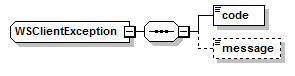
Exception codes are:
| Error Code | Description | Examples |
|---|---|---|
| 100 | Unknown error | - |
| 200 | Internal error | - |
| 300 | Invalid user or password error | - |
| 400 | Invalid input | - |
| 500 | Invalid token | - |
Exposed Web Methods
The PMG web service exposes following methods:
| Method Name | Description |
|---|---|
| addTempCreditCard | Generates a GUID and save a new temporary credit card to DB with this GUID. |
| updateTempCreditCard | The method will update the existing temporary CC associated with the specified GUID. Only attributes present in request will be updated. An attribute is considered present when it is not null and not empty. |
| saveTempCreditCard | Saves in DB as a credit card the temporary credit card data associated with the GUID. Supports also updating exising temporary credit card data before saving it as a credit card. |
Common input parameters
All web services have the following common input parameters:
| Parameter name | Type | Default | Description | Mandatory |
|---|---|---|---|---|
| username | string | null | User credentials used to login to PMG | Y |
| password | string | null | User credentials used to login to PMG | Y |
| locale | string | null | User locale (used for GUI localization) | N |
| externalUser | string | null | User loggend in the client application (used for audit) | Y |
| application | string | null | Client application name | Y |
- XML Schema
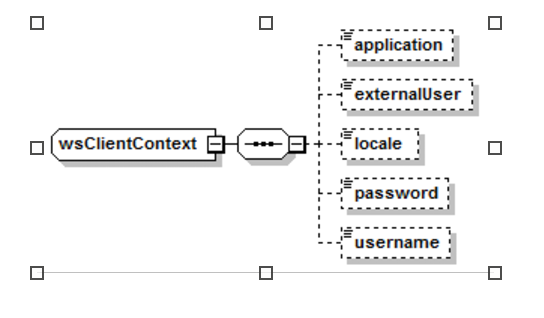
Add Temp Credit Card
Description
Generates a GUID and save a new temporary credit card to DB with this GUID.
Request parameters
| Parameter | Type | Default | Description | Mandatory |
|---|---|---|---|---|
| Common input parameters | Y | |||
| provider | string | null | Provider code | Y |
| accountCode | string | null | Account code | N |
- XML Schema

Response parameters
| Parameter | Type | Description |
|---|---|---|
| result | string | Generated GUID |
- XML Schema

Update Temp Credit Card
Description
The method will update the existing temporary CC associated with the specified GUID. Only attributes present in request will be updated. An attribute is considered present when it is not null and not empty.
Request parameters
| Parameter | Type | Default | Description | Mandatory |
|---|---|---|---|---|
| guid | string | null | Generated GUID | Y |
| cardType | string | null | Card type code, as defined in PMG GUI (Ex: VISA, AMEX, …) | N |
| cardNumber | string | Null | Full PAN (not masked) | N |
| holder | string | Null | Card holder name | N |
| expMonth | string | Null | Card validity expiration month | N |
| expYear | string | Null | Card validity expiration year | N |
| startMonth | string | Null | Card validity start month | N |
| startYear | string | Null | Card validity start year | N |
| cvv | string | Null | Card CVV (will be stored only in memory for short period of time) | N |
- XML Schema
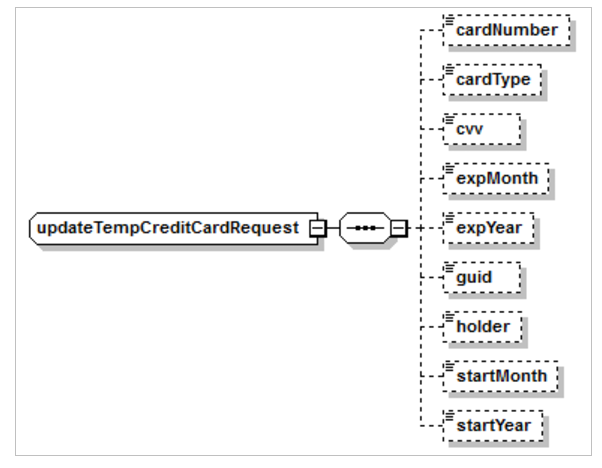
Response parameters None
Save Temp Credit Card
Description
Saves in DB as a credit card the temporary credit card data associated with the GUID. Supports also updating exising temporary credit card data before saving it as a credit card.
Request parameters
| Parameter | Type | Default | Description | Mandatory |
|---|---|---|---|---|
| Common input parameters | Y | |||
| guid | string | null | Generated GUID | Y |
| cardType | string | null | Card type code, as defined in PMG GUI (Ex: VISA, AMEX, …) | N |
| cardNumber | string | Null | Full PAN (not masked) | N |
| holder | string | Null | Card holder name | N |
| expMonth | string | Null | Card validity expiration month | N |
| expYear | string | Null | Card validity expiration year | N |
| startMonth | string | Null | Card validity start month | N |
| startYear | string | Null | Card validity start year | N |
| cvv | string | Null | Card CVV (will be stored only in memory for short period of time) | N |
| prefixLength | int | 6 | When the PMG will send CC details associated with this GUID, the PAN will be masked according to these attributes. Sending 0 means full prefix mask. Clients should send -1 if they don’t have a value and don’t want to know about the defaults. | N |
| suffixLength | sint | s4 | sWhen the PMG will send CC details associated with this GUID, the PAN will be masked according to these attributes. Sending 0 means full suffix mask. Clients should send -1 if they don’t have a value and don’t want to know about the defaults. | N |
- XML Schema
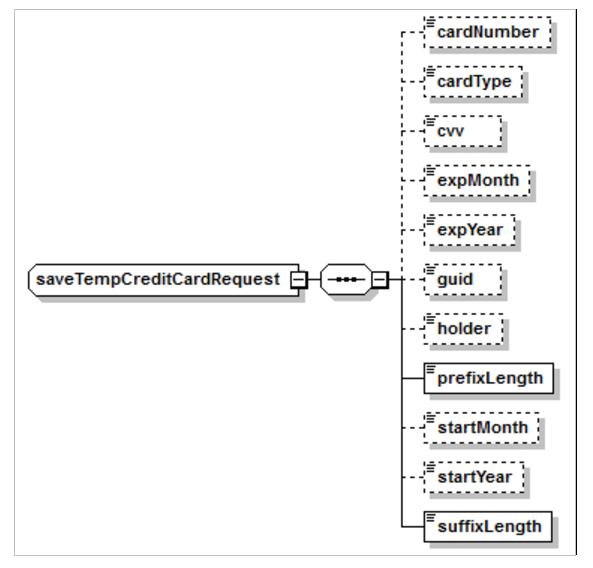
Response parameters
| Parameter | Type | Description |
|---|---|---|
| cardTypeCode | string | Card type code (Masked or not according to standards) |
| cardTypeDescr | string | Card type description (Masked or not according to standards) |
| maskedCardNumber | string | Masked card number (According to standards) |
| holder | string | Card holder name (Masked or not according to standards) |
| expMonth | string | Card validity expiration month (Masked or not according to standards) |
| expYear | string | Card validity expiration year (Masked or not according to standards) |
| startMonth | string | Card validity start month (Masked or not according to standards) |
| startYear | string | Card validity start year (Masked or not according to standards) |
| cardStatus | CreditCardStatus | One of * ACTIVE * CLOSED * NONE |
| provider | string | Provider code |
| cardToken | string | Credit card token |
- XML Schema
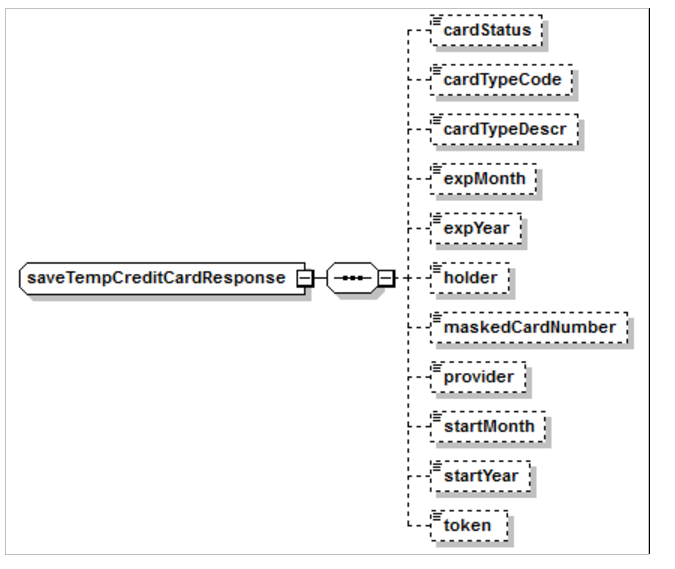
Decline List 2022
General and CC Response Codes
Visa
| Visa: | ||
|---|---|---|
| 00 | Successful completion | |
| 01 | Refer to card issuer | |
| 02 | Refer to card issuer, special condition | |
| 03 | Invalid merchant or service provider | |
| 04 | Pick up card | |
| 05 | Do no honor | |
| 06 | Error | |
| 07 | Pick up card, special condition | |
| 10 | Partial approval | |
| 11 | VIP approval | |
| 12 | Invalid transaction | |
| 13 | Invalid amount | |
| 14 | Invalid account number | |
| 15 | No such issuer | |
| 19 | Re-enter transaction | |
| 21 | No action taken | |
| 25 | Unable to locate record in file | |
| 28 | File is temporarily unavailable | |
| 39 | No credit account | |
| 41 | Pick up card (lost card) | |
| 43 | Pick up card (stolen card) | |
| 51 | Insufficient funds | |
| 52 | No checking account | |
| 53 | No savings account | |
| 54 | Expired card | |
| 55 | Incorrect PIN | |
| 57 | Transaction not permitted to cardholder | |
| 58 | Transaction not allowed at terminal | |
| 59 | Suspected Fraud | |
| 61 | Activity amount limit exceeded | |
| 62 | Restricted card | |
| 63 | Security violation | |
| 65 | Activity count limit exceeded | |
| 75 | Allowable number of PIN-entry tries exceeded | |
| 76 | Unable to locate previous message | |
| 77 | Message inconsistent with original message | |
| 78 | Blocked, first used | |
| 80 | Invalid date | |
| 81 | PIN crypto error | |
| 82 | Incorrect CVV | |
| 83 | Unable to verify PIN | |
| 85 | No reason to decline request for account or address verification | |
| 91 | Issuer or switch inoperative | |
| 92 | Destination cannot be found for routing | |
| 93 | Transaction cannot be completed; violation of law. | |
| 96 | System malfunction | |
| 809 | B1 | Surcharge not premitted |
| 805 | N0 | Force STP |
| 57 | N3 | Cash service not available |
| 61 | N4 | Cash request exceeds issuer limit |
| 806 | N7 | Decline for CVV2 failure |
| 0 | P0 | Approved; PVID missing, invalid or expired |
| 83 | P1 | Declined; PVID missing, invalid or expired |
| 807 | P2 | Invalid biller information |
| 55 | P5 | PIN change/unblock request denied |
| 55 | P6 | Unsafe PIN |
| 807 | Q1 | Card authentication failed |
| 808 | R0 | Stop Payment order |
| 808 | R1 | Revocation of Auth order |
| 808 | R3 | Revocation of all auth order |
| 2 | XA | Forward to issuer |
| 2 | XD | Forward to issuer |
| 999 | Z3 | Decline; unable to go online |
Mastercard
| Mastercard: | |
|---|---|
| 00 | Approved |
| 01 | Refer to issuer |
| 03 | Invalid merchant |
| 04 | Capture card |
| 05 | Do not honor |
| 08 | Honor with ID |
| 10 | Partial Approval |
| 12 | Invalid transaction |
| 13 | Invalid amount |
| 14 | Invalid card number |
| 15 | Invalid issuer |
| 25 | Unable to locate record |
| 27 | File update field edit error |
| 30 | Format error |
| 41 | Lost card |
| 43 | Stolen card |
| 51 | Insufficient funds |
| 54 | Expired card |
| 55 | Invalid PIN |
| 57 | Transaction not permitted to cardholder |
| 58 | Tranaction not permitted to terminal |
| 61 | Exceeds withdrawal limit |
| 62 | Restricted card |
| 63 | Security violation |
| 65 | Exceeds withdrawal count |
| 68 | Response late |
| 70 | Contact card Issuer |
| 71 | PIN not changed |
| 75 | PIN tries exceeded |
| 76 | Invalid "to" account |
| 77 | Invalid "from" account |
| 78 | Nonexistent account |
| 79 | Key exchange validation failed |
| 80 | Duplicate add, action not performed |
| 84 | Invalid auth life cycle |
| 85 | Not declined |
| 87 | Cash back not allowed |
| 89 | Auth system or issuer inop |
| 91 | Auth system or issuer inop |
| 92 | Unable to route transaction |
| 94 | Duplicate transmission |
| 96 | System error |
Amex
| Amex: | |
|---|---|
| 001 | Approved |
| 000 | Approve with ID |
| 002 | Partial Approval |
| 003 | Approve VIP |
| 092 | Approved (Express Rewards Program) |
| 100 | Deny |
| 101 | Expired Card |
| 103 | Deny - Invalid Manual Entry |
| 104 | Deny - New card issued |
| 105 | Deny - Account Canceled |
| 107 | Please call issuer |
| 109 | Invalid Merchant |
| 110 | Invalid Amount |
| 111 | Invalid Account |
| 115 | Service not permitted |
| 122 | Invalid security code |
| 125 | Invalid effective date |
| 181 | Format error |
| 182 | Please wait |
| 183 | Invalid currency code |
| 187 | Deny – new card issued |
| 188 | Deny - Account Canceled |
| 189 | Deny – closed merchant |
| 200 | Deny - pick up card |
| 400 | Reversal Accepted |
Gateway Specific
| Gateway Specific: | |
|---|---|
| 099 | Timeout |
| 750 | Velocity check fail |
| 899 | Misc. decline |
| 900 | Invalid message type |
| 901 | Invalid Merchanbt ID |
| 903 | Debit not supported |
| 904 | Private Label not supported |
| 905 | Invalid Card type |
| 906 | Unit not active |
| 908 | Manual Card Entry Invalid |
| 909 | Invalid Track Information |
| 911 | Master Merchant not found |
| 912 | Invalid Card Format |
| 913 | Invalid Transaction Type |
| 917 | Expired Card |
| 919 | Invalid Entry Type |
| 920 | Invalid amount |
| 921 | Invalid messge format |
| 923 | Invalid ABA |
| 924 | Invalid DDA |
| 925 | Invalid TID |
| 926 | Invalid Password |
| 930 | Invalid zipcode |
| 931 | Invalid Address |
| 932 | Invalid ZIP and Address |
| 933 | Invalid CVV2 |
| 940 | Record Not Found |
| 941 | Merchant ID error |
| 942 | Refund Not Allowed |
| 943 | Refund denied |
| 958 | Bad Status |
| 981 | Invalid AVS |
| 987 | Issuer Unavailable |
| 988 | System error SD |
| 989 | Database Error |
| 992 | Transaction Timeout |
| 996 | Bad Terminal ID |
| 997 | Message rejected by association |
| 999 | Communication failure |
| 934 | Failed AVS HPP/HAPI |
| 935 | Failed CVV HPP/HAPI |
| 6 | Format Error |
| 900 | Network Error |
| 600 | Limits Exceeded |
| 601 | Failed AVS |
| 602 | Failed CVV |
| 603 | Failed AVS and CVV |
| 604 | Transaction Deleted |
Discover
| Discover: | |
|---|---|
| 00 | Approved or completed successfully |
| 01 | Refer to Card Issuer |
| 02 | Refer to Card Issuer's special conditions |
| 03 | Invalid Merchant |
| 04 | Capture Card |
| 05 | Do not honor |
| 07 | Pick-up Card, special condition |
| 08 | Honor with ID |
| 10 | Approved for partial amount |
| 11 | Approved |
| 12 | Invalid transaction |
| 13 | Invalid amount |
| 14 | Invalid Card Number |
| 15 | Invalid Issuer |
| 19 | Re-enter transaction |
| 30 | Format error |
| 31 | Bank not supported by switch |
| 33 | Expired Card |
| 34 | Suspected fraud |
| 35 | Card Acceptor contact Acquirer |
| 36 | Restricted Card |
| 37 | Card Acceptor call Acquirer security |
| 38 | Allowable PIN tries exceeded |
| 39 | No credit Account |
| 40 | Requested function not supported |
| 41 | Lost Card |
| 43 | Stolen Card |
| 51 | Decline |
| 53 | No savings Account |
| 54 | Expired Card |
| 55 | Invalid PIN |
| 56 | No Card record |
| 57 | Transaction not permitted to Issuer/Cardholder |
| 58 | Transaction not permitted to Acquirer/terminal |
| 59 | Suspected fraud |
| 60 | Card acceptor contact Acquirer |
| 61 | Exceeds withdrawal amount limit |
| 62 | Restricted Card |
| 63 | Security violation |
| 64 | Original amount incorrect |
| 65 | Exceeds withdrawal count limit |
| 66 | Card Acceptor call Acquirer's security dept |
| 67 | Hard capture (requires ATM pick-up |
| 68 | Response received too late |
| 75 | Allowable number of PIN tries exceeded |
| 76 | Invalid/nonexistent "to" Account specified |
| 77 | Invalid/nonexistent "from" Account specified |
| 78 | Invalid/nonexistent Account specified (general |
| 87 | Network unavailable |
| 91 | Authorization system or Issuer system inoperative |
| 92 | Unable to route transaction |
| 93 | Transaction cannot be completed, violation of law |
| 94 | Duplicate transmission detected |
| 96 | System malfunction |
Echeck Response Codes
| Echeck: | |
|---|---|
| C01 | Approved |
| C02 | Approve with ID |
| C03 | Approve VIP |
| C04 | Approved (Express Rewards Program) |
| C05 | Deny |
| C06 | Expired Card |
| C07 | Deny - Invalid Manual Entry |
| C09 | Deny - New card issued |
| C10 | Deny - Account Canceled |
| C11 | Please call issuer |
| C12 | Invalid Merchant |
| C13 | Invalid Amount |
| R01 | Insufficient funds |
| R02 | Account closed |
| R03 | No account/unable to locate |
| R04 | Invalid account number |
| R05 | Reserved |
| R06 | Returned per ODFI's Request |
| R07 | Authorization Revoked by Customer |
| R08 | Payment stopped |
| R09 | Uncollected funds |
| R10 | Customer advises not authorized |
| R11 | Check truncation entry Return |
| R12 | Branch sold to other DFI |
| R13 | RDFI not qualified to participate |
| R14 | Representative payee deceased or unable to continue in that capacity |
| R15 | Beneficiary deceased |
| R16 | Account frozen |
| R17 | File/Record edit criteria |
| R18 | Improper effective entry date |
| R19 | Amount field error |
| R20 | Non-transaction account |
| R21 | Invalid company ID |
| R22 | Invalid individual ID |
| R23 | Credit entry Refused by Receiver |
| R24 | Duplicate entry |
| R25 | Addenda error |
| R26 | Mandatory field error |
| R27 | Trace number error |
| R28 | Transit/Routing check digit error |
| R29 | Coprorate customer advises not authorized |
| R30 | RDFI not a participant in check truncation program |
| R31 | Permissable Return entry |
| R32 | RDFI - non-settlement |
| R33 | Return for XCK |
| R34 | Limited participation DFI |
| R50 | State law affecting RCK acceptance |
| R51 | Item is ineligible, notice not provided, signature not genuine, or item altered |
| R52 | Stop payment on item for which an RCK item was Received |
| R80 | Cross border coding error |
| Phases of echeck Transfers | |
|---|---|
| ND | Not Done |
| PH1 | Phase 1 - Request for funds |
| PH2 | Phase 2 - Funds transferred to RDFI (merchant's acct) |
| CMP | Complete - delay times passed - transfer done |
DLL Response Codes
| CODE | DESRIPTION | CAUSES |
|---|---|---|
| A50 | Unexpected error | Virtual Terminal Application Error |
| A80 | Invalid transaction type | Transaction type code is not recognized |
| A81 | Missing Merchant ID | Merchant ID is not present |
| A82 | Invalid price | Price is negative |
| A83 | Invalid ABA number | ABA number size problem |
| A84 | Missing checking account number | Account number size is zero |
| A85 | Missing check number | Check number size is zero |
| A86 | Invalid check surcharge | Surcharge is negative |
| A87 | Invalid credit card expiration date | The size of the exipration date is different to four digits: must by MMYY |
| A88 | Missing credit card number | Credit card number size is zero |
| A89 | Invalid credit card number | The size is incorrect, or is not numeric or invalid |
| A90 | Invalid CVV2 number | CVV must be numeric |
| A91 | Missing account holder name | Account holder name size is zero |
| E50 | Unexpected error | |
| E51 | No response received from JetPay Gateway | |
| E52 | Incomplete response received from JetPay Gateway | |
| E53 | Invalid response received from JetPay Gateway | |
| E54 | Action code not returned from JetPay Gateway | |
| E55 | Transaction identifier returned from JetPay Gateway did not match outbound transaction identifier |
AVS codes
VISA
| VISA: | |||
|---|---|---|---|
| AVS resp | Addr Match | Zip Match | Inter. Only |
| A | Y | N | N |
| B | Y | X | N |
| C | X | X | N |
| D | Y | Y | Y |
| F | Y | Y | Y |
| G | X | X | Y |
| I | X | X | Y |
| M | Y | Y | Y |
| N | N | N | N |
| P | X | Y | N |
| R | X | X | N |
| S | NA | NA | NA |
| U | X | X | N |
| W | NA | NA | NA |
| X | NA | NA | NA |
| Y | Y | Y | N |
| Z | N | Y | N |
MC
| MC: | ||
|---|---|---|
| AVS resp | Addr Match | Zip Match |
| A | Y | N |
| B | Y | X |
| C | X | X |
| D | Y | Y |
| F | Y | Y |
| G | X | X |
| I | X | X |
| M | Y | Y |
| N | N | N |
| P | X | Y |
| R | X | X |
| S | X | X |
| U | X | X |
| W | N | Y |
| X | Y | Y |
| Y | Y | Y |
| Z | N | Y |
AMEX
| AMEX: | |||
|---|---|---|---|
| AVS resp | Addr Match | Zip Match | Name Match |
| A | Y | N | X |
| D | N | Y | N |
| E | Y | Y | N |
| F | Y | N | N |
| K | N | N | Y |
| L | N | Y | Y |
| M | Y | Y | Y |
| N | N | N | X |
| O | Y | N | Y |
| R | X | X | X |
| S | X | X | X |
| U | X | X | X |
| W | N | N | N |
| Y | Y | Y | X |
| Z | N | Y | X |
Discover
| Discover: | ||
|---|---|---|
| AVS resp | Addr Match | Zip Match |
| A | Y | Y |
| S | X | X |
| T | N | Y |
| U | X | X |
| W | X | X |
| X | Y | Y |
| Y | Y | N |
| Z | N | Y |
Reporting API
Reporting Service (IPR)
Reporting Service (IPR)Document Version 2.0 June 2022
Introduction:
The Gateway has an API for querying transaction data. This document describes the API to connect to retrieve transaction and tokenization data that can be used to create customized reports.
For information about the overall specifications of an transaction, refer to the XML Specification document.
IPR Connecting
For testing:
https://rpt-test.ippay.com/ippayReport/
For production:
https://rpt.ippay.com/ippayReport/
The production gateway should not be used for test purposes, unless a test of live transaction data is deliberately planned with intent to settle that transaction data.
Request/Response Example
The following IPR transaction demonstrates a credit card transaction request:
<ippayReport>
<MerchantID>xxx</MerchantID>
<Password>xxx</Password>
<TransactionRange>
<TransactionType>credit</TransactionType>
<TransactionStartTime>2022-03-07T00:00:00</TransactionStartTime>
<TransactionEndTime>2022-03-08T00:59:59</TransactionEndTime>
</TransactionRange>
<QueryType>nongateway</QueryType> OPTIONAL. Values are nongateway, gateway or combined
</ippayReport>
var httpClient = new HttpClient();
var bodyXmlString = @"<ippayReport>
" + "\n" +
@" <MerchantID>TRANS0000002703SDD</MerchantID>
" + "\n" +
@" <TerminalID />
" + "\n" +
@" <Password>T7UE7adpx8</Password>
" + "\n" +
@" <TransactionRange>
" + "\n" +
@" <TransactionType>credit</TransactionType>
" + "\n" +
@" <TransactionStartTime>2019-01-01T00:00:00</TransactionStartTime>
" + "\n" +
@" <TransactionEndTime>2019-01-02T00:00:00</TransactionEndTime>
" + "\n" +
@" </TransactionRange>
" + "\n" +
@"</ippayReport>";
var stringContent = new StringContent(bodyXmlString, Encoding.UTF8, "application/xml");
var respone = await httpClient.PostAsync("https://rpt-test.ippay.com/ippayReport/", stringContent);
Console.WriteLine(response.Content);
<?php
require_once 'HTTP/Request2.php';
$request = new HTTP_Request2();
$request->setUrl('https://rpt-test.ippay.com/ippayReport/');
$request->setMethod(HTTP_Request2::METHOD_POST);
$request->setConfig(array(
'follow_redirects' => TRUE
));
$request->setHeader(array(
'Content-Type' => 'application/xml'
));
$request->setBody('<ippayReport>
\n <MerchantID>TRANS0000002703SDD</MerchantID>
\n <TerminalID />
\n <Password>T7UE7adpx8</Password>
\n <TransactionRange>
\n <TransactionType>credit</TransactionType>
\n <TransactionStartTime>2019-01-01T00:00:00</TransactionStartTime>
\n <TransactionEndTime>2019-01-02T00:00:00</TransactionEndTime>
\n </TransactionRange>
\n</ippayReport>');
try {
$response = $request->send();
if ($response->getStatus() == 200) {
echo $response->getBody();
}
else {
echo 'Unexpected HTTP status: ' . $response->getStatus() . ' ' .
$response->getReasonPhrase();
}
}
catch(HTTP_Request2_Exception $e) {
echo 'Error: ' . $e->getMessage();
}
var request = require('request');
var options = {
'method': 'POST',
'url': 'https://rpt-test.ippay.com/ippayReport/',
'headers': {
'Content-Type': 'application/xml'
},
body: '<ippayReport>\r\n <MerchantID>TRANS0000002703SDD</MerchantID>\r\n <TerminalID />\r\n <Password>T7UE7adpx8</Password>\r\n <TransactionRange>\r\n <TransactionType>credit</TransactionType>\r\n <TransactionStartTime>2019-01-01T00:00:00</TransactionStartTime>\r\n <TransactionEndTime>2019-01-02T00:00:00</TransactionEndTime>\r\n </TransactionRange>\r\n</ippayReport>'
};
request(options, function (error, response) {
if (error) throw new Error(error);
console.log(response.body);
});
For this IPR transaction, if there was no transaction data to return, the response would be as follows:
<ippayReport>
<Transactions type="credit" run=" 2019-01-03 10:30:00"
start="2019-01-01 00:00:00"
end="2019-01-01 00:00:00">
No Results
</Transactions>
</ippayReport>
For this IPR transaction, the following response illustrates how the returning XML would look if there were transactions to report:
<ippayReport>
<Transactions type="credit" run=" 2019-01-03 10:30:00"
start="2019-01-01 00:00:00" end="2019-01-01 00:00:00">
<Transaction>
<Date>2022-03-07 06:40:27.0</Date>
<ipTransID>000000000000000000144970343</ipTransID>
<Merchant_Name>xxx</Merchant_Name>
<Merchant_ID>xxx</Merchant_ID>
<Terminal_ID>xxx</Terminal_ID>
<Transaction_ID>HPC202203071240272</Transaction_ID>
<Request_Type>SALE</Request_Type>
<Total_Amount>52.4500</Total_Amount>
<Fee_Amount>0.0000</Fee_Amount>
<Auth_Code>031937</Auth_Code>
<ActionCode>000</ActionCode>
<Response_Text>APPROVED</Response_Text>
<CardNum>4M0E7A6K8G2F1048</CardNum>
<Token>4M0E7A6K8G2F1047</Token>
<AVS_Response>Y</AVS_Response>
<AddressMatch>Y</AddressMatch>
<ZipMatch>Y</ZipMatch>
<CVV2>M</CVV2>
<CardHolderName>Ashley G Taylor</CardHolderName>
<Address>1236 198th street</Address>
<City>Pacific junction</City>
<State>IA</State>
<Zip>51561</Zip>
<Country></Country>
<Phone></Phone>
<Email></Email>
<UserIPAddr></UserIPAddr>
<UserHost></UserHost>
<OrderNumber></OrderNumber>
<UD1>ERID1288780</UD1>
<UD2></UD2>
<UD3></UD3>
<CustomerPO></CustomerPO>
<ShippingMethod></ShippingMethod>
<ShippingName></ShippingName>
<ShippingAddr></ShippingAddr>
<alProcessorID>5727</alProcessorID>
<altTerminalID></altTerminalID>
<altMerchantID></altMerchantID>
<FNA_AuthDate>2022-03-07</FNA_AuthDate>
<FNA_AuthTime>06:40:28</FNA_AuthTime>
<FNA_TransactionID>3161621504</FNA_TransactionID>
<FNA_ResponseCode></FNA_ResponseCode>
<FNA_RetRefNum>206612202188</FNA_RetRefNum>
<CCProcessor>92865727</CCProcessor>
<ACHProcessor>5727</ACHProcessor>
<CardPresent>false</CardPresent>
<Source>nongateway</Source>
</Transaction>
</Transactions>
</ippayReport>
The following examples illustrate transaction messages, showing a sample request message with a corresponding sample response message.
Submitted data for the IPR transaction request consists of:
<MerchantID> = Reporting username (required)
<TerminalID> = your terminal ID, assigned by the Gateway Provider (optional)
<Password> = Reporting Password (required)
<TransactionType> = Specify credit, ach or token (required)
<TransactionStartTime> = Start time of transactions to be downloaded
<TransactionEndTime> = (required) End time of transactions to be downloaded (required)
Request Format
The following table shows the logical structure of the transaction request message. The Document Structure column lists the element name and its place in the message structure in order and indentation. The Qualifications column explains the conditions for supplying that element to a transaction. The condition column lists any conditions that apply to the element.
- ippayReport - Required root element
- MerchantID - Required.
- TerminalID - Optional.
- TransactionRange - Required.
- TransactionType - Required. Values(see below).
- TransactionStartTime - Required. Format is YYYY-MM-DDTHH:MM:SS.
- TransactionEndTime - Required. Format is YYYY-MM-DDTHH:MM:SS.
Request Element Definitions
The following properties describe the request transactions.
ippayReport – root element, enclosing the following transaction elements:
- MerchantID – Required for all transactions. This isissued by the Gateway Provider when an account is set up. NOTE: this is DIFFERENT from the MerchantID provided at onboarding. Please contact support to have the correct MerchantID issued for the purpose of querying transaction data.
- TerminalID – Optional. This value allows a merchant to filter downloaded transactions by a specific TerminalID used for processing transactions through the Gateway Provider
- Password – Required for all transactions. The password (coordinated with the Gateway Provider) is used to verify that a submitted XML request is valid and that permissions are properly authenticated.
- TransactionRange – Required for all transactions. Contains the specific values and ranges of
the transactions being requested.
- TransactionType – Required for all transactions.
- credit: Returns all auth, capt, sale, void, credit transactions.
- ccsettlement: Returns credit settlement records.
- ccchargebacks: Returns credit chargeback records.
- ach: Return check, reversal and voidach transactions.
- achsettlement: Returns ach settlement records.
- achrejects: Returns ach reject records.
- token: Returns all token transactions.
- getAccountUpdaterActivity: Returns completed account updater requests.
- getAccountUpdaterPendingActivity: Returns pending account updater requests.
- TransactionStartTime – Start time of transactions to be downloaded. Format is YYYY-MM-DDTHH:MM:SS. Time is military time. To capture a transaction range starting at 6:05 AM on June 10, 2012, a value of 2012-06-10T06:05:00 would be specified in this field.
- TransactionEndTime – End time of transactions to be downloaded. Format is YYYY-MM-DDTHH:MM:SS. Time is military time. To capture a transaction range starting at 6:05 AM on June 10, 2012, a value of 2012-06-10T06:05:00 would be specified in this field.
- TransactionType – Required for all transactions.
Response Format Overview
The following table describes the logical structure of the transaction response message, sent in response to an initiating transaction request message.
- ippayReport - Required root element.
- Transactions - Required.
- Transaction - Optional. One element per transaction.
- ipTransID - Returned.
- Merchant_Name - Returned.
- Merchant_ID - Returned.
- Terminal_ID - Returned.
- Transaction_ID - Returned.
- Request_Type - Returned.
- Transaction_Type - Optional.
- Total_Amount - Optional (ECHECK).
- Tax_Amount -
- Auth_Code - Optional.
- ActionCode -
- Approval_Status -
- AuthDateTime - Required.
- CardNum - Optional if Credit transaction.
- AccountNumber - Required if ECHECK transaction.
- ABA -
- CheckNumber -
- Token - Required.
- AVS_Response - Optional.
- AddressMatch -
- ZipMatch -
- CVV2 -
- CardHolderName - Optional.
- Address - Optional.
- City - Optional.
- State - Optional.
- Zip - Optional.
- Country - Optional.
- Phone - Optional.
- Email -
- UserIPAddr -
- UserHost -
- OrderNumber Optional. - Optional.
- UD1 Optional. - Optional.
- UD2 Optional. - Optional.
- UD3 Optional. - Optional.
- CustomerPO -
- ShippingMethod -
- ShippingName -
- ShippingAddr -
- Transaction - Optional. One element per transaction.
- Transactions - Required.
Response Element Definitions
1. ipTransID – Globally unique transaction ID that can be used in lieu of CardNum or ACH to recall the appropriate value from a prior transaction that has been run. Works with SALE, AUTHONLY, VOID, CREDIT, CHECK, REVERSAL& VOIDACH transactions.
2. Merchant_Name – Returned for all transactions.
3. Merchant_ID – Returned for all transactions. This ID is issued by the Gateway Provider Merchant Services when an account is set up with the merchant bank.
4. Terminal_ID – Returned for all transactions. This ID is issued by the Gateway Provider Merchant Services when an account is set up with the merchant bank.
5. Transaction_ID – Returned for all transactions. A unique 18-character value that identifies the transaction.
6. Request_Type – Returned for all transactions. Must be one of the following values: SALE, AUTHONLY, CAPT, VOID, FORCE, ENQ, CREDIT, CHECK, REVERSAL, VOIDACH, REVERSEAUTH, TOKENIZE, PARTIALREVERSAL, INCREMENTAL, PINGor ACK
7. Transaction_Type – The manner in which this transaction was communicated to the merchant. Possible values are 'INTERNET' (ecommerce merchants), 'POS' (retail merchants with magnetic cardreaders), 'RECURRING' (ecommerce and MOTO merchants), 'PHONEORDER' (MOTO merchants), and 'MAILORDER' (MOTO merchants). Value equals what was sent in the Origin tag.
8. Total_Amount – Purchase price to be transacted, including taxes and fees. The currency type assumed for the amount is dependent on the merchant. Value must be non-zero.
9. Fee_Amount – The surcharge applied to a transaction. The surcharge value within this element is assumed to be already included in TotalAmount.
10. Tax_Amount – Tax applied to a transaction. The tax value within this element is assumed to be already included in the total amount.
11. Auth_Code – An authorization code, six (6) alphanumeric characters long, returned by the issuing bank for credit card transactions.
12. ActionCode – The ActionCodeis three (3) characters. The ActionCode contains a '000' value to indicate that a transaction has been approved by the issuer bank. The ActionCodewill be some other value when either the issuer bank declines the transaction or if the server host detects an error. This is the same value as ActionCode returned in the IPPay XML.
13. Response_Text – Message from the server, describing to the ActionCode. Note that a '000' ActionCodemay have multiple ResponseTextvalues, including 'APPROVED', 'ACCEPTED', 'CAPTURES', and 'PING'. Other ActionCodeswill contain a ResponseTextvalue of 'DECLINED' or some similar phrase.
14. AuthDateTime – the time in which the transactions occurred. Return format is YYYY-MM-DD HH:MM:SS.
15. CardNum – Visa, Mastercard, JCB, Discover and American Express submitted for a transaction and is thirteen to nineteen digits long, depending on the type of the credit card. For PCI compliance reasons, tokens have been substituted for the actual submitted Visa, Mastercard, JCB, Discover and American Express number and expiration date. No other cardholder information is associated with the token.
Tokens are format preserving in the following respects:
- Tokens are the same character length as submitted data
- 1st digit of Credit Card Number is preserved in token
- Last 4 digits of Credit Card number are preserved in token
16. AccountNumber – Used for ECHECK transactions. The account number of the target bank account
17. ABA – Used for ECHECK transactions. The nine-digit bank routing identifier for the target bank account.
18. CheckNumber – Used for ECHECK transactions. A numeric identifier for the banking transaction.
19. Token – See above. For credit card transactions, will be the same value as what is returned in CardNum. No other cardholder information is associated with the token. For ECHECK transactions, will return a value that can be used in place of an
ABA & Account number. Tokens are format preserving in the following respects:
- Tokens are the same character length as submitted data
- Last 4 digits of account number are preserved for ECheck transactions
20. AVS_Response – A code indicating that AVS ('Address Verification Service') results for a transaction. Refer to 'Appendix B' in this reference for an explanation of the valid result codes, 'A', 'B', 'C', 'D', 'E', 'F', 'G', 'K', 'L', 'M', 'N', 'O', 'P', 'R', 'S', 'U', 'W', 'X', 'Y', and 'Z'.
21. AddressMatch – Code indicating the address match results for a credit card transaction. Returns 'Y', 'N', or 'X', where:
- Y – The address matches.
- N – The address does not match.
- X – No result available (AVS requested but not performed).
22. ZipMatch – Code indicating the postal code match results for a credit card transaction. Returns 'Y', 'N', or 'X', where:
- Y– The postal code matches.
- N– The postal code does not match.
- X– No result available (AVS requested but not performed).
23. CVV2 – The response code to a Visa CVV2 or a MasterCard CVC2 or an American Express CID submission. Refer to 'Appendix C' in this reference for a explanation of the valid result codes, 'M','N', 'P', 'S', and 'U'.
25. CardHolderName– The customer name, that is, the name of the cardholder.
27. City – Cardholder’s billing city
26. Address – Cardholder’s billing address
28. State – Cardholder’s billing state code abbreviation
29. Zip – Cardholder’s billing zip code
30. Country – Cardholder’s billing country, a valid ISO Country Code (consisting of either three alphabetic characters or three digits).
31. Phone – Cardholder’s billing telephone number
32. Email – Cardholder’s email address
33. UserIPAddr – Customer’s IP address
34. UserHost – Customer’s host name
35. OrderNumber – A string referencing an order. When dynamic descriptor functionality is enabled, the contents of this field shows up after the header on the cardholder statement.
36. UDField1 – User-defined field, available for reporting purposes. Utilized by the dynamic phone number feature when up to 15 digits (number, no dashes) are appended with a # sign.
37. UDField2 – User-defined field
38. UDField3 – User-defined field
39. CustomerPO – The cardholder’s purchase order number
40. ShippingMethod – The manner of delivering a purchase to the recipient. One of five shipping methods may be specified:
- SAMEDAY: courier delivery
- OVERNIGHT: next day delivery
- PRIORITY: two to three days shipping time
- GROUND: four or more days shipping time
- ELECTRONIC: delivery of purchase by electronic means
41. ShippingName – The name of the recipient of the order
42. ShippingAddr – The destination shipping address data
Request/Response Examples
Credit
Credit
Credit Request:
<ippayReport>
<MerchantID>MERCHANTID</MerchantID>
<Password>PASSWORD</Password>
<TransactionRange>
<TransactionType>credit</TransactionType>
<TransactionStartTime>2019-01-29T16:40:00</TransactionStartTime>
<TransactionEndTime>2019-01-29T16:45:59</TransactionEndTime>
</TransactionRange>
</ippayReport>
var httpClient = new HttpClient();
var bodyXmlString = @"<ippayReport>
" + "\n" +
@" <MerchantID>TRANS0000002703SDD</MerchantID>
" + "\n" +
@" <Password>T7UE7adpx8</Password>
" + "\n" +
@" <TransactionRange>
" + "\n" +
@" <TransactionType>credit</TransactionType>
" + "\n" +
@" <TransactionStartTime>2019-01-29T16:40:00</TransactionStartTime>
" + "\n" +
@" <TransactionEndTime>2019-01-29T16:45:59</TransactionEndTime>
" + "\n" +
@" </TransactionRange>
" + "\n" +
@" <ippayReport>";
var stringContent = new StringContent(bodyXmlString, Encoding.UTF8, "application/xml");
var respone = await httpClient.PostAsync("https://rpt-test.ippay.com/ippayReport/", stringContent);
Console.WriteLine(response.Content);
var request = require('request');
var options = {
'method': 'POST',
'url': 'https://rpt-test.ippay.com/ippayReport/',
'headers': {
'Content-Type': 'application/xml'
},
body: '<ippayReport>\r\n <MerchantID>TRANS0000002703SDD</MerchantID>\r\n <Password>T7UE7adpx8</Password>\r\n <TransactionRange>\r\n <TransactionType>credit</TransactionType>\r\n <TransactionStartTime>2019-01-29T16:40:00</TransactionStartTime>\r\n <TransactionEndTime>2019-01-29T16:45:59</TransactionEndTime>\r\n </TransactionRange>\r\n <ippayReport>'
};
request(options, function (error, response) {
if (error) throw new Error(error);
console.log(response.body);
});
<?php
require_once 'HTTP/Request2.php';
$request = new HTTP_Request2();
$request->setUrl('https://rpt-test.ippay.com/ippayReport/');
$request->setMethod(HTTP_Request2::METHOD_POST);
$request->setConfig(array(
'follow_redirects' => TRUE
));
$request->setHeader(array(
'Content-Type' => 'application/xml'
));
$request->setBody('<ippayReport>
\n <MerchantID>TRANS0000002703SDD</MerchantID>
\n <Password>T7UE7adpx8</Password>
\n <TransactionRange>
\n <TransactionType>credit</TransactionType>
\n <TransactionStartTime>2019-01-29T16:40:00</TransactionStartTime>
\n <TransactionEndTime>2019-01-29T16:45:59</TransactionEndTime>
\n </TransactionRange>
\n <ippayReport>');
try {
$response = $request->send();
if ($response->getStatus() == 200) {
echo $response->getBody();
}
else {
echo 'Unexpected HTTP status: ' . $response->getStatus() . ' ' .
$response->getReasonPhrase();
}
}
catch(HTTP_Request2_Exception $e) {
echo 'Error: ' . $e->getMessage();
}
Credit Response:
<ippayResponse>
<Transactions type="credit" run="2019-04-16 21:55:47"
start="2019-01-29T16:40:00" end="2019-01-29T16:45:59" records="2">
<Transaction>
<Date>2019-01-29 16:41:35.0</Date>
<ipTransID>00000000000000000086124999</ipTransID>
<Merchant_Name>ABCLLC</Merchant_Name>
<Merchant_ID>0000508999</Merchant_ID>
<Terminal_ID>TESTTESTTEST</Terminal_ID>
<Transaction_ID>A20195555524135440</Transaction_ID>
<Request_Type>SALE</Request_Type>
<Total_Amount>1.9000</Total_Amount>
<Fee_Amount>0.0000</Fee_Amount>
<Auth_Code>198772</Auth_Code>
<ActionCode>000</ActionCode>
<Response_Text>APPROVED</Response_Text>
<CardNum>37G3555551K1006</CardNum>
<Token>37G3555551K1006</Token>
<AVS_Response></AVS_Response>
<AddressMatch></AddressMatch>
<ZipMatch></ZipMatch>
<CVV2></CVV2>
<CardHolderName>TEST</CardHolderName>
<Address></Address>
<City></City>
<State></State>
<Zip></Zip>
<Country></Country>
<Phone></Phone>
<Email></Email>
<UserIPAddr></UserIPAddr>
<UserHost></UserHost>
<OrderNumber></OrderNumber>
<UD1></UD1>
<UD2></UD2>
<UD3></UD3>
<CustomerPO></CustomerPO>
<ShippingMethod></ShippingMethod>
<ShippingName></ShippingName>
<ShippingAddr></ShippingAddr>
<alProcessorID>5727</alProcessorID>
<altTerminalID></altTerminalID>
<altMerchantID></altMerchantID>
<FNA_AuthDate>2019-01-29</FNA_AuthDate>
<FNA_AuthTime>17:41:36</FNA_AuthTime>
<FNA_TransactionID>1549996093</FNA_TransactionID>
<FNA_ResponseCode></FNA_ResponseCode>
<FNA_RetRefNum>902999902572</FNA_RetRefNum>
<CCProcessor>92999727</CCProcessor>
</Transaction>
<Transaction>
<Date>2019-01-29 16:41:53.0</Date>
<ipTransID>00000000000000000086124999</ipTransID>
<Merchant_Name>ABCLLC</Merchant_Name>
<Merchant_ID>0000508999</Merchant_ID>
<Terminal_ID>TESTTESTTEST</Terminal_ID>
<Transaction_ID>D20199999224153843</Transaction_ID>
<Request_Type>SALE</Request_Type>
<Total_Amount>2.5800</Total_Amount>
<Fee_Amount>0.0000</Fee_Amount>
<Auth_Code>128111</Auth_Code>
<ActionCode>000</ActionCode>
<Response_Text>APPROVED</Response_Text>
<CardNum>37G3H555D1K1006</CardNum>
<Token>37G3H555D1K1006</Token>
<AVS_Response></AVS_Response>
<AddressMatch></AddressMatch>
<ZipMatch></ZipMatch>
<CVV2></CVV2>
<CardHolderName>TEST USER</CardHolderName>
<Address></Address>
<City></City>
<State></State>
<Zip></Zip>
<Country></Country>
<Phone></Phone>
<Email></Email>
<UserIPAddr></UserIPAddr>
<UserHost></UserHost>
<OrderNumber></OrderNumber>
<UD1></UD1>
<UD2></UD2>
<UD3></UD3>
<CustomerPO></CustomerPO>
<ShippingMethod></ShippingMethod>
<ShippingName></ShippingName>
<ShippingAddr></ShippingAddr>
<alProcessorID>5727</alProcessorID>
<altTerminalID></altTerminalID>
<altMerchantID></altMerchantID>
<FNA_AuthDate>2019-01-29</FNA_AuthDate>
<FNA_AuthTime>17:41:54</FNA_AuthTime>
<FNA_TransactionID>1543336473</FNA_TransactionID>
<FNA_ResponseCode></FNA_ResponseCode>
<FNA_RetRefNum>902944403674</FNA_RetRefNum>
<CCProcessor>92555727</CCProcessor>
</Transaction>
</Transactions>
</ippayResponse>
ccsettlement
ccsettlement
ccsettlement request:
<ippayReport>
<MerchantID>MERCHANTID</MerchantID>
<Password>PASSWORD</Password>
<TransactionRange>
<TransactionType>ccsettlement</TransactionType>
<TransactionStartTime>2018-07-10T17:20:07</TransactionStartTime>
<TransactionEndTime>2018-07-10T17:21:07</TransactionEndTime>
</TransactionRange>
</ippayReport>
var httpClient = new HttpClient();
var bodyXmlString = @"<ippayReport>" + "\n" +
@" <MerchantID>MERCHANTID</MerchantID>" + "\n" +
@" <Password>PASSWORD</Password>" + "\n" +
@" <TransactionRange>" + "\n" +
@" <TransactionType>ccsettlement</TransactionType>" + "\n" +
@" <TransactionStartTime>2018-07-10T17:20:07</TransactionStartTime>" + "\n" +
@" <TransactionEndTime>2018-07-10T17:21:07</TransactionEndTime>" + "\n" +
@" </TransactionRange>" + "\n" +
@" </ippayReport>";
var stringContent = new StringContent(bodyXmlString, Encoding.UTF8, "application/xml");
var respone = await httpClient.PostAsync("https://rpt-test.ippay.com/ippayReport/", stringContent);
Console.WriteLine(response.Content);
var request = require('request');
var options = {
'method': 'POST',
'url': 'https://rpt-test.ippay.com/ippayReport/',
'headers': {
'Content-Type': 'application/xml'
},
body: ' <ippayReport>\n <MerchantID>MERCHANTID</MerchantID>\n <Password>PASSWORD</Password>\n <TransactionRange>\n <TransactionType>ccsettlement</TransactionType>\n <TransactionStartTime>2018-07-10T17:20:07</TransactionStartTime>\n <TransactionEndTime>2018-07-10T17:21:07</TransactionEndTime>\n </TransactionRange>\n </ippayReport>'
};
request(options, function (error, response) {
if (error) throw new Error(error);
console.log(response.body);
});
<?php
require_once 'HTTP/Request2.php';
$request = new HTTP_Request2();
$request->setUrl('https://rpt-test.ippay.com/ippayReport/');
$request->setMethod(HTTP_Request2::METHOD_POST);
$request->setConfig(array(
'follow_redirects' => TRUE
));
$request->setHeader(array(
'Content-Type' => 'application/xml'
));
$request->setBody(' <ippayReport>\n <MerchantID>MERCHANTID</MerchantID>\n <Password>PASSWORD</Password>\n <TransactionRange>\n <TransactionType>ccsettlement</TransactionType>\n <TransactionStartTime>2018-07-10T17:20:07</TransactionStartTime>\n <TransactionEndTime>2018-07-10T17:21:07</TransactionEndTime>\n </TransactionRange>\n </ippayReport>');
try {
$response = $request->send();
if ($response->getStatus() == 200) {
echo $response->getBody();
}
else {
echo 'Unexpected HTTP status: ' . $response->getStatus() . ' ' .
$response->getReasonPhrase();
}
}
catch(HTTP_Request2_Exception $e) {
echo 'Error: ' . $e->getMessage();
}
ccsettlement response:
<ippayResponse>
<Transactions type="ccsettlement" run="2019-03-26 16:04:31"
start="2018-07-10T17:20:07" end="2018-07-10T17:21:07" records="1">
<Transaction>
<Date>2018-07-10 17:20:07</Date>
<ipTransID>77033015</ipTransID>
<Merchant_Name>ABCLLC</Merchant_Name>
<Merchant_ID>admin</Merchant_ID>
<Terminal_ID>ABC000000001</Terminal_ID>
<Transaction_ID>F20180333222007707</Transaction_ID>
<Request_Type>SALE</Request_Type>
<Transaction_Type>I</Transaction_Type>
<Total_Amount>695</Total_Amount>
<Fee_Amount>0</Fee_Amount>
<Tax_Amount>0</Tax_Amount>
<Auth_Code>090518</Auth_Code>
<ActionCode>000</ActionCode>
<CardNum />
<Token>4L1D6G44443K3672</Token>
<AVS_Response />
<CVV2 />
<CardHolderName>JOHN SMITH</CardHolderName>
<Address />
<City />
<State />
<Zip />
<Country />
<Phone />
<Email />
<UD1 />
<UD2 />
<UD3 />
<altTerminalID />
<altMerchantID />
<FNA_TransactionID />
<ProcessorID>11</ProcessorID>
<SettlementAmount>0</SettlementAmount>
<SettlementID>0</SettlementID>
<ApprovalStatus>APPROVED</ApprovalStatus>
<CardType>V</CardType>
<SafeCardNum />
<BankTransID />
<ExternalTransID />
<RetrievalReferenceNumber>0</RetrievalReferenceNumber>
</Transaction>
</Transactions>
</ippayResponse>
ccchargebacks
ccchargebacks
ccchargebacks request:
<ippayReport>
<MerchantID>MERCHANTID</MerchantID>
<Password>PASSWORD</Password>
<TransactionRange>
<TransactionType>ccchargebacks</TransactionType>
<TransactionStartTime>2019-04-11T12:00:07</TransactionStartTime>
<TransactionEndTime>2019-04-11T19:21:07</TransactionEndTime>
</TransactionRange>
</ippayReport>
var httpClient = new HttpClient();
var bodyXmlString = @"<ippayReport>" + "\n" +
@" <MerchantID>MERCHANTID</MerchantID>" + "\n" +
@" <Password>PASSWORD</Password>" + "\n" +
@" <TransactionRange>" + "\n" +
@" <TransactionType>ccchargebacks</TransactionType>" + "\n" +
@" <TransactionStartTime>2019-04-11T12:00:07</TransactionStartTime>" + "\n" +
@" <TransactionEndTime>2019-04-11T19:21:07</TransactionEndTime>" + "\n" +
@" </TransactionRange>" + "\n" +
@" </ippayReport>";
var stringContent = new StringContent(bodyXmlString, Encoding.UTF8, "application/xml");
var respone = await httpClient.PostAsync("https://rpt-test.ippay.com/ippayReport/", stringContent);
Console.WriteLine(response.Content);
var request = require('request');
var options = {
'method': 'POST',
'url': 'https://rpt-test.ippay.com/ippayReport/',
'headers': {
'Content-Type': 'application/xml'
},
body: ' <ippayReport>\n <MerchantID>MERCHANTID</MerchantID>\n <Password>PASSWORD</Password>\n <TransactionRange>\n <TransactionType>ccchargebacks</TransactionType>\n <TransactionStartTime>2019-04-11T12:00:07</TransactionStartTime>\n <TransactionEndTime>2019-04-11T19:21:07</TransactionEndTime>\n </TransactionRange>\n </ippayReport>'
};
request(options, function (error, response) {
if (error) throw new Error(error);
console.log(response.body);
});
<?php
require_once 'HTTP/Request2.php';
$request = new HTTP_Request2();
$request->setUrl('https://rpt-test.ippay.com/ippayReport/');
$request->setMethod(HTTP_Request2::METHOD_POST);
$request->setConfig(array(
'follow_redirects' => TRUE
));
$request->setHeader(array(
'Content-Type' => 'application/xml'
));
$request->setBody(' <ippayReport>\n <MerchantID>MERCHANTID</MerchantID>\n <Password>PASSWORD</Password>\n <TransactionRange>\n <TransactionType>ccchargebacks</TransactionType>\n <TransactionStartTime>2019-04-11T12:00:07</TransactionStartTime>\n <TransactionEndTime>2019-04-11T19:21:07</TransactionEndTime>\n </TransactionRange>\n </ippayReport>');
try {
$response = $request->send();
if ($response->getStatus() == 200) {
echo $response->getBody();
}
else {
echo 'Unexpected HTTP status: ' . $response->getStatus() . ' ' .
$response->getReasonPhrase();
}
}
catch(HTTP_Request2_Exception $e) {
echo 'Error: ' . $e->getMessage();
}
ccchargebacks response:
<ippayResponse>
<Transactions type="ccchargebacks" run="2019-04-12 20:42:22"
start="2019-04-11T12:00:07" end="2019-04-11T19:21:07" records="7">
<Transaction>
<Merchant_ID>ABC0000000000001</Merchant_ID>
<ImportDate>2019-04-11 12:01:17.184066</ImportDate>
<CaseNumber>1234098022633.00</CaseNumber>
<MerchantNumber>123045474001224</MerchantNumber>
<CaseType>1</CaseType>
<TranCode>05</TranCode>
<ReasonDesc>Merchandise/Services Not Received</ReasonDesc>
<CaseAmount>6.95</CaseAmount>
<CardBrand>1</CardBrand>
<DateTransaction>03082019</DateTransaction>
<ImportDateTransaction>2019-03-08 00:00:00.0</ImportDateTransaction>
<ImportDateLoaded>2019-04-06 00:00:00.0</ImportDateLoaded>
<DateLoaded>462019 0</DateLoaded>
<CardholderAccountNumber>
411100XXXXXX1646
</CardholderAccountNumber>
<AccountNumberPrefix>411100</AccountNumberPrefix>
<AccountNumberSuffix>1646</AccountNumberSuffix>
<DBAName>XYZ LLC</DBAName>
<MerchAmount>6.95</MerchAmount>
<MatchedTransactionID>12387775</MatchedTransactionID>
<MatchedDate>2019-04-11 12:01:44.0</MatchedDate>
<DateUpdated>2019-04-11 12:01:44.192202</DateUpdated>
</Transaction>
<Transaction>
<Merchant_ID>ABC0000000000001</Merchant_ID>
<ImportDate>2019-04-11 12:01:17.184678</ImportDate>
<CaseNumber>1234098025413.00</CaseNumber>
<MerchantNumber>123045274001479</MerchantNumber>
<CaseType>12</CaseType>
<TranCode>06</TranCode>
<ReasonDesc>Does Not Recognize</ReasonDesc>
<CaseAmount>14.00</CaseAmount>
<CardBrand>3</CardBrand>
<DateTransaction>01072019</DateTransaction>
<ImportDateTransaction>2019-01-07 00:00:00.0</ImportDateTransaction>
<ImportDateLoaded>2019-04-05 00:00:00.0</ImportDateLoaded>
<DateLoaded>452019 0</DateLoaded>
<CardholderAccountNumber>
411100XXXXXX5799
</CardholderAccountNumber>
<AccountNumberPrefix>411100</AccountNumberPrefix>
<AccountNumberSuffix>5799</AccountNumberSuffix>
<DBAName>ABC.COM</DBAName>
<MerchAmount>14.00</MerchAmount>
<MatchedTransactionID>12343863</MatchedTransactionID>
<MatchedDate>2019-04-11 12:01:44.0</MatchedDate>
<DateUpdated>2019-04-11 12:01:44.188308</DateUpdated>
</Transaction>
</Transactions>
</ippayResponse>
ach
ach
ach request:
<ippayReport>
<MerchantID>MERCHANTID</MerchantID>
<Password>PASSWORD</Password>
<TransactionRange>
<TransactionType>ach</TransactionType>
<TransactionStartTime>2018-12-15T00:00:00</TransactionStartTime>
<TransactionEndTime>2018-12-15T00:59:59</TransactionEndTime>
</TransactionRange>
</ippayReport>
var httpClient = new HttpClient();
var bodyXmlString = @"<ippayReport>" + "\n" +
@" <MerchantID>MERCHANTID</MerchantID>" + "\n" +
@" <Password>PASSWORD</Password>" + "\n" +
@" <TransactionRange>" + "\n" +
@" <TransactionType>ach</TransactionType>" + "\n" +
@" <TransactionStartTime>2018-12-15T00:00:00</TransactionStartTime>" + "\n" +
@" <TransactionEndTime>2018-12-15T00:59:59</TransactionEndTime>" + "\n" +
@" </TransactionRange>" + "\n" +
@" </ippayReport>";
var stringContent = new StringContent(bodyXmlString, Encoding.UTF8, "application/xml");
var respone = await httpClient.PostAsync("https://rpt-test.ippay.com/ippayReport/", stringContent);
Console.WriteLine(response.Content);
var request = require('request');
var options = {
'method': 'POST',
'url': 'https://rpt-test.ippay.com/ippayReport/',
'headers': {
'Content-Type': 'application/xml'
},
body: ' <ippayReport>\n <MerchantID>MERCHANTID</MerchantID>\n <Password>PASSWORD</Password>\n <TransactionRange>\n <TransactionType>ach</TransactionType>\n <TransactionStartTime>2018-12-15T00:00:00</TransactionStartTime>\n <TransactionEndTime>2018-12-15T00:59:59</TransactionEndTime>\n </TransactionRange>\n </ippayReport>'
};
request(options, function (error, response) {
if (error) throw new Error(error);
console.log(response.body);
});
<?php
require_once 'HTTP/Request2.php';
$request = new HTTP_Request2();
$request->setUrl('https://rpt-test.ippay.com/ippayReport/');
$request->setMethod(HTTP_Request2::METHOD_POST);
$request->setConfig(array(
'follow_redirects' => TRUE
));
$request->setHeader(array(
'Content-Type' => 'application/xml'
));
$request->setBody(' <ippayReport>\n <MerchantID>MERCHANTID</MerchantID>\n <Password>PASSWORD</Password>\n <TransactionRange>\n <TransactionType>ach</TransactionType>\n <TransactionStartTime>2018-12-15T00:00:00</TransactionStartTime>\n <TransactionEndTime>2018-12-15T00:59:59</TransactionEndTime>\n </TransactionRange>\n </ippayReport>');
try {
$response = $request->send();
if ($response->getStatus() == 200) {
echo $response->getBody();
}
else {
echo 'Unexpected HTTP status: ' . $response->getStatus() . ' ' .
$response->getReasonPhrase();
}
}
catch(HTTP_Request2_Exception $e) {
echo 'Error: ' . $e->getMessage();
}
ach response:
<ippayResponse>
<Transactions type="ach" run="2019-04-15 20:58:42"
start="2018-12-15T00:00:00"
end="2018-12-15T00:59:59" records="2">
<Transaction>
<Date>2018-12-15 00:00:02.0</Date>
<ipTransID>00000000000000000081238572</ipTransID>
<Merchant_Name>ABC000000001</Merchant_Name>
<Merchant_ID>ABC000000001</Merchant_ID>
<Terminal_ID>ABC000000001</Terminal_ID>
<Transaction_ID>B20185555060002940</Transaction_ID>
<Request_Type>CHECK</Request_Type>
<Total_Amount>20.0000</Total_Amount>
<Fee_Amount>0.0000</Fee_Amount>
<Auth_Code>000000</Auth_Code>
<ActionCode>000</ActionCode>
<Response_Text>CHECK ACCEPTED</Response_Text>
<Token>J6M2J4B1B888J4B9B8565</Token>
<CardHolderName>John Smith</CardHolderName>
<Address></Address>
<City></City>
<State></State>
<Zip></Zip>
<Country></Country>
<Phone></Phone>
<Email></Email>
<UserIPAddr></UserIPAddr>
<UserHost></UserHost>
<OrderNumber></OrderNumber>
<UD1>Sonar</UD1>
<UD2></UD2>
<UD3></UD3>
<alProcessorID>5716</alProcessorID>
<altTerminalID></altTerminalID>
<altMerchantID></altMerchantID>
<FNA_AuthDate></FNA_AuthDate>
<FNA_AuthTime></FNA_AuthTime>
<FNA_TransactionID></FNA_TransactionID>
<FNA_ResponseCode></FNA_ResponseCode>
<FNA_RetRefNum></FNA_RetRefNum>
<ACHProcessor>5716</ACHProcessor>
<AccountNumber>454048593000632</AccountNumber>
<ABA></ABA>
<CheckNumber>15152</CheckNumber>
</Transaction>
<Transaction>
<Date>2018-12-15 00:00:03.0</Date>
<ipTransID>00000000000000000084112376</ipTransID>
<Merchant_Name>ABC000000001</Merchant_Name>
<Merchant_ID>ABC000000001</Merchant_ID>
<Terminal_ID>ABC000000001</Terminal_ID>
<Transaction_ID>G20181212340003957</Transaction_ID>
<Request_Type>CHECK</Request_Type>
<Total_Amount>40.0000</Total_Amount>
<Fee_Amount>0.0000</Fee_Amount>
<Auth_Code>000000</Auth_Code>
<ActionCode>000</ActionCode>
<Response_Text>CHECK ACCEPTED</Response_Text>
<Token>F7F2F12346K3267</Token>
<CardHolderName>Joe Schmoe</CardHolderName>
<Address></Address>
<City></City>
<State></State>
<Zip></Zip>
<Country></Country>
<Phone></Phone>
<Email></Email>
<UserIPAddr></UserIPAddr>
<UserHost></UserHost>
<OrderNumber></OrderNumber>
<UD1>Sonar</UD1>
<UD2></UD2>
<UD3></UD3>
<alProcessorID>5716</alProcessorID>
<altTerminalID></altTerminalID>
<altMerchantID></altMerchantID>
<FNA_AuthDate></FNA_AuthDate>
<FNA_AuthTime></FNA_AuthTime>
<FNA_TransactionID></FNA_TransactionID>
<FNA_ResponseCode></FNA_ResponseCode>
<FNA_RetRefNum></FNA_RetRefNum>
<ACHProcessor>5716</ACHProcessor>
<AccountNumber>454012345000632</AccountNumber>
<ABA></ABA>
<CheckNumber>15053</CheckNumber>
</Transaction>
</Transactions>
</ippayResponse>
achsettlement
achsettlement
achsettlement request:
<ippayReport>
<MerchantID>MERCHANTID</MerchantID>
<Password>PASSWORD</Password>
<TransactionRange>
<TransactionType>achsettlement</TransactionType>
<TransactionStartTime>2018-12-15T00:00:00</TransactionStartTime>
<TransactionEndTime>2018-12-15T00:59:59</TransactionEndTime>
</TransactionRange>
</ippayReport>
var httpClient = new HttpClient();
var bodyXmlString = @"<ippayReport>" + "\n" +
@" <MerchantID>MERCHANTID</MerchantID>" + "\n" +
@" <Password>PASSWORD</Password>" + "\n" +
@" <TransactionRange>" + "\n" +
@" <TransactionType>achsettlement</TransactionType>" + "\n" +
@" <TransactionStartTime>2018-12-15T00:00:00</TransactionStartTime>" + "\n" +
@" <TransactionEndTime>2018-12-15T00:59:59</TransactionEndTime>" + "\n" +
@" </TransactionRange>" + "\n" +
@" </ippayReport>";
var stringContent = new StringContent(bodyXmlString, Encoding.UTF8, "application/xml");
var respone = await httpClient.PostAsync("https://rpt-test.ippay.com/ippayReport/", stringContent);
Console.WriteLine(response.Content);
var request = require('request');
var options = {
'method': 'POST',
'url': 'https://rpt-test.ippay.com/ippayReport/',
'headers': {
'Content-Type': 'application/xml'
},
body: ' <ippayReport>\n <MerchantID>MERCHANTID</MerchantID>\n <Password>PASSWORD</Password>\n <TransactionRange>\n <TransactionType>achsettlement</TransactionType>\n <TransactionStartTime>2018-12-15T00:00:00</TransactionStartTime>\n <TransactionEndTime>2018-12-15T00:59:59</TransactionEndTime>\n </TransactionRange>\n </ippayReport>'
};
request(options, function (error, response) {
if (error) throw new Error(error);
console.log(response.body);
});
<?php
require_once 'HTTP/Request2.php';
$request = new HTTP_Request2();
$request->setUrl('https://rpt-test.ippay.com/ippayReport/');
$request->setMethod(HTTP_Request2::METHOD_POST);
$request->setConfig(array(
'follow_redirects' => TRUE
));
$request->setHeader(array(
'Content-Type' => 'application/xml'
));
$request->setBody(' <ippayReport>\n <MerchantID>MERCHANTID</MerchantID>\n <Password>PASSWORD</Password>\n <TransactionRange>\n <TransactionType>achsettlement</TransactionType>\n <TransactionStartTime>2018-12-15T00:00:00</TransactionStartTime>\n <TransactionEndTime>2018-12-15T00:59:59</TransactionEndTime>\n </TransactionRange>\n </ippayReport>');
try {
$response = $request->send();
if ($response->getStatus() == 200) {
echo $response->getBody();
}
else {
echo 'Unexpected HTTP status: ' . $response->getStatus() . ' ' .
$response->getReasonPhrase();
}
}
catch(HTTP_Request2_Exception $e) {
echo 'Error: ' . $e->getMessage();
}
achsettlement response:
<ippayResponse>
<Transactions type="achsettlement" run="2019-04-15 21:04:15"
start="2018-12-15T00:00:00"
end="2018-12-15T00:59:59" records="382">
<Transaction>
<Date>2018-12-15 00:00:02</Date>
<ipTransID>84123572</ipTransID>
<Merchant_Name>ABC000000001</Merchant_Name>
<Merchant_ID>admin</Merchant_ID>
<Terminal_ID>ABC000000001</Terminal_ID>
<Transaction_ID>B20181234060002940</Transaction_ID>
<Request_Type>CHECK</Request_Type>
<Total_Amount>20</Total_Amount>
<Fee_Amount>0</Fee_Amount>
<ActionCode>000</ActionCode>
<Response_Text>CHECK ACCEPTED</Response_Text>
<Token>J6M2J4B1B12344B9B8565</Token>
<CardHolderName>Joe Schmoe</CardHolderName>
<Address></Address>
<City></City>
<State></State>
<Zip></Zip>
<Country></Country>
<Phone></Phone>
<Email></Email>
<OrderNumber></OrderNumber>
<UD1>Sonar</UD1>
<UD2></UD2>
<UD3></UD3>
<ACHProcessor>5716</ACHProcessor>
<ABA></ABA>
<CheckNumber>25052</CheckNumber>
<ProcessorID>0</ProcessorID>
<SettlementDate>2018-12-17 06:00:00</SettlementDate>
<CompletionAmount>0</CompletionAmount>
<Invoice>4045212340632</Invoice>
</Transaction>
<Transaction>
<Date>2018-12-15 00:00:03</Date>
<ipTransID>84148576</ipTransID>
<Merchant_Name>ABC000000001</Merchant_Name>
<Merchant_ID>admin</Merchant_ID>
<Terminal_ID>ABC000000001</Terminal_ID>
<Transaction_ID>G20181123460003957</Transaction_ID>
<Request_Type>CHECK</Request_Type>
<Total_Amount>40</Total_Amount>
<Fee_Amount>0</Fee_Amount>
<ActionCode>000</ActionCode>
<Response_Text>CHECK ACCEPTED</Response_Text>
<Token>F7F21234E6K3267</Token>
<CardHolderName>John Deer</CardHolderName>
<Address></Address>
<City></City>
<State></State>
<Zip></Zip>
<Country></Country>
<Phone></Phone>
<Email></Email>
<OrderNumber></OrderNumber>
<UD1>Sonar</UD1>
<UD2></UD2>
<UD3></UD3>
<ACHProcessor>5716</ACHProcessor>
<ABA></ABA>
<CheckNumber>15453</CheckNumber>
<ProcessorID>0</ProcessorID>
<SettlementDate>2018-12-17 06:00:00</SettlementDate>
<CompletionAmount>0</CompletionAmount>
<Invoice>4045212340632</Invoice>
</Transaction>
</Transactions>
</ippayResponse>
achrejects
achrejects
achrejects request:
<ippayReport>
<MerchantID>MERCHANTID</MerchantID>
<Password>PASSWORD</Password>
<TransactionRange>
<TransactionType>achrejects</TransactionType>
<TransactionStartTime>2019-04-11T12:00:07</TransactionStartTime>
<TransactionEndTime>2019-04-11T19:21:07</TransactionEndTime>
</TransactionRange>
</ippayReport>
var httpClient = new HttpClient();
var bodyXmlString = @"<ippayReport>" + "\n" +
@" <MerchantID>MERCHANTID</MerchantID>" + "\n" +
@" <Password>PASSWORD</Password>" + "\n" +
@" <TransactionRange>" + "\n" +
@" <TransactionType>achrejects</TransactionType>" + "\n" +
@" <TransactionStartTime>2019-04-11T12:00:07</TransactionStartTime>" + "\n" +
@" <TransactionEndTime>2019-04-11T19:21:07</TransactionEndTime>" + "\n" +
@" </TransactionRange>" + "\n" +
@" </ippayReport>";
var stringContent = new StringContent(bodyXmlString, Encoding.UTF8, "application/xml");
var respone = await httpClient.PostAsync("https://rpt-test.ippay.com/ippayReport/", stringContent);
Console.WriteLine(response.Content);
var request = require('request');
var options = {
'method': 'POST',
'url': 'https://rpt-test.ippay.com/ippayReport/',
'headers': {
'Content-Type': 'application/xml'
},
body: ' <ippayReport>\n <MerchantID>MERCHANTID</MerchantID>\n <Password>PASSWORD</Password>\n <TransactionRange>\n <TransactionType>achrejects</TransactionType>\n <TransactionStartTime>2019-04-11T12:00:07</TransactionStartTime>\n <TransactionEndTime>2019-04-11T19:21:07</TransactionEndTime>\n </TransactionRange>\n </ippayReport>'
};
request(options, function (error, response) {
if (error) throw new Error(error);
console.log(response.body);
});
<?php
require_once 'HTTP/Request2.php';
$request = new HTTP_Request2();
$request->setUrl('https://rpt-test.ippay.com/ippayReport/');
$request->setMethod(HTTP_Request2::METHOD_POST);
$request->setConfig(array(
'follow_redirects' => TRUE
));
$request->setHeader(array(
'Content-Type' => 'application/xml'
));
$request->setBody(' <ippayReport>\n <MerchantID>MERCHANTID</MerchantID>\n <Password>PASSWORD</Password>\n <TransactionRange>\n <TransactionType>achrejects</TransactionType>\n <TransactionStartTime>2019-04-11T12:00:07</TransactionStartTime>\n <TransactionEndTime>2019-04-11T19:21:07</TransactionEndTime>\n </TransactionRange>\n </ippayReport>');
try {
$response = $request->send();
if ($response->getStatus() == 200) {
echo $response->getBody();
}
else {
echo 'Unexpected HTTP status: ' . $response->getStatus() . ' ' .
$response->getReasonPhrase();
}
}
catch(HTTP_Request2_Exception $e) {
echo 'Error: ' . $e->getMessage();
}
achrejects response:
<ippayResponse>
<Transactions type="achrejects" run="2019-04-12 20:40:42"
start="2019-04-11T12:00:07"
end="2019-04-11T19:21:07" records="21">
<Transaction>
<Date>2019-04-06 04:51:59</Date>
<Status>R01</Status>
<ipTransID>89446873</ipTransID>
<Merchant_Name>ABC00000000000001</Merchant_Name>
<Merchant_ID>ABC0000000000001</Merchant_ID>
<Terminal_ID>ABC000000001</Terminal_ID>
<Transaction_ID>060781234543600086</Transaction_ID>
<Request_Type>CHECK</Request_Type>
<Total_Amount>173</Total_Amount>
<Fee_Amount>0</Fee_Amount>
<ActionCode>000</ActionCode>
<Response_Text>CHECK ACCEPTED</Response_Text>
<Token>F1F6M0C123J64322</Token>
<CardHolderName>John Deer</CardHolderName>
<Address>123 Deer St.</Address>
<City>Homeland</City>
<State>TX</State>
<Zip>76325</Zip>
<Country />
<Phone>555-555-7916</Phone>
<Email>john@deer.com</Email>
<OrderNumber>4712349</OrderNumber>
<UD1 />
<UD2>125345838</UD2>
<UD3 />
<ACHProcessor>12</ACHProcessor>
<ABA />
<CheckNumber>105</CheckNumber>
<ProcessorID>0</ProcessorID>
<CompletionDate>2019-04-11 19:30:01</CompletionDate>
<CompletionAmount>173</CompletionAmount>
</Transaction>
<Transaction>
<Date>2019-04-06 04:52:00</Date>
<Status>R04</Status>
<ipTransID>89446875</ipTransID>
<Merchant_Name>ABC00000000000001</Merchant_Name>
<Merchant_ID>ABC0000000000001</Merchant_ID>
<Terminal_ID>ABC000000001</Terminal_ID>
<Transaction_ID>060783123443600088</Transaction_ID>
<Request_Type>CHECK</Request_Type>
<Total_Amount>70</Total_Amount>
<Fee_Amount>0</Fee_Amount>
<ActionCode>000</ActionCode>
<Response_Text>CHECK ACCEPTED</Response_Text>
<Token>J9M51234F3M6698</Token>
<CardHolderName>John Smith</CardHolderName>
<Address>123 Smith Rd</Address>
<City>Smithville</City>
<State>TX</State>
<Zip>33466</Zip>
<Country />
<Phone>5555556537</Phone>
<Email>johnsmith@smith.com</Email>
<OrderNumber>4435271</OrderNumber>
<UD1 />
<UD2>129032100</UD2>
<UD3 />
<ACHProcessor>12</ACHProcessor>
<ABA />
<CheckNumber>101</CheckNumber>
<ProcessorID>0</ProcessorID>
<CompletionDate>2019-04-11 19:30:01</CompletionDate>
<CompletionAmount>70</CompletionAmount>
</Transaction>
</Transactions>
</ippayResponse>
token
token
token request:
<ippayReport>
<MerchantID>MERCHANTID</MerchantID>
<Password>PASSWORD</Password>
<TransactionRange>
<TransactionType>token</TransactionType>
<TransactionStartTime>2018-12-15T00:00:00</TransactionStartTime>
<TransactionEndTime>2018-12-15T23:59:59</TransactionEndTime>
</TransactionRange>
</ippayReport>
var httpClient = new HttpClient();
var bodyXmlString = @"<ippayReport>" + "\n" +
@" <MerchantID>MERCHANTID</MerchantID>" + "\n" +
@" <Password>PASSWORD</Password>" + "\n" +
@" <TransactionRange>" + "\n" +
@" <TransactionType>token</TransactionType>" + "\n" +
@" <TransactionStartTime>2018-12-15T00:00:00</TransactionStartTime>" + "\n" +
@" <TransactionEndTime>2018-12-15T23:59:59</TransactionEndTime>" + "\n" +
@" </TransactionRange>" + "\n" +
@" </ippayReport>";
var stringContent = new StringContent(bodyXmlString, Encoding.UTF8, "application/xml");
var respone = await httpClient.PostAsync("https://rpt-test.ippay.com/ippayReport/", stringContent);
Console.WriteLine(response.Content);
var request = require('request');
var options = {
'method': 'POST',
'url': 'https://rpt-test.ippay.com/ippayReport/',
'headers': {
'Content-Type': 'application/xml'
},
body: ' <ippayReport>\n <MerchantID>MERCHANTID</MerchantID>\n <Password>PASSWORD</Password>\n <TransactionRange>\n <TransactionType>token</TransactionType>\n <TransactionStartTime>2018-12-15T00:00:00</TransactionStartTime>\n <TransactionEndTime>2018-12-15T23:59:59</TransactionEndTime>\n </TransactionRange>\n </ippayReport>'
};
request(options, function (error, response) {
if (error) throw new Error(error);
console.log(response.body);
});
<?php
require_once 'HTTP/Request2.php';
$request = new HTTP_Request2();
$request->setUrl('https://rpt-test.ippay.com/ippayReport/');
$request->setMethod(HTTP_Request2::METHOD_POST);
$request->setConfig(array(
'follow_redirects' => TRUE
));
$request->setHeader(array(
'Content-Type' => 'application/xml'
));
$request->setBody(' <ippayReport>\n <MerchantID>MERCHANTID</MerchantID>\n <Password>PASSWORD</Password>\n <TransactionRange>\n <TransactionType>token</TransactionType>\n <TransactionStartTime>2018-12-15T00:00:00</TransactionStartTime>\n <TransactionEndTime>2018-12-15T23:59:59</TransactionEndTime>\n </TransactionRange>\n </ippayReport>');
try {
$response = $request->send();
if ($response->getStatus() == 200) {
echo $response->getBody();
}
else {
echo 'Unexpected HTTP status: ' . $response->getStatus() . ' ' .
$response->getReasonPhrase();
}
}
catch(HTTP_Request2_Exception $e) {
echo 'Error: ' . $e->getMessage();
}
token response:
<ippayResponse>
<Transactions type="token" run="2019-04-15 20:45:43"
start="2018-12-15T00:00:00" end="2018-12-15T23:59:59" records="2">
<Transaction>
<Date>2018-12-15 00:00:06.0</Date>
<ipTransID>00000000000000000084123581</ipTransID>
<Merchant_Name>ABC000000001</Merchant_Name>
<Merchant_ID>ABC0000000000001</Merchant_ID>
<Transaction_ID></Transaction_ID>
<Request_Type>CREATE</Request_Type>
<Token>52G5C14950L43543</Token>
</Transaction>
<Transaction>
<Date>2018-12-15 00:00:13.0</Date>
<ipTransID>00000000000000000084123617</ipTransID>
<Merchant_Name>ABC000000001</Merchant_Name>
<Merchant_ID>ABC0000000000001</Merchant_ID>
<Transaction_ID></Transaction_ID>
<Request_Type>CREATE</Request_Type>
<Token>4A7B7E12353D7696</Token>
</Transaction>
</Transactions>
</ippayResponse>
getAccountUpdaterActivity
getAccountUpdaterActivity
getAccountUpdaterActivity request:
<ippayReport>
<MerchantID>MERCHANTID</MerchantID>
<Password>PASSWORD</Password>
<TransactionRange>
<TransactionType>getAccountUpdaterActivity</TransactionType>
<TransactionStartTime>2019-04-11T12:00:07</TransactionStartTime>
<TransactionEndTime>2019-04-11T19:21:07</TransactionEndTime>
</TransactionRange>
</ippayReport>
var httpClient = new HttpClient();
var bodyXmlString = @"<ippayReport>" + "\n" +
@" <MerchantID>MERCHANTID</MerchantID>" + "\n" +
@" <Password>PASSWORD</Password>" + "\n" +
@" <TransactionRange>" + "\n" +
@" <TransactionType>getAccountUpdaterActivity</TransactionType>" + "\n" +
@" <TransactionStartTime>2019-04-11T12:00:07</TransactionStartTime>" + "\n" +
@" <TransactionEndTime>2019-04-11T19:21:07</TransactionEndTime>" + "\n" +
@" </TransactionRange>" + "\n" +
@" </ippayReport>";
var stringContent = new StringContent(bodyXmlString, Encoding.UTF8, "application/xml");
var respone = await httpClient.PostAsync("https://rpt-test.ippay.com/ippayReport/", stringContent);
Console.WriteLine(response.Content);
var request = require('request');
var options = {
'method': 'POST',
'url': 'https://rpt-test.ippay.com/ippayReport/',
'headers': {
'Content-Type': 'application/xml'
},
body: ' <ippayReport>\n <MerchantID>MERCHANTID</MerchantID>\n <Password>PASSWORD</Password>\n <TransactionRange>\n <TransactionType>getAccountUpdaterActivity</TransactionType>\n <TransactionStartTime>2019-04-11T12:00:07</TransactionStartTime>\n <TransactionEndTime>2019-04-11T19:21:07</TransactionEndTime>\n </TransactionRange>\n </ippayReport>'
};
request(options, function (error, response) {
if (error) throw new Error(error);
console.log(response.body);
});
<?php
require_once 'HTTP/Request2.php';
$request = new HTTP_Request2();
$request->setUrl('https://rpt-test.ippay.com/ippayReport/');
$request->setMethod(HTTP_Request2::METHOD_POST);
$request->setConfig(array(
'follow_redirects' => TRUE
));
$request->setHeader(array(
'Content-Type' => 'application/xml'
));
$request->setBody(' <ippayReport>\n <MerchantID>MERCHANTID</MerchantID>\n <Password>PASSWORD</Password>\n <TransactionRange>\n <TransactionType>getAccountUpdaterActivity</TransactionType>\n <TransactionStartTime>2019-04-11T12:00:07</TransactionStartTime>\n <TransactionEndTime>2019-04-11T19:21:07</TransactionEndTime>\n </TransactionRange>\n </ippayReport>');
try {
$response = $request->send();
if ($response->getStatus() == 200) {
echo $response->getBody();
}
else {
echo 'Unexpected HTTP status: ' . $response->getStatus() . ' ' .
$response->getReasonPhrase();
}
}
catch(HTTP_Request2_Exception $e) {
echo 'Error: ' . $e->getMessage();
}
getAccountUpdaterActivity response:
<ippayResponse>
<Transactions type="getAccountUpdaterActivity" run="2019-04-12 20:46:56"
start="2019-04-11T19:20:13" end="2019-04-11T19:21:07" records="3">
<Transaction>
<Date>2019-04-11 19:20:13.314</Date>
<OldCCNum>427088******8511</OldCCNum>
<OldToken>4J3G1C8M1E8L8511</OldToken>
<OldExpMonth>4</OldExpMonth>
<OldExpYear>21</OldExpYear>
<Status>0</Status>
<Merchant_ID>0020092263</Merchant_ID>
<ResponseCode>V</ResponseCode>
<Customers>
<Customer CustomerID="1200664" CustomerKey="895994098721342015"
PaymentKey="690950150024975394" />
<Customer CustomerID="1200665" CustomerKey="917845864110736611"
PaymentKey="467723723878148538" />
</Customers>
</Transaction>
<Transaction>
<Date>2019-04-11 19:20:13.492</Date>
<OldCCNum>400344******7422</OldCCNum>
<NewCCNum>400344******8180</NewCCNum>
<OldToken>4H3K4J8M1E7G7422</OldToken>
<NewToken>4J3M1C7J1A6F8180</NewToken>
<OldExpMonth>7</OldExpMonth>
<OldExpYear>20</OldExpYear>
<NewExpMonth>7</NewExpMonth>
<NewExpYear>20</NewExpYear>
<Status>2</Status>
<Merchant_ID>0020092263</Merchant_ID>
<ResponseCode>A</ResponseCode>
<Customers>
<Customer CustomerID="993500" CustomerKey="5323457"
PaymentKey="267584893" />
</Customers>
</Transaction>
<Transaction>
<Date>2019-04-11 19:20:13.273</Date>
<OldCCNum>425808******7749</OldCCNum>
<OldToken>4M4L6M3J8A6D7749</OldToken>
<OldExpMonth>3</OldExpMonth>
<OldExpYear>23</OldExpYear>
<Status>0</Status>
<Merchant_ID>0020092263</Merchant_ID>
<ResponseCode>V</ResponseCode>
<Customers>
<Customer CustomerID="1075459" CustomerKey="5820497"
PaymentKey="309393562" />
</Customers>
</Transaction>
</Transactions>
</ippayResponse>
getAccountUpdaterPendingActivity
getAccountUpdaterPendingActivity
getAccountUpdaterPendingActivity request:
<ippayReport>
<MerchantID>MERCHANTID</MerchantID>
<Password>PASSWORD</Password>
<TransactionRange>
<TransactionType>getAccountUpdaterPendingActivity</TransactionType>
<TransactionStartTime>2019-04-18T00:00:00</TransactionStartTime>
<TransactionEndTime>2019-04-18T23:59:59</TransactionEndTime>
</TransactionRange>
</ippayReport>
var httpClient = new HttpClient();
var bodyXmlString = @"<ippayReport>" + "\n" +
@" <MerchantID>MERCHANTID</MerchantID>" + "\n" +
@" <Password>PASSWORD</Password>" + "\n" +
@" <TransactionRange>" + "\n" +
@" <TransactionType>getAccountUpdaterPendingActivity</TransactionType>" + "\n" +
@" <TransactionStartTime>2019-04-18T00:00:00</TransactionStartTime>" + "\n" +
@" <TransactionEndTime>2019-04-18T23:59:59</TransactionEndTime>" + "\n" +
@" </TransactionRange>" + "\n" +
@" </ippayReport>";
var stringContent = new StringContent(bodyXmlString, Encoding.UTF8, "application/xml");
var respone = await httpClient.PostAsync("https://rpt-test.ippay.com/ippayReport/", stringContent);
Console.WriteLine(response.Content);
var request = require('request');
var options = {
'method': 'POST',
'url': 'https://rpt-test.ippay.com/ippayReport/',
'headers': {
'Content-Type': 'application/xml'
},
body: ' <ippayReport>\n <MerchantID>MERCHANTID</MerchantID>\n <Password>PASSWORD</Password>\n <TransactionRange>\n <TransactionType>getAccountUpdaterPendingActivity</TransactionType>\n <TransactionStartTime>2019-04-18T00:00:00</TransactionStartTime>\n <TransactionEndTime>2019-04-18T23:59:59</TransactionEndTime>\n </TransactionRange>\n </ippayReport>'
};
request(options, function (error, response) {
if (error) throw new Error(error);
console.log(response.body);
});
<?php
require_once 'HTTP/Request2.php';
$request = new HTTP_Request2();
$request->setUrl('https://rpt-test.ippay.com/ippayReport/');
$request->setMethod(HTTP_Request2::METHOD_POST);
$request->setConfig(array(
'follow_redirects' => TRUE
));
$request->setHeader(array(
'Content-Type' => 'application/xml'
));
$request->setBody(' <ippayReport>\n <MerchantID>MERCHANTID</MerchantID>\n <Password>PASSWORD</Password>\n <TransactionRange>\n <TransactionType>getAccountUpdaterPendingActivity</TransactionType>\n <TransactionStartTime>2019-04-18T00:00:00</TransactionStartTime>\n <TransactionEndTime>2019-04-18T23:59:59</TransactionEndTime>\n </TransactionRange>\n </ippayReport>');
try {
$response = $request->send();
if ($response->getStatus() == 200) {
echo $response->getBody();
}
else {
echo 'Unexpected HTTP status: ' . $response->getStatus() . ' ' .
$response->getReasonPhrase();
}
}
catch(HTTP_Request2_Exception $e) {
echo 'Error: ' . $e->getMessage();
}
getAccountUpdaterPendingActivity response:
<ippayResponse>
<PendingTransactions type="getAccountUpdaterPendingActivity"
run="2019-04-18 16:00:30" start="2019-04-18T00:00:00"
end="2019-04-18T23:59:59"
records="2">
<PendingTransaction>
<RequestDate>2019-04-18 10:58:45.911</RequestDate>
<ScheduledDate>2019-04-18 12:29:05.0</ScheduledDate>
<OldCCNum>402400******0364</OldCCNum>
<OldToken>4J2D2E2H5J1G0364</OldToken>
<OldExpMonth>4</OldExpMonth>
<OldExpYear>19</OldExpYear>
</PendingTransaction>
<PendingTransaction>
<RequestDate>2019-04-18 10:58:45.911</RequestDate>
<ScheduledDate>2019-04-18 12:29:05.0</ScheduledDate>
<OldCCNum>492981******5742</OldCCNum>
<OldToken>4E4E6E3L8J4F5742</OldToken>
<OldExpMonth>4</OldExpMonth>
<OldExpYear>19</OldExpYear>
</PendingTransaction>
</PendingTransactions>
</ippayResponse>
Credit Card Transaction Field Mappings
The following tree provides a data mapping guide of the transaction response message fields against their appropriate Credit Card XML Request and Response fields.
- ippayReport
- Transactions
- Transaction
- ipTransID -
- Merchant_Name - IPPay Generated
- Merchant_ID - IPPay Generated
- Terminal_ID -
<TerminalID> - Transaction_ID -
<TransactionID> - Request_Type -
<TransactionType> - Transaction_Type -
<Origin> - Total_Amount -
<TotalAmount> - Fee_Amount -
<FeeAmount> - Tax_Amount -
<TaxAmount> - Auth_Code -
- ActionCode -
- Response_Text -
- AuthDateTime - IPPay Generated
- CardNum -
- AccountNumber - N/A
- ABA - N/A
- CheckNumber - N/A
- Token -
or IPPay Generated - AVS_Response -
- AddressMatch -
- ZipMatch -
- CVV2 -
- CardHolderName -
<CardName> - Address -
<BillingAddress> - City -
<BillingCity> - State -
<BillingStateProv> - Zip -
<BillingPostalCode> - Country -
<BillingCountry> - Phone -
<BillingPhone> - Email -
<Email> - UserIPAddr -
<UserIPAddress> - UserHost -
<UserHost> - OrderNumber -
<OrderNumber> - UD1 -
<UDField1> - UD2 -
<UDField2> - UD3 -
<UDField3> - CustomerPO -
<ShippingInfo>.<CustomerPO> - ShippingMethod -
<ShippingInfo>.<ShippingMethod> - ShippingName -
<ShippingInfo>.<ShippingName> - ShippingAddr -
<ShippingInfo>.<ShippingAddr>
- Transaction
- Transactions
ECHECK Transaction Field Mappings
The following table provides a data mapping guide of the transaction response message fields against their appropriate Credit Card XML Request and Response fields.
ippayReport
Transactions
- Transaction
- ipTransID -
- Merchant_Name - IPPay Generated
- Merchant_ID - IPPay Generated
- Terminal_ID -
<TerminalID> - Transaction_ID -
<TransactionID> - Request_Type -
<TransactionType> - Transaction_Type -
<Origin> - Total_Amount -
<TotalAmount> - Fee_Amount -
<FeeAmount> - Tax_Amount - N/A
- Auth_Code -
- ActionCode -
- Response_Text -
- AuthDateTime - IPPay Generated
- CardNum - N/A
- AccountNumber -
<ACH>.<AccountNumber> - ABA -
<ACH>.<ABA> - CheckNumber -
<ACH>.<CheckNumber> - Token -
<Token> or IPPay Generated - AVS_Response - N/A
- AddressMatch - N/A
- ZipMatch - N/A
- CVV2 - N/A
- CardHolderName -
<CardName> - Address -
<BillingAddress> - City -
<BillingCity> - State -
<BillingStateProv> - Zip -
<BillingPostalCode> - Country -
<BillingCountry> - Phone -
<BillingPhone> - Email -
<Email> - UserIPAddr -
<UserIPAddress> - UserHost -
<UserHost> - OrderNumber -
<OrderNumber> - UD1 -
<UDField1> - UD2 -
<UDField2> - UD3 -
<UDField3> - CustomerPO - N/A
- ShippingMethod - N/A
- ShippingName - N/A
- ShippingAddr - N/A
- Transaction
AVS Result Codes
The Gateway Provider offers cardholder address verification through AVS, a system available widely throughout North America and much of Europe. With address verification, the merchant submits a customer’s address and postal code information in a transaction and the credit card issue verifies and validates the address information against their internal billing address data. The result code sent by an issuer advises the merchant of a customer’s billing integrity when completing the credit card transaction.
Visa and MasterCard both call this feature AVS, which stands for 'Address Verification Service.' American Express calls this feature AAV, which stands for 'Address Authentication and Verification.'
Almost all North American issuers support AVS using Visa and MasterCard association rules. According to these rules, an issuer compares the numeric digits within a cardholder’s address and postal information with their own stored billing information. All alphabetic information is ignored. The address and postal code match (or fail to match) and an AVS result code is generated by the issuer. This is returned to the merchant during an authorization.
American Express adds cardholder name matching to their AAV. A merchant can submit their customer’s name in addition to the billing address information and may receive a number of additional AVS result codes. Shipping address information may also be submitted in an Amex transaction, and additional result codes are anticipated from Amex in the future.
For most issuers, the AVS works independent of the action code. In other words, a transaction may be approved even though billing address information doesn’t match. Because transaction approval is independent of billing address integrity, it’s up to the merchant to decide the importance of correct billing address information when completing a sale. A merchant may simply allow a transaction to proceed, or a merchant might independently discontinue the sale in spite of an approval.
The Gateway Provider, based on the AVS result code, automatically fills the AddressMatchand ZipMatchelements. The possible AddressMatch and ZipMatch values are 'Y', 'N', or 'X', and the value is determined with the AVS result code.
The Gateway Provider offers an 'Automatic AVS Rejection' feature, where merchants may automatically decline transactions showing degraded AVS results. Automatic AVS Rejection is an optional service that requires a merchant to subscribe before the Gateway Provider will automatically reject transaction on behalf of the merchant.
| AVS Result | Description | |
|---|---|---|
| A (all) | Address matches, postal code absent or does not match. | (All) |
| D (all) | Street address and postal code match. CM Name incorrect, postal code matches. | (Visa/MC) (Amex) |
| M (all) | Street address and postal code match. CM Name, street address and postal code match. | (Visa/MC) (Amex) |
| N (all) | Neither address nor postal code matches. | (All) |
| R (all) | Retry | (All) |
| S (all) | AVS unavailable. | |
| U (all) | AVS unavailable. | (All) |
| Z (Visa) W (MC/Amex) | W was replaced by Z. Postal code matches, address absent or does not match. CM Name, street address and postal code are all incorrect. | (Visa) (MC) (Amex) |
| Y (all) | Street address and postal code match. | (All) |
| Z (all) | Postal code matches, address absent or does not match. | (All) |
| B (Visa/MC) E (Amex) | Street address match. Postal code has invalid format. CM Name incorrect. Street address and postal code match. | (Visa/MC) (Amex) |
| (Visa/MC) K (Amex) | Street address and postal code have invalid formats. CM Name matches. | (Visa/MC) (Amex |
| G (Visa/MC) L (Amex) | Non-AVS participant outside U.S. Address not verified. CM Name and postal code match. | (Visa/MC) (Amex) |
| I (Visa/MC) O (Amex) | Street address not verified for international transaction. CM Name and address match. | (Visa/MC) (Amex) |
| P (Visa/MC) F (Amex) | Postal code match. Street address has invalid format. CM Name incorrect. Street address matches. | (Visa/MC) (Amex) |
| X (Visa/MC) | Nine-digit postal code match in U.S. Postal code and address match for outside U.S. | (Visa/MC) |
| F (Visa) | Street address and postal code match for U.K. only | (Visa) |
CVV2 Result Codes
The Gateway Provider enables credit card validation through the CVV2 feature, a system widely supported throughout the credit card industry. With this feature, every physical credit card has a three- or four-digit value imprinted on the credit card in addition to the card number. Submitting this three- or four-digit “security code” enhances fraud detection for a transaction, ensuring that a genuine physical credit card is present during that transaction.
Visa cards have a three-digit CVV2 value, MasterCard cards have a three-digit CVC2 value, and American Express uses a four-digit CID value to enable card validation. This three- or four- digit value is found imprinted on the back side of a credit card, usually inside the signature block (it may also be imprinted on the front side of the card).
- M – CVV2 match
- N – CVV2 Not Match
- P – Unable to Process
- S – The CVV2 should be on the card but merchant indicates it is not
- U – The Issuer is not certified or has not provided Visa with encryption keys.
- Y – Invalid CVV1 Track Present
Participation in CVV2/CVC2 is optional for issuers. The subscribing issuers submit their CVV2/CVC2 keys to Visa and MasterCard, and these keys are kept secret. The individual CVV2/CVC2 implementation policies of the tens of thousands of issuers are confidential, and issuers may changes their internal CVV2/CVC2 policies without notification. Statistics are unavailable as to how many issuers subscriber (or don’t subscribe) to CVV2/CVC2.
Issuers may decide to return a '806' action code, indicating that a Visa issuer has declined a transaction due to the submission of an invalid CVV2 value. The '806' action code (a response allowed under Visa’s association rules) enables issuers to independently decide a policy of rejecting transactions having invalid CVV2 values. An '806' action code may have a 'N' or 'U' or 'P' response, but never an 'M' response.
Another factor that may affect CVV2 result codes is stand-in processing. When Visa or MasterCard performs stand-in processing for an issuer (because the issuer is otherwise unable to respond directly for a transaction), Visa/MC will perform the CVV2 calculations on behalf of any issuers who subscribe to CVV2.
Reporting Service Fraud Transaction States
Sample IPR response:
<Transaction>
<Date>2021-04-05 13:04:43.0</Date>
<vfeState>Held for Risk Review</vfeState>
<vfeQueuedOn>04/05/21 13:04:35</vfeQueuedOn>
<vfeCreatedOn>04/05/21 13:04:35</vfeCreatedOn>
<ipTransID>00000000000000000025850568</ipTransID>
<Merchant_Name>TESTMERCHANT</Merchant_Name>
<Merchant_ID>TESTMID0001</Merchant_ID>
<Terminal_ID>TESTTERMINAL</Terminal_ID>
<Transaction_ID>596371983083161987</Transaction_ID>
</Transaction>
In addition to ENQ, you may also use the IPR environment to determine the state of a transaction held in or deleted by Risk. If you are not already integrated to the IPR environment and are interested in being so, please contact the Gateway Provider to get started.
IPR can provide even more detail about the transaction’s state; not only can the transaction’s present state be determined, but IPR is able to show historical states with time stamps.
The following IPR fields are now available:
vfeState → 'Held for Risk Review', 'Queued', 'Success', 'Failed', 'Deleted' vfeQueuedOn → dd/MM/yy HH:mm:ss vfeCreatedOn → dd/MM/yy HH:mm:ss vfeReleasedOn → dd/MM/yy HH:mm:ss vfeDeletedOn → dd/MM/yy HH:mm:ss
Fields that do not become relevant to a transaction, depending on its individual workflow, will not be given a time stamp. Relevant time stamps will be made available as the transaction passes through that state. The state of a transaction is expected to evolve until it reaches its eventual end state of Success (Released and Approved by issuer), Failed (Released and Declined by issuer) or Deleted (Deleted by Risk, will not process). Due to this, you may need to query IPR multiple times until the transaction reaches the end of its individual evolution.
ACCOUNT UPDATER
Account Updater
This service let's the merchant request IPPay to get updated Card Numbers when a stored card is out of date. There are many reasons a consumer's credit card can become out of date from Issuers switching between Visa and Mastercard to fraud from some past transactions to the card expiring. Now with Account Updater from IPPay many of these cards can be updated automatically so you do not have to go back to the card holder for an update and your continuity billing or saved card can still drive revenue.
Obtaining updates request:
<ippayReport>
<MerchantID>AUTEST00000001</MerchantID>
<Password>!@#AUTEST00000001$%^</Password>
<TransactionRange>
<TransactionType>getAccountUpdaterActivity</TransactionType>
<TransactionStartTime>2019-01-01T00:00:00</TransactionStartTime>
<TransactionEndTime>2025-01-01T00:00:00</TransactionEndTime>
</TransactionRange>
</ippayReport>
var httpClient = new HttpClient();
var bodyXmlString = @"<ippayReport>" + "\n" +
@" <MerchantID>AUTEST00000001</MerchantID>" + "\n" +
@" <Password>!@#AUTEST00000001$%^</Password>" + "\n" +
@" <TransactionRange>" + "\n" +
@" <TransactionType>getAccountUpdaterActivity</TransactionType>" + "\n" +
@" <TransactionStartTime>2019-01-01T00:00:00</TransactionStartTime>" + "\n" +
@" <TransactionEndTime>2025-01-01T00:00:00</TransactionEndTime>" + "\n" +
@" </TransactionRange>" + "\n" +
@"</ippayReport>";
var stringContent = new StringContent(bodyXmlString, Encoding.UTF8, "application/xml");
var respone = await httpClient.PostAsync("https://rpt-test.ippay.com/ippayReport/", stringContent);
Console.WriteLine(response.Content);
var request = require('request');
var options = {
'method': 'POST',
'url': 'https://rpt-test.ippay.com/ippayReport',
'headers': {
'Content-Type': 'application/xml'
},
body: '<ippayReport>\n <MerchantID>AUTEST00000001</MerchantID>\n <Password>!@#AUTEST00000001$%^</Password>\n <TransactionRange>\n <TransactionType>getAccountUpdaterActivity</TransactionType>\n <TransactionStartTime>2019-01-01T00:00:00</TransactionStartTime>\n <TransactionEndTime>2025-01-01T00:00:00</TransactionEndTime>\n </TransactionRange>\n</ippayReport>'
};
request(options, function (error, response) {
if (error) throw new Error(error);
console.log(response.body);
});
<?php
require_once 'HTTP/Request2.php';
$request = new HTTP_Request2();
$request->setUrl('https://rpt-test.ippay.com/ippayReport');
$request->setMethod(HTTP_Request2::METHOD_POST);
$request->setConfig(array(
'follow_redirects' => TRUE
));
$request->setHeader(array(
'Content-Type' => 'application/xml'
));
$request->setBody('<ippayReport>\n <MerchantID>AUTEST00000001</MerchantID>\n <Password>!@#AUTEST00000001$%^</Password>\n <TransactionRange>\n <TransactionType>getAccountUpdaterActivity</TransactionType>\n <TransactionStartTime>2019-01-01T00:00:00</TransactionStartTime>\n <TransactionEndTime>2025-01-01T00:00:00</TransactionEndTime>\n </TransactionRange>\n</ippayReport>');
try {
$response = $request->send();
if ($response->getStatus() == 200) {
echo $response->getBody();
}
else {
echo 'Unexpected HTTP status: ' . $response->getStatus() . ' ' .
$response->getReasonPhrase();
}
}
catch(HTTP_Request2_Exception $e) {
echo 'Error: ' . $e->getMessage();
}
Obtaining updates response:
<ippayResponse>
<Transactions type="getAccountUpdaterActivity" run="2019-04-17 14:25:23" start="2019-
01-01T00:00:00" end="2025-01-01T00:00:00" records="7">
<Transaction>
<Date>2019-04-17 08:05:13.352</Date>
<OldCCNum>402400******0364</OldCCNum>
<OldToken>4J2D2E2H5J1G0364</OldToken>
<OldExpMonth>4</OldExpMonth>
<OldExpYear>19</OldExpYear>
<Status>0</Status>
<ResponseCode>Q</ResponseCode>
</Transaction>
<Transaction>
<Date>2019-04-17 00:34:31.235</Date>
<OldCCNum>402400******6549</OldCCNum>
<OldToken>4L2D2K4H2J4A6549</OldToken>
<OldExpMonth>4</OldExpMonth>
<OldExpYear>19</OldExpYear>
<Status>0</Status>
<ResponseCode>N</ResponseCode>
</Transaction>
<Transaction>
<Date>2019-04-17 00:34:30.683</Date>
<OldCCNum>438965******5942</OldCCNum>
<NewCCNum>481566******9407</NewCCNum>
<OldToken>4B1G0K3G7M7L5942</OldToken>
<NewToken>4F7D4L4G1E2H9407</NewToken>
<OldExpMonth>4</OldExpMonth>
<OldExpYear>19</OldExpYear>
<NewExpMonth>4</NewExpMonth>
<NewExpYear>22</NewExpYear>
<Status>2</Status>
<ResponseCode>A</ResponseCode>
</Transaction>
<Transaction>
<Date>2019-04-17 00:34:30.995</Date>
<OldCCNum>471661******7820</OldCCNum>
<OldToken>4E4F6D1D6K3H7820</OldToken>
<OldExpMonth>4</OldExpMonth>
<OldExpYear>19</OldExpYear>
<Status>0</Status>
<ResponseCode>P</ResponseCode>
</Transaction>
<Transaction>
<Date>2019-04-17 00:34:30.431</Date>
<OldCCNum>491630******5725</OldCCNum>
<OldToken>4H1C8A1H2D5M5725</OldToken>
<OldExpMonth>4</OldExpMonth>
<OldExpYear>19</OldExpYear>
<NewExpMonth>4</NewExpMonth>
<NewExpYear>22</NewExpYear>
<Status>1</Status>
<ResponseCode>E</ResponseCode>
</Transaction>
<Transaction>
<Date>2019-04-17 00:34:30.83</Date>
<OldCCNum>491652******5531</OldCCNum>
<OldToken>4C8B4G7B4K6G5531</OldToken>
<OldExpMonth>4</OldExpMonth>
<OldExpYear>19</OldExpYear>
<Status>0</Status>
<ResponseCode>C</ResponseCode>
</Transaction>
<Transaction>
<Date>2019-04-17 08:05:13.433</Date>
<OldCCNum>492981******5742</OldCCNum>
<OldToken>4E4E6E3L8J4F5742</OldToken>
<OldExpMonth>4</OldExpMonth>
<OldExpYear>19</OldExpYear>
<Status>0</Status>
<ResponseCode>V</ResponseCode>
</Transaction>
</Transactions>
</ippayResponse>
Obtaining queued request:
<ippayReport>
<MerchantID>AUTEST00000001</MerchantID>
<Password>!@#AUTEST00000001$%^</Password>
<TransactionRange>
<TransactionType>getAccountUpdaterPendingActivity</TransactionType>
<TransactionStartTime>2019-01-01T00:00:00</TransactionStartTime>
<TransactionEndTime>2025-01-01T00:00:00</TransactionEndTime>
</TransactionRange>
</ippayReport>
var httpClient = new HttpClient();
var bodyXmlString = @"<ippayReport>" + "\n" +
@" <MerchantID>AUTEST00000001</MerchantID>" + "\n" +
@" <Password>!@#AUTEST00000001$%^</Password>" + "\n" +
@" <TransactionRange>" + "\n" +
@" <TransactionType>getAccountUpdaterPendingActivity</TransactionType>" + "\n" +
@" <TransactionStartTime>2019-01-01T00:00:00</TransactionStartTime>" + "\n" +
@" <TransactionEndTime>2025-01-01T00:00:00</TransactionEndTime>" + "\n" +
@" </TransactionRange>" + "\n" +
@"</ippayReport>";
var stringContent = new StringContent(bodyXmlString, Encoding.UTF8, "application/xml");
var respone = await httpClient.PostAsync("https://rpt-test.ippay.com/ippayReport/", stringContent);
Console.WriteLine(response.Content);
var request = require('request');
var options = {
'method': 'POST',
'url': 'https://rpt-test.ippay.com/ippayReport',
'headers': {
'Content-Type': 'application/xml'
},
body: '<ippayReport>\n <MerchantID>AUTEST00000001</MerchantID>\n <Password>!@#AUTEST00000001$%^</Password>\n <TransactionRange>\n <TransactionType>getAccountUpdaterPendingActivity</TransactionType>\n <TransactionStartTime>2019-01-01T00:00:00</TransactionStartTime>\n <TransactionEndTime>2025-01-01T00:00:00</TransactionEndTime>\n </TransactionRange>\n</ippayReport>'
};
request(options, function (error, response) {
if (error) throw new Error(error);
console.log(response.body);
});
<?php
require_once 'HTTP/Request2.php';
$request = new HTTP_Request2();
$request->setUrl('https://rpt-test.ippay.com/ippayReport');
$request->setMethod(HTTP_Request2::METHOD_POST);
$request->setConfig(array(
'follow_redirects' => TRUE
));
$request->setHeader(array(
'Content-Type' => 'application/xml'
));
$request->setBody('<ippayReport>\n <MerchantID>AUTEST00000001</MerchantID>\n <Password>!@#AUTEST00000001$%^</Password>\n <TransactionRange>\n <TransactionType>getAccountUpdaterPendingActivity</TransactionType>\n <TransactionStartTime>2019-01-01T00:00:00</TransactionStartTime>\n <TransactionEndTime>2025-01-01T00:00:00</TransactionEndTime>\n </TransactionRange>\n</ippayReport>');
try {
$response = $request->send();
if ($response->getStatus() == 200) {
echo $response->getBody();
}
else {
echo 'Unexpected HTTP status: ' . $response->getStatus() . ' ' .
$response->getReasonPhrase();
}
}
catch(HTTP_Request2_Exception $e) {
echo 'Error: ' . $e->getMessage();
}
Obtaining queued response:
<ippayResponse>
<PendingTransactions type="getAccountUpdaterPendingActivity" run="2018-12-17 23:45:10"
start="2018-12-15T00:00:00" end="2018-12-15T23:59:59" records="7">
<PendingTransaction>
<RequestDate>2018-12-16 16:53:22.367</RequestDate>
<ScheduledDate>2018-07-02 23:02:02.22</ScheduledDate>
<OldCCNum>483482******9740</OldCCNum>
<OldToken>4H6G3B7B6M3K9740</OldToken>
<OldExpMonth>4</OldExpMonth>
<OldExpYear>20</OldExpYear>
<Customer>
<CustomerID>991586</CustomerID>
<CustomerKey>5309839</CustomerKey>
<PaymentKey>266368517</PaymentKey>
</Customer>
</PendingTransaction>
<PendingTransaction>
<RequestDate>2018-12-16 16:53:16.438</RequestDate>
<ScheduledDate>2018-07-02 23:02:02.22</ScheduledDate>
<OldCCNum>472520******9477</OldCCNum>
<OldToken>4C5D7F8F8L6G9477</OldToken>
<OldExpMonth>9</OldExpMonth>
<OldExpYear>18</OldExpYear>
<Customer>
<CustomerID>1090980</CustomerID>
<CustomerKey>5888208</CustomerKey>
<PaymentKey>314271184</PaymentKey>
</Customer>
</PendingTransaction>
<PendingTransaction>
<RequestDate>2018-12-16 16:53:18.229</RequestDate>
<ScheduledDate>2018-07-02 23:02:02.22</ScheduledDate>
<OldCCNum>481582******3106</OldCCNum>
<OldToken>4J5A9K8B7E8C3106</OldToken>
<OldExpMonth>10</OldExpMonth>
<OldExpYear>21</OldExpYear>
<Customer>
<CustomerID>1112607</CustomerID>
<CustomerKey>5944187</CustomerKey>
<PaymentKey>318397085</PaymentKey>
</Customer>
</PendingTransaction>
</PendingTransactions>
</ippayResponse>
The goal of the account updated emulator is to provide merchants the ability to test the various use cases that the account updater process produces. The account updater process in production runs daily by submitting a set of card numbers to a backend process under two circumstances: (a) if the card in question experienced a decline in the past 24 hours that indicate and issue that could be resolved by an update and (b) if the card is expiring in the near future (typically a month).
The account updated emulator is pre-populated with (fake) generated card numbers that are tied to specific updater return codes. These card numbers are tied to MerchantIDs. This data is provided in a separate document.
For testing purposes, the 24 hour window for submissions is set to 1 hour. Every hour on the hour, the emulator will 'submit' data to an emulated backend process that will respond based on the pre-populated data. The test data includes card numbers that cover every return code that the updater process can return; this includes card number updates.
For the emulator, a nightly job runs that resets all the account updater activity by deleting all the activity data so that the card data provided for testing purposes can continue to be reused. This means that you cannot expect to see results beyond a 24 hour period.
The reporting API will provide the results of the account updater process, the results of which fall into two categories: (a) updates and (b) queued requests. Updater requests that fail will be retried. In the emulator, retires will occur four (4) times, once an hour as the failures are resubmitted to the emulated backend process.
Reporting API
The reporting API URL that should be used for testing the account updater emulator is:
https://rpt-test.ippay.com/ippayReport
FRAUD DEFLECT
This service allows provided enhanced access to Fraud Deflect, IPPays anti-fraud and chargeback prevention partner. With FraudDeflect you can not only intercept chargebacks before they happen and issue a refund, you can even collaborate with the card issuers while they are talking to the consumer in the call center. By providing transaction details such as shopping card, IP Address, Device Fingerprint, customer account, email address and many more fields you can help the issuer save your sale and even have an ability, for 10.4/Fraud disputes, block them with Visa Compelling Evidence 3.0. This API gives you extended abilities to stop chargebacks and save sales! Instantly lower your chargeback rate and increase your average lifetime value all by just passing more details about each transaction.
CE3.0
These are the fields we highly recommend be sent for each transaction:
- PurchaseCategory (values accepted: merchandise or service)
- ServiceStartOrDeliveryDate (format: MMDDYYY)
- DeliveryDetailsDesc
- Productservicename
- Relationshiplength
- InitialTransCVV
- InitalOrderNumber
- Origin
- OrderNumber
- CardName
- TaxAmount
- BillingAddress
- BillingCity
- BillingStateProv
- BillingPostalCode
- BillingCountry
- BillingPhone
- UserIPAddress
- UserHost – Device Fingerprint
- UDField1
- UDField2
- UDField3
- ShippingInfo
- CustomerPO
- ShippingMethod – name of Product or Service
- ShippingName
- ShippingAddr
- Address
- City
- StateProv
- Country
- Phone
Palm Beach Platform
HL Method Types
Securexchange server base url: https://transactions.test.secureexchange.net/
| Web Service | Web Method | Usage | Detail Input/Output Descriptions Reference |
|---|---|---|---|
| admin/ws/recurring.asmx | ManageCustomer | To add update customer and associated details in HL. Used in admin portal, client portal and various jobs. | 11.6 Process Recurrin ManageCustomer Overview |
| admin/ws/recurring.asmx | ManageCreditCardInfo | To add update credit card details. Used in admin portal and client portal. | 11.4 Process Recurring ManageCreditCardInfo Overview |
| admin/ws/recurring.asmx | InfoContract | To retrive contract and associated credit card details from HL. Used in admin portal, client portal and batch jobs. | 9.3 Process InfoContract Overview |
| admin/ws/recurring.asmx | ProcessCreditCard | To perform a charge using already exsiting credit card in HL. Application will be passing HL credit card key to identify the card to be charged. Used in admin portal and batch jobs. | 10.5 ProcessCreditCard Recurring Billing Overview |
| SmartPayments/transact.asmx | ProcessCreditCard | To perform sale and return transactions. During intial sale transactions card information is included and for returns HL transaction key is included to identify the exact trasnaction that needs to be refunded. | 3.4 ProcessCreditCard Introduction. |
| admin/ws/recurring.asmx | AddRecurringCreditCard | To add customer, contract and credit card information during first sale. Method is used n admin portal and allows application perform multiple tasks of adding customer, contract and credit card information in a single method call. | 10.3 Process AddRecurringCreditCard Overview |
| admin/ws/trxdetail.asmx | GetCardTrx | To retrive transaction data for a given period. Used in various jobs to retrieve HL transactions. | 2.3. GetCardTrx Overview |
| SmartPayments/validate.asmx | ValidCard | To validate credit card. Used in admin portal and client portal. | 8.3 Process ValidCard Overview |
| SmartPayments/validate.asmx | ValidExpDate | To validate credit card expiery date. Used in admin portal and client portal. | 8.5 Process ValidExpDate Overview |
HL Method Calls
| Required? (YES/NO) | HL Method Type | HL Method Type URL | HL Method Call Name | HL Method Call URL |
|---|---|---|---|---|
| No | Recurring | https://transactions.test.secureexchange.net/admin/ws/recurring.asmx | AddRecurringCheck | https://transactions.test.secureexchange.net/admin/ws/recurring.asmx?op=AddRecurringCheck |
| Yes | Recurring | https://transactions.test.secureexchange.net/admin/ws/recurring.asmx | AddRecurringCreditCard | https://transactions.test.secureexchange.net/admin/ws/recurring.asmx?op=AddRecurringCreditCard |
| Yes | Recurring | https://transactions.test.secureexchange.net/admin/ws/recurring.asmx | InfoContract | https://transactions.test.secureexchange.net/admin/ws/recurring.asmx?op=InfoContract |
| No | Recurring | https://transactions.test.secureexchange.net/admin/ws/recurring.asmx | ManageCheckInfo | https://transactions.test.secureexchange.net/admin/ws/recurring.asmx?op=ManageCheckInfo |
| Yes | Recurring | https://transactions.test.secureexchange.net/admin/ws/recurring.asmx | ManageContract | https://transactions.test.secureexchange.net/admin/ws/recurring.asmx?op=ManageContract |
| No | Recurring | https://transactions.test.secureexchange.net/admin/ws/recurring.asmx | ManageContractAddDaysToNextBillDt | https://transactions.test.secureexchange.net/admin/ws/recurring.asmx?op=ManageContractAddDaysToNextBillDt |
| Yes | Recurring | https://transactions.test.secureexchange.net/admin/ws/recurring.asmx | ManageCreditCardInfo | https://transactions.test.secureexchange.net/admin/ws/recurring.asmx?op=ManageCreditCardInfo |
| Yes | Recurring | https://transactions.test.secureexchange.net/admin/ws/recurring.asmx | ManageCustomer | https://transactions.test.secureexchange.net/admin/ws/recurring.asmx?op=ManageCustomer |
| No | Recurring | https://transactions.test.secureexchange.net/admin/ws/recurring.asmx | ProcessCheck | https://transactions.test.secureexchange.net/admin/ws/recurring.asmx?op=ProcessCheck |
| Yes | Recurring | https://transactions.test.secureexchange.net/admin/ws/recurring.asmx | ProcessCreditCard | https://transactions.test.secureexchange.net/admin/ws/recurring.asmx?op=ProcessCreditCard |
| No | Transact | https://transactions.test.secureexchange.net/SmartPayments/transact.asmx | GetInfo | https://transactions.test.secureexchange.net/SmartPayments/transact.asmx?op=GetInfo |
| No | Transact | https://transactions.test.secureexchange.net/SmartPayments/transact.asmx | ProcessCheck | https://transactions.test.secureexchange.net/SmartPayments/transact.asmx?op=ProcessCheck |
| Yes | Transact | https://transactions.test.secureexchange.net/SmartPayments/transact.asmx | ProcessCreditCard | https://transactions.test.secureexchange.net/SmartPayments/transact.asmx?op=ProcessCreditCard |
| No | Transact | https://transactions.test.secureexchange.net/SmartPayments/transact.asmx | ProcessDebitCard | https://transactions.test.secureexchange.net/SmartPayments/transact.asmx?op=ProcessDebitCard |
| No | Transact | https://transactions.test.secureexchange.net/SmartPayments/transact.asmx | ProcessEBTCard | https://transactions.test.secureexchange.net/SmartPayments/transact.asmx?op=ProcessEBTCard |
| No | Transact | https://transactions.test.secureexchange.net/SmartPayments/transact.asmx | ProcessGiftCard | https://transactions.test.secureexchange.net/SmartPayments/transact.asmx?op=ProcessGiftCard |
| No | Transact | https://transactions.test.secureexchange.net/SmartPayments/transact.asmx | ProcessLoyaltyCard | https://transactions.test.secureexchange.net/SmartPayments/transact.asmx?op=ProcessLoyaltyCard |
| No | Transact | https://transactions.test.secureexchange.net/SmartPayments/transact.asmx | ProcessSignature | https://transactions.test.secureexchange.net/SmartPayments/transact.asmx?op=ProcessSignature |
| Yes | Trxdetail | https://transactions.test.secureexchange.net/admin/ws/trxdetail.asmx | GetCardTrx | https://transactions.test.secureexchange.net/admin/ws/trxdetail.asmx?op=GetCardTrx |
| No | Trxdetail | https://transactions.test.secureexchange.net/admin/ws/trxdetail.asmx | GetCardTrxSummary | https://transactions.test.secureexchange.net/admin/ws/trxdetail.asmx?op=GetCardTrxSummary |
| No | Trxdetail | https://transactions.test.secureexchange.net/admin/ws/trxdetail.asmx | GetCheckTrx | https://transactions.test.secureexchange.net/admin/ws/trxdetail.asmx?op=GetCheckTrx |
| No | Trxdetail | https://transactions.test.secureexchange.net/admin/ws/trxdetail.asmx | GetOpenBatchSummary | https://transactions.test.secureexchange.net/admin/ws/trxdetail.asmx?op=GetOpenBatchSummary |
| No | Validate | https://transactions.test.secureexchange.net/SmartPayments/validate.asmx | GetCardType | https://transactions.test.secureexchange.net/SmartPayments/validate.asmx?op=GetCardType |
| No | Validate | https://transactions.test.secureexchange.net/SmartPayments/validate.asmx | GetNetworkID | https://transactions.test.secureexchange.net/SmartPayments/validate.asmx?op=GetNetworkID |
| No | Validate | https://transactions.test.secureexchange.net/SmartPayments/validate.asmx | IsCommercialCard | https://transactions.test.secureexchange.net/SmartPayments/validate.asmx?op=IsCommercialCard |
| Yes | Validate | https://transactions.test.secureexchange.net/SmartPayments/validate.asmx | ValidCard | https://transactions.test.secureexchange.net/SmartPayments/validate.asmx?op=ValidCard |
| No | Validate | https://transactions.test.secureexchange.net/SmartPayments/validate.asmx | ValidCardLength | https://transactions.test.secureexchange.net/SmartPayments/validate.asmx?op=ValidCardLength |
| Yes | Validate | https://transactions.test.secureexchange.net/SmartPayments/validate.asmx | ValidExpDate | https://transactions.test.secureexchange.net/SmartPayments/validate.asmx?op=ValidExpDate |
| No | Validate | https://transactions.test.secureexchange.net/SmartPayments/validate.asmx | ValidMod10 | https://transactions.test.secureexchange.net/SmartPayments/validate.asmx?op=ValidMod10 |
ManageCustomer
ManageCustomer request example:
var dict = new Dictionary<string, string>();
dict.Add("UserName", "GoWirelessMoTo");
dict.Add("Password", "Test1234");
dict.Add("Vendor", "333");
dict.Add("TransType", "ADD");
dict.Add("CustomerKey", "10050");
dict.Add("CustomerID", "222500");
dict.Add("CustomerName", "John Smith");
dict.Add("FirstName", "John");
dict.Add("LastName", "Smith");
dict.Add("Title", "Customer");
dict.Add("Street1", "485 Main Street");
dict.Add("Street2", "No 123");
dict.Add("City", "Atlanta");
dict.Add("StateID", "GA");
dict.Add("Zip", "40586");
dict.Add("CountryID", "USA");
dict.Add("DayPhone", "9998889999");
dict.Add("NightPhone", "9998889999");
dict.Add("Fax", "9998889123");
dict.Add("Email", "john.smith@gmail.com");
dict.Add("Mobile", "8885756987");
var httpClient = new HttpClient();
var req = new HttpRequestMessage(HttpMethod.Get, "https://transactions.test.secureexchange.net/admin/ws/recurring.asmx") { Content = new FormUrlEncodedContent(dict) };
var respone = await httpClient.SendAsync(req);
Console.WriteLine(response.Content);
var request = require('request');
var options = {
'method': 'GET',
'url': 'https://transactions.test.secureexchange.net/admin/ws/recurring.asmx/ManageCustomer?Username=GoWirelessMoTo&Password=Test1234&TransType=333&CustomerKey=ADD&CustomerID=222500&CustomerName=John Smith&FirstName=Smith&LastName=John &Title=Customer&Street1=485 Main Street&City=Atlanta&StateID=GA&Zip=40586&CountryID=USA&DayPhone=9998889999&NightPhone=9998889999&Fax=9998889123&Email=john.smith@gmail.com&Mobile=8885756987',
'headers': {
}
};
request(options, function (error, response) {
if (error) throw new Error(error);
console.log(response.body);
});
<?php
require_once 'HTTP/Request2.php';
$request = new HTTP_Request2();
$request->setUrl('https://transactions.test.secureexchange.net/admin/ws/recurring.asmx/ManageCustomer?Username=GoWirelessMoTo&Password=Test1234&TransType=333&CustomerKey=ADD&CustomerID=222500&CustomerName=John Smith&FirstName=Smith&LastName=John &Title=Customer&Street1=485 Main Street&City=Atlanta&StateID=GA&Zip=40586&CountryID=USA&DayPhone=9998889999&NightPhone=9998889999&Fax=9998889123&Email=john.smith@gmail.com&Mobile=8885756987');
$request->setMethod(HTTP_Request2::METHOD_GET);
$request->setConfig(array(
'follow_redirects' => TRUE
));
try {
$response = $request->send();
if ($response->getStatus() == 200) {
echo $response->getBody();
}
else {
echo 'Unexpected HTTP status: ' . $response->getStatus() . ' ' .
$response->getReasonPhrase();
}
}
catch(HTTP_Request2_Exception $e) {
echo 'Error: ' . $e->getMessage();
}
HL Service:
https://transactions.test.secureexchange.net/admin/ws/recurring.asmx
HL Method Name: ManageCustomer
Description: Add /Update customer
Areas Used In GRIP: Create B2B policy,Transfer policy,Update customer
| HL Inputs | Used In GRIP | Type | Description | Sample Value |
|---|---|---|---|---|
| Username | Yes | String | The username of the admin user | GoWirelessMoTo |
| Password | Yes | String | The password of the admin user | Test1234 |
| Vendor | Yes | String | The numerical vendor\merchant key | 333 |
| TransType | Yes | String | Transaction type | ADD |
| CustomerKey | Yes | String | The numerical customer key. | 10050 |
| CustomerID | Yes | String | A merchant supplied unique identifier for customer.Policy ID used in GRIP | 222500 |
| CustomerName | Yes | String | The Customer's name | John Smith |
| FirstName | Yes | String | The Customer's first name | John |
| LastName | Yes | String | The Customer's last name | Smith |
| Title | Yes | String | The Customer's Title | Customer |
| Department | No | String | ||
| Street1 | Yes | String | The Customer's street 1 | 485 Main Street |
| Street2 | Yes | String | The Customer's street 2 | No 123 |
| Street3 | No | String | The Customer's street 3 | |
| City | Yes | String | The customer's city | Atlanta |
| StateID | Yes | String | The customer's 2 characters State Code | GA |
| Province | No | String | ||
| Zip | Yes | String | The customer's zip code if in USA, postal code if outside of USA | 40586 |
| CountryID | Yes | String | The customer's 3 characters country code | USA |
| DayPhone | Yes | String | The customer's day phone | 9998889999 |
| NightPhone | Yes | String | The customer's evening phone | 9998889999 |
| Fax | Yes | String | The customer's fax | 9998889123 |
| Yes | String | The customer's email address | john.smith@gmail.com | |
| Mobile | Yes | String | The customer's mobile phone | 8885756987 |
| Status | No | String | Status of contract | |
| ExtData | No | String | Extended Data |
| HL Outputs | Used In GRIP | Type | Description | Sample Values |
|---|---|---|---|---|
| Code | Yes | string | Result code | Ok |
| Error | Yes | string | Description of the error | Ok,avnomatch |
| CustomerKey | Yes | string | The numerical Unique key to identify customer | 10050 |
| ContractKey | No | string | The unique key for a contract. | |
| CcinfoKey | No | string | A unique key to identify a credit card | |
| CheckInfoKey | No | String | Check Payment Info Key | |
| Partner | No | string | The reseller of the merchant | |
| Vendor | No | string | The merchant key | |
| Username | No | string | The admin user | |
| Result | No | string | Payment transaction result | |
| AuthCode | No | string | Authorization code for payment transaction | |
| PnRef | No | string | Unique reference number for the payment transaction | |
| Message | No | string | Description of the payment transaction |
MenageContract
MenageContract request example:
var dict = new Dictionary<string, string>();
dict.Add("UserName", "GoWirelessMoTo");
dict.Add("Password", "Test1234");
dict.Add("TransType", "ADD");
dict.Add("Vendor", "333");
dict.Add("CustomerKey", "124634");
dict.Add("ContractKey", "13136");
dict.Add("PaymentInfoKey", "12213");
dict.Add("PaymentType", "45646");
dict.Add("CustomerId", "13212");
dict.Add("CustomerName", "John Smith");
dict.Add("FirstName", "John");
dict.Add("LastName", "Smith");
dict.Add("Title", "Customer");
dict.Add("Street1", "485 Main Street");
dict.Add("Street2", "No 123");
dict.Add("City", "Atlanta");
dict.Add("StateId (StateAbbr)", "GA");
dict.Add("ZipCode", "40586");
dict.Add("CountryId(USA)", "USA");
dict.Add("DayPhone", "9998889999");
dict.Add("NightPhone", "9998889999");
dict.Add("Fax", "9998882239");
dict.Add("Email", "abs@gmail.com");
dict.Add("Mobile", "8885756923");
dict.Add("ContractId", "13212");
dict.Add("ContractName", "John Smith");
dict.Add("BillAmt", "8,99");
dict.Add("TaxAmt", "0,55");
dict.Add("TotalAmt", "9,54");
dict.Add("StartDate", "1/2/2015");
dict.Add("EndDate", "1/2/2016");
dict.Add("NextBillDt", "7/2/2015");
dict.Add("BillingPeriod", "Month");
dict.Add("BillingInterval", "1");
dict.Add("MaxFailures", "2");
dict.Add("FailureInterval", "1");
dict.Add("Status", "ACTIVE");
dict.Add("ExtData", "<PONum>456985</PONum>");
var httpClient = new HttpClient();
var req = new HttpRequestMessage(HttpMethod.Get, "https://transactions.test.secureexchange.net/admin/ws/recurring.asmx") { Content = new FormUrlEncodedContent(dict) };
var respone = await httpClient.SendAsync(req);
Console.WriteLine(response.Content);
var request = require('request');
var options = {
'method': 'GET',
'url': 'https://transactions.test.secureexchange.net/admin/ws/recurring.asmx/ManageContract?Username=GoWirelessMoTo&Password=Test1234&TransType=333&CustomerKey=ADD&CustomerID=222500&CustomerName=John Smith&FirstName=Smith&LastName=John &Title=Customer&Street1=485 Main Street&City=Atlanta&StateID=GA&Zip=40586&CountryID=USA&DayPhone=9998889999&NightPhone=9998889999&Fax=9998889123&Email=john.smith@gmail.com&Mobile=8885756987&BillAmt=8.99&TaxAmt=0.55&TotalAmt=9.54&StartDate=01/02/2015&EndDate=01/02/2016&NextBillDt=07/02/2015&BillingPeriod=Month&BillingInterval=1&MaxFailures=2&FailureInterval=1&Status=ACTIVE&ExtData=\'<PONum>456985</PONum>\'&BillingInterval=1&MaxFailures=2&FailureInterval=1',
'headers': {
}
};
request(options, function (error, response) {
if (error) throw new Error(error);
console.log(response.body);
});
<?php
require_once 'HTTP/Request2.php';
$request = new HTTP_Request2();
$request->setUrl('https://transactions.test.secureexchange.net/admin/ws/recurring.asmx/ManageContract?Username=GoWirelessMoTo&Password=Test1234&TransType=333&CustomerKey=ADD&CustomerID=222500&CustomerName=John Smith&FirstName=Smith&LastName=John &Title=Customer&Street1=485 Main Street&City=Atlanta&StateID=GA&Zip=40586&CountryID=USA&DayPhone=9998889999&NightPhone=9998889999&Fax=9998889123&Email=john.smith@gmail.com&Mobile=8885756987&BillAmt=8.99&TaxAmt=0.55&TotalAmt=9.54&StartDate=01/02/2015&EndDate=01/02/2016&NextBillDt=07/02/2015&BillingPeriod=Month&BillingInterval=1&MaxFailures=2&FailureInterval=1&Status=ACTIVE&ExtData=\'<PONum>456985</PONum>\'&BillingInterval=1&MaxFailures=2&FailureInterval=1');
$request->setMethod(HTTP_Request2::METHOD_GET);
$request->setConfig(array(
'follow_redirects' => TRUE
));
try {
$response = $request->send();
if ($response->getStatus() == 200) {
echo $response->getBody();
}
else {
echo 'Unexpected HTTP status: ' . $response->getStatus() . ' ' .
$response->getReasonPhrase();
}
}
catch(HTTP_Request2_Exception $e) {
echo 'Error: ' . $e->getMessage();
}
HL Service:
https://transactions.test.secureexchange.net/admin/ws/recurring.asmx
HL Method Name: ManageContract
Description: Add /Update contract
Areas Used In GRIP: Two claim limit auto policy cancellation,Edit Model,ESN Change form,Policy charge now,Create B2B policy,Next Billing Date change,Phone upgrade,Cancel policy,Update annual policy autorenewal,Reactivate policy,Create policy
| HL Inputs | Used In GRIP | Type | Description | Sample Value |
|---|---|---|---|---|
| Username | Yes | String | The username of the admin user | GoWirelessMoTo |
| Password | Yes | String | The password of the admin user | Test1234 |
| Vendor | Yes | String | The numerical vendor\merchant key | 333 |
| TransactionType | Yes | string | Transaction type | ADD |
| CustomerKey | Yes | string | The numerical customer key. | 124634 |
| ContractKey | Yes | string | The unique key for a contract. | 13136 |
| PaymentInfoKey | Yes | string | The unique key for a credit card | 12213 |
| PaymentType | Yes | string | The nuemrical ccinfokey | 45646 |
| CustomerId | Yes | string | A merchant supplied unique identifier for customer | 13212 |
| CustomerName | Yes | string | The Customer's name | John Smith |
| FirstName | Yes | string | The Customer's first name | John |
| LastName | Yes | string | The Customer's last name | Smith |
| Title | Yes | string | The Customer's Title | Customer |
| Department | No | string | ||
| Street1 | Yes | string | The Customer's street 1 | 485 Main Street |
| Street2 | Yes | string | The Customer's street 2 | No 123 |
| Street3 | No | string | The Customer's street 3 | |
| City | Yes | string | The customer's city | Atlanta |
| StateId (StateAbbr) | Yes | string | The customer's 2 characters State Code | GA |
| Province(Empty) | No | string | ||
| ZipCode | Yes | string | The customer's zip code if in USA, postal code if outside of USA | 40586 |
| CountryId(USA) | Yes | string | The customer's 3 characters country code | USA |
| Yes | string | The customer's email address | abs@gmail.com | |
| DayPhone | Yes | string | The customer's day phone | 9998889999 |
| NightPhone | Yes | string | The customer's evening phone | 9998889999 |
| Fax | Yes | string | The customer's fax | 9998882239 |
| Mobile | Yes | string | The customer's mobile phone | 8885756923 |
| ContractId | Yes | string | A merchant supplied unique identifier for the contract.Policy ID used in GRIP | 13212 |
| ContractName | Yes | string | Customer name | John Smith |
| BillAmt | Yes | string | Amount to be billed | 8.99 |
| TaxAmt | Yes | string | Tax amount | 0.55 |
| TotalAmt | Yes | string | Total of bill amount and tac amount | 9.54 |
| StartDate | Yes | string | The start date of the contract | 1/2/2015 |
| EndDate | Yes | string | The end date of the contract | 1/2/2016 |
| NextBillDt | Yes | string | The next billing date | 7/2/2015 |
| BillingPeriod | Yes | string | The billing period type. | Month |
| BillingInterval | Yes | string | Number of times charge within the billing period. | 1 |
| MaxFailures | Yes | string | Numebr of times sytem wait after each retry | 2 |
| FailureInterval | Yes | string | Number of days the system will wait after each retry when the payment fails | 1 |
| EmailCustomer | No | string | TRUE/FALSE - Whether to email the customer regarding the status of the recurring payment. | |
| EmailMerchant | No | string | TRUE/FALSE - Whether to email the merchant regarding the status of the recurring payment. | |
| EmailCustomerFailure | No | string | TRUE/FALSE - Whether to email the customer when the recurring payment fails | |
| EmailMerchantFailure | No | string | TRUE/FALSE - Whether to email the merchant when the recurring payment fails | |
| Status | Yes | string | Status of the contract | ACTIVE |
| ExtData | Yes | string | Extended data | <PONum>456985</PONum> |
| HL Outputs | Used In GRIP | Type | Description | Values |
|---|---|---|---|---|
| Code | Yes | string | Result code | Ok |
| Error | Yes | string | Description of the error | Ok,avnomatch |
| CustomerKey | No | string | A unique key to identify a customer | |
| ContractKey | Yes | string | The unique key for a contract. | 13136 |
| CcinfoKey | No | string | A unique key to identify a credit card | |
| Partner | No | string | The reseller of the merchant | |
| Vendor | No | string | The merchant key | |
| Username | No | string | The admin user | |
| Result | No | string | Payment transaction result | |
| AuthCode | No | string | Authorization code for payment transaction | |
| PnRef | No | string | Unique reference number for the payment transaction | |
| Message | No | string | Description of the payment transaction |
MenageCreditCardInfo
MenageCreditCardInfo request example:
var dict = new Dictionary<string, string>();
dict.Add("UserName", "GoWirelessMoTo");
dict.Add("Password", "Test1234");
dict.Add("TransType", "ADD");
dict.Add("Vendor", "333");
dict.Add("CustomerKey", "10050");
dict.Add("CardInfoKey", "99999");
dict.Add("CcAccountNum", "4012002000060010");
dict.Add("CcExpDate", "1209");
dict.Add("CcNameonCard", "John Smith");
dict.Add("CcStreet", "123 Main");
dict.Add("CcZip", "4490");
var httpClient = new HttpClient();
var req = new HttpRequestMessage(HttpMethod.Get, "https://transactions.test.secureexchange.net/admin/ws/recurring.asmx") { Content = new FormUrlEncodedContent(dict) };
var respone = await httpClient.SendAsync(req);
Console.WriteLine(response.Content);
var request = require('request');
var options = {
'method': 'GET',
'url': 'https://transactions.test.secureexchange.net/admin/ws/recurring.asmx/ManageCreditCardInfo?Username=GoWirelessMoTo&Password=Test1234&TransType=333&CustomerKey=ADD&CardInfoKey=99999&CcAccountNum=4012002000060010&CcExpDate=1209&CcNameonCard=John Smith&CcStreet=123 Main&CcZip=4490',
'headers': {
}
};
request(options, function (error, response) {
if (error) throw new Error(error);
console.log(response.body);
});
<?php
require_once 'HTTP/Request2.php';
$request = new HTTP_Request2();
$request->setUrl('https://transactions.test.secureexchange.net/admin/ws/recurring.asmx/ManageCreditCardInfo?Username=GoWirelessMoTo&Password=Test1234&TransType=333&CustomerKey=ADD&CardInfoKey=99999&CcAccountNum=4012002000060010&CcExpDate=1209&CcNameonCard=John Smith&CcStreet=123 Main&CcZip=4490');
$request->setMethod(HTTP_Request2::METHOD_GET);
$request->setConfig(array(
'follow_redirects' => TRUE
));
try {
$response = $request->send();
if ($response->getStatus() == 200) {
echo $response->getBody();
}
else {
echo 'Unexpected HTTP status: ' . $response->getStatus() . ' ' .
$response->getReasonPhrase();
}
}
catch(HTTP_Request2_Exception $e) {
echo 'Error: ' . $e->getMessage();
}
HL Service: https://transactions.test.secureexchange.net/admin/ws/recurring.asmx
HL Method Name: ManageCreditCardInfo
Description: Add/Update Credit Card details
Areas Used In GRIP: Update Credit Card Details, File a claim
| HL Inputs | Used In GRIP | Type | Description | Sample Value |
|---|---|---|---|---|
| Username | Yes | String | The username of the admin user | GoWirelessMoTo |
| Password | Yes | String | The password of the admin user | Test1234 |
| TransType | Yes | String | Transaction type | ADD |
| Vendor | Yes | String | The numerical vendor\merchant key | 333 |
| CustomerKey | Yes | String | The numerical customer key. | 10050 |
| CardInfoKey | Yes | String | The numerical CardInfoKey. | 99999 |
| CcAccountNum | Yes | String | The credit card account number. | 4012002000060010 |
| CcExpDate | Yes | String | The credit card expiration date. | 1209 |
| CcNameonCard | Yes | String | The name of the card holder. | John Smith |
| CcStreet | Yes | String | The card holder's billing address. | 123 Main |
| CcZip | Yes | String | The card holder's billing zip code. | 4490 |
| ExtData | No | String | Extended Data. |
| HL Outputs | Used In GRIP | Type | Description | Values |
|---|---|---|---|---|
| Username | No | String | The admin user | |
| Partner | No | String | The reseller of the merchant | |
| Vendor | No | String | The merchant key | |
| CustomerKey | No | String | Unique key to identify customer | |
| CcInfoKey | Yes | String | Credit Card Payment Info Key | 123133 |
| CheckInfoKey | No | String | Check Payment Info Key | |
| ContractKey | No | String | Contract Key | |
| code | Yes | String | result code: 0 - success, error otherwise | Ok |
| error | Yes | String | description of the erorr | Ok |
| Result | No | string | Payment transaction result | |
| AuthCode | No | string | Authorization code for payment transaction | |
| PnRef | No | string | Unique reference number for the payment transaction | |
| Message | No | string | Description of the payment transaction |
AddRecurringCreditCard
AddRecurringCreditCard request example:
var dict = new Dictionary<string, string>();
dict.Add("UserName", "GoWirelessMoTo");
dict.Add("Password", "Test1234");
dict.Add("Vendor", "333");
dict.Add("CustomerId", "12542");
dict.Add("CustomerName", "John Smith");
dict.Add("FirstName", "John");
dict.Add("LastName", "Smith");
dict.Add("Title", "Customer");
dict.Add("Street1", "485 Main Street");
dict.Add("Street2", "No 123");
dict.Add("City", "Atlanta");
dict.Add("StateId", "GA");
dict.Add("Zip ", "40586");
dict.Add("CountryId", "USA");
dict.Add("Email", "abs@gmail.com");
dict.Add("DayPhone", "9998889999");
dict.Add("Fax", "9998889977");
dict.Add("Mobile", "9998889996");
dict.Add("ContractId", "13212");
dict.Add("ContractName", "John Smith");
dict.Add("BillAmt", "8,99");
dict.Add("TaxAmt", "0,55");
dict.Add("TotalAmt", "9,54");
dict.Add("StartDate", "1/2/2015");
dict.Add("EndDate", "1/2/2016");
dict.Add("NextBillDt", "7/2/2015");
dict.Add("BillingPeriod", "Month");
dict.Add("BillingInterval", "1");
dict.Add("MaxFailures", "2");
dict.Add("FailureInterval", "1");
dict.Add("CcAccountNum", "4012002000060010");
dict.Add("CcExpDate", "1209");
dict.Add("CcNameOnCard ", "John Smith");
dict.Add("CcStreet", "No 123");
dict.Add("CcZip ", "4490");
dict.Add("ExtData ", "<PONum>785496</PONum>");
var httpClient = new HttpClient();
var req = new HttpRequestMessage(HttpMethod.Get, "https://transactions.test.secureexchange.net/admin/ws/recurring.asmx") { Content = new FormUrlEncodedContent(dict) };
var respone = await httpClient.SendAsync(req);
Console.WriteLine(response.Content);
var request = require('request');
var options = {
'method': 'GET',
'url': 'https://transactions.test.secureexchange.net/admin/ws/recurring.asmx/AddRecurringCreditCard?Username=GoWirelessMoTo&Password=Test1234&TransType=333&CustomerKey=ADD&CustomerID=222500&CustomerName=John Smith&BillAmt=8.99&TaxAmt=0.55&TotalAmt=9.54&StartDate=1/2/2015&EndDate=1/2/2016&BillingPeriod=Month&BillingInterval=1 &MaxFailures=2&FailureInterval=1&CcAccountNum=4012002000060010&CcExpDate=1209&CcNameOnCard= John Smith&CcStreet=123 Main&CcZip=4490&ExtData=\'<PONum>785496</PONum>\'&FirstName=Smith&LastName=John &Title=Customer&Street1=485 Main Street&City=Atlanta&StateID=GA&Zip=40586&CountryID=USA&DayPhone=9998889999&NightPhone=9998889999&Fax=9998889123&Email=john.smith@gmail.com&Mobile=8885756987',
'headers': {
}
};
request(options, function (error, response) {
if (error) throw new Error(error);
console.log(response.body);
});
<?php
require_once 'HTTP/Request2.php';
$request = new HTTP_Request2();
$request->setUrl('https://transactions.test.secureexchange.net/admin/ws/recurring.asmx/AddRecurringCreditCard?Username=GoWirelessMoTo&Password=Test1234&TransType=333&CustomerKey=ADD&CustomerID=222500&CustomerName=John Smith&BillAmt=8.99&TaxAmt=0.55&TotalAmt=9.54&StartDate=1/2/2015&EndDate=1/2/2016&BillingPeriod=Month&BillingInterval=1 &MaxFailures=2&FailureInterval=1&CcAccountNum=4012002000060010&CcExpDate=1209&CcNameOnCard= John Smith&CcStreet=123 Main&CcZip=4490&ExtData=\'<PONum>785496</PONum>\'&FirstName=Smith&LastName=John &Title=Customer&Street1=485 Main Street&City=Atlanta&StateID=GA&Zip=40586&CountryID=USA&DayPhone=9998889999&NightPhone=9998889999&Fax=9998889123&Email=john.smith@gmail.com&Mobile=8885756987');
$request->setMethod(HTTP_Request2::METHOD_GET);
$request->setConfig(array(
'follow_redirects' => TRUE
));
try {
$response = $request->send();
if ($response->getStatus() == 200) {
echo $response->getBody();
}
else {
echo 'Unexpected HTTP status: ' . $response->getStatus() . ' ' .
$response->getReasonPhrase();
}
}
catch(HTTP_Request2_Exception $e) {
echo 'Error: ' . $e->getMessage();
}
HL Service:
https://transactions.test.secureexchange.net/admin/ws/recurring.asmx
HL Method Name: AddRecurringCreditCard
Description: Add customer, contract and credit card details
Areas Used In GRIP: Phone upgrade,Create policy
| HL Inputs | Used In GRIP | Type | Description | Sample Value |
|---|---|---|---|---|
| Username | Yes | String | The username of the admin user | GoWirelessMoTo |
| Password | Yes | String | The password of the admin user | Test1234 |
| Vendor | Yes | String | The numerical vendor\merchant key | 333 |
| CustomerID | Yes | String | A merchant supplied unique identifier for the customer.Policy Id used in GRIP | 12542 |
| CustomerName | Yes | String | The customer's name | John Smith |
| FirstName | Yes | String | The customer's first name | John |
| LastName | Yes | String | The customer's last name | Smith |
| Title | Yes | String | The customer's title | Customer |
| Department | No | String | The customer's department | |
| Street1 | Yes | String | The customer's street address 1 | 485 Main Street |
| Street2 | Yes | String | The customer's street address 2 | No 123 |
| Street3 | No | String | The customer's street address 3 | |
| City | Yes | String | The customer's city | Atlanta |
| StateID | Yes | String | The customer's 2 characters State Code | GA |
| Province | No | String | The customer's province if it is outside of the USA | |
| Zip | Yes | String | The customer's zip code if in USA, postal code if outside of USA | 40586 |
| CountryID | Yes | String | The customer's 3 characters country code | USA |
| Yes | String | The customer's email address | abs@gmail.com | |
| DayPhone | Yes | String | The customer's day phone | 9998889999 |
| Fax | Yes | String | The customer's fax | 9998889977 |
| Mobile | Yes | String | The customer's mobile phone | 9998889996 |
| ContractID | Yes | String | The merchant supplied unique identifier for the contract | 13212 |
| ContractName | Yes | String | The contract's name | John Smith |
| BillAmt | Yes | String | Bill amount | 8.99 |
| TaxAmt | Yes | String | Tax amount | 0.55 |
| TotalAmt | Yes | String | Total amount to be charged including tax | 9.54 |
| StartDate | Yes | String | The start date of the contract | 1/2/2015 |
| EndDate | Yes | String | The end date of the contract | 1/2/2016 |
| BillingPeriod | Yes | String | The billing period type. | Month |
| BillingInterval | Yes | String | Number of times charge within the billing period. | 1 |
| MaxFailures | Yes | String | numebr of times sytem wait after each each retry | 2 |
| FailureInterval | Yes | String | Number of days the system will wait after each retry when the payment fails | 1 |
| EmailCustomer | No | String | TRUE/FALSE - Whether to email the customer regarding the status of the recurring payment. | |
| EmailMerchant | No | String | TRUE/FALSE - Whether to email the merchant regarding the status of the recurring payment. | |
| EmailCustomerFailure | No | String | TRUE/FALSE - Whether to email the customer when the recurring payment fails | |
| EmailMerchantFailure | No | String | TRUE/FALSE - Whether to email the merchant when the recurring payment fails | |
| CcAccountNum | Yes | String | Credit Card Account Number | 4012002000060010 |
| CcExpDate | Yes | String | Credit Card Expiration Date | 1209 |
| CcNameOnCard | Yes | String | The Card Holder's name as it is on the card | John Smith |
| CcStreet | Yes | String | The Card Holder's billing address | 123 Main |
| CcZip | Yes | String | The Card Holder's billing zip code | 4490 |
| ExtData | Yes | String | Extended Data | <PONum>785496</PONum> |
| HL Outputs | Used In GRIP | Type | Description | Values |
|---|---|---|---|---|
| Username | No | String | The admin user | |
| Partner | No | String | The reseller of the merchant | |
| Vendor | No | String | The merchant key | |
| CustomerKey | Yes | String | Customer Key | |
| CcInfoKey | Yes | String | Credit Card Payment Info Key | 123133 |
| CheckInfoKey | No | String | Check Payment Info Key | |
| ContractKey | Yes | String | Contract Key | |
| code | Yes | String | result code: 0 - success, error otherwise | Ok |
| error | Yes | String | description of the erorr | Ok |
| Result | No | string | Payment transaction result | |
| AuthCode | No | string | Authorization code for payment transaction | |
| PnRef | No | string | Unique reference number for the payment transaction | |
| Message | No | string | Description of the payment transaction |
ProcessCreditCard
ProcessCreditCard request example:
var dict = new Dictionary<string, string>();
dict.Add("UserName", "GoWirelessMoTo");
dict.Add("Password", "Test1234");
dict.Add("Vendor", "333");
dict.Add("CcInfoKey", "34543");
dict.Add("Amount", "8,99");
dict.Add("InvNum", "GW002563");
dict.Add("ExtData", "<CustomerID>456869</CustomerID>");
var httpClient = new HttpClient();
var req = new HttpRequestMessage(HttpMethod.Get, "https://transactions.test.secureexchange.net/admin/ws/recurring.asmx") { Content = new FormUrlEncodedContent(dict) };
var respone = await httpClient.SendAsync(req);
Console.WriteLine(response.Content);
var request = require('request');
var options = {
'method': 'GET',
'url': 'https://transactions.test.secureexchange.net/admin/ws/recurring.asmx/ProcessCreditCard?Username=GoWirelessMoTo&Password=Test1234&Vendor=333&CcInfoKey=34543&Amount=8.99&InvNum=GW002563&ExtData=<CustomerID>456869</CustomerID>',
'headers': {
}
};
request(options, function (error, response) {
if (error) throw new Error(error);
console.log(response.body);
});
<?php
require_once 'HTTP/Request2.php';
$request = new HTTP_Request2();
$request->setUrl('https://transactions.test.secureexchange.net/admin/ws/recurring.asmx/ProcessCreditCard?Username=GoWirelessMoTo&Password=Test1234&Vendor=333&CcInfoKey=34543&Amount=8.99&InvNum=GW002563&ExtData=<CustomerID>456869</CustomerID>');
$request->setMethod(HTTP_Request2::METHOD_GET);
$request->setConfig(array(
'follow_redirects' => TRUE
));
try {
$response = $request->send();
if ($response->getStatus() == 200) {
echo $response->getBody();
}
else {
echo 'Unexpected HTTP status: ' . $response->getStatus() . ' ' .
$response->getReasonPhrase();
}
}
catch(HTTP_Request2_Exception $e) {
echo 'Error: ' . $e->getMessage();
}
HL Service:
https://transactions.test.secureexchange.net/admin/ws/recurring.asmx
HL Method Name: ProcessCreditCard
Description: Do a charge using ccinfo key
Areas Used In GRIP: Claim processing,Quick claim filling,Reactivate policy,Policy Charge now, Claim charge now,NBD Change,Edit Model,ESN Change form
| HL Inputs | Used In GRIP | Type | Description | Sample Values |
|---|---|---|---|---|
| Username | Yes | String | The username of the admin user | GoWirelessMoTo |
| Password | Yes | String | The password of the admin user | Test1234 |
| Vendor | Yes | String | The numerical vendor\merchant key | 333 |
| CcInfoKey | Yes | String | The unique key for a credit card | 34543 |
| Amount | Yes | String | Amount to be charged | 8.99 |
| InvNum | Yes | String | Associated in voice number. Policy or claim number used in GRIP | GW002563 |
| ExtData | Yes | String | Extended data | <CustomerID>456869</CustomerID> |
| HL Outputs | Used In GRIP | Type | Description | Values |
|---|---|---|---|---|
| Code | No | String | Result code | OK |
| Error | Yes | String | Description of the error | Approved |
| Result | Yes | String | Payment result code | Table1 |
| Message | Yes | String | Error message | CONFLICTS WITH MAGDATA |
| AuthCode | Yes | String | Auth Code | Table2 |
| PNRef | Yes | String | Unique reference number for the payment transaction | |
| Username | No | String | The admin user | |
| Partner | No | String | The reseller of the merchant | |
| Vendor | No | String | The merchant key | |
| CustomerKey | No | String | Customer Key | |
| CcInfoKey | No | String | Credit Card Payment Info Key | 123133 |
| CheckInfoKey | No | String | Check Payment Info Key | |
| ContractKey | No | String | Contract Key |
Table 1
| Result | Description |
|---|---|
| 1 | User Authentication Failed |
| 2 | Invalid Transaction |
| 3 | Invalid Transaction Type |
| 4 | Invalid Amount |
| 5 | Invalid Merchant Information |
| 7 | IF Message contains "CONFLICTS WITH MAGDATA" The Magnetic Strip on the back of the credit card appears to be damaged or unreadable. Please attempt to swipe the card again or to use a different credit card. ELSE Field Format Error has been occurred. |
| 8 | Not a Transaction Server |
| 9 | Invalid Parameter Stream |
| 10 | Too many line items |
| 11 | This transaction could not be processed by Heartland. Please retry your transaction without changing any of the information. |
| 12 | This transaction has been declined. Please try a different credit card |
| 13 | A system error has been generated and the administrator has been notified. Please contact the helpdesk at 866-487-1222 x 4002 for more information |
| 14 | This transaction has been declined. Please try a different credit card. |
| 19 | The transaction ID for the refund could not be found. Please contact the helpdesk at 866-487-1222 x 4002 for more information. |
| 20 | The customer reference number in Heartland could not be found. Please contact the helpdesk at 866-487-1222 x 4002 for more information. |
| 22,23 | The credit card account information provided is not a valid credit card number. Please use a different credit card 24 |
| 25 | The bank that has issued this credit card does not accept monthly recurring transactions. Please use a different credit card. |
| 26,27,40,99 | A system error has been generated and the administrator has been notified. Please contact the helpdesk at 866-487-1222 x 4002 for more information. |
| 28 | The name on the check is invalid. Please use a different account. |
| 29 | The check number on the check is invalid. Please use a different account. |
| 30 | The Driver's License provided for the check is invalid. Please use a different account. |
| 50 | This card has been declined due to insufficient funds. Please use a different credit card and retry this transaction 100,101,111 |
| 102, 103, 104, 105, 106, 109 | The bank for this credit card could not be contacted. Please retry your transaction without changing any of the information. |
| 107,110 | This transaction has already been accepted by Heartland. The administrator has been notified that a possible exception has occured. |
| 108 | This transaction has been voided. Please retry your transaction without changing any of the information. |
| 112 | Address Validation Service has detected an error. |
| 113 | Heartland has rejected this transaction because we have exceeded our monthly volume with them. Please contact the helpdesk at 866-487-1222 x 4002 for more information. |
| 1000, 1001, 1002,1003,1004, 1007, 1008,1011,1012 | A system error has been occurred and the administrator has been notified. Please contact the helpdesk at 866-487-1222 x 4002 for more information. |
| 1005, 1010 | The bank that has issued this credit card does not accept monthly recurring transactions. Please use a different credit card. |
| 1,006 | The bank for this credit card could not be contacted. Please retry your transaction without changing any of the information. |
| 1,013 | A duplicate transaction has been detected. Please contact the helpdesk at 866-487-1222 x 4002 for more information. |
| -100 | This transaction could not be processed by Heartland. Please retry your transaction without changing any of the information. |
Table2
| AuthCode | Description |
|---|---|
| 5 | Please process this card manually by typing the credit card number, expiration date and security code and retry this transaction. If this doesn't work, please try another credit card. |
| 51 | This card has been declined due to insufficient funds. Please use a different credit card and retry this transaction. 57 |
| 14 | This transaction has been declined. Please try a different credit card. |
| N7 | The credit card security code value provided is incorrect. Please check the security code and try again. |
ProcessCreditCard-transact serv
HL Service: https://transactions.test.secureexchange.net/SmartPayments/transact.asmx
HL Method Name: ProcessCreditCard
Description: Do a refund or sale
Areas Used In GRIP: ChargeNow, Updating policy information, Policy refund
| HL Inputs | Used In GRIP | Type | Description | Sample Value |
|---|---|---|---|---|
| UserName | Yes | String | Rquired. UserName assigned in the payment server | TestUserName |
| Password | Yes | String | Required. Password assigned for the user name | Test1234 |
| TransType | Yes | String | Rquired. Type of credit card transaction. Valid values are, Sale, Adjusment, Auth, Return, Void, Force, Capture, CaptureAll, RepeatSale, Reversal | SALE |
| CardNum | Yes | String | Optional except for these TransType's: Sale, Auth, Return, Force(ForceAuth).Credit card number to process the transaction. For all other transaction types the parameter needs to be included. | 123456789 |
| ExpDate | Yes | String | Optional except for these TransType's: Sale, Auth, Return, Force(ForceAuth).Credit card's expiration date in MMYY format. For all the other transaction types the parameter needs to be included. | 0615 |
| MagData | No | String | ||
| NameOnCard | Yes | String | Optional, depending on different merchant processor setups. The cardholder's name as it appears on the card. This parameter will remove invalid characters. | Nick Knight |
| Amount | Yes | String | Optional except for these TransType's: Sale, Auth, Return, Force(both PostAuth and ForceAuth). The total transaction amount in DDDD.CC format. | 1000.00 |
| InvNum | Yes | String | Optional, Invoice tracking number. This parameter will remove invalid characters. | 6533 |
| PNRef | Yes | String | Optional except for these TransType's: Void, Force(PostAuth), Capture. Reference number assigned by the payment server. | 1111 |
| Zip | Yes | String | Optional, depending on different merchant processor setups. Cardhodler's billing zip code used in address verification. This parameter will remove invalid characters. | 111 |
| Street | Yes | String | Optional, depending on different merchant processor setups. Cardhodler's billing street address used in address verification. This parameter will remove invalid characters. | Park Place Lansdale |
| CVNum | Yes | String | Optional. Card verification number | 111 |
| ExtData | Yes | String | Extended Data in XML | <CustomerID>2586</CustomerID><Force>T</Force><Presentation><CardPresent>False</CardPresent></Presentation> |
| HL Outputs | Used In GRIP | Type | Description | Values |
|---|---|---|---|---|
| RespMsg | Yes | String | Approved | |
| Result | Yes | int | Table 1 | |
| AuthCode | Yes | String | Table 2 | |
| PNRef | Yes | String | 1111 | |
| GetAVSResult | Yes | String | Table 3 | |
| GetCVResult | Yes | String | Table 4 | |
| Message | Yes | String | ||
| Message1 | No | String | ||
| Message2 | No | String | ||
| HostCode | No | String | ||
| HostURL | No | String | ||
| GetAVSResulttXT | No | String | ||
| GetCVResultTXT | No | String | ||
| GetStreetMatchTXT | No | String | ||
| GetZipMatchTXT | No | String | ||
| GetGetOrigResult | No | String | ||
| GetCommercialCard | No | String | ||
| WorkingKey | No | String | ||
| KeyPointer | No | String | ||
| ExtData | No | String | ||
| TotalAuthorizedAmt | No | String | ||
| AvailableBalanceAmt | No | String | ||
| AuthSaleAmt | No | String | ||
| AuthTaxAmt | No | String | ||
| AuthTipAmt | No | String | ||
| AuthCashbackAmt | No | String |
Table 1
| Result | Description |
|---|---|
| 1 | User Authentication Failed |
| 2 | Invalid Transaction |
| 3 | Invalid Transaction Type |
| 4 | Invalid Amount |
| 5 | Invalid Merchant Information |
| 7 | IF Message contains "CONFLICTS WITH MAGDATA" The Magnetic Strip on the back of the credit card appears to be damaged or unreadable. Please attempt to swipe the card again or to use a different credit card. ELSE Field Format Error has been occurred. |
| 8 | Not a Transaction Server |
| 9 | Invalid Parameter Stream |
| 10 | Too many line items |
| 11 | This transaction could not be processed by Heartland. Please retry your transaction without changing any of the information. |
| 12 | This transaction has been declined. Please try a different credit card |
| 13 | A system error has been generated and the administrator has been notified. Please contact the helpdesk at 866-487-1222 x 4002 for more information |
| 14 | This transaction has been declined. Please try a different credit card. |
| 19 | The transaction ID for the refund could not be found. Please contact the helpdesk at 866-487-1222 x 4002 for more information. |
| 20 | The customer reference number in Heartland could not be found. Please contact the helpdesk at 866-487-1222 x 4002 for more information. |
| 22,23 | The credit card account information provided is not a valid credit card number. Please use a different credit card. |
| 24 | The expiration date provided is invalid, please provide a credit card that has an expiration date that is at least one month later than today. |
| 25 | The bank that has issued this credit card does not accept monthly recurring transactions. Please use a different credit card. |
| 26,27,40,99 | A system error has been generated and the administrator has been notified. Please contact the helpdesk at 866-487-1222 x 4002 for more information. |
| 28 | The name on the check is invalid. Please use a different account. |
| 29 | The check number on the check is invalid. Please use a different account. |
| 30 | The Driver's License provided for the check is invalid. Please use a different account. |
| 50 | This card has been declined due to insufficient funds. Please use a different credit card and retry this transaction |
| 100,101,111 | This transaction could not be processed by Heartland. Please retry your transaction without changing any of the information. |
| 102, 103, 104, 105, 106, 109 | The bank for this credit card could not be contacted. Please retry your transaction without changing any of the information. |
| 107,110 | This transaction has already been accepted by Heartland. The administrator has been notified that a possible exception has occured. |
| 108 | This transaction has been voided. Please retry your transaction without changing any of the information. |
| 112 | Address Validation Service has detected an error. |
| 113 | Heartland has rejected this transaction because we have exceeded our monthly volume with them. Please contact the helpdesk at 866-487-1222 x 4002 for more information. |
| 1000, 1001, 1002,1003,1004, 1007, 1008,1011,1012 | A system error has been occurred and the administrator has been notified. Please contact the helpdesk at 866-487-1222 x 4002 for more information. |
| 1005, 1010 | The bank that has issued this credit card does not accept monthly recurring transactions. Please use a different credit card. |
| 1,006 | The bank for this credit card could not be contacted. Please retry your transaction without changing any of the information. |
| 1,013 | A duplicate transaction has been detected. Please contact the helpdesk at 866-487-1222 x 4002 for more information. |
| -100 | This transaction could not be processed by Heartland. Please retry your transaction without changing any of the information. |
Table 2
| Result | Description |
|---|---|
| 5 | Please process this card manually by typing the credit card number, expiration date and security code and retry this transaction. If this doesn't work, please try another credit card. |
| 51 | This card has been declined due to insufficient funds. Please use a different credit card and retry this transaction. |
| 57 | Please try this transaction again as a Manual Transaction by keying in the credit card number, expiration date and security code. |
| 14 | This transaction has been declined. Please try a different credit card. |
| N7 | The credit card security code value provided is incorrect. Please check the security code and try again. |
Table 3
| Result | Description |
|---|---|
| N | The address does not match at all. Please re-enter the address information. |
| U | Addrees inforamtion not available. Please re-enter the address information. |
| G | Address information not available for international transaction. Please re-enter the address information. |
| S | The credit card used does not support address verification. Please try a different credit card. |
| I | The international credit card used does not support address verification. Please try a different credit card. |
| R | The card has been declined, please ask the customer for another card and re-try. |
| E | The card has been declined, please ask the customer for another card and re-try. |
| 5 | The card has been declined, please ask the customer for another card and re-try. |
| 0 | The card has been declined, please ask the customer for another card and re-try. |
Table 4
| Result | Description |
|---|---|
| N | This transaction has been denied because the three or four digit code on the back of the card is incorrect. Please check the number and try again. |
| P | This transaction is not processed by the system. |
| S | A system error has occured and the administrator has been notified. Please contact the helpdesk at 866-487-1222 x 4002 for more information. |
| U | A system error has occured and the administrator has been notified. Please contact the helpdesk at 866-487-1222 x 4002 for more information. |
| X | A system error has occured and the administrator has been notified. Please contact the helpdesk at 866-487-1222 x 4002 for more information. |
ValidExpDate
ValidExpDate method request example:
var dict = new Dictionary<string, string>();
dict.Add("ExpDate", "0509");
var httpClient = new HttpClient();
var req = new HttpRequestMessage(HttpMethod.Get, "https://transactions.test.secureexchange.net/SmartPayments/validate.asmx") { Content = new FormUrlEncodedConten(dict) };
var respone = await httpClient.SendAsync(req);
Console.WriteLine(response.Content);
var request = require('request');
var options = {
'method': 'GET',
'url': 'https://transactions.test.secureexchange.net/SmartPayments/validate.asmx/ValidExpDate?ExpDate=0509',
'headers': {
}
};
request(options, function (error, response) {
if (error) throw new Error(error);
console.log(response.body);
});
<?php
require_once 'HTTP/Request2.php';
$request = new HTTP_Request2();
$request->setUrl('https://transactions.test.secureexchange.net/SmartPayments/validate.asmx/ValidExpDate?ExpDate=0509');
$request->setMethod(HTTP_Request2::METHOD_GET);
$request->setConfig(array(
'follow_redirects' => TRUE
));
try {
$response = $request->send();
if ($response->getStatus() == 200) {
echo $response->getBody();
}
else {
echo 'Unexpected HTTP status: ' . $response->getStatus() . ' ' .
$response->getReasonPhrase();
}
}
catch(HTTP_Request2_Exception $e) {
echo 'Error: ' . $e->getMessage();
}
HL Service:
https://transactions.test.secureexchange.net/SmartPayments/validate.asmx
HL Method Name: ValidExpDate
Description: Validates the expiration date of a credit card
Areas Used In GRIP: Validates claim credit card details
| HL Inputs | Used In GRIP | Type | Description | Sample Value |
|---|---|---|---|---|
| ExpDate | Yes | String | The expiration date of the credit card | 0509 |
| HL Outputs | Used In GRIP | Type | Description | Sample Value |
|---|---|---|---|---|
| ValidExpDateResult | Yes | Boolean | TRUE |
ValidCard
ValidCard method request example:
var dict = new Dictionary<string, string>();
dict.Add("ExpDate", "0509");
dict.Add("CardNumber", "4012002000060010");
var httpClient = new HttpClient();
var req = new HttpRequestMessage(HttpMethod.Get, "https://transactions.test.secureexchange.net/SmartPayments/validate.asmx") { Content = new FormUrlEncodedContent(dict) };
var respone = await httpClient.SendAsync(req);
Console.WriteLine(response.Content);
var request = require('request');
var options = {
'method': 'GET',
'url': 'https://transactions.test.secureexchange.net/SmartPayments/validate.asmx/ValidCard?ExpDate=0509&CardNumber=4012002000060010',
'headers': {
}
};
request(options, function (error, response) {
if (error) throw new Error(error);
console.log(response.body);
});
<?php
require_once 'HTTP/Request2.php';
$request = new HTTP_Request2();
$request->setUrl('https://transactions.test.secureexchange.net/SmartPayments/validate.asmx/ValidCard?ExpDate=0509&CardNumber=4012002000060010');
$request->setMethod(HTTP_Request2::METHOD_GET);
$request->setConfig(array(
'follow_redirects' => TRUE
));
try {
$response = $request->send();
if ($response->getStatus() == 200) {
echo $response->getBody();
}
else {
echo 'Unexpected HTTP status: ' . $response->getStatus() . ' ' .
$response->getReasonPhrase();
}
}
catch(HTTP_Request2_Exception $e) {
echo 'Error: ' . $e->getMessage();
}
HL Service:
https://transactions.test.secureexchange.net/SmartPayments/validate.asmx
HL Method Name: ValidCard
Description: Validates the credit card
Areas Used In GRIP: File a claim
| HL Inputs | Used In GRIP | Type | Description | Sample Value |
|---|---|---|---|---|
| ExpDate | Yes | String | The expiration date of the credit card | 0509 |
| CardNumber | Yes | String | The number of the credit card | 4012002000060010 |
| HL Outputs | Used In GRIP | Type | Description | Values |
|---|---|---|---|---|
| ValidCardResponse | Yes | int | Response code | Table 1 |
Table 1
| Code | Description |
|---|---|
| 0 | Valid Card |
| 1001 | Invalid card number |
| 1002 | No Expiration date |
| 1003 | Invalid card type |
| 1004 | Invalid length |
| 1005 | Invalid card mod |
| 1006 | Invalid expiration date |
InfoContract
InfoContract method request example:
var dict = new Dictionary<string, string>();
dict.Add("Username", "GoWirelessMoTo");
dict.Add("Password", "Test1234");
dict.Add("Vendor", "333");
dict.Add("CustomerKey", "10050");
dict.Add("ExtData", "<PONum>785496</PONum>");
var httpClient = new HttpClient();
httpClient.DefaultRequestHeaders.Add("SOAPAction", "\"http://www.tpisoft.com/Admin/ws/AddRecurringCheck\"");
var req = new HttpRequestMessage(HttpMethod.Get, "https://transactions.test.secureexchange.net/admin/ws/recurring.asmx") { Content = new FormUrlEncodedContent(dict) };
var respone = await httpClient.SendAsync(req);
Console.WriteLine(response.Content);
var request = require('request');
var options = {
'method': 'GET',
'url': 'https://transactions.test.secureexchange.net/admin/ws/recurring.asmx/InfoContract?Username=GoWirelessMoTo&Password=Test1234&Vendor=333&CustomerKey=10050&ExtData=<PONum>785496</PONum>',
'headers': {
'Content-Type': 'text/xml; charset=utf-8',
'SOAPAction': '"http://www.tpisoft.com/Admin/ws/AddRecurringCheck"'
}
};
request(options, function (error, response) {
if (error) throw new Error(error);
console.log(response.body);
});
<?php
require_once 'HTTP/Request2.php';
$request = new HTTP_Request2();
$request->setUrl('https://transactions.test.secureexchange.net/admin/ws/recurring.asmx/InfoContract?Username=GoWirelessMoTo&Password=Test1234&Vendor=333&CustomerKey=10050&ExtData=<PONum>785496</PONum>');
$request->setMethod(HTTP_Request2::METHOD_GET);
$request->setConfig(array(
'follow_redirects' => TRUE
));
$request->setHeader(array(
'Content-Type' => 'text/xml; charset=utf-8',
'SOAPAction' => '"http://www.tpisoft.com/Admin/ws/AddRecurringCheck"'
));
try {
$response = $request->send();
if ($response->getStatus() == 200) {
echo $response->getBody();
}
else {
echo 'Unexpected HTTP status: ' . $response->getStatus() . ' ' .
$response->getReasonPhrase();
}
}
catch(HTTP_Request2_Exception $e) {
echo 'Error: ' . $e->getMessage();
}
HL Service:
https://transactions.test.secureexchange.net/admin/ws/recurring.asmx
HL Method Name: InfoContract
Description: Get contract and credit card details
Areas Used In GRIP: AutoRenewAnualPolicies, CreateContractForIndividualPolicy, CancelPolicyForPhoneUpgrade, AddChildToExistingMaster, GetNextBillDate, ChangeNBD, ManageContractForAnnualPolicyRenewal, CreateNewPolicy, ManageContractForRefund, UpdatePolicyInformation, GetNonePaidCount, PriceIncreaseJob
| HL Inputs | Used In GRIP | Type | Description | Sample Value |
|---|---|---|---|---|
| Username | Yes | String | User name assigned in the payment server. | GoWirelessMoTo |
| Password | Yes | String | The password of the user. | Test1234 |
| Vendor | Yes | String | The numerical Vendor/Merchant Key. | 333 |
| CustomerKey | Yes | String | The numerical customer key. | 10050 |
| ExtData | No | String | Extended Data. |
| HL Outputs | Used In GRIP | Type | Description | Values |
|---|---|---|---|---|
| code | Yes | String | OK | |
| City | No | String | New York | |
| Country | No | String | USA | |
| DayPhone | No | String | ||
| Department | No | String | ||
| No | String | SomeEmail@email.com | ||
| Fax | No | String | ||
| FirstName | No | String | John | |
| LastName | No | String | Smith | |
| Mobile | No | String | 555-867-5309 | |
| NightPhone | No | String | ||
| Province | No | String | ||
| State | No | String | NY | |
| Street1 | No | String | 111 Some st | |
| Street2 | No | String | ||
| Street3 | No | String | ||
| Title | No | String | ||
| Zip | No | String | 76001 | |
| AmountToDate | No | String | 0.00 | |
| BillAmt | Yes | String | 155.00 | |
| BillingInterval | Yes | String | 1 | |
| BillingPeriod | Yes | String | DAY | |
| BillsToDate | No | String | 0 | |
| ContractID | Yes | String | Test1 | |
| ContractName | Yes | String | Test1 | |
| CreatedDT | Yes | String | 8/19/2011 | |
| DayOfWeek | No | String | ||
| EmailCustOnFailure | No | String | F | |
| EmailCustOnSuccess | No | String | F | |
| EmailMerchantOnFailure | No | String | T | |
| EmailMerchantOnSuccess | No | String | T | |
| EndDT | Yes | String | 8/19/2012 | |
| FailurePeriod | No | String | ||
| FailureInterval | Yes | String | 0 | |
| Failures | No | String | 1 | |
| MaxAmt | No | String | 0.00 | |
| MaxFailures | Yes | String | 0 | |
| NextBillDT | Yes | String | 40774 | |
| NumPayments | No | String | 0 | |
| PaymentPref | No | String | CC | |
| StartDT | Yes | String | 8/19/2011 | |
| Status | Yes | String | 0 | |
| TaxAmt | Yes | String | 0.00 | |
| TotalAmt | Yes | String | 155 | |
| ContractKey | Yes | String | 1756 | |
| CcType | Yes | String | VISA | |
| CcZip | Yes | String | 75023 | |
| CcStreet | Yes | String | 11 Some St | |
| CcNameonCard | Yes | String | John Smith | |
| CcExpDate | Yes | String | 1213 | |
| CcAccountNum | Yes | String | ***********0016 | |
| CardInfoKey | Yes | String | 132830 |
HL Settle File
| HL Field Name | Field Name | Used In GRIP | Description/Remarks | Sample Value |
|---|---|---|---|---|
| TRX_HD_Key | TRX_HD_Key | Yes | 1368089 | |
| Invoice_ID | Invoice_ID | Yes | Should include 'RECUR' word to identify recurring transactions | RECUR |
| Date_DT | Date_DT | Yes | 42163.83852 | |
| Merchant_Key | Merchant_Key | Yes | 333 | |
| Reseller_Key | Reseller_Key | Yes | 100 | |
| Payment_Type_ID | Payment_Type_ID | Yes | VISA | |
| Trans_Type_ID | Trans_Type_ID | Yes | Value should be 'Repeatsale' for recurring transactions | Credit |
| Processor_ID | Processor_ID | Yes | Heartland | |
| TRX_Settle_Key | TRX_Settle_Key | Yes | 1325384 | |
| Void_Flag_CH | No | Returns transaction is voided or not | ||
| Last_Update_DT | Last_Update_DT | Yes | 42165.00295 | |
| TRX_Card_Key | TRX_Card_Key | Yes | 1325384 | |
| Card_Info_Key | Card_Info_Key | Yes | 762842 | |
| Auth_Amt_MN | Auth_Amt_MN | Yes | 8.99 | |
| Tip_Amt_MN | Tip_Amt_MN | Yes | 0 | |
| Total_Amt_MN | Total_Amt_MN | Yes | 8.99 | |
| Cash_Back_Amt_MN | Cash_Back_Amt_MN | Yes | 0 | |
| SureCharge_Amt_MN | SureCharge_Amt_MN | Yes | 0 | |
| Account_Type_CH | Account_Type_CH | Yes | VISA | |
| Result_CH | Result_CH | Yes | 0 | |
| Result_Txt_VC | Result_Txt_VC | Yes | Value should be 'approval' for settle and unsettle transactions(not for declined transactions) | APPROVAL |
| Approval_Code_CH | Approval_Code_CH | Yes | 06857A | |
| Host_Ref_Num_CH | Host_Ref_Num_CH | Yes | 515911767003 | |
| AVS_Resp_CH | AVS_Resp_CH | Yes | 0 | |
| AVS_Resp_Txt_VC | No | Returns the formatted message when Address verification is performed | ||
| CV_Resp_CH | No | Returnc card verification result code | ||
| CV_Resp_Txt_VC | No | Returns the formatted message when card verification is performed | ||
| Host_Date_CH | Host_Date_CH | Yes | 60815 | |
| Host_Time_CH | Host_Time_CH | Yes | 200728 | |
| Type_CH | Type_CH | Yes | RepeatSale | |
| Name_on_Card_VC | Name_on_Card_VC | Yes | J. Smith | |
| Street_CH | Street_CH | Yes | Main Street | |
| Manual | Manual | Yes | TRUE | |
| TRX_Receipt_Cnt | TRX_Receipt_Cnt | Yes | 1 | |
| IP_VC | No | |||
| CustomerID | CustomerID | Yes | 905322 | |
| Orig_TRX_HD_Key | No | Returns the TRX_HD_Key on which the current transaction is based | ||
| Auth_Date_DT | Auth_Date_DT | Yes | 42057.83882 | |
| Reversal_Flag_CH | No | |||
| Contract_ID | No | |||
| Contract_Key | No | |||
| Next_Bill_DT No | ||||
| Settle_Date_DT | Settle_Date_DT | Yes | 42163.83852 | |
| TRX_Settle_Msg_VC | TRX_Settle_Msg_VC | Yes | Should include 'ACCEPTED' word to identify settled transactions | GB00763_ACCEPTED |
| Settle_Flag_CH | Settle_Flag_CH | Yes | 1 | |
| Exp_CH | Exp_CH | Yes | 1016 |
GetCardTrx
GetCardTrx. Retrieve transaction details:
var dict = new Dictionary<string, string>();
dict.Add("Username", "TestUserName");
dict.Add("Password", "Test1234");
dict.Add("RPNum", "111");
dict.Add("BeginDt", "6/5/2015");
dict.Add("EndDt", "6/20/2015");
dict.Add("TransType", "Sale");
dict.Add("Result", "0");
dict.Add("ExcludeVoid", "FALSE");
dict.Add("TransformType", "XML");
dict.Add("ExtData", "<CustomerID>12536</CustomerID>");
var httpClient = new HttpClient();
var req = new HttpRequestMessage(HttpMethod.Get, "https://transactions.test.secureexchange.net/admin/ws/trxdetail.asmx") { Content = new FormUrlEncodedContent(dict) };
var respone = await httpClient.SendAsync(req);
Console.WriteLine(response.Content);
var request = require('request');
var options = {
'method': 'GET',
'url': 'https://transactions.test.secureexchange.net/admin/ws/trxdetail.asmx?UserName=TestUserName&Password=Test1234&RPNum=111&BeginDt=6/5/2015&EndDt=6/20/2015&TransType=Sale&Result=0&ExcludeVoid=0&TransformType=XML&ExtData=<CustomerID>12536</CustomerID>',
'headers': {
}
};
request(options, function (error, response) {
if (error) throw new Error(error);
console.log(response.body);
});
<?php
require_once 'HTTP/Request2.php';
$request = new HTTP_Request2();
$request->setUrl('https://transactions.test.secureexchange.net/admin/ws/trxdetail.asmx?UserName=TestUserName&Password=Test1234&RPNum=111&BeginDt=6/5/2015&EndDt=6/20/2015&TransType=Sale&Result=0&ExcludeVoid=0&TransformType=XML&ExtData=<CustomerID>12536</CustomerID>');
$request->setMethod(HTTP_Request2::METHOD_GET);
$request->setConfig(array(
'follow_redirects' => TRUE
));
try {
$response = $request->send();
if ($response->getStatus() == 200) {
echo $response->getBody();
}
else {
echo 'Unexpected HTTP status: ' . $response->getStatus() . ' ' .
$response->getReasonPhrase();
}
}
catch(HTTP_Request2_Exception $e) {
echo 'Error: ' . $e->getMessage();
}
HL Service:
https://transactions.test.secureexchange.net/admin/ws/trxdetail.asmx
HL Method Name: GetCardTrx
Description: Retrieves card transaction details for a merchant. Required parameters are in bold.
Areas Used In GRIP: Credit Job,Get Successfully charged claim job,Get unsettle transactions job
| HL Inputs | Used In GRIP | Type | Description | Sample Value |
|---|---|---|---|---|
| UserName | Yes | String | User name assigned in the payment server | TestUserName |
| Password | Yes | String | Password | Test1234 |
| RPNum | Yes | String | The merchant's RP Number, the query will be run against this merchant's account. | 111 |
| PNRef | No | String | ||
| BeginDt | Yes | String | Optional query field: The begin date of the date range in MM/DD/YYYY format. This date will be converted to MM/DD/YYYYT00:00:00:0000AM | 6/5/2015 |
| EndDt | Yes | String | Optional query field: The end date of the date range in MM/DD/YYYY format. This date will be converted to MM/DD/YYYYT12:59:59:9999PM | 6/20/2015 |
| PaymentType | No | String | ||
| ExcludePaymentType | No | String | ||
| TransType | Yes | String | Optional query field: If provided, only those transactions matching the TransType will be included.Valid values are 'Authorization','Capture', 'Credit', 'PostAuth', 'ForceCapture' ,'GetStatus ', 'Purged', 'Receipt', 'RepeatSale', 'Sale', 'Void'or any permutation of the above values. | Sale |
| ExcludeTransType | No | String | ||
| ApprovalCode | No | String | ||
| Result | Yes | String | Optional query field: If provided, only those transactions matching the Result will be included. Valid values are: 0-Approved. Anything else is declined, if you want all the declined transactions, you should leave this field empty and use the ExcludeResult=0 instead. | 0 |
| ExcludeResult | No | String | ||
| NameOnCard | No | String | ||
| CardNum | No | String | ||
| CardType | No | String | ||
| ExcludeCardType | No | String | ||
| ExcludeVoid | Yes | String | Optional query field: Whether to exclude voided transaction, must either be TRUE or FALSE. Default is TRUE | FALSE |
| User | No | String | ||
| InvoiceId | No | String | ||
| SettleFlag | No | String | ||
| SettleMsg | No | String | ||
| SettleDt | No | String | ||
| TransformType | Yes | String | Optional: Default is XML.XML - output the plain XML stringXSL - use XSL to transform the XML outputDELIM - use ColDelim and RowDelim to format the output | XML |
| Xsl | No | String | ||
| ColDelim | No | String | ||
| RowDelim | No | String | ||
| IncludeHeader | No | String | ||
| ExtData | Yes | String | Optional: Extended Data in XML, Valid Values are: IMAGE_TYPE - can be NO_IMAGE, ONLY_IMAGE, ONLY_IMAGE_INCLUDE_DATA, ALL or ALL_INCLUDE_DATA. CustomerID, Amount, RegisterNum | <CustomerID>12536</CustomerID> |
| HL Outputs | Used In GRIP | Type | Description | Values |
|---|---|---|---|---|
| Result_Txt_VC | Yes | String | Value should be 'approval' for settle and unsettle transactions(not for declined transactions) | APPROVAL |
| Settle_Date_DT | Yes | String | <value not empty> |
|
| Invoice_ID | Yes | String | Value should include 'RECUR' word to identify recurring transactionsValue should be claim number for claim charges and refundsValue should be policy Id for policy refunds and first sale records | GW0014217 |
| TRX_HD_Key | Yes | String | ||
| Date_DT | Yes | String | ||
| Merchant_Key | Yes | String | ||
| User_Name_VC | Yes | String | ||
| Reseller_Key | Yes | String | ||
| Payment_Type_ID | Yes | String | ||
| Trans_Type_ID | Yes | String | For recurring transactions value should be 'Repeatsale'For 1st sale transactions value should be 'Sale'For refund transactions value sould be 'Credit' | RepeatSale |
| Processor_ID | Yes | String | ||
| TRX_Settle_Key | Yes | String | ||
| TRX_Settle_Msg_VC | Yes | String | Should include 'ACCEPTED' word to identify settled transactions | GB00763_ACCEPTED |
| Settle_Flag_CH | Yes | String | ||
| Settle_Date_DT | Yes | String | ||
| Last_Update_DT | Yes | String | ||
| TRX_Card_Key | Yes | String | ||
| Card_Info_Key | Yes | String | ||
| Auth_Amt_MN | Yes | String | ||
| Tip_Amt_MN | Yes | String | ||
| Total_Amt_MN | Yes | String | ||
| Cash_Back_Amt_MN | Yes | String | ||
| SureCharge_Amt_MN | Yes | String | ||
| Account_Type_CH | Yes | String | ||
| Result_CH | Yes | String | ||
| Result_Txt_VC | Yes | String | ||
| Approval_Code_CH | Yes | String | ||
| Host_Ref_Num_CH | Yes | String | ||
| AVS_Resp_CH | Yes | String | ||
| Host_Date_CH | Yes | String | ||
| Host_Time_CH | Yes | String | ||
| Acct_Num_CH | Yes | String | ||
| Exp_CH | Yes | String | ||
| Type_CH | Yes | String | ||
| Name_on_Card_VC | Yes | String | ||
| Street_CH | Yes | String | ||
| Zip_CH | Yes | String | ||
| Manual | Yes | String | ||
| TRX_Receipt_key | Yes | String | ||
| CustomerID | Yes | String | ||
| Batch_Number | Yes | String | ||
| TRX_Receipt_Cnt | Yes | String | ||
| Auth_Date_DT | Yes | String | ||
| BatchID_VC | Yes | String |
Hosted Pages (HPP and HAPI)
Hosted Pay Page 2.0 API ReferenceDocument revision 1.3 June 2022
Overview Hosted Pay Page 2.0 API Reference
This is a technical reference document for the Hosted page (hereafter referred to as 'HPP') API. HPP helps merchants and payment integrators to accept credit cards and process other payments without having to worry about PCI DSS requirements. It eliminates the scope of PCI for these users by avoiding sensitive card information from being passed through their server. The HPP solution has two key elements to accept payments:
- A Hosted Payments Page (HPP), with customizable HTML/CSS templates.
- An API (HAPI) for performing a variety of functions, including tokenization.
The pay page (HPP) is what is used for all visual browser-based payment interactions and takes URL encoded HTTPS POST payloads using standard HTML forms as depicted in this document. Your webpage will POST URL encoded form data (example forms provided herein) to the HPP system, execute the transaction in question do a HTTP redirect when completed to the CallbackURL value you supplied in the POST. Testing of HPP should be done with a browser that can display the payment form and handle the HTTP redirects correctly.
The stand-alone HAPI API is an API which supports all transaction types outlined in this document. Note that the HAPI API is implemented using JSON formatted requests and responses and there is no associated HTML FORM POST nor a UI (e.g. web browser) involved and is intended for server->server transactions (e.g. no user/web browser). Testing of HAPI can be done with a tool such as Postman and has no UI, so a browser is not required.
The HAPI API is fully documented online using Postman, at the following URL:
https://documenter.getpostman.com/view/10227060/SWTBfxz1
A typical use case for the HAPI API is to use the ENQ method to query a transaction that was previously sent, to REFUND a previous transaction or for recurring billing where the original card number was tokenized using HPP. Depending on your use case, use of the HAPI API is entirely optional.
If Network Error response is received on gateway or HPP/HAPI, true transaction disposition is unknown and an ENQ should be run against the transaction to find out true end state.
For SALEs performed directly against the Gateway (e.g. from the hosted pages), the UDField1 will be populated with the External Reference ID. The TransactionID field will be populated with an externally generated value per agreed to format (see Assumptions mentioned below).
Environments
There are two environments available, Test and Production. The purpose of the Test environment is to allow merchants and payment integrators to integrate with the HPP solution in a non-production environment and certify that their integration works as expected for the use cases relevant to their needs. Note that in order to access either environment, credentials will need to be issued and your Merchant ID set up in the relevant environment. Refer to Section 3 for details.
Test:
Paypage URL (HPP):
https://hpp-test.ippay.com
Paypage API (HAPI):
https://hapi-test.ippay.com/api/process
Production:
Paypage URL (HPP):
https://hpp.ippay.com
Paypage API (HAPI):
https://hapi.ippay.com/api/process
HPP Payment Types:
Credit Card
Echeck
Templates
The UUID value references a previously set up payment template should there be a need to support most than one payment flow, look or layout. For instance, if you needed to display a payment form in Spanish and another in English, this could be accomplished using a TemplateID.
The TemplateID field is optional and if omitted, will be defaulted.
Screenshot examples of a credit card template and echeck template is provided below. Note that most merchants will usually want to use a custom logo, title, and potentially color scheme to match their website, particularly if used within an HTML IFRAME.
The Gateway Provider will provide the template, if needed, or simply customize to suit the needs of the merchant. Since this includes HTML, CSS and JavaScript, any significant template changes will need to be coordinated with the Gateway Provider and vetted for security.
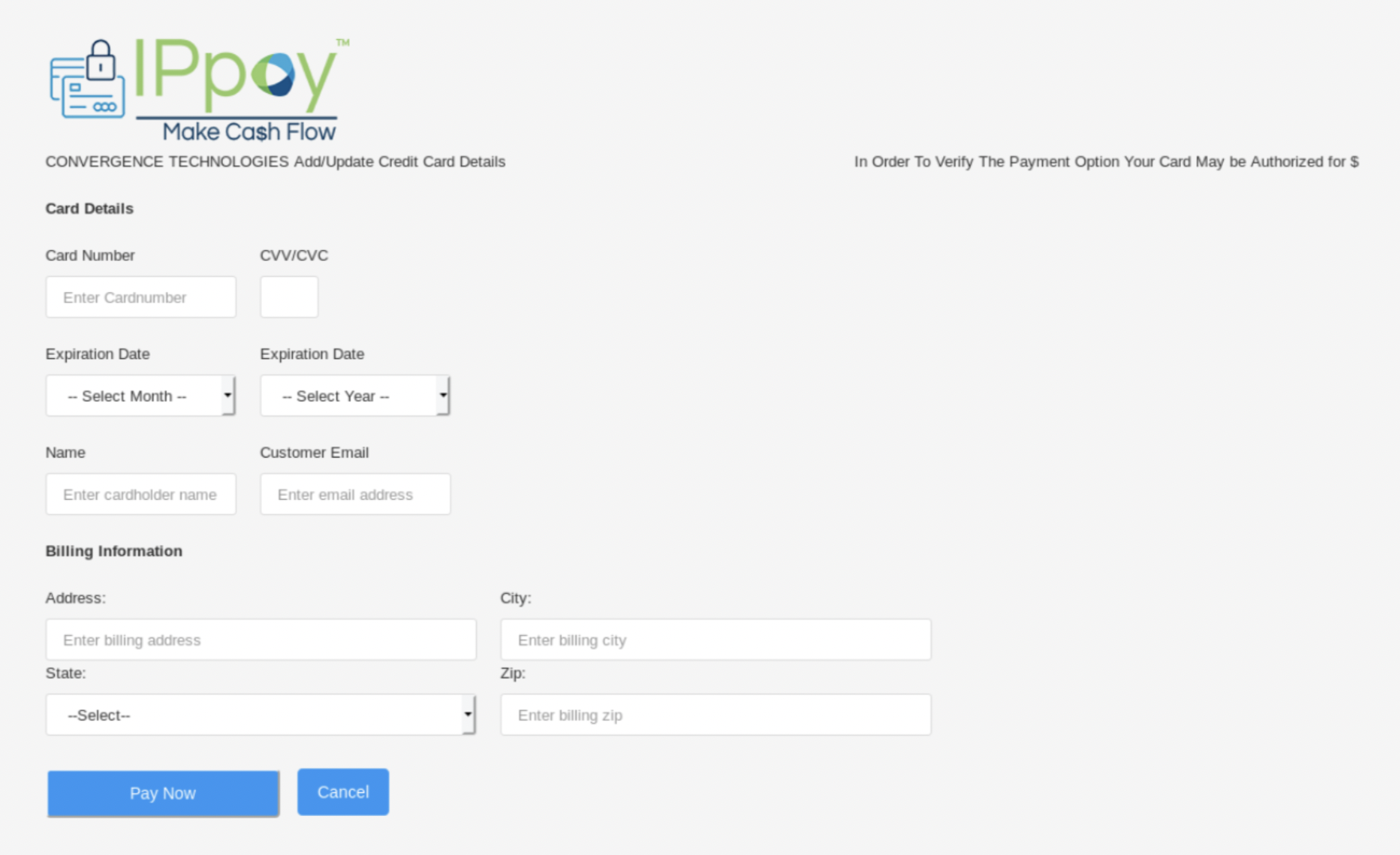
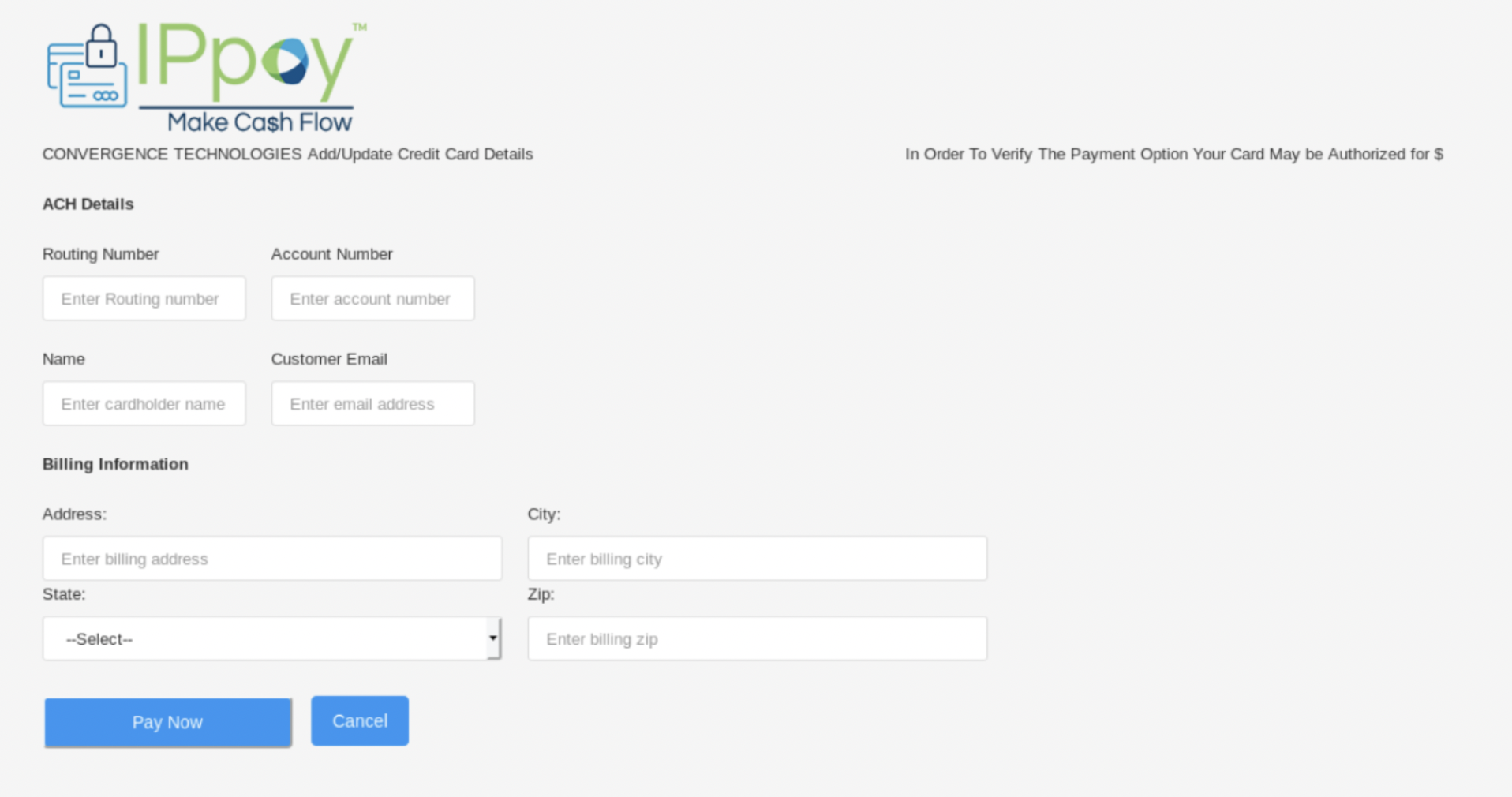
ReferenceID and Token generation
This request can be used for post-capture AUTH ONLY transactions using a card token:
<ippay>
<TransactionType>authonly</TransactionType>
<TerminalID>TESTTERMINAL</TerminalID>
<CardNum>4000300020001000</CardNum>
<CardExpMonth>10</CardExpMonth>
<CardExpYear>24</CardExpYear>
<TotalAmount>00</TotalAmount>
</ippay>
var request = require('request');
var options = {
'method': 'POST',
'url': 'https://testgtwy.ippay.com/ippay',
'headers': {
'Accept': '*/*',
'Content-Type': 'test/xml'
},
body: '<ippay>\r\n <TransactionType>authonly</TransactionType>\r\n <TerminalID>TESTTERMINAL</TerminalID>\r\n <CardNum>4000300020001000</CardNum>\r\n <CardExpMonth>10</CardExpMonth>\r\n <CardExpYear>24</CardExpYear>\r\n <TotalAmount>00</TotalAmount>\r\n</ippay>'
};
request(options, function (error, response) {
if (error) throw new Error(error);
console.log(response.body);
});
var httpClient = new HttpClient();
var bodyXmlString =@"<ippay>
" + "\n" +
@" <TransactionType>authonly</TransactionType>
" + "\n" +
@" <TerminalID>TESTTERMINAL</TerminalID>
" + "\n" +
@" <CardNum>4000300020001000</CardNum>
" + "\n" +
@" <CardExpMonth>10</CardExpMonth>
" + "\n" +
@" <CardExpYear>24</CardExpYear>
" + "\n" +
@" <TotalAmount>00</TotalAmount>
" + "\n" +
@"</ippay>";
var stringContent = new StringContent(bodyXmlString, Encoding.UTF8, "application/xml");
var respone = await httpClient.PostAsync("https://testgtwy.ippay.com/ippay", stringContent);
Console.WriteLine(response.Content);
<?php
$curl = curl_init();
curl_setopt_array($curl, array(
CURLOPT_URL => 'https://testgtwy.ippay.com/ippay',
CURLOPT_RETURNTRANSFER => true,
CURLOPT_ENCODING => '',
CURLOPT_MAXREDIRS => 10,
CURLOPT_TIMEOUT => 0,
CURLOPT_FOLLOWLOCATION => true,
CURLOPT_HTTP_VERSION => CURL_HTTP_VERSION_1_1,
CURLOPT_CUSTOMREQUEST => 'POST',
CURLOPT_POSTFIELDS =>'<ippay>
<TransactionType>authonly</TransactionType>
<TerminalID>TESTTERMINAL</TerminalID>
<CardNum>4000300020001000</CardNum>
<CardExpMonth>10</CardExpMonth>
<CardExpYear>24</CardExpYear>
<TotalAmount>00</TotalAmount>
</ippay>',
CURLOPT_HTTPHEADER => array(
'Accept: */*',
'Content-Type: test/xml'
),
));
$response = curl_exec($curl);
curl_close($curl);
echo $response;
ReferenceID: The client can choose any number as a reference ID, which will be returned in the call back parameters by the hosted page. This can be used as a checksum to verify that the same reference ID is returned.
Token generation: The client will be assigned a unique MID and a security key by the Gateway Provider. The client can access the hosted page using these credentials by generating a token with a SHA1 hashing algorithm on the Reference ID and security key.
For instance, if the client is provided with security key of Welcome@123! and uses a reference ID of 128438265846826 then the SHA1 of these two:
128438265846826Welcome@123!
Is the following:
7c67e64d019a8354b7550ebae100e7db7bf72a08
You can use the following online SHA1 generator for verification:
http://www.sha1-online.com/
Making a one-time payment
When a payment is to be processed, an HTTPS POST request must be sent with the mandatory parameters outlined in this document. Once the transaction has been attempted, HPP will send the transaction result back to the merchant system in the CallbackURL defined in the request POST on an HTTP redirect after the transaction completes.
One-time card payment: request parameters
One-time card payment sample request form. This request can be used for SALE transaction using a card token:
<form action="URL" method="POST">
<input type="hidden" name="CallbackURL" value="http://abc.com/callback">
<input type="hidden" name="MID" value="203457">
<input type="hidden" name="CustomerEmail" value="test@ippay.com">
<input type="hidden" name="CustomerId" value="203450">
<input type="hidden" name="SaveForFuture" value="true">
<input type="hidden" name="ReferenceId" value="128438265846826">
<input type="hidden" name="Amount" value="10.00">
<input type="hidden" name="PaymentType" value="CC">
<input type="hidden" name="Token" value="7c67e64d019a8354b7550ebae100e7db7bf72a08">
<input type="hidden" name="TransactionType" value="SALE">
<input type="submit" value="Pay Now"/>
</form>
var httpClient = new HttpClient();
var bodyXmlString = @"{
" + "\n" +
@" ""CustomerId"": ""1"",
" + "\n" +
@" ""MID"": ""84870020092593"",
" + "\n" +
@" ""ReferenceId"": ""2o17kl1417k044044144"",
" + "\n" +
@" ""Amount"": ""201.00"",
" + "\n" +
@" ""Token"": ""32ae76f9fc20c0af646f237987b1c08bc0a03a44"",
" + "\n" +
@" ""IsRecurring"": ""true"",
" + "\n" +
@" ""CardToken"": ""4H4D4L5H4F4A1111"",
" + "\n" +
@" ""CustomerEmail"": ""test@ippay.com"",
" + "\n" +
@" ""SaveForFuture"": ""false"",
" + "\n" +
@" ""CallbackURL"": ""https://merchant.com/callback"",
" + "\n" +
@" ""CustomField1"": """",
" + "\n" +
@" ""CustomField2"": """",
" + "\n" +
@" ""CustomField3"": """",
" + "\n" +
@" ""PaymentType"": ""CC"",
" + "\n" +
@" ""TransactionType"": ""SALE"",
" + "\n" +
@" ""ENQReferenceId"": """",
" + "\n" +
@" ""TransactionId"": """"
" + "\n" +
@"}";
var stringContent = new StringContent(bodyXmlString.ToString(), Encoding.UTF8, "application/json");
var respone = await httpClient.PostAsync("https://hpp-test.ippay.com/api/process", stringContent);
Console.WriteLine(response.Content);
var request = require('request');
var options = {
'method': 'POST',
'url': 'https://hpp-test.ippay.com/api/process',
'headers': {
'Accept-Language': 'application/json',
'Accept': 'application/json',
'Content-Type': 'application/json'
},
body: JSON.stringify({
"CustomerId": "1",
"MID": "84870020092593",
"ReferenceId": "2o17kl1417k044044144",
"Amount": "201.00",
"Token": "32ae76f9fc20c0af646f237987b1c08bc0a03a44",
"IsRecurring": "true",
"CardToken": "4H4D4L5H4F4A1111",
"CustomerEmail": "test@ippay.com",
"SaveForFuture": "false",
"CallbackURL": "https://merchant.com/callback",
"CustomField1": "",
"CustomField2": "",
"CustomField3": "",
"PaymentType": "CC",
"TransactionType": "SALE",
"ENQReferenceId": "",
"TransactionId": ""
})
};
request(options, function (error, response) {
if (error) throw new Error(error);
console.log(response.body);
});
<?php
require_once 'HTTP/Request2.php';
$request = new HTTP_Request2();
$request->setUrl('https://hpp-test.ippay.com/api/process');
$request->setMethod(HTTP_Request2::METHOD_POST);
$request->setConfig(array(
'follow_redirects' => TRUE
));
$request->setHeader(array(
'Accept-Language' => 'application/json',
'Accept' => 'application/json',
'Content-Type' => 'application/json'
));
$request->setBody('{
\n "CustomerId": "1",
\n "MID": "84870020092593",
\n "ReferenceId": "2o17kl1417k044044144",
\n "Amount": "201.00",
\n "Token": "32ae76f9fc20c0af646f237987b1c08bc0a03a44",
\n "IsRecurring": "true",
\n "CardToken": "4H4D4L5H4F4A1111",
\n "CustomerEmail": "test@ippay.com",
\n "SaveForFuture": "false",
\n "CallbackURL": "https://merchant.com/callback",
\n "CustomField1": "",
\n "CustomField2": "",
\n "CustomField3": "",
\n "PaymentType": "CC",
\n "TransactionType": "SALE",
\n "ENQReferenceId": "",
\n "TransactionId": ""
\n}');
try {
$response = $request->send();
if ($response->getStatus() == 200) {
echo $response->getBody();
}
else {
echo 'Unexpected HTTP status: ' . $response->getStatus() . ' ' .
$response->getReasonPhrase();
}
}
catch(HTTP_Request2_Exception $e) {
echo 'Error: ' . $e->getMessage();
}
The following parameters can be passed to HPP for making a one-time payment:
| SR No | Parameter Name | Required | Description |
|---|---|---|---|
| 1 | CustomerID | Yes | • Unique ID assigned to you by IPpay |
| 2 | MID | Yes | • Unique Merchant ID assigned by IPpay |
| 3 | CustomerEmail | No | • Email ID of the logged-in user • Not required, but if entered, would not be editable in the payment page |
| 4 | SaveForFuture | Yes | • Indicates whether the card data needs to be Tokenized (a card token is generated) Valid values are: o true (or 1) – when token needs to be generated o false (or 0) |
| 5 | ReferenceID | Yes | • A unique reference ID created by client. This same reference ID will be returned in the callback parameters of the response. |
| 6 | Amount | Yes | • Transaction amount with no currency symbol or formatting (No comma) • Must contain one decimal and two digits to the right of the decimal (.00) • Will be zero (0.00) when Transaction Type is either Tokenize or ENQ |
| 7 | CallbackURL | Yes | • URL of Merchant server where HPP will deliver transaction results |
| 8 | Token | Yes | • Used to authenticate the request came from client web application • Authentication Token generated by applying Secure hash Algorithm (SHA1) combination of ReferenceID and SecurityKey – Password assigned by IPpay |
| 9 | PaymentType | No | • The Payment type of the transaction – Credit Card, Pre-paid and eCheck. Must be one of the following values: • CC • Echeck • PREPAID |
| 10 | TransactionType | No | • Must be one of the following values: • SALE • CHECK |
| 11 | TerminalId | No | • Not required but if entered, the same value will be used, else a value will be picked from the Merchant-Terminal mapping created during merchant onboarding to HPP |
| 12 | CustomField1 | No | • Any unique value entered by client for reference. This same value will be returned in the Callback response for field CustomField1. |
| 13 | CustomField2 | No | • Any unique value entered by client for reference. This same value will be returned in the Callback response for field CustomField2. |
| 14 | CustomField3 | No | • Any unique value entered by client for reference. This same value will be returned in the Callback response for field CustomField3. |
| 15 | UDField1 | No | • Any user defined value entered by client for reference. If no value is entered, the ReferenceID will be sent in the UDField1 field. Field value can have forced unique attribute activated, whereby subsequent transactions using the same UDField1 value within 32 days will be automatically declined. To have this feature enabled, please contact IPpay. |
| 16 | UDField2 | No | • Any user defined value entered by client for reference |
| 17 | UDField3 | No | • Any user defined value entered by client for reference |
| 18 | OrderNumber | No | • Optional(this field drives dynamic descriptor when product is turned on, else is only informational). Dynamic Descriptor allows merchants to pass through an alternative “doing business as” (DBA) name in the Charge Description field so that it appears on the customer's bank statement. This additional information can help avoid unnecessary disputes. For example, if your legal merchant name is different from the DBA name you’re using for your ecommerce website, the descriptor can be the website name. That way, it will appear on the customer’s bank statement to help them recognize the charge. At this time, American Express does not support the Dynamic Descriptor product for merchants using the American Express OptBlue Program. |
One-time payment: response parameters
One-time payment: sample callback form
<form action="URL" method="POST">
<input type="hidden" name="ReturnToken" value="7c67e64d019a8354b7550ebae100e7db7bf72a08">
<input type="hidden" name="TransactionID" value="128438265846826">
<input type="hidden" name="AuthCode" value="568374">
<input type="hidden" name="Valid" value="TRUE">
<input type="hidden" name="ResponseText" value="Transaction is Successful">
<input type="hidden" name="CardToken" value="4E4GT3QP4ACD1111">
<input type="hidden" name="Address" value="Street1">
<input type="hidden" name="City" value="Atlanta">
<input type="hidden" name="State" value="Georgia">
<input type="hidden" name="Zip" value="30031">
<input type="hidden" name="Country" value="US">
<input type="hidden" name="ResponseCode" value="AFS-103">
<input type="hidden" name="PaymentType" value="CC">
<input type="hidden" name="CardNumber" value="12XXXXXXXXXX3456">
<input type="hidden" name="CardExpiryMonth" value="01">
<input type="hidden" name="CardExpiryYear" value="16">
<input type="hidden" name="CardHolderName" value="John Doe">
<input type="hidden" name="TokenizeCardSelected" value="No">
<input type="submit" value="Pay Now"/>
</form>
When the transaction attempt has been completed, HPP will return the status of the transaction back to the CallbackURL defined in the request POST on an HTTP redirect after the transaction completes.
The following are parameters returned to the CallbackURL:
| SR No | Parameter Name | Required | Description |
|---|---|---|---|
| 1 | ReferenceID | Yes | • The request ReferenceID sent back in response |
| 2 | AuthCode | Yes | • Authorization code obtained by IPpay from Issuer for this transaction • Only returned when Valid=True. |
| 3 | Valid | Yes | • 'True' or 'False' and indicates the acceptance of transaction |
| 4 | ResponseText | Yes | • Returned to user with message concerning transaction status • Ex: Your transaction was successful, Transaction cannot be accepted, Invalid Transaction, etc. |
| 5 | TransactionID | Yes | |
| 6 | ReturnToken | Yes | • Response Token generated to validate the transaction • SHA1 hash of the following: SecurityKey + TransactionId + AuthCode |
| 7 | CardToken | No | • Token returned to the user ONLY IF SaveForFuture is sent in request parameters • Return Value will be empty if SaveForFuture = false |
| 8 | Address City State Zip Country | Yes | • If response parameter 'Valid' = true, then address will be returned, else not (no AVS related errors) |
| 9 | ResponseCode | Yes | • Response code from the Gateway will be returned • Response codes: USER_CANCELLED = 'AFS-103' MAXIMUM_RETRIES_REACHED = 'AFS-102' TIMEOUT_EXPIRED = 'AFS-101' |
| 10 | PaymentType | Yes | • Values can be CC, ECHECK or PREPAID |
| 11 | CardNumber | Yes | • Masked Card Number of the Card used for payment • All digits except the first two and last four will be replaced with 'X' |
| 12 | CardExpiryMonth | Yes | • Two-digit card expiration month |
| 13 | CardExpiryYear | Yes | • Two-digit card expiration year |
| 14 | CardHolderName | Yes | • Name of cardholder |
| 15 | TokenizeCardSelected | Yes | • If 'Tokenize' checkbox on the Payment page is checked by the user, value will be 'Yes' in the response parameters. • Else, value is 'No' |
| 16 | TerminalId | No | • Not required but if entered, the same value will be used, else a value will be selected from the Merchant-Terminal mapping |
| 17 | CustomField1 | No | • Any unique value entered by client for reference. This same value will be returned in Callback parameters response for CustomField1 |
| 18 | CustomField2 | No | • Any unique value entered by client for reference. This same value will be returned in Callback parameters in response for CustomField2 |
| 19 | CustomField3 | No | • Any unique value entered by client for reference. This same value will be returned in Callback parameters in response for CustomField3 |
| 20 | ProcessedAmount | Yes | • Amount processed in cents where 100 is $1.00. Will be '0' (zero) for a failed transaction and '' (null) for unknown errors. |
Field limits
The xsd file request overview:
<xs:schema>
<!-- ***** IPPAY TRANSACTION REQUEST ***** -->
<xs:element name="ippay" type="RequestType"/>
<xs:complexType name="RequestType">
<xs:all>
<xs:element ref="TransactionType" minOccurs="1" maxOccurs="1"/>
<xs:element ref="TransactionID" minOccurs="0" maxOccurs="1"/>
<xs:element ref="TerminalID" minOccurs="1" maxOccurs="1"/>
<xs:element ref="BatchID" minOccurs="0" maxOccurs="1"/>
<xs:element ref="Password" minOccurs="0" maxOccurs="1"/>
<xs:element ref="PinBlock" minOccurs="0" maxOccurs="1"/>
<xs:element ref="Ksn" minOccurs="0" maxOccurs="1"/>
<xs:element ref="Approval" minOccurs="0" maxOccurs="1"/>
<xs:element ref="RoutingCode" minOccurs="0" maxOccurs="1"/>
<xs:element ref="OrderNumber" minOccurs="0" maxOccurs="1"/>
<xs:element ref="ACH" minOccurs="0" maxOccurs="1"/>
<xs:element ref="AccountNumber" minOccurs="0" maxOccurs="1"/>
<xs:element ref="ABA" minOccurs="0" maxOccurs="1"/>
<xs:element ref="ELV" minOccurs="0" maxOccurs="1"/>
<xs:element ref="Verification" minOccurs="0" maxOccurs="1"/>
<xs:element ref="CardNum" minOccurs="0" maxOccurs="1"/>
<xs:element ref="CVV2" minOccurs="0" maxOccurs="1"/>
<xs:element ref="CardExpMonth" minOccurs="0" maxOccurs="1"/>
<xs:element ref="CardExpYear" minOccurs="0" maxOccurs="1"/>
<xs:element ref="CardStartMonth" minOccurs="0" maxOccurs="1"/>
<xs:element ref="ipTransID" minOccurs="0" maxOccurs="1"/>
<!-- EUROPEAN CARDS -->
<xs:element ref="CardStartYear" minOccurs="0" maxOccurs="1"/>
<!-- EUROPEAN CARDS -->
<xs:element ref="Issue" minOccurs="0" maxOccurs="1"/>
<!-- EUROPEAN CARDS -->
<xs:element ref="Track1" minOccurs="0" maxOccurs="1"/>
<xs:element ref="Track2" minOccurs="0" maxOccurs="1"/>
<xs:element ref="Token" minOccurs="0" maxOccurs="1"/>
<xs:element ref="CardName" minOccurs="0" maxOccurs="1"/>
<xs:element ref="DispositionType" minOccurs="0" maxOccurs="1"/>
<xs:element ref="TotalAmount" minOccurs="0" maxOccurs="1"/>
<xs:element ref="TenderedAmount" minOccurs="0" maxOccurs="1"/>
<xs:element ref="FeeAmount" minOccurs="0" maxOccurs="1"/>
<xs:element ref="TaxAmount" minOccurs="0" maxOccurs="1"/>
<xs:element ref="TaxPercentRate" minOccurs="0" maxOccurs="1"/>
<xs:element ref="CashbackAmount" minOccurs="0" maxOccurs="1"/>
<xs:element ref="BillingAddress" minOccurs="0" maxOccurs="1"/>
<xs:element ref="BillingCity" minOccurs="0" maxOccurs="1"/>
<xs:element ref="BillingStateProv" minOccurs="0" maxOccurs="1"/>
<xs:element ref="BillingPostalCode" minOccurs="0" maxOccurs="1"/>
<xs:element ref="BillingCountry" minOccurs="0" maxOccurs="1"/>
<xs:element ref="BillingPhone" minOccurs="0" maxOccurs="1"/>
<xs:element ref="Email" minOccurs="0" maxOccurs="1"/>
<xs:element ref="UserIPAddress" minOccurs="0" maxOccurs="1"/>
<xs:element ref="UserHost" minOccurs="0" maxOccurs="1"/>
<xs:element ref="UDField1" minOccurs="0" maxOccurs="1"/>
<xs:element ref="UDField2" minOccurs="0" maxOccurs="1"/>
<xs:element ref="UDField3" minOccurs="0" maxOccurs="1"/>
<xs:element ref="ShippingInfo" minOccurs="0" maxOccurs="1"/>
<xs:element ref="Origin" minOccurs="0" maxOccurs="1"/>
<xs:element ref="ReaderUsed" minOccurs="0" maxOccurs="1"/>
<xs:element ref="IndustryInfo" minOccurs="0" maxOccurs="1"/>
<xs:element ref="Test" minOccurs="0" maxOccurs="1"/>
<xs:element ref="Retry" minOccurs="0" maxOccurs="1"/>
<xs:element ref="Version" minOccurs="0" maxOccurs="1"/>
<xs:element ref="ActionCode" minOccurs="0" maxOccurs="1"/>
<xs:element ref="SVPTransactionID" minOccurs="0" maxOccurs="1"/>
<xs:element ref="Reference" minOccurs="0" maxOccurs="1"/>
<xs:element ref="FICode" minOccurs="0" maxOccurs="1"/>
<xs:element ref="ReturnURL" minOccurs="0" maxOccurs="1"/>
<xs:element ref="CancelURL" minOccurs="0" maxOccurs="1"/>
<xs:element ref="DeliveryCode" minOccurs="0" maxOccurs="1"/>
<!-- ipMerchantID - use in detokanize post -->
<xs:element ref="MID" minOccurs="0" maxOccurs="1"/>
<!-- CC Settlement data -->
<xs:element ref="CcSettlementInfo" minOccurs="0" maxOccurs="1"/>
<!-- ACH Settlement data -->
<xs:element ref="AchSettlementInfo" minOccurs="0" maxOccurs="1"/>
<!-- Verifone Transaction data -->
<xs:element ref="VerifoneTransactionInfo" minOccurs="0" maxOccurs="1"/>
<!-- CC Card Present -->
<xs:element ref="CcCardPresentInfo" minOccurs="0" maxOccurs="1"/>
<!-- CC Card Tokenize Info -->
<xs:element ref="TokenizeInfo" minOccurs="0" maxOccurs="1"/>
<!-- Verifone Transaction matching -->
<xs:element name="CardPresent" minOccurs="0" nillable="true" maxOccurs="1" type="YesNoType"/>
<xs:element name="StartDate" minOccurs="0" nillable="true" maxOccurs="1" type="DateTimeDMYHMSType"/>
<xs:element name="EndDate" minOccurs="0" nillable="true" maxOccurs="1" type="DateTimeDMYHMSType"/>
</xs:all>
</xs:complexType>
<!-- ***** JETPAY TRANSACTION REQUEST ***** -->
<xs:element name="JetPay" type="RequestType"/>
<!-- ***** JETPAY TRANSACTION RESPONSE ***** -->
<xs:element name="JetPayResponse" type="ResponseType"/>
<xs:element name="ippayResponse" type="ResponseType"/>
<xs:complexType name="ResponseType">
<xs:all>
<xs:element ref="TransactionID" minOccurs="1" maxOccurs="1"/>
<xs:element ref="ActionCode" minOccurs="1" maxOccurs="1"/>
<xs:element ref="Approval" minOccurs="0" maxOccurs="1"/>
<xs:element ref="BalanceAmount" minOccurs="0" maxOccurs="1"/>
<xs:element ref="ResponseText" minOccurs="0" maxOccurs="1"/>
<xs:element ref="AdditionalInfo" minOccurs="0" maxOccurs="1"/>
<xs:element ref="AddressMatch" minOccurs="0" maxOccurs="1"/>
<xs:element ref="ZipMatch" minOccurs="0" maxOccurs="1"/>
<xs:element ref="AVS" minOccurs="0" maxOccurs="1"/>
<xs:element ref="CVV2" minOccurs="0" maxOccurs="1"/>
<xs:element ref="VerificationResult" minOccurs="0" maxOccurs="1"/>
<xs:element ref="IndustryInfo" minOccurs="0" maxOccurs="1"/>
<xs:element ref="ErrMsg" minOccurs="0" maxOccurs="1"/>
<xs:element ref="InstitutionURL" minOccurs="0" maxOccurs="1"/>
<xs:element ref="SVPTransactionID" minOccurs="0" maxOccurs="1"/>
<xs:element ref="BankName" minOccurs="0" maxOccurs="1"/>
<xs:element ref="FICode" minOccurs="0" maxOccurs="1"/>
<xs:element ref="PayDateTime" minOccurs="0" maxOccurs="1"/>
<xs:element ref="Reference" minOccurs="0" maxOccurs="1"/>
<xs:element ref="TranState" minOccurs="0" maxOccurs="1"/>
<xs:element ref="TranStateCode" minOccurs="0" maxOccurs="1"/>
<xs:element ref="Token" minOccurs="0" maxOccurs="1"/>
<xs:element ref="TotalCount" minOccurs="0" maxOccurs="1"/>
<xs:element ref="SuccessCount" minOccurs="0" maxOccurs="1"/>
<xs:element ref="UpdatedCount" minOccurs="0" maxOccurs="1"/>
<xs:element ref="FailedCount" minOccurs="0" maxOccurs="1"/>
<xs:element ref="MatchedCount" minOccurs="0" maxOccurs="1"/>
<xs:element ref="UnmatchCount" minOccurs="0" maxOccurs="1"/>
</xs:all>
</xs:complexType>
<!-- ***** REQUEST ELEMENTS ***** -->
<xs:element name="ipTransID" type="StringType"/>
<xs:element name="BatchID" type="StringType"/>
<xs:element name="AccountNumber" type="AcctNumType"/>
<xs:element name="ABA" type="AbaType"/>
<xs:element name="TransactionType" type="TransType"/>
<!-- Required - Type of transaction to post. -->
<xs:element name="TerminalID" type="StringType"/>
<!-- Required - Alphanumeric terminal identifier. -->
<xs:element name="TransactionID" type="TransIdType"/>
<!-- Required - Alphanumeric, 18 characters. -->
<xs:element name="ACH" type="AchType"/>
<!--
Banking only, separate from credit card transactions
-->
<xs:element name="ELV" type="ElvType"/>
<!--
Banking only, separate from credit card transactions
-->
<xs:element name="Verification" type="VerifyType"/>
<!-- Verified by Visa, CAVV, etc. -->
<xs:element name="Approval" type="AuthCodeType"/>
<!-- Approval Code, required for Force. -->
<xs:element name="RoutingCode" type="StringType"/>
<xs:element name="CardNum" type="CardNumType"/>
<!-- Credit card number for the transaction. -->
<xs:element name="CardExpMonth" type="MonthType"/>
<!-- Two-digit card expiration month. -->
<xs:element name="CardExpYear" type="YearType"/>
<!-- Two-digit card expiration year. -->
<xs:element name="CardStartMonth" type="MonthType"/>
<!-- Two-digit card start month. -->
<xs:element name="CardStartYear" type="YearType"/>
<!-- Two-digit card start year. -->
<xs:element name="Issue" type="YearType"/>
<!-- Two-digit card issue number. -->
<xs:element name="CVV2" type="Cvv2Type"/>
<!--
Reference only - CVV2 digits from the credit card.
-->
<xs:element name="Track1" type="TrackType"/>
<!-- Magnetic track information, track 1 data -->
<xs:element name="Track2" type="TrackType"/>
<!-- Magnetic track information, track 2 data -->
<xs:element name="TotalAmount" type="Amount12Type"/>
<!--
Total amount transacted, integer, no dollar sign, greater than zero.
-->
<xs:element name="TenderedAmount" type="Amount12Type"/>
<!--
Actual amount received, integer, no dollar sign, greater than zero.
-->
<xs:element name="FeeAmount" type="Amount12Type"/>
<!--
Surcharge for transaction, integer, no dollar sign, non-zero.
-->
<xs:element name="TaxAmount" type="Amount12Type"/>
<!--
Tax for transaction, integer, no dollar sign, non-zero.
-->
<xs:element name="TaxPercentRate" type="Amount12Type"/>
<!--
Tax percent rate for transaction, integer, no dollar sign, non-zero.
-->
<xs:element name="CashbackAmount" type="Amount12Type"/>
<!--
Cash for transaction, integer, no dollar sign, non-zero.
-->
<xs:element name="Password" type="StringType"/>
<!--
Alphanumeric password corresponding with supplied merchant id.
-->
<xs:element name="PinBlock" type="PinBlockType"/>
<xs:element name="Ksn" type="KsnType"/>
<xs:element name="InstitutionURL" type="String1204Type"/>
<xs:element name="SVPTransactionID" type="Number12Type"/>
<xs:element name="BankName" type="String50Type"/>
<xs:element name="PayDateTime" type="DateType"/>
<xs:element name="Reference" type="String22Type"/>
<xs:element name="TranState" type="Number1Type"/>
<xs:element name="TranStateCode" type="Number2Type"/>
<xs:element name="FICode" type="Number9Type"/>
<xs:element name="ReturnURL" type="String180Type"/>
<xs:element name="CancelURL" type="String180Type"/>
<xs:element name="DeliveryCode" type="DeliveryType"/>
<xs:element name="OrderNumber" type="StringType"/>
<!--
Order number (or any alphanumeric reference string)
-->
<xs:element name="CardName" type="StringType"/>
<!--
Cardholder name for credit card, bank account name for ACH.
-->
<xs:element name="DispositionType" type="StringType" default="JETPAYXX"/>
<xs:element name="BillingAddress" type="StringType"/>
<xs:element name="BillingCity" type="StringType"/>
<xs:element name="BillingStateProv" type="StringType"/>
<xs:element name="BillingCountry" type="CountryType"/>
<xs:element name="BillingPostalCode" type="String10Type"/>
<xs:element name="BillingPhone" type="StringType"/>
<!-- Cardholder telephone -->
<xs:element name="Email" type="StringType"/>
<!-- Cardholder email address. -->
<xs:element name="UserIPAddress" type="StringType"/>
<!-- Cardholder IP address. -->
<xs:element name="UserHost" type="StringType"/>
<!-- Cardholder host name. -->
<xs:element name="UDField1" type="StringType"/>
<!-- Data echoed on transaction reports. -->
<xs:element name="UDField2" type="StringType"/>
<!-- Data echoed on transaction reports. -->
<xs:element name="UDField3" type="StringType"/>
<!-- Data echoed on transaction reports. -->
<xs:element name="ShippingInfo" type="ShippingInfoType"/>
<xs:element name="Origin" type="OriginType"/>
<xs:element name="ReaderUsed" type="ReaderType"/>
<xs:element name="IndustryInfo" type="IndustryInfoType"/>
<xs:element name="Test" type="StringType"/>
<xs:element name="Retry" type="StringType"/>
<xs:element name="Version" type="VersionType"/>
<xs:element name="ActionCode" type="ActionCodeType"/>
<!-- ***** RESPONSE ELEMENTS ***** -->
<xs:element name="ResponseText" type="StringType"/>
<xs:element name="AdditionalInfo" type="StringType"/>
<xs:element name="AddressMatch" type="String1Type"/>
<xs:element name="ZipMatch" type="String1Type"/>
<xs:element name="BalanceAmount" type="Amount12Type"/>
<xs:element name="TotalCount" type="Number8Type"/>
<xs:element name="SuccessCount" type="Number8Type"/>
<xs:element name="UpdatedCount" type="Number8Type"/>
<xs:element name="FailedCount" type="Number8Type"/>
<xs:element name="MatchedCount" type="Number8Type"/>
<xs:element name="UnmatchCount" type="Number8Type"/>
<!-- Account balance, for ATM only -->
<xs:element name="AVS" type="String1Type"/>
<xs:element name="VerificationResult" type="CavvResultType"/>
<xs:element name="ErrMsg" type="StringType"/>
<xs:element name="Token" type="StringType"/>
<xs:element name="MID" type="String25Type"/>
<!-- CC Settlement Data Post. -->
<xs:element name="CcSettlementInfo" type="CcSettlementDetailType"/>
<xs:complexType name="CcSettlementDetailType">
<xs:sequence>
<xs:element name="CcSettlement" type="CcSettlementType" maxOccurs="unbounded" minOccurs="1"/>
</xs:sequence>
</xs:complexType>
<!-- ACH Settlement Data Post. -->
<xs:element name="AchSettlementInfo" type="AchSettlementDetailType"/>
<xs:complexType name="AchSettlementDetailType">
<xs:sequence>
<xs:element name="AchSettlement" type="AchSettlementType" maxOccurs="unbounded" minOccurs="1"/>
</xs:sequence>
</xs:complexType>
<!-- Verifone Transaction Data Post. -->
<xs:element name="VerifoneTransactionInfo" type="VerifoneTransactionDetailType"/>
<xs:complexType name="VerifoneTransactionDetailType">
<xs:sequence>
<xs:element name="VerifoneTransaction" type="VerifoneTransactionType" maxOccurs="unbounded" minOccurs="1"/>
</xs:sequence>
</xs:complexType>
<!-- CC Card Present Data Post. -->
<xs:element name="CcCardPresentInfo" type="CcCardPresentDetailType"/>
<xs:complexType name="CcCardPresentDetailType">
<xs:sequence>
<xs:element name="CcCardPresent" type="CcCardPresentType" maxOccurs="unbounded" minOccurs="1"/>
</xs:sequence>
</xs:complexType>
<!-- Tokenize Info Data Post. -->
<xs:element name="TokenizeInfo" type="TokenizeDetailType"/>
<xs:complexType name="TokenizeDetailType">
<xs:sequence>
<xs:element name="Tokenize" type="TokenizeType" maxOccurs="unbounded" minOccurs="1"/>
</xs:sequence>
</xs:complexType>
<!-- ***** SIMPLE TYPES (without attributes) ***** -->
<xs:simpleType name="StringType">
<xs:restriction base="xs:string">
<xs:whiteSpace value="collapse"/>
<xs:maxLength value="1204"/>
</xs:restriction>
</xs:simpleType>
<xs:complexType name="TrackType">
<xs:simpleContent>
<xs:extension base="xs:string">
<xs:attribute name="Encrypted" type="BooleanType" default="false"/>
<xs:attribute name="Encoding" type="EncodeType" default="BASE64"/>
<xs:attribute name="KeyName" type="StringType" default="none"/>
</xs:extension>
</xs:simpleContent>
</xs:complexType>
<xs:simpleType name="BooleanType">
<xs:restriction base="xs:boolean">
<xs:whiteSpace value="collapse"/>
</xs:restriction>
</xs:simpleType>
<xs:simpleType name="SimpleDateTimeType">
<xs:restriction base="xs:string">
<xs:pattern value="(-?[0-9]{4}-[0-9]{2}-[0-9]{2}T\d{2}:\d{2}:\d{2}(\.\d+)?)?"/>
<xs:whiteSpace value="collapse"/>
</xs:restriction>
</xs:simpleType>
<xs:simpleType name="DateTimeDMYHMSType">
<xs:restriction base="xs:string">
<xs:pattern value="(-?[0-9]{2}\/[0-9]{2}\/[0-9]{4} \d{2}:\d{2}:\d{2}(\.\d+)?)?"/>
<xs:whiteSpace value="collapse"/>
</xs:restriction>
</xs:simpleType>
<xs:simpleType name="DateTimeDMYType">
<xs:restriction base="xs:string">
<xs:pattern value="(-?[0-9]{2}\/[0-9]{2}\/[0-9]{4})?"/>
<xs:whiteSpace value="collapse"/>
</xs:restriction>
</xs:simpleType>
<xs:simpleType name="DateType">
<xs:restriction base="xs:date">
<xs:whiteSpace value="collapse"/>
</xs:restriction>
</xs:simpleType>
<xs:simpleType name="String350Type">
<xs:restriction base="StringType">
<xs:maxLength value="350"/>
</xs:restriction>
</xs:simpleType>
<xs:simpleType name="String20Type">
<xs:restriction base="StringType">
<xs:maxLength value="20"/>
</xs:restriction>
</xs:simpleType>
<xs:simpleType name="String22Type">
<xs:restriction base="StringType">
<xs:maxLength value="22"/>
</xs:restriction>
</xs:simpleType>
<xs:simpleType name="String25Type">
<xs:restriction base="StringType">
<xs:maxLength value="25"/>
</xs:restriction>
</xs:simpleType>
<xs:simpleType name="String30Type">
<xs:restriction base="StringType">
<xs:maxLength value="30"/>
</xs:restriction>
</xs:simpleType>
<xs:simpleType name="String50Type">
<xs:restriction base="StringType">
<xs:maxLength value="50"/>
</xs:restriction>
</xs:simpleType>
<xs:simpleType name="String15Type">
<xs:restriction base="StringType">
<xs:maxLength value="15"/>
</xs:restriction>
</xs:simpleType>
<xs:simpleType name="String180Type">
<xs:restriction base="StringType">
<xs:maxLength value="180"/>
</xs:restriction>
</xs:simpleType>
<xs:simpleType name="String150Type">
<xs:restriction base="StringType">
<xs:maxLength value="150"/>
</xs:restriction>
</xs:simpleType>
<xs:simpleType name="String1204Type">
<xs:restriction base="StringType">
<xs:maxLength value="1204"/>
</xs:restriction>
</xs:simpleType>
<xs:simpleType name="String1000Type">
<xs:restriction base="StringType">
<xs:maxLength value="1000"/>
</xs:restriction>
</xs:simpleType>
<xs:simpleType name="String100Type">
<xs:restriction base="StringType">
<xs:maxLength value="100"/>
</xs:restriction>
</xs:simpleType>
<xs:simpleType name="String12Type">
<xs:restriction base="StringType">
<xs:maxLength value="12"/>
</xs:restriction>
</xs:simpleType>
<xs:simpleType name="String11Type">
<xs:restriction base="StringType">
<xs:maxLength value="11"/>
</xs:restriction>
</xs:simpleType>
<xs:simpleType name="String10Type">
<xs:restriction base="StringType">
<xs:maxLength value="10"/>
</xs:restriction>
</xs:simpleType>
<xs:simpleType name="String9Type">
<xs:restriction base="StringType">
<xs:maxLength value="9"/>
</xs:restriction>
</xs:simpleType>
<xs:simpleType name="String8Type">
<xs:restriction base="StringType">
<xs:maxLength value="8"/>
</xs:restriction>
</xs:simpleType>
<xs:simpleType name="String6Type">
<xs:restriction base="StringType">
<xs:maxLength value="6"/>
</xs:restriction>
</xs:simpleType>
<xs:simpleType name="String5Type">
<xs:restriction base="StringType">
<xs:maxLength value="5"/>
</xs:restriction>
</xs:simpleType>
<xs:simpleType name="String4Type">
<xs:restriction base="StringType">
<xs:maxLength value="4"/>
</xs:restriction>
</xs:simpleType>
<xs:simpleType name="String3Type">
<xs:restriction base="StringType">
<xs:maxLength value="3"/>
</xs:restriction>
</xs:simpleType>
<xs:simpleType name="String2Type">
<xs:restriction base="StringType">
<xs:maxLength value="2"/>
</xs:restriction>
</xs:simpleType>
<xs:simpleType name="String1Type">
<xs:restriction base="StringType">
<xs:maxLength value="1"/>
</xs:restriction>
</xs:simpleType>
<xs:simpleType name="Number3Type">
<xs:restriction base="xs:unsignedShort">
<xs:maxInclusive value="999"/>
<xs:whiteSpace value="collapse"/>
</xs:restriction>
</xs:simpleType>
<xs:simpleType name="Number5Type">
<xs:restriction base="xs:unsignedLong">
<xs:maxInclusive value="99999"/>
<xs:whiteSpace value="collapse"/>
</xs:restriction>
</xs:simpleType>
<xs:simpleType name="Number12Type">
<xs:restriction base="xs:unsignedLong">
<xs:maxInclusive value="999999999999"/>
<xs:whiteSpace value="collapse"/>
</xs:restriction>
</xs:simpleType>
<xs:simpleType name="Number1Type">
<xs:restriction base="xs:unsignedShort">
<xs:maxInclusive value="9"/>
<xs:whiteSpace value="collapse"/>
</xs:restriction>
</xs:simpleType>
<xs:simpleType name="Number8Type">
<xs:restriction base="xs:unsignedLong">
<xs:maxInclusive value="99999999"/>
<xs:whiteSpace value="collapse"/>
</xs:restriction>
</xs:simpleType>
<xs:simpleType name="Number9Type">
<xs:restriction base="xs:unsignedLong">
<xs:maxInclusive value="999999999"/>
<xs:whiteSpace value="collapse"/>
</xs:restriction>
</xs:simpleType>
<xs:simpleType name="Number2Type">
<xs:restriction base="xs:unsignedShort">
<xs:maxInclusive value="99"/>
<xs:whiteSpace value="collapse"/>
</xs:restriction>
</xs:simpleType>
<xs:simpleType name="Number4Type">
<xs:restriction base="xs:unsignedShort">
<xs:maxInclusive value="9999"/>
<xs:whiteSpace value="collapse"/>
</xs:restriction>
</xs:simpleType>
<xs:simpleType name="TransIdType">
<xs:restriction base="xs:string">
<xs:pattern value="[-A-Za-z0-9]{18}"/>
<xs:length value="18"/>
<xs:whiteSpace value="collapse"/>
</xs:restriction>
</xs:simpleType>
<xs:simpleType name="Digit2Type">
<xs:restriction base="xs:integer">
<xs:pattern value="\d{2}"/>
<xs:whiteSpace value="collapse"/>
</xs:restriction>
</xs:simpleType>
<xs:simpleType name="MonthType">
<xs:restriction base="xs:integer">
<xs:minInclusive value="1"/>
<xs:maxInclusive value="12"/>
<xs:pattern value="\d{2}|\d{0}"/>
<xs:whiteSpace value="collapse"/>
</xs:restriction>
</xs:simpleType>
<xs:simpleType name="YearType">
<xs:restriction base="xs:integer">
<xs:minInclusive value="0"/>
<xs:maxInclusive value="99"/>
<xs:pattern value="\d{2}|\d{0}"/>
<xs:whiteSpace value="collapse"/>
</xs:restriction>
</xs:simpleType>
<xs:simpleType name="CountryType">
<xs:restriction base="StringType">
<xs:pattern value="\d{3}|[A-Z]{3}"/>
</xs:restriction>
</xs:simpleType>
<xs:simpleType name="Amount12Type">
<xs:restriction base="xs:unsignedLong">
<xs:maxInclusive value="999999999999"/>
<xs:whiteSpace value="collapse"/>
</xs:restriction>
</xs:simpleType>
<xs:simpleType name="Amount6Type">
<xs:restriction base="Amount12Type">
<xs:maxInclusive value="999999"/>
</xs:restriction>
</xs:simpleType>
<xs:simpleType name="Amount5Type">
<xs:restriction base="Amount12Type">
<xs:maxInclusive value="99999"/>
</xs:restriction>
</xs:simpleType>
<xs:simpleType name="Decimal182Type">
<xs:restriction base="xs:decimal">
<xs:maxInclusive value="999999999999999999"/>
<xs:fractionDigits value="2"/>
</xs:restriction>
</xs:simpleType>
<xs:simpleType name="UniqueIDType">
<xs:restriction base="StringType">
<xs:maxLength value="25"/>
</xs:restriction>
</xs:simpleType>
<xs:simpleType name="AuthCodeType">
<xs:restriction base="StringType">
<xs:maxLength value="6"/>
</xs:restriction>
</xs:simpleType>
<xs:simpleType name="ActionCodeType">
<xs:restriction base="StringType">
<xs:maxLength value="3"/>
</xs:restriction>
</xs:simpleType>
<xs:simpleType name="AcctNumType">
<xs:restriction base="xs:string">
<xs:pattern value="(^|[- 0-9])*"/>
<xs:maxLength value="17"/>
<xs:whiteSpace value="collapse"/>
</xs:restriction>
</xs:simpleType>
<xs:simpleType name="YesNoType">
<xs:restriction base="xs:string">
<xs:pattern value="yes|no"/>
<xs:maxLength value="3"/>
<xs:whiteSpace value="collapse"/>
</xs:restriction>
</xs:simpleType>
<xs:simpleType name="AbaType">
<xs:restriction base="StringType">
<xs:maxLength value="9"/>
</xs:restriction>
</xs:simpleType>
<xs:simpleType name="BankBranchType">
<xs:restriction base="xs:unsignedInt">
<xs:pattern value="\d{8}"/>
<xs:whiteSpace value="collapse"/>
</xs:restriction>
</xs:simpleType>
<xs:simpleType name="Ordinal3Type">
<xs:restriction base="xs:positiveInteger">
<xs:maxInclusive value="999"/>
<xs:whiteSpace value="collapse"/>
</xs:restriction>
</xs:simpleType>
<xs:simpleType name="Int5Type">
<xs:restriction base="Amount5Type"/>
</xs:simpleType>
<xs:simpleType name="Int6Type">
<xs:restriction base="Amount6Type"/>
</xs:simpleType>
<!-- ***** SIMPLE TYPES (with attributes) ***** -->
<xs:complexType name="TransType">
<xs:simpleContent>
<xs:extension base="TransEnumType">
<xs:attribute name="Qualification" type="TransQualifEnumType" default="NONE"/>
</xs:extension>
</xs:simpleContent>
</xs:complexType>
<xs:complexType name="CardNumType">
<xs:simpleContent>
<xs:extension base="String350Type">
<xs:attribute name="CardPresent" type="BooleanType" default="false"/>
<xs:attribute name="Tokenize" type="BooleanType" default="false"/>
<xs:attribute name="Encrypted" type="BooleanType" default="false"/>
<xs:attribute name="Encoding" type="EncodeType" default="BASE64"/>
<xs:attribute name="KeyName" type="StringType" default="none"/>
</xs:extension>
</xs:simpleContent>
</xs:complexType>
<xs:complexType name="Cvv2Type">
<xs:simpleContent>
<xs:extension base="String350Type">
<xs:attribute name="Encrypted" type="BooleanType" default="false"/>
<xs:attribute name="Encoding" type="EncodeType" default="BASE64"/>
<xs:attribute name="KeyName" type="StringType" default="none"/>
</xs:extension>
</xs:simpleContent>
</xs:complexType>
<xs:complexType name="EncodingType">
<xs:simpleContent>
<xs:extension base="StringType">
<xs:attribute name="Encoding" type="EncodeType" default="BASE64"/>
</xs:extension>
</xs:simpleContent>
</xs:complexType>
<xs:complexType name="WorkingKeyType">
<xs:simpleContent>
<xs:extension base="StringType">
<xs:attribute name="Encoding" type="EncodeType" default="HEX"/>
<xs:attribute name="Management" type="ManagementType" default="DUKPT"/>
</xs:extension>
</xs:simpleContent>
</xs:complexType>
<xs:complexType name="PinBlockType">
<xs:simpleContent>
<xs:extension base="WorkingKeyType">
<xs:attribute name="Format" type="PinBlockFormatType"/>
</xs:extension>
</xs:simpleContent>
</xs:complexType>
<xs:simpleType name="KsnType">
<xs:restriction base="StringType">
<xs:pattern value="[0-9A-Fa-f]{10,20}"/>
</xs:restriction>
</xs:simpleType>
<xs:complexType name="CavvType">
<xs:simpleContent>
<xs:extension base="EncodingType">
<xs:attribute name="Usage" type="String1Type" default="2"/>
</xs:extension>
</xs:simpleContent>
</xs:complexType>
<xs:complexType name="CavvResultType">
<xs:simpleContent>
<xs:extension base="StringType">
<xs:attribute name="Type" type="VerifyEnum"/>
</xs:extension>
</xs:simpleContent>
</xs:complexType>
<xs:complexType name="CheckNumType">
<xs:simpleContent>
<xs:extension base="Int6Type">
<xs:attribute name="CheckPresent" type="BooleanType" default="false"/>
</xs:extension>
</xs:simpleContent>
</xs:complexType>
<xs:complexType name="DateTimeType">
<xs:simpleContent>
<xs:extension base="SimpleDateTimeType">
<xs:attribute name="Min" type="SimpleDateTimeType"/>
<xs:attribute name="Max" type="SimpleDateTimeType"/>
</xs:extension>
</xs:simpleContent>
</xs:complexType>
<!--
***** COMPOUND TYPES (containing simple types) *****
-->
<xs:complexType name="AddressType">
<xs:all>
<xs:element name="Address" minOccurs="0" maxOccurs="1" type="StringType"/>
<xs:element name="City" minOccurs="0" maxOccurs="1" type="StringType"/>
<xs:element name="StateProv" minOccurs="0" maxOccurs="1" type="StringType"/>
<xs:element name="PostalCode" minOccurs="0" maxOccurs="1" type="String10Type"/>
<xs:element name="Country" minOccurs="0" maxOccurs="1" type="StringType"/>
<xs:element name="Phone" minOccurs="0" maxOccurs="1" type="StringType"/>
</xs:all>
</xs:complexType>
<xs:complexType name="ShippingInfoType">
<xs:all>
<xs:element name="CustomerPO" minOccurs="0" maxOccurs="1" type="StringType"/>
<xs:element name="CustomerTaxID" minOccurs="0" maxOccurs="1" type="StringType"/>
<xs:element name="ShippingMethod" minOccurs="0" maxOccurs="1" type="ShippingMethodType"/>
<xs:element name="ShippingName" minOccurs="0" maxOccurs="1" type="StringType"/>
<xs:element name="ShippingAddr" minOccurs="0" maxOccurs="1" type="AddressType"/>
<xs:element name="InvoiceInfo" minOccurs="0" maxOccurs="1" type="StringType"/>
<xs:element name="FreightAmount" minOccurs="0" maxOccurs="1" type="Amount12Type"/>
<xs:element name="DutyAmount" minOccurs="0" maxOccurs="1" type="Amount12Type"/>
<xs:element name="DiscountAmount" minOccurs="0" maxOccurs="1" type="Amount12Type"/>
<xs:element name="AlternateTaxAmount" minOccurs="0" maxOccurs="1" type="Amount12Type"/>
<xs:element name="AlternateTaxId" minOccurs="0" maxOccurs="1" type="StringType"/>
</xs:all>
</xs:complexType>
<xs:complexType name="IndustryInfoType">
<xs:choice minOccurs="0" maxOccurs="unbounded">
<xs:element name="UserAgent" minOccurs="0" maxOccurs="1" type="StringType"/>
<!--ECOMMERCE-->
<xs:element name="PhoneANI" minOccurs="0" maxOccurs="1" type="StringType"/>
<!--MOTO, Telephone only-->
<xs:element name="PhoneII" minOccurs="0" maxOccurs="1" type="StringType"/>
<!--MOTO, Telephone only-->
<xs:element name="TicketNumber" minOccurs="0" maxOccurs="1" type="String10Type"/>
<!--RESTAURANT, PARKING-->
<xs:element name="BaseAmount" minOccurs="0" maxOccurs="1" type="Amount12Type"/>
<!--RESTAURANT-->
<xs:element name="TipAmount" minOccurs="0" maxOccurs="1" type="Amount5Type"/>
<!--RESTAURANT-->
<xs:element name="ServerID" minOccurs="0" maxOccurs="1" type="String10Type"/>
<!--RESTAURANT-->
<xs:element name="TableNumber" minOccurs="0" maxOccurs="1" type="Number4Type"/>
<!--RESTAURANT-->
<xs:element name="FolioNumber" minOccurs="0" maxOccurs="1" type="String10Type"/>
<!--HOTEL-->
<xs:element name="CheckInDate" minOccurs="0" maxOccurs="1" type="DateType"/>
<!--HOTEL-->
<xs:element name="CheckOutDate" minOccurs="0" maxOccurs="1" type="DateType"/>
<!--HOTEL-->
<xs:element name="RoomRate" minOccurs="0" maxOccurs="1" type="Amount12Type"/>
<!--HOTEL-->
<xs:element name="RoomNumber" minOccurs="0" maxOccurs="1" type="String8Type"/>
<!--HOTEL-->
<xs:element name="ExtraCharges" minOccurs="0" maxOccurs="6" type="StringType"/>
<!--HOTEL-->
<xs:element name="CpsTranId" minOccurs="0" maxOccurs="1" type="String20Type"/>
<!--HOTEL-->
<xs:element name="AgreementNumber" minOccurs="0" maxOccurs="1" type="String10Type"/>
<!--AUTORENTAL-->
<xs:element name="PickupDate" minOccurs="0" maxOccurs="1" type="DateType"/>
<!--AUTORENTAL-->
<xs:element name="ReturnDate" minOccurs="0" maxOccurs="1" type="DateType"/>
<!--AUTORENTAL-->
<xs:element name="RenterName" minOccurs="0" maxOccurs="1" type="StringType"/>
<!--AUTORENTAL-->
<xs:element name="AdjustAmount" minOccurs="0" maxOccurs="1" type="Amount12Type"/>
<!--AUTORENTAL-->
<xs:element name="AdjustIndicator" minOccurs="0" maxOccurs="1" type="StringType"/>
<!--AUTORENTAL-->
<xs:element name="PickupCity" minOccurs="0" maxOccurs="1" type="StringType"/>
<!--AUTORENTAL-->
<xs:element name="PickupState" minOccurs="0" maxOccurs="1" type="StringType"/>
<!--AUTORENTAL-->
<xs:element name="ReturnCity" minOccurs="0" maxOccurs="1" type="StringType"/>
<!--AUTORENTAL-->
<xs:element name="ReturnState" minOccurs="0" maxOccurs="1" type="StringType"/>
<!--AUTORENTAL-->
<xs:element name="NoShow" minOccurs="0" maxOccurs="1" type="BooleanType"/>
<!--AUTORENTAL, HOTEL-->
<xs:element name="ExtraAmount" minOccurs="0" maxOccurs="1" type="Amount6Type"/>
<!--AUTORENTAL-->
<xs:element name="PlazaID" minOccurs="0" maxOccurs="1" type="String3Type"/>
<!--PARKING-->
<xs:element name="BoothID" minOccurs="0" maxOccurs="1" type="String3Type"/>
<!--PARKING-->
<xs:element name="ShiftID" minOccurs="0" maxOccurs="1" type="String2Type"/>
<!--PARKING-->
<xs:element name="ClerkID" minOccurs="0" maxOccurs="1" type="String6Type"/>
<!--PARKING-->
<xs:element name="DocumentNumber" minOccurs="0" maxOccurs="1" type="String10Type"/>
<!--QUASICASH-->
<xs:element name="LanID" minOccurs="0" maxOccurs="1" type="StringType"/>
<!--QUASICASH-->
</xs:choice>
<xs:attribute name="Type" type="IndustryType" use="required"/>
</xs:complexType>
<xs:complexType name="AchType">
<xs:all>
<xs:element name="AccountNumber" minOccurs="0" maxOccurs="1" type="AcctNumType"/>
<xs:element name="ABA" minOccurs="0" maxOccurs="1" type="AbaType"/>
<xs:element name="CheckNumber" minOccurs="0" maxOccurs="1" type="CheckNumType"/>
<xs:element name="Scrutiny" minOccurs="0" maxOccurs="1" type="HighLowType" default="HIGH"/>
<xs:element name="Token" minOccurs="0" maxOccurs="1" type="String50Type" default=""/>
</xs:all>
<xs:attribute name="Tokenize" type="BooleanType" default="false"/>
<xs:attribute name="Type" type="AchAccountType" default="CHECKING"/>
<xs:attribute name="SEC" type="SecType" default="PPD"/>
</xs:complexType>
<xs:complexType name="ElvType">
<xs:all>
<xs:element name="AccountNumber" minOccurs="1" maxOccurs="1" type="AcctNumType"/>
<xs:element name="BankBranchCode" minOccurs="1" maxOccurs="1" type="BankBranchType"/>
</xs:all>
</xs:complexType>
<xs:complexType name="VerifyType">
<xs:all>
<xs:element name="Cavv" minOccurs="0" maxOccurs="1" type="CavvType"/>
<xs:element name="Xid" minOccurs="0" maxOccurs="1" type="EncodingType"/>
<xs:element name="Eci" minOccurs="0" maxOccurs="1" type="Digit2Type"/>
</xs:all>
<xs:attribute name="Type" type="VerifyEnum"/>
</xs:complexType>
<xs:complexType name="VersionType">
<xs:all>
<xs:element name="Subscriber" minOccurs="0" maxOccurs="1" type="StringType"/>
<xs:element name="DLL" minOccurs="0" maxOccurs="1" type="StringType"/>
<xs:element name="JetPay_fe" minOccurs="0" maxOccurs="1" type="StringType"/>
<xs:element name="Host" minOccurs="0" maxOccurs="1" type="StringType"/>
<xs:element name="Auth_be" minOccurs="0" maxOccurs="1" type="StringType"/>
</xs:all>
</xs:complexType>
<!-- CC Settlement Elements -->
<xs:complexType name="CcSettlementType">
<xs:all>
<xs:element name="SettlementId" minOccurs="1" maxOccurs="1" type="Number12Type"/>
<xs:element name="MerchantHeaderRecordId" minOccurs="1" maxOccurs="1" type="Number12Type"/>
<xs:element name="FileImportLogId" minOccurs="1" maxOccurs="1" type="Number12Type"/>
<xs:element name="ClientId" minOccurs="1" maxOccurs="1" type="Number12Type"/>
<xs:element name="CycleId" minOccurs="0" nillable="true" maxOccurs="1" type="Number12Type"/>
<xs:element name="SequenceNumber" minOccurs="0" nillable="true" maxOccurs="1" type="Number12Type"/>
<xs:element name="TransactionCode" minOccurs="0" nillable="true" maxOccurs="1" type="Number12Type"/>
<xs:element name="TransactionDate" minOccurs="1" maxOccurs="1" type="DateTimeDMYHMSType"/>
<xs:element name="MSADI" minOccurs="0" nillable="true" maxOccurs="1" type="String1Type"/>
<xs:element name="CardType" minOccurs="0" nillable="true" maxOccurs="1" type="Number2Type"/>
<xs:element name="PrepaidCardIndicator" minOccurs="0" nillable="true" maxOccurs="1" type="String1Type"/>
<xs:element name="TransactionAmount" minOccurs="1" maxOccurs="1" type="Decimal182Type"/>
<xs:element name="MerchantDBAName" minOccurs="0" nillable="true" maxOccurs="1" type="String100Type"/>
<xs:element name="AbbreviatedAirlineName" minOccurs="0" nillable="true" maxOccurs="1" type="String12Type"/>
<xs:element name="TicketNumber" minOccurs="0" nillable="true" maxOccurs="1" type="String100Type"/>
<xs:element name="MerchantDBACity" minOccurs="0" nillable="true" maxOccurs="1" type="String100Type"/>
<xs:element name="MerchantDBAStateorProvinceCode" minOccurs="0" nillable="true" maxOccurs="1" type="String100Type"/>
<xs:element name="ExtendedFreeTextFlag" minOccurs="0" nillable="true" maxOccurs="1" type="String1Type"/>
<xs:element name="MerchantDBACountryCode" minOccurs="0" nillable="true" maxOccurs="1" type="String100Type"/>
<xs:element name="MerchantCategoryCode" minOccurs="0" nillable="true" maxOccurs="1" type="String4Type"/>
<xs:element name="MerchantDBAZipOrPostalCode" minOccurs="0" nillable="true" maxOccurs="1" type="String30Type"/>
<xs:element name="AuthorizationCode" minOccurs="0" nillable="true" maxOccurs="1" type="String6Type"/>
<xs:element name="InternalTransactionReferenceNumber" minOccurs="0" nillable="true" maxOccurs="1" type="String11Type"/>
<xs:element name="AuthorizationSourceCode" minOccurs="0" nillable="true" maxOccurs="1" type="String1Type"/>
<xs:element name="CardholderIdentificationMethod" minOccurs="0" nillable="true" maxOccurs="1" type="String1Type"/>
<xs:element name="CardholderActivatedTerminalCATIndicator" minOccurs="0" nillable="true" maxOccurs="1" type="String1Type"/>
<xs:element name="ReimbursementAttributeCode" minOccurs="0" nillable="true" maxOccurs="1" type="String1Type"/>
<xs:element name="ChipConditionCode" minOccurs="0" nillable="true" maxOccurs="1" type="String1Type"/>
<xs:element name="MailTelephoneorElectronicCommerceIndicator" minOccurs="0" nillable="true" maxOccurs="1" type="String1Type"/>
<xs:element name="POSEntryMode" minOccurs="0" nillable="true" maxOccurs="1" type="String2Type"/>
<xs:element name="VisaAuthorizationCharacteristicsIndicatorACIMasterCardACITSYSUseOnly" minOccurs="0" nillable="true" maxOccurs="1" type="String1Type"/>
<xs:element name="Ps2000TransactionIdentifier" minOccurs="0" nillable="true" maxOccurs="1" type="String100Type"/>
<xs:element name="BankNetAuthorizationReferenceNumber" minOccurs="0" nillable="true" maxOccurs="1" type="String9Type"/>
<xs:element name="AuthorizationCurrencyCode" minOccurs="0" nillable="true" maxOccurs="1" type="String3Type"/>
<xs:element name="AuthorizationAmount" minOccurs="0" nillable="true" maxOccurs="1" type="Decimal182Type"/>
<xs:element name="ValidationCode" minOccurs="0" nillable="true" maxOccurs="1" type="String4Type"/>
<xs:element name="VisaAuthorizationResponseCode" minOccurs="0" nillable="true" maxOccurs="1" type="String2Type"/>
<xs:element name="MasterCardBankNetAuthorizationDate" minOccurs="0" nillable="true" maxOccurs="1" type="String4Type"/>
<xs:element name="ForeignExchangeFlag" minOccurs="0" nillable="true" maxOccurs="1" type="String1Type"/>
<xs:element name="TransactionTender" minOccurs="0" nillable="true" maxOccurs="1" type="String1Type"/>
<xs:element name="DebitNetworkIdentifier" minOccurs="0" nillable="true" maxOccurs="1" type="String3Type"/>
<xs:element name="SwitchSettledIndicator" minOccurs="0" nillable="true" maxOccurs="1" type="String1Type"/>
<xs:element name="ExtensionRecordIndicator" minOccurs="0" nillable="true" maxOccurs="1" type="String5Type"/>
<xs:element name="RequestedPaymentServiceIndicator" minOccurs="0" nillable="true" maxOccurs="1" type="String1Type"/>
<xs:element name="MasterCardPromotionCode" minOccurs="0" nillable="true" maxOccurs="1" type="String6Type"/>
<xs:element name="AmericanExpressTaxAmount" minOccurs="0" nillable="true" maxOccurs="1" type="String6Type"/>
<xs:element name="ElectronicCommerceGoodsIndicator" minOccurs="0" nillable="true" maxOccurs="1" type="String2Type"/>
<xs:element name="TransactionCodeQualifier" minOccurs="0" nillable="true" maxOccurs="1" type="String1Type"/>
<xs:element name="RiskIdentificationIdentifier" minOccurs="0" nillable="true" maxOccurs="1" type="String1Type"/>
<xs:element name="MerchantTransactionIdentifier" minOccurs="0" nillable="true" maxOccurs="1" type="String1Type"/>
<xs:element name="TransactionCategory" minOccurs="0" nillable="true" maxOccurs="1" type="String2Type"/>
<xs:element name="CardAcceptorIdentifier" minOccurs="0" nillable="true" maxOccurs="1" type="String15Type"/>
<xs:element name="POSInteractionTerminalIdentifier" minOccurs="0" nillable="true" maxOccurs="1" type="String100Type"/>
<xs:element name="InsuranceCoverageType" minOccurs="0" nillable="true" maxOccurs="1" type="String1Type"/>
<xs:element name="ElectronicCommerceTransactionIndicator" minOccurs="0" nillable="true" maxOccurs="1" type="String1Type"/>
<xs:element name="CashbackAmount" minOccurs="0" nillable="true" maxOccurs="1" type="String9Type"/>
<xs:element name="StoreType" minOccurs="0" nillable="true" maxOccurs="1" type="String1Type"/>
<xs:element name="InvoiceNumber" minOccurs="0" nillable="true" maxOccurs="1" type="String8Type"/>
<xs:element name="PolicyNumber" minOccurs="0" nillable="true" maxOccurs="1" type="String9Type"/>
<xs:element name="TASRejectIndicator" minOccurs="0" nillable="true" maxOccurs="1" type="String1Type"/>
<xs:element name="InsuranceCode" minOccurs="0" nillable="true" maxOccurs="1" type="String3Type"/>
<xs:element name="MSRFlag" minOccurs="0" nillable="true" maxOccurs="1" type="String1Type"/>
<xs:element name="VisaServiceDevelopmentIndicator" minOccurs="0" nillable="true" maxOccurs="1" type="String1Type"/>
<xs:element name="RegisterNumber" minOccurs="0" nillable="true" maxOccurs="1" type="String5Type"/>
<xs:element name="CardPlanIdentifier" minOccurs="0" nillable="true" maxOccurs="1" type="String4Type"/>
<xs:element name="AuthorizationMatch" minOccurs="0" nillable="true" maxOccurs="1" type="String1Type"/>
<xs:element name="OriginalESIDCode" minOccurs="0" nillable="true" maxOccurs="1" type="String1Type"/>
<xs:element name="BillingCycle" minOccurs="0" nillable="true" maxOccurs="1" type="String1Type"/>
<xs:element name="MasterCardRecurringPaymentIndicator" minOccurs="0" nillable="true" maxOccurs="1" type="String1Type"/>
<xs:element name="BankNumber" minOccurs="0" nillable="true" maxOccurs="1" type="String4Type"/>
<xs:element name="AssociationNumber" minOccurs="0" nillable="true" maxOccurs="1" type="String6Type"/>
<xs:element name="GroupNumber" minOccurs="0" nillable="true" maxOccurs="1" type="String6Type"/>
<xs:element name="CreationDate" minOccurs="1" maxOccurs="1" type="DateTimeDMYHMSType"/>
<xs:element name="BatchId" minOccurs="0" nillable="true" maxOccurs="1" type="Number12Type"/>
<xs:element name="HashcardNumber" minOccurs="0" nillable="true" maxOccurs="1" type="String50Type"/>
<xs:element name="PartialCardNumber" minOccurs="0" nillable="true" maxOccurs="1" type="String10Type"/>
<xs:element name="EncryptedCardNumber" minOccurs="0" nillable="true" maxOccurs="1" type="String50Type"/>
<xs:element name="EncryptionIniVector" minOccurs="0" nillable="true" maxOccurs="1" type="String50Type"/>
<xs:element name="CardNum" minOccurs="1" maxOccurs="1" type="CardNumType"/>
<xs:element name="CardExpMonth" minOccurs="0" nillable="true" maxOccurs="1" type="MonthType"/>
<xs:element name="CardExpYear" minOccurs="0" nillable="true" maxOccurs="1" type="YearType"/>
<xs:element name="TsysAuthId" minOccurs="0" nillable="true" maxOccurs="1" type="Number12Type"/>
<xs:element name="BatchDate" minOccurs="0" nillable="true" maxOccurs="1" type="DateTimeDMYType"/>
<xs:element name="ProcessorId" minOccurs="0" nillable="true" maxOccurs="1" type="Number12Type"/>
<xs:element name="APPROVAL_STATUS" minOccurs="0" nillable="true" maxOccurs="1" type="String20Type"/>
<xs:element name="REQUEST_TYPE" minOccurs="0" nillable="true" maxOccurs="1" type="String20Type"/>
<xs:element name="AVS_RESPONSE" minOccurs="0" nillable="true" maxOccurs="1" type="String100Type"/>
<xs:element name="SHIPDATETIME" minOccurs="0" nillable="true" maxOccurs="1" type="DateTimeDMYHMSType"/>
<xs:element name="CARDHOLDERNAME" minOccurs="0" nillable="true" maxOccurs="1" type="String100Type"/>
<xs:element name="ADDRESS" minOccurs="0" nillable="true" maxOccurs="1" type="String1000Type"/>
<xs:element name="PHONE" minOccurs="0" nillable="true" maxOccurs="1" type="String100Type"/>
<xs:element name="EMAIL" minOccurs="0" nillable="true" maxOccurs="1" type="String100Type"/>
<xs:element name="USERIPADDRESS" minOccurs="0" nillable="true" maxOccurs="1" type="String100Type"/>
<xs:element name="ORDERNUMBER" minOccurs="0" nillable="true" maxOccurs="1" type="String100Type"/>
<xs:element name="UD1" minOccurs="0" nillable="true" maxOccurs="1" type="String100Type"/>
<xs:element name="UD2" minOccurs="0" nillable="true" maxOccurs="1" type="String100Type"/>
<xs:element name="UD3" minOccurs="0" nillable="true" maxOccurs="1" type="String100Type"/>
<xs:element name="TransactionTime" minOccurs="0" nillable="true" maxOccurs="1" type="String10Type"/>
<xs:element name="BatchTime" minOccurs="0" nillable="true" maxOccurs="1" type="String10Type"/>
<xs:element name="BatchNumber" minOccurs="0" nillable="true" maxOccurs="1" type="String50Type"/>
<xs:element name="MID" minOccurs="0" nillable="true" maxOccurs="1" type="String50Type"/>
<xs:element name="CardPlan" minOccurs="0" nillable="true" maxOccurs="1" type="String150Type"/>
<xs:element name="TransactionID" minOccurs="0" nillable="true" maxOccurs="1" type="TransIdType"/>
<xs:element name="CardPresent" minOccurs="1" maxOccurs="1" type="YesNoType"/>
</xs:all>
</xs:complexType>
<!-- ACH Settlement Elements -->
<xs:complexType name="AchSettlementType">
<xs:all>
<xs:element name="SettlementId" minOccurs="1" maxOccurs="1" type="Number12Type"/>
<xs:element name="MerchantHeaderRecordId" minOccurs="1" maxOccurs="1" type="Number12Type"/>
<xs:element name="FileImportLogId" minOccurs="1" maxOccurs="1" type="Number12Type"/>
<xs:element name="ClientId" minOccurs="1" maxOccurs="1" type="Number12Type"/>
<xs:element name="CardType" minOccurs="0" nillable="true" maxOccurs="1" type="Number2Type"/>
<xs:element name="TransactionAmount" minOccurs="1" maxOccurs="1" type="Decimal182Type"/>
<xs:element name="TicketNumber" minOccurs="0" nillable="true" maxOccurs="1" type="String100Type"/>
<xs:element name="MerchantDBACity" minOccurs="0" nillable="true" maxOccurs="1" type="String100Type"/>
<xs:element name="MerchantDBAStateorProvinceCode" minOccurs="0" nillable="true" maxOccurs="1" type="String100Type"/>
<xs:element name="MerchantDBACountryCode" minOccurs="0" nillable="true" maxOccurs="1" type="String100Type"/>
<xs:element name="MerchantDBAZipOrPostalCode" minOccurs="0" nillable="true" maxOccurs="1" type="String30Type"/>
<xs:element name="ReimbursementAttributeCode" minOccurs="0" nillable="true" maxOccurs="1" type="String1Type"/>
<xs:element name="Ps2000TransactionIdentifier" minOccurs="0" nillable="true" maxOccurs="1" type="String100Type"/>
<xs:element name="AuthorizationDate" minOccurs="0" nillable="true" maxOccurs="1" type="String100Type"/>
<xs:element name="POSInteractionTerminalIdentifier" minOccurs="0" nillable="true" maxOccurs="1" type="String100Type"/>
<xs:element name="CreationDate" minOccurs="1" maxOccurs="1" type="DateTimeDMYHMSType"/>
<xs:element name="HashcardNumber" minOccurs="0" nillable="true" maxOccurs="1" type="String50Type"/>
<xs:element name="EncryptedCardNumber" minOccurs="0" nillable="true" maxOccurs="1" type="String50Type"/>
<xs:element name="EncryptionIniVector" minOccurs="0" nillable="true" maxOccurs="1" type="String50Type"/>
<xs:element name="BatchDate" minOccurs="0" nillable="true" maxOccurs="1" type="DateTimeDMYType"/>
<xs:element name="ProcessorId" minOccurs="0" nillable="true" maxOccurs="1" type="Number12Type"/>
<xs:element name="APPROVAL_STATUS" minOccurs="0" nillable="true" maxOccurs="1" type="String20Type"/>
<xs:element name="REQUEST_TYPE" minOccurs="0" nillable="true" maxOccurs="1" type="String20Type"/>
<xs:element name="CARDHOLDERNAME" minOccurs="0" nillable="true" maxOccurs="1" type="String100Type"/>
<xs:element name="ADDRESS" minOccurs="0" nillable="true" maxOccurs="1" type="String1000Type"/>
<xs:element name="PHONE" minOccurs="0" nillable="true" maxOccurs="1" type="String100Type"/>
<xs:element name="EMAIL" minOccurs="0" nillable="true" maxOccurs="1" type="String100Type"/>
<xs:element name="ORDERNUMBER" minOccurs="0" nillable="true" maxOccurs="1" type="String100Type"/>
<xs:element name="UD1" minOccurs="0" nillable="true" maxOccurs="1" type="String100Type"/>
<xs:element name="UD2" minOccurs="0" nillable="true" maxOccurs="1" type="String100Type"/>
<xs:element name="UD3" minOccurs="0" nillable="true" maxOccurs="1" type="String100Type"/>
<xs:element name="MID" minOccurs="0" nillable="true" maxOccurs="1" type="String50Type"/>
<xs:element name="ACCOUNT_NUM" minOccurs="0" nillable="true" maxOccurs="1" type="String100Type"/>
<xs:element name="CHECK_NUMBER" minOccurs="0" nillable="true" maxOccurs="1" type="String100Type"/>
<xs:element name="ABA_NUMBER" minOccurs="0" nillable="true" maxOccurs="1" type="String100Type"/>
<xs:element name="ACCOUNT_TYPE" minOccurs="0" nillable="true" maxOccurs="1" type="String100Type"/>
<xs:element name="PHASE_1_DATE" minOccurs="0" nillable="true" maxOccurs="1" type="String100Type"/>
<xs:element name="PHASE_2_DATE" minOccurs="0" nillable="true" maxOccurs="1" type="String100Type"/>
<xs:element name="TransactionID" minOccurs="0" nillable="true" maxOccurs="1" type="TransIdType"/>
</xs:all>
</xs:complexType>
<!-- Verifone Transaction Elements -->
<xs:complexType name="VerifoneTransactionType">
<xs:all>
<xs:element name="INTRN_SEQ_NUM" minOccurs="1" maxOccurs="1" type="Number12Type"/>
<xs:element name="PROCESSOR_ID" minOccurs="1" maxOccurs="1" type="String10Type"/>
<xs:element name="BATCH_SEQ_NUM" minOccurs="1" maxOccurs="1" type="Number12Type"/>
<xs:element name="TRANS_SEQ_NUM" minOccurs="1" maxOccurs="1" type="Number12Type"/>
<xs:element name="INVOICE" minOccurs="0" nillable="true" maxOccurs="1" type="String20Type"/>
<xs:element name="COMMAND" minOccurs="0" nillable="true" maxOccurs="1" type="String15Type"/>
<xs:element name="ACCT_NUM" minOccurs="0" nillable="true" maxOccurs="1" type="String20Type"/>
<xs:element name="EXP_MONTH" minOccurs="0" nillable="true" maxOccurs="1" type="String2Type"/>
<xs:element name="EXP_YEAR" minOccurs="0" nillable="true" maxOccurs="1" type="String4Type"/>
<xs:element name="CARDHOLDER" minOccurs="0" nillable="true" maxOccurs="1" type="String50Type"/>
<xs:element name="TRANS_AMOUNT" minOccurs="1" maxOccurs="1" type="Decimal182Type"/>
<xs:element name="REFERENCE" minOccurs="0" nillable="true" maxOccurs="1" type="String20Type"/>
<xs:element name="TRANS_DATE" minOccurs="1" maxOccurs="1" type="String10Type"/>
<xs:element name="TRANS_TIME" minOccurs="1" maxOccurs="1" type="String10Type"/>
<xs:element name="ORIG_SEQ_NUM" minOccurs="0" nillable="true" maxOccurs="1" type="Number12Type"/>
<xs:element name="STATUS_CODE" minOccurs="0" nillable="true" maxOccurs="1" type="Number12Type"/>
<xs:element name="TROUTD" minOccurs="0" nillable="true" maxOccurs="1" type="Number12Type"/>
<xs:element name="CTROUTD" minOccurs="1" maxOccurs="1" type="Number12Type"/>
<xs:element name="PAYMENT_TYPE" minOccurs="0" nillable="true" maxOccurs="1" type="String15Type"/>
<xs:element name="PAYMENT_MEDIA" minOccurs="0" nillable="true" maxOccurs="1" type="String10Type"/>
<xs:element name="RESULT_CODE" minOccurs="0" nillable="true" maxOccurs="1" type="Number12Type"/>
<xs:element name="AUTH_CODE" minOccurs="0" nillable="true" maxOccurs="1" type="String15Type"/>
<xs:element name="AVS_CODE" minOccurs="0" nillable="true" maxOccurs="1" type="String5Type"/>
<xs:element name="CVV2_CODE" minOccurs="0" nillable="true" maxOccurs="1" type="String5Type"/>
<xs:element name="TRACE_CODE" minOccurs="0" nillable="true" maxOccurs="1" type="String15Type"/>
<xs:element name="CASHBACK_AMNT" minOccurs="1" maxOccurs="1" type="Decimal182Type"/>
<xs:element name="TIP_AMOUNT" minOccurs="1" maxOccurs="1" type="Decimal182Type"/>
<xs:element name="RESPONSE_REFERENCE" minOccurs="0" nillable="true" maxOccurs="1" type="String50Type"/>
<xs:element name="R_AUTH_CODE" minOccurs="1" maxOccurs="1" type="String10Type"/>
</xs:all>
</xs:complexType>
<!-- CC Card Present Elements -->
<xs:complexType name="CcCardPresentType">
<xs:all>
<xs:element name="RefID" minOccurs="1" maxOccurs="1" type="String20Type"/>
<xs:element name="MID" minOccurs="1" maxOccurs="1" type="String50Type"/>
<xs:element name="TransactionType" minOccurs="1" maxOccurs="1" type="TransType"/>
<xs:element name="Amount" minOccurs="1" maxOccurs="1" type="Decimal182Type"/>
<xs:element name="CardNum" minOccurs="1" maxOccurs="1" type="CardNumType"/>
<xs:element name="ExpDate" minOccurs="1" maxOccurs="1" type="Number4Type"/>
<xs:element name="Date" minOccurs="1" maxOccurs="1" type="SimpleDateTimeType"/>
<xs:element name="AVS" minOccurs="0" nillable="true" maxOccurs="1" type="String1Type"/>
<xs:element name="ZipMatch" minOccurs="0" nillable="true" maxOccurs="1" type="String1Type"/>
<xs:element name="AddressMatch" minOccurs="0" nillable="true" maxOccurs="1" type="String1Type"/>
<xs:element name="CVV2" minOccurs="0" nillable="true" maxOccurs="1" type="String1Type"/>
<xs:element name="ActionCode" minOccurs="0" nillable="true" maxOccurs="1" type="ActionCodeType"/>
<xs:element name="Approval" minOccurs="0" nillable="true" maxOccurs="1" type="String20Type"/>
<xs:element name="ResponseText" minOccurs="0" nillable="true" maxOccurs="1" type="String100Type"/>
<xs:element name="FileName" minOccurs="1" maxOccurs="1" type="String100Type"/>
</xs:all>
</xs:complexType>
<!-- Tokenize Elements -->
<xs:complexType name="TokenizeType">
<xs:all>
<xs:element name="Id" minOccurs="1" maxOccurs="1" type="String20Type"/>
<xs:element name="MID" minOccurs="1" maxOccurs="1" type="String50Type"/>
<xs:element name="CardNum" minOccurs="1" maxOccurs="1" type="CardNumType"/>
<xs:element name="ExpDate" minOccurs="1" maxOccurs="1" type="Number4Type"/>
</xs:all>
</xs:complexType>
<!-- ***** ENUMERATED TYPES ***** -->
<xs:simpleType name="IndustryType">
<xs:restriction base="StringType">
<xs:enumeration value="ECOMMERCE"/>
<xs:enumeration value="RETAIL"/>
<xs:enumeration value="MOTO"/>
<xs:enumeration value="HOTEL"/>
<xs:enumeration value="RESTAURANT"/>
<xs:enumeration value="AUTORENTAL"/>
<xs:enumeration value="AIRLINE"/>
<xs:enumeration value="PARKING"/>
<xs:enumeration value="QUASICASH"/>
</xs:restriction>
</xs:simpleType>
<xs:simpleType name="TransQualifEnumType">
<xs:restriction base="StringType">
<xs:enumeration value="NONE"/>
<xs:enumeration value="STIP"/>
<xs:enumeration value="TRANSACTION VOIDED"/>
<xs:enumeration value="SCRIP DISTRIBUTED"/>
<xs:enumeration value="STIP TIMEOUT"/>
<xs:enumeration value="RESUBMISSION TIMEOUT"/>
<xs:enumeration value="ONLINE RESUBMISSION"/>
</xs:restriction>
</xs:simpleType>
<xs:simpleType name="OriginType">
<xs:restriction base="StringType">
<xs:enumeration value="INTERNET"/>
<!-- default, if absent -->
<xs:enumeration value="POS"/>
<!-- default when track data is present -->
<xs:enumeration value="POS STIP"/>
<xs:enumeration value="RECURRING"/>
<xs:enumeration value="RESUBMISSION"/>
<xs:enumeration value="MAIL ORDER"/>
<xs:enumeration value="PHONE ORDER"/>
<xs:enumeration value="BILL PAYMENT"/>
<xs:enumeration value="PREPAID"/>
</xs:restriction>
</xs:simpleType>
<xs:simpleType name="ShippingMethodType">
<xs:restriction base="StringType">
<xs:enumeration value="SAME DAY"/>
<!-- no default value -->
<xs:enumeration value="OVERNIGHT"/>
<xs:enumeration value="PRIORITY"/>
<xs:enumeration value="GROUND"/>
<xs:enumeration value="ELECTRONIC"/>
</xs:restriction>
</xs:simpleType>
<xs:simpleType name="ReaderType">
<xs:restriction base="StringType">
<xs:enumeration value="KEYPAD"/>
<!-- no default value -->
<xs:enumeration value="MAGNETIC STRIPE"/>
<xs:enumeration value="CHIP"/>
<xs:enumeration value="CONTACTLESS MS"/>
</xs:restriction>
</xs:simpleType>
<xs:simpleType name="VerifyEnum">
<xs:restriction base="StringType">
<xs:enumeration value="VbV"/>
<xs:enumeration value="SC"/>
<xs:enumeration value="MCSC"/>
</xs:restriction>
</xs:simpleType>
<xs:simpleType name="DebitCreditType">
<xs:restriction base="StringType">
<xs:enumeration value="DEBIT"/>
<xs:enumeration value="CREDIT"/>
</xs:restriction>
</xs:simpleType>
<xs:simpleType name="DeliveryType">
<xs:restriction base="StringType">
<xs:enumeration value="SHIPPED"/>
<xs:enumeration value="PICKUP"/>
<xs:enumeration value="DOWNLOAD"/>
</xs:restriction>
</xs:simpleType>
<xs:simpleType name="TranStateType">
<xs:restriction base="StringType">
<xs:enumeration value="NOT PAID"/>
<xs:enumeration value="PAID"/>
</xs:restriction>
</xs:simpleType>
<xs:simpleType name="TranStateCodeType">
<xs:restriction base="StringType">
<xs:enumeration value="TRANSACTION ESTABLISHED"/>
<xs:enumeration value="FINANCIAL INSTITUTION REQUESTED VALIDATION OF SESSION TOKEN"/>
<xs:enumeration value="FINANCIAL INSTITUTION INQUIRE"/>
<xs:enumeration value="FINANCIAL INSTITUTION CANCELLED TRANSACTION"/>
<xs:enumeration value="AUTHORIZATION RECEIVED AND UPDATED WITHIN THE EWISE NETWORK"/>
<xs:enumeration value="AUTHORIZATION DENIED AND RECEIVED AND UPDATED WITHIN THE EWISE NETWORK"/>
<xs:enumeration value="AUTHORIZED WITH UNKNOWN DETAILS"/>
<xs:enumeration value="AUTHORIZATION TOKEN DOES NOT MATCH"/>
<xs:enumeration value="TRANSACTION QUERIED BY THE MERCHANT"/>
<xs:enumeration value="TRANSACTION QUERIED BY THE MERCHANT USING AUTH TOKEN"/>
<xs:enumeration value="TRANSACTION TIMED OUT"/>
<xs:enumeration value="MERCHANT ERROR"/>
<xs:enumeration value="FINANCIAL INSTITUTION ERROR"/>
<xs:enumeration value="INTERNAL EWISE NETWORK ERROR"/>
<xs:enumeration value="UNKNOWN STATUS"/>
</xs:restriction>
</xs:simpleType>
<xs:simpleType name="HighLowType">
<xs:restriction base="StringType">
<xs:enumeration value="HIGH"/>
<xs:enumeration value="LOW"/>
<xs:enumeration value="NONE"/>
</xs:restriction>
</xs:simpleType>
<xs:simpleType name="TransEnumType">
<xs:restriction base="StringType">
<xs:enumeration value="authonly"/>
<xs:enumeration value="capt"/>
<xs:enumeration value="credit"/>
<xs:enumeration value="enq"/>
<xs:enumeration value="force"/>
<xs:enumeration value="ping"/>
<xs:enumeration value="sale"/>
<xs:enumeration value="void"/>
<xs:enumeration value="AUTHONLY"/>
<xs:enumeration value="SVPAUTH"/>
<xs:enumeration value="SVPCAPTURE"/>
<xs:enumeration value="SVPREFUND"/>
<xs:enumeration value="BALANCE"/>
<xs:enumeration value="CAPT"/>
<xs:enumeration value="CHECK"/>
<xs:enumeration value="CREDIT"/>
<xs:enumeration value="ENQ"/>
<xs:enumeration value="FORCE"/>
<xs:enumeration value="INCREMENTAL"/>
<xs:enumeration value="IOU"/>
<xs:enumeration value="PARTIALREVERSAL"/>
<xs:enumeration value="PING"/>
<xs:enumeration value="REVERSAL"/>
<xs:enumeration value="REVERSEAUTH"/>
<xs:enumeration value="SALE"/>
<xs:enumeration value="VOID"/>
<xs:enumeration value="VOIDACH"/>
<xs:enumeration value="TOKENIZE"/>
<xs:enumeration value="DETOKENIZE"/>
<xs:enumeration value="CCSETTLEMENT"/>
<xs:enumeration value="ACHSETTLEMENT"/>
<xs:enumeration value="VERIFONE"/>
<xs:enumeration value="VERIFONEMATCH"/>
<xs:enumeration value="CCCARDPRESENT"/>
<xs:enumeration value="BULKTOKENIZE"/>
</xs:restriction>
</xs:simpleType>
<xs:simpleType name="AchAccountType">
<xs:restriction base="StringType">
<xs:enumeration value="CHECKING"/>
<xs:enumeration value="SAVINGS"/>
<xs:enumeration value="BUSINESSCK"/>
</xs:restriction>
</xs:simpleType>
<xs:simpleType name="SecType">
<xs:restriction base="StringType">
<xs:enumeration value="PPD"/>
<!--
"Prearranged Payment and Deposit Entry", default, if absent
-->
<xs:enumeration value="ARC"/>
<!-- "Accounts Receivable Entry" -->
<xs:enumeration value="BOC"/>
<!-- "Back Office Conversion" -->
<xs:enumeration value="CCD"/>
<!-- "Cash Concentration or Disbursement" -->
<xs:enumeration value="POP"/>
<!-- "Point-of-Purchase Entry" -->
<!-- 5/19/2014 - Jeff Maier. Added per Charles Wu -->
<xs:enumeration value="TEL"/>
<!-- "Telephone Initiated Entry" -->
<xs:enumeration value="WEB"/>
<!-- "Internet Initiated Entry" -->
</xs:restriction>
</xs:simpleType>
<xs:simpleType name="EncodeType">
<xs:restriction base="StringType">
<xs:enumeration value="BINARY"/>
<xs:enumeration value="HEX"/>
<xs:enumeration value="BASE64"/>
</xs:restriction>
</xs:simpleType>
<xs:simpleType name="PinBlockFormatType">
<xs:restriction base="StringType">
<xs:enumeration value="ANSI"/>
<xs:enumeration value="IBM3624"/>
<xs:enumeration value="PINPAD"/>
<xs:enumeration value="IBMPINPAD"/>
<xs:enumeration value="BURROUGHS"/>
</xs:restriction>
</xs:simpleType>
<xs:simpleType name="ManagementType">
<xs:restriction base="StringType">
<xs:enumeration value="DUKPT"/>
<!-- Derived Unique Key Per Transaction -->
</xs:restriction>
</xs:simpleType>
<!-- ***** ABBREVIATIONS, DEPRECATED ALIASES ***** -->
<xs:element name="MerchantID" substitutionGroup="TerminalID" type="String12Type"/>
</xs:schema>
HAPI API
| Required fields | Type | Regex Pattern |
|---|---|---|
| CustomerId | Long | NotNull |
| MID | String | NotNull, [a-zA-Z0-9]{3,80} |
| ReferenceId | String | [a-zA-Z0-9_:-]{3,80} |
| Token | String | [a-zA-Z0-9]{3,80} |
| String | String | .{0,80} |
| Optional fields | Type | Regex Pattern |
|---|---|---|
| TerminalId | String | [a-zA-Z0-9]{0,40} |
| Amount | String | [0-9.]{1,13} |
| IsRecurring | String | (true) |
| CardToken | String | [a-zA-Z0-9]{0,40} |
| CustomerEmail | String | .{0,80} |
| SaveForFuture | String | (true) |
| CallbackURL | String | .{0,2048} |
| Oauth | String | |
| CustomField1 | String | .{0,255} |
| CustomField2 | String | .{0,255} |
| CustomField3 | String | .{0,255} |
| UDField1 | String | .{0,80} |
| UDField2 | String | .{0,80} |
| UDField3 | String | .{0,80} |
| PaymentType | String | (CC) |
| TransactionType | String | - |
| ENQReferenceId | String | [a-zA-Z0-9_:-]{0,80} |
| TransactionID | String | [a-zA-Z0-9]{0,60} |
| ReturnToken | String | [a-zA-Z0-9]{0,60} |
| AuthCode | String | [a-zA-Z0-9]{0,10} |
| Valid | String | - |
| ResponseText | String | .{0,50} |
| Address | String | .{0,50} |
| City | String | .{0,50} |
| State | String | .{0,50} |
| Zip | String | .{0,50} |
| Country | String | .{0,50} |
| BillingAddress | String | .{0,50} |
| BillingCity | String | .{0,50} |
| BillingStateProv | String | .{0,50} |
| BillingPostalCode | String | .{0,50} |
| BillingCountry | String | .{0,50} |
| "ResponseCode" | String | .{0,10} |
| AccountNumber | String | [0-9 \-]{0,17} |
| RoutingNumber | String | ([0-9 \-]{9})? |
| AccountType | String | (CHECKING) |
| CardNumber | String | [0-9 ]{0,40} |
| CardExpiryMonth | String | [0-9]{0,2} |
| CardExpiryYear | String | ([0-9]{2})? |
| Cw2 | String | [0-9]{0,5} |
| CardHolderName | String | .{0,50} |
| CardName | String | .{0,50} |
| TokenizeCardSelected | String | - |
| Order number | String | [a-zA-Z0-9]{0,30} |
HPP API
| Required fields | Type | Regex Pattern |
|---|---|---|
| MID | String | [a-zA-Z0-9]{3,80} |
| ReferenceId | String | [a-zA-Z0-9_:-]{3,80} |
| Token | String | [a-zA-Z0-9]{3,80} |
| CustomerId | String | |
| Amount | String | [0-9.]{1,13} |
| TemplateID | String | ([a-fA-F0-9]{8}-[a-fA-F0-9]{4}-[a-fA-F0-9]{4}-[a-fA-F0-9]{4}-[a-fA-F0-9]{12}){1} |
| Optional fields | Type | Regex Pattern |
|---|---|---|
| CallbackURL | String | .{0,2048} |
| TerminalId | String | [a-zA-Z0-9]{0,40} |
| SaveForFuture | String | (true) |
| IsRecurring | String | (on) |
| CardToken | String | [a-zA-Z0-9]{0,40} |
| CustomerEmail | String | .{0,80} |
| CustomField2 | String | .{0,255} |
| CustomField3 | String | .{0,255} |
| UDField1 | String | .{0,80} |
| UDField2 | String | .{0,80} |
| UDField3 | String | .{0,80} |
| PaymentType | String | (CC) |
| TransactionType | - | (SALE) |
| ENQReferenceId | String | [a-zA-Z0-9]{0,60} |
| TransactionID | String | [a-zA-Z0-9]{0,60} |
| Address | String | .{0,50} |
| City | String | .{0,50} |
| State | String | .{0,50} |
| Zip | String | .{0,10} |
| Country | String | .{0,50} |
| BillingAddress | String | .{0,50} |
| BillingCity | String | .{0,50} |
| BillingState | String | .{0,50} |
| BillingZip | String | .{0,50} |
| BillingStateProv | String | .{0,50} |
| BillingPostalCode | String | .{0,10} |
| BillingCountry | String | |
| RoutingNumber | String | .{0,50} |
| AccountNumber | String | [0-9 \-]{0,17} |
| AccountType | String | (CHECKING) |
| CardNumber | String | [0-9 ]{0,40} |
| CardExpiryMonth | String | [0-9]{0,2} |
| CardExpiryYear | String | [0-9]{0,2} |
| CardHolderName | String | .{0,50} |
| CardName | String | .{0,50} |
| CardNameFirst | String | .{0,50} |
| CardNameLast | String | .{0,50} |
| TokenizeCardSelected | String | .{0,80} |
| HideCancelButton | String | (on) |
| PayButtonText | String | .{0,80} |
Making a tokenized payment
For processing repeated payments, the API provides a Tokenization option which eliminates the need to enter the card number. When a payment is to be processed, an HTTPS POST request must be sent with the mandatory parameters outlined in this document. Once the transaction has been attempted, HPP will send the transaction result back to the merchant system in the CallbackURL defined in the request POST on an HTTP redirect after the transaction completes.
Recurring payments
Tokenized card payment: sample form
<form action="URL" method="POST">
<input type="hidden" name="Token" value="7c67e64d019a8354b7550ebae100e7db7bf72a08">
<input type="hidden" name="CallbackURL" value="http://abc.com/callback">
<input type="hidden" name="MID" value="203457">
<input type="hidden" name="CustomerEmail" value="test@ippay.com">
<input type="hidden" name="CustomerId" value="203450">
<input type="hidden" name="IsRecurring" value="false">
<input type="hidden" name="CardToken" value="0K4K2B1F1HRM1234">
<input type="hidden" name="SaveForFuture" value="true">
<input type="hidden" name="ReferenceId" value="128438265846826">
<input type="hidden" name="Amount" value="10.00">
<input type="hidden" name="PaymentType" value="CC">
<input type="hidden" name="TransactionType" value="SALE">
<input type="submit" value="Pay Now"/>
</form>
var httpClient = new HttpClient();
var bodyXmlString =@"<form action=""URL"" method=""POST"">" + "\n" +
@" <input type=""hidden"" name=""Token"" value=""7c67e64d019a8354b7550ebae100e7db7bf72a08"">" + "\n" +
@" <input type=""hidden"" name=""CallbackURL"" value=""http://abc.com/callback"">" + "\n" +
@" <input type=""hidden"" name=""MID"" value=""203457"">" + "\n" +
@" <input type=""hidden"" name=""CustomerEmail"" value=""test@ippay.com"">" + "\n" +
@" <input type=""hidden"" name=""CustomerId"" value=""203450"">" + "\n" +
@" <input type=""hidden"" name=""IsRecurring"" value=""false"">" + "\n" +
@" <input type=""hidden"" name=""CardToken"" value=""0K4K2B1F1HRM1234"">" + "\n" +
@" <input type=""hidden"" name=""SaveForFuture"" value=""true"">" + "\n" +
@" <input type=""hidden"" name=""ReferenceId"" value=""128438265846826"">" + "\n" +
@" <input type=""hidden"" name=""Amount"" value=""10.00"">" + "\n" +
@" <input type=""hidden"" name=""PaymentType"" value=""CC"">" + "\n" +
@" <input type=""hidden"" name=""TransactionType"" value=""SALE"">" + "\n" +
@" <input type=""submit"" value=""Pay Now""/>" + "\n" +
@"</form>";
var stringContent = new StringContent(bodyXmlString, Encoding.UTF8, "application/xml");
var respone = await httpClient.PostAsync("https://testgtwy.ippay.com/ippay/", stringContent);
Console.WriteLine(response.Content);
var request = require('request');
var options = {
'method': 'POST',
'url': 'https://testgtwy.ippay.com/ippay',
'headers': {
'Content-Type': 'application/xml'
},
body: '<form action="URL" method="POST">\n <input type="hidden" name="Token" value="7c67e64d019a8354b7550ebae100e7db7bf72a08">\n <input type="hidden" name="CallbackURL" value="http://abc.com/callback">\n <input type="hidden" name="MID" value="203457">\n <input type="hidden" name="CustomerEmail" value="test@ippay.com">\n <input type="hidden" name="CustomerId" value="203450">\n <input type="hidden" name="IsRecurring" value="false">\n <input type="hidden" name="CardToken" value="0K4K2B1F1HRM1234">\n <input type="hidden" name="SaveForFuture" value="true">\n <input type="hidden" name="ReferenceId" value="128438265846826">\n <input type="hidden" name="Amount" value="10.00">\n <input type="hidden" name="PaymentType" value="CC">\n <input type="hidden" name="TransactionType" value="SALE">\n <input type="submit" value="Pay Now"/>\n</form>'
};
request(options, function (error, response) {
if (error) throw new Error(error);
console.log(response.body);
});
<?php
require_once 'HTTP/Request2.php';
$request = new HTTP_Request2();
$request->setUrl('https://testgtwy.ippay.com/ippay');
$request->setMethod(HTTP_Request2::METHOD_POST);
$request->setConfig(array(
'follow_redirects' => TRUE
));
$request->setHeader(array(
'Content-Type' => 'application/xml'
));
$request->setBody('<form action="URL" method="POST">\n <input type="hidden" name="Token" value="7c67e64d019a8354b7550ebae100e7db7bf72a08">\n <input type="hidden" name="CallbackURL" value="http://abc.com/callback">\n <input type="hidden" name="MID" value="203457">\n <input type="hidden" name="CustomerEmail" value="test@ippay.com">\n <input type="hidden" name="CustomerId" value="203450">\n <input type="hidden" name="IsRecurring" value="false">\n <input type="hidden" name="CardToken" value="0K4K2B1F1HRM1234">\n <input type="hidden" name="SaveForFuture" value="true">\n <input type="hidden" name="ReferenceId" value="128438265846826">\n <input type="hidden" name="Amount" value="10.00">\n <input type="hidden" name="PaymentType" value="CC">\n <input type="hidden" name="TransactionType" value="SALE">\n <input type="submit" value="Pay Now"/>\n</form>');
try {
$response = $request->send();
if ($response->getStatus() == 200) {
echo $response->getBody();
}
else {
echo 'Unexpected HTTP status: ' . $response->getStatus() . ' ' .
$response->getReasonPhrase();
}
}
catch(HTTP_Request2_Exception $e) {
echo 'Error: ' . $e->getMessage();
}
IsRecurring: For recurring transactions, the 'IsRecurring' parameter should be set to true (or 1). The Card Token must be passed in the CardToken parameter for Recurring payments.
Request Parameters: making a tokenized card payment
The following parameters can be passed to HPP for tokenized payments:
| SR No | Parameter Name | Required | Description |
|---|---|---|---|
| 1 | CustomerID | Yes | • Unique Id assigned to you by IPpay |
| 2 | MID | Yes | • Unique Merchant ID assigned by IPpay |
| 3 | CustomerEmail | No | • Email ID of the logged-in user • Not required, but if entered, would not be editable in the payment page |
| 4 | SaveForFuture | Yes | • Indicates whether the card data needs to be Tokenized (a card token is generated). Valid values are: o true (or 1) – when token needs to be generated o false (or 0) |
| 5 | ReferenceID | Yes | • A unique reference ID created by client. This same reference ID will be returned in the callback parameters of the response. |
| 6 | Amount | Yes | • For all tokenize request, Amount field must be 0.00 |
| 7 | CallbackURL | Yes | • URL of Merchant server where HPP will deliver transaction results |
| 8 | Token | Yes | • Used to authenticate that the request came from client web application • Authentication Token generated by applying Secure hash Algorithm (SHA1) combination of ReferenceID and SecurityKey – Password assigned by IPpay |
| 9 | IsRecurring | Yes | • Default Value = true (or 1) |
| 10 | CardToken | Yes | • Will contain the Card token. If IsRecurring is set to true (or 1), then this will be required |
| 11 | PaymentType | No | • ThePayment type of the transaction – Credit Card, Prepaid and eCheck. Must be one of the following values: • CC • ECHECK • PREPAID |
| 12 | TransactionType | No | • Must be one of the following values: • SALE • CHECK |
| 13 | TerminalId | No | • Not required but if entered, the same value will be used, else a value will be picked from the Merchant-Terminal mapping created during merchant onboarding to HPP |
| 14 | CustomField1 | No | Any unique value entered by client for reference. This same value will be returned in the Callback parameters response for CustomField1. |
| 15 | CustomField2 | No | • Any unique value entered by client for reference. This same value will be returned in the Callback parameters response for CustomField2. |
| 16 | CustomField3 | No | • Any unique value entered by client for reference. This same value will be returned in the Callback parameters response for CustomField3. |
| 17 | UDField1 | No | • Any user defined value entered by client for reference. If no value is entered, the ReferenceID will be sent in the UDField1 field. Field value can have forced unique attribute activated, whereby subsequent transactions using the same UDField1 value within 32 days will be automatically declined. To have this feature enabled, please contact IPpay. |
| 18 | UDField2 | No | Any user defined value entered by client for reference |
| 19 | OrderNumber | No | • Optional(this field drives dynamic descriptor when product is turned on, else is only informational). Dynamic Descriptor allows merchants to pass through an alternative “doing business as” (DBA) name in the Charge Description field so that it appears on the customer's bank statement. This additional information can help avoid unnecessary disputes. For example, if your legal merchant name is different from the DBA name you’re using for your ecommerce website, the descriptor can be the website name. That way, it will appear on the customer’s bank statement to help them recognize the charge. At this time, American Express does not support the Dynamic Descriptor product for merchants using the American Express OptBlue Program. |
Tokenized card payment: response parameters
Tokenized card payment: sample callback form:
<form action="URL" method="POST">
<input type="hidden" name="ReturnToken" value="7c67e64d019a8354b7550ebae100e7db7bf72a08">
<input type="hidden" name="TransactionID" value="375837556843432">
<input type="hidden" name="AuthCode" value="568374">
<input type="hidden" name="Valid" value="TRUE">
<input type="hidden" name="ResponseText" value="Transaction is Successful">
<input type="hidden" name="CardToken" value="4E4GT3QP4ACD1111">
<input type="hidden" name="Address" value="Street1">
<input type="hidden" name="City" value="Atlanta">
<input type="hidden" name="State" value="Georgia">
<input type="hidden" name="Zip" value="30031">
<input type="hidden" name="Country" value="US">
<input type="hidden" name="ResponseCode" value="AFS-103">
<input type="hidden" name="PaymentType" value="CC">
<input type="hidden" name="CardNumber" value="12XXXXXXXXXX3456">
<input type="hidden" name="CardExpiryMonth" value="01">
<input type="hidden" name="CardExpiryYear" value="16">
<input type="hidden" name="CardHolderName" value="John Doe">
<input type="hidden" name="TokenizeCardSelected" value="Yes">
<input type="submit" value="Pay Now"/>
</form>
When the transaction attempt has been completed, HPP will return the status of the transaction back to the CallbackURL defined in the request POST on an HTTP redirect after the transaction completes.
The following are parameters returned to the Callback URL:
| SR No | Parameter Name | Required | Description |
|---|---|---|---|
| 1 | ReferenceID | Yes | • The Request ReferenceID sent back in response |
| 2 | AuthCode | Yes | • Authorization code obtained by IPpay from Issuer for this transaction • Only returned when Valid=True. |
| 3 | Valid | Yes | • 'True' or 'False' and indicates the acceptance of transaction |
| 4 | ResponseText | Yes | • Returned to user with message concerning transaction status • Ex: Your transaction was successful, Transaction cannot be accepted, Invalid • Transaction, etc. |
| 5 | TransactionID | Yes | |
| 6 | ReturnToken | Yes | • Response Token generated to validate the transaction. • SHA1 hash of the following: SecurityKey + TransactionId + AuthCode |
| 7 | CardToken | Yes | • Token returned to the user |
| 8 | Address City State Zip Country | Yes | • If response parameter 'Valid' = True, then address will be returned, else not (no AVS related errors) |
| 9 | ResponseCode | Yes | • Response code from the Gateway will be returned • Response codes: USER_CANCELLED = 'AFS-103' MAXIMUM_RETRIES_REACHED = 'AFS-102' TIMEOUT_EXPIRED = 'AFS-101' |
| 10 | PaymentType | Yes | • Values can be CC, ECHECK or PREPAID |
| 11 | CardNumber | Yes | • Masked Card Number of the Card used for payment • All digits except the first two and last four will be replaced with 'X' |
| 12 | CardExpiryMonth | Yes | • Two-digit card expiration month |
| 13 | CardExpiryYear | Yes | • Two-digit card expiration year |
| 14 | CardHolderName | Yes | • Name of cardholder |
| 15 | TokenizeCardSelected | Yes | • Value will be 'Yes' |
| 16 | TerminalId | No | • Not required but if entered, the same • value will be used, else a value will be selected from the Merchant-Terminal mapping |
| 17 | CustomField1 | No | • Any unique value entered by client for reference. This same value will be returned in Callback parameters response for CustomField1. |
| 18 | CustomField2 | No | • Any unique value entered by client for reference. This same value will be returned in Callback parameters in response for CustomField2. |
| 19 | CustomField3 | No | • Any unique value entered by client for reference. This same value will be returned in Callback parameters in response for CustomField3. |
| 20 | ProcessedAmount | Yes | • Amount processed in cents where 100 is $1.00. Will be '0' (zero) for a failed transaction and '' (null) for unknown errors. |
Generating a Token
Credit card data can be tokenized to allow a token to be used in lieu of the card number for payment processing. The Transaction Type in this case is 'TOKENIZE'. When a payment is to be processed, an HTTPS POST request must be sent with the mandatory parameters outlined in this document.
Generating a token: request parameters
The following parameters can be passed to HPP for requesting a Token:
| SR No | Parameter Name | Required | Description |
|---|---|---|---|
| 1 | CustomerID | Yes | • Unique Id assigned to you by IPpay |
| 2 | MID | Yes | • Unique Merchant ID assigned by IPpay |
| 3 | CustomerEmail | No | • The Email ID of the logged-in user • Not required but if entered, would not be editable in the payment page |
| 4 | SaveForFuture | No | • Indicates whether the card data needs to be Tokenized (a card token is generated). Valid values are: o true (or 1) – when token needs to be generated o false (or 0) |
| 5 | ReferenceID | Yes | • A unique reference ID created by client. This same reference ID will be returned in the callback parameters of the response. |
| 6 | Amount | No | • Transaction amount with no currency symbol or formatting (No comma) • Must contain one decimal and two digits to the right of the decimal (.00) |
| 7 | CallbackURL | Yes | • URL of Merchant server where HPP will deliver transaction results |
| 8 | Token | Yes | • Used to authenticate that the request came from client web application • Authentication Token generated by applying Secure hash Algorithm (SHA1) combination of ReferenceID and SecurityKey – Password assigned by IPpay |
| 9 | IsRecurring | Yes | • Default Value = true (or 1) • Required field - transaction will be processed without displaying the hosted page to the user |
| 10 | CardToken | No | • Will contain the Card token. If IsRecurring is set to true (or 1), then this will be required |
| 11 | PaymentType | No | • The Payment type of the transaction – Credit Card, Pre-paid and eCheck. Must be one of the following values: • CC • Echeck • PREPAID |
| 12 | TransactionType | Yes | • TOKENIZE |
| 13 | TerminalId | No | • Not required but if entered, the same value will be used, else a value will be picked from the • Merchant-Terminal mapping created during merchant onboarding to HPP |
| 14 | CustomField1 | No | • Any unique value entered by client for reference. This same value will be returned in Callback parameters response for CustomField1. |
| 15 | CustomField2 | No | Any unique value entered by client for reference. This same value will be returned in Callback parameters response for CustomField2. |
| 16 | CustomField3 | No | • Any unique value entered by client for reference. This same value will be returned in Callback parameters response for CustomField3. |
| 17 | UDField1 | No | • Any user defined value entered by client for reference. If no value is entered,ReferenceID will be sent in UDField1. Field value can have forced unique attribute activated, whereby subsequent transactions using the same UDField1 value within 32 days will be automatically declined. To have this feature enabled, please contact IPpay. |
| 18 | UDField2 | No | • User defined value entered by client for reference |
| 19 | UDField3 | No | • User defined value entered by client for reference |
Generating a token: sample form
Generating a token: sample form:
<form action="URL" method="POST">
<input type="hidden" name="Token" value="7c67e64d019a8354b7550ebae100e7db7bf72a08">
<input type="hidden" name="CallbackURL" value="http://abc.com/callback">
<input type="hidden" name="MID" value="203457">
<input type="hidden" name="CustomerEmail" value="test@ippay.com">
<input type="hidden" name="CustomerId" value="203450">
<input type="hidden" name="ReferenceId" value="128438265846826">
<input type="hidden" name="Amount" value="0.00">
<input type="hidden" name="TransactionType" value="TOKENIZE">
<input type="submit" value="Pay Now"/>
</form>
var httpClient = new HttpClient();
var bodyXmlString = @"<form action=""URL"" method=""POST"">" + "\n" +
@" <input type=""hidden"" name=""Token"" value=""7c67e64d019a8354b7550ebae100e7db7bf72a08"">" + "\n" +
@" <input type=""hidden"" name=""CallbackURL"" value=""http://abc.com/callback"">" + "\n" +
@" <input type=""hidden"" name=""MID"" value=""203457"">" + "\n" +
@" <input type=""hidden"" name=""CustomerEmail"" value=""test@ippay.com"">" + "\n" +
@" <input type=""hidden"" name=""CustomerId"" value=""203450"">" + "\n" +
@" <input type=""hidden"" name=""ReferenceId"" value=""128438265846826"">" + "\n" +
@" <input type=""hidden"" name=""Amount"" value=""0.00"">" + "\n" +
@" <input type=""hidden"" name=""TransactionType"" value=""TOKENIZE"">" + "\n" +
@" <input type=""submit"" value=""Pay Now""/>" + "\n" +
@"</form>";
var stringContent = new StringContent(bodyXmlString, Encoding.UTF8, "application/xml");
var respone = await httpClient.PostAsync("https://testgtwy.ippay.com/ippay/", stringContent);
Console.WriteLine(response.Content);
var request = require('request');
var options = {
'method': 'POST',
'url': 'https://testgtwy.ippay.com/ippay',
'headers': {
'Content-Type': 'application/xml'
},
body: '<form action="URL" method="POST">\n <input type="hidden" name="Token" value="7c67e64d019a8354b7550ebae100e7db7bf72a08">\n <input type="hidden" name="CallbackURL" value="http://abc.com/callback">\n <input type="hidden" name="MID" value="203457">\n <input type="hidden" name="CustomerEmail" value="test@ippay.com">\n <input type="hidden" name="CustomerId" value="203450">\n <input type="hidden" name="ReferenceId" value="128438265846826">\n <input type="hidden" name="Amount" value="0.00">\n <input type="hidden" name="TransactionType" value="TOKENIZE">\n <input type="submit" value="Pay Now"/>\n</form>'
};
request(options, function (error, response) {
if (error) throw new Error(error);
console.log(response.body);
});
<?php
require_once 'HTTP/Request2.php';
$request = new HTTP_Request2();
$request->setUrl('https://testgtwy.ippay.com/ippay');
$request->setMethod(HTTP_Request2::METHOD_POST);
$request->setConfig(array(
'follow_redirects' => TRUE
));
$request->setHeader(array(
'Content-Type' => 'application/xml'
));
$request->setBody('<form action="URL" method="POST">\n <input type="hidden" name="Token" value="7c67e64d019a8354b7550ebae100e7db7bf72a08">\n <input type="hidden" name="CallbackURL" value="http://abc.com/callback">\n <input type="hidden" name="MID" value="203457">\n <input type="hidden" name="CustomerEmail" value="test@ippay.com">\n <input type="hidden" name="CustomerId" value="203450">\n <input type="hidden" name="ReferenceId" value="128438265846826">\n <input type="hidden" name="Amount" value="0.00">\n <input type="hidden" name="TransactionType" value="TOKENIZE">\n <input type="submit" value="Pay Now"/>\n</form>');
try {
$response = $request->send();
if ($response->getStatus() == 200) {
echo $response->getBody();
}
else {
echo 'Unexpected HTTP status: ' . $response->getStatus() . ' ' .
$response->getReasonPhrase();
}
}
catch(HTTP_Request2_Exception $e) {
echo 'Error: ' . $e->getMessage();
}
Generating a token: response parameters
Generating a token sample callback form
<form action="URL" method="POST">
<input type="hidden" name="ReturnToken" value="7c67e64d019a8354b7550ebae100e7db7bf72a08">
<input type="hidden" name="TransactionID" value="375837556843432">
<input type="hidden" name="AuthCode" value="568374">
<input type="hidden" name="Valid" value="TRUE">
<input type="hidden" name="ResponseText" value="Transaction is Successful">
<input type="hidden" name="CardToken" value="4E4GT3QP4ACD1111">
<input type="hidden" name="ResponseCode" value="AFS-103">
<input type="hidden" name="CardNumber" value="12XXXXXXXXXX3456">
<input type="hidden" name="CardExpiryMonth" value="01">
<input type="hidden" name="CardExpiryYear" value="16">
<input type="hidden" name="CardHolderName" value="John Doe">
<input type="hidden" name="TokenizeCardSelected" value="Yes">
<input type="submit" value="Pay Now"/>
</form>
When the transaction attempt has been completed, HPP will return the status of the transaction back to the CallbackURL defined in the request POST on an HTTP redirect after the transaction completes.
The following are parameters returned to the CallbackURL:
| SR No | Parameter Name | Required | Description |
|---|---|---|---|
| 1 | ReferenceID | Yes | • The Request ReferenceID sent back in response |
| 2 | AuthCode | Yes | • Authorization code obtained by IPpay from Issuer for this transaction • Only returned when Valid=True. |
| 3 | Valid | Yes | • 'True' or 'False' and indicates the acceptance of transaction |
| 4 | ResponseText | Yes | • Returned to user with message concerning transaction status • Ex: Your transaction was successful, Transaction cannot be accepted, Invalid • Transaction, etc. |
| 5 | TransactionID | Yes | |
| 6 | ReturnToken | Yes | • Response Token generated to validate the transaction. • SHA1 applied using the combination of: SecurityKey + TransactionId + AuthCode |
| 7 | CardToken | Yes | • Token that will be returned to the user |
| 8 | Address City State Zip Country | Yes | • If Valid is true, then address will be returned, else not (no AVS related errors) • A response code from the Gateway will be also be returned |
| 9 | ResponseCode | Yes | • Response codes: USER_CANCELLED = 'AFS-103' MAXIMUM_RETRIES_REACHED = 'AFS-102' TIMEOUT_EXPIRED = 'AFS-101' |
| 10 | PaymentType | Yes | • Values can be CC, ECHECK or PREPAID |
| 11 | CardNumber | Yes | • Masked Card Number of the Card used for payment • All the digits except the first two and last four will be replaced with 'X' |
| 12 | CardExpiryMonth | Yes | • Two-digit card expiration month |
| 13 | CardExpiryYear | Yes | • Two-digit card expiration year |
| 14 | CardHolderName | Yes | • Name of cardholder |
| 15 | TokenizeCardSelected | Yes | • Value will be 'Yes' |
| 16 | TerminalId | No | • Not required but if entered, the same • value will be used, else a value will be selected from the Merchant-Terminal mapping |
| 17 | CustomField1 | No | • Any unique value entered by client for reference. This same value will be returned in Callback parameters response for CustomField1. |
| 18 | CustomField2 | No | • Any unique value entered by client for reference. This same value will be returned in Callback parameters in response for CustomField2. |
| 19 | CustomField3 | No | • Any unique value entered by client for reference. This same value will be returned in Callback parameters in response for CustomField3. |
Making an enquiry
HPP can be queried for status and details on a transaction that was previously attempted. The Transaction Type for such enquiries is 'ENQ'.
Making an enquiry: request parameters
Making an enquiry sample form:
<form action="URL" method="POST">
<input type="hidden" name="Token" value="7c67e64d019a8354b7550ebae100e7db7bf72a08">
<input type="hidden" name="CallbackURL" value="http://abc.com/callback">
<input type="hidden" name="MID" value="203457">
<input type="hidden" name="CustomerId" value="203450">
<input type="hidden" name="ReferenceId" value="128438265846826">
<input type="hidden" name="ENQReferenceId" value="456271127632">
<input type="submit" value="Enquire"/>
</form>
<?php
require_once 'HTTP/Request2.php';
$request = new HTTP_Request2();
$request->setUrl('https://hpp-test.ippay.com/api/process');
$request->setMethod(HTTP_Request2::METHOD_POST);
$request->setConfig(array(
'follow_redirects' => TRUE
));
$request->setHeader(array(
'Accept-Language' => 'application/json',
'Accept' => 'application/json',
'Content-Type' => 'application/json'
));
$request->setBody('{
\n "CustomerId": "1",
\n "MID": "84870016470857",
\n "ReferenceId": "20170j8k4p30967m99b1mkp",
\n "Amount": "0.00",
\n "Token": "a984d060facee2031018ef0285d77dd0b36d5ef0",
\n "IsRecurring": "",
\n "CardToken": "",
\n "CustomerEmail": "test@ippay.com",
\n "SaveForFuture": "false",
\n "CallbackURL": "https://company.com/callback",
\n "CustomField1": "",
\n "CustomField2": "",
\n "CustomField3": "",
\n "PaymentType": "CC",
\n "TransactionType": "ENQ",
\n "ENQReferenceId": "",
\n "TransactionId": "A20181220161345520"
\n}');
try {
$response = $request->send();
if ($response->getStatus() == 200) {
echo $response->getBody();
}
else {
echo 'Unexpected HTTP status: ' . $response->getStatus() . ' ' .
$response->getReasonPhrase();
}
}
catch(HTTP_Request2_Exception $e) {
echo 'Error: ' . $e->getMessage();
}
var httpClient = new HttpClient();
var bodyXmlString = @"{
" + "\n" +
@" ""CustomerId"": ""1"",
" + "\n" +
@" ""MID"": ""84870020092593"",
" + "\n" +
@" ""ReferenceId"": ""2o17kl1417k044044144"",
" + "\n" +
@" ""Amount"": ""201.00"",
" + "\n" +
@" ""Token"": ""32ae76f9fc20c0af646f237987b1c08bc0a03a44"",
" + "\n" +
@" ""IsRecurring"": ""true"",
" + "\n" +
@" ""CardToken"": ""4H4D4L5H4F4A1111"",
" + "\n" +
@" ""CustomerEmail"": ""test@ippay.com"",
" + "\n" +
@" ""SaveForFuture"": ""false"",
" + "\n" +
@" ""CallbackURL"": ""https://merchant.com/callback"",
" + "\n" +
@" ""CustomField1"": """",
" + "\n" +
@" ""CustomField2"": """",
" + "\n" +
@" ""CustomField3"": """",
" + "\n" +
@" ""PaymentType"": ""CC"",
" + "\n" +
@" ""TransactionType"": ""SALE"",
" + "\n" +
@" ""ENQReferenceId"": """",
" + "\n" +
@" ""TransactionId"": """"
" + "\n" +
@"}";
var stringContent = new StringContent(bodyXmlString, Encoding.UTF8, "application/json");
var respone = await httpClient.PostAsync("https://hpp-test.ippay.com/api/process", stringContent);
Console.WriteLine(response.Content);
var request = require('request');
var options = {
'method': 'POST',
'url': 'https://hpp-test.ippay.com/api/process',
'headers': {
'Accept-Language': 'application/json',
'Accept': 'application/json',
'Content-Type': 'application/json'
},
body: JSON.stringify({
"CustomerId": "1",
"MID": "84870020092593",
"ReferenceId": "2o17kl1417k044044144",
"Amount": "201.00",
"Token": "32ae76f9fc20c0af646f237987b1c08bc0a03a44",
"IsRecurring": "true",
"CardToken": "4H4D4L5H4F4A1111",
"CustomerEmail": "test@ippay.com",
"SaveForFuture": "false",
"CallbackURL": "https://merchant.com/callback",
"CustomField1": "",
"CustomField2": "",
"CustomField3": "",
"PaymentType": "CC",
"TransactionType": "SALE",
"ENQReferenceId": "",
"TransactionId": ""
})
};
request(options, function (error, response) {
if (error) throw new Error(error);
console.log(response.body);
});
The following parameters can be passed to HPP for making an ENQ:
| SR No | Parameter Name | Required | Description |
|---|---|---|---|
| 1 | CustomerID | Yes | • Unique ID assigned to you by IPpay |
| 2 | MID | Yes | • Unique Merchant ID assigned by IPpay |
| 3 | ReferenceID | Yes | • A unique reference ID created by client. This same reference ID will be returned in the callback parameters of the response. |
| 4 | TransactionID | Yes | Transaction ID of the transaction whose details are being enquired |
| 5 | Token | Yes | • Used to authenticate the request came from client web application • Authentication Token generated by applying Secure hash Algorithm (SHA1) combination of ReferenceID and SecurityKey – Password assigned by IPpay |
| 6 | ENQReferenceId | Yes | • ReferenceID of the transaction whose details are being enquired |
| 7 | CallbackURL | Yes | • URL of Merchant server where HPP will deliver transaction results |
| 8 | TerminalId | No | • Not required but if entered, the same value will be used, else a value will be picked from the Merchant-Terminal mapping created during merchant onboarding to HPP. Must match the TerminalID used to process the transaction originally. |
| 9 | CustomField1 | No | Any unique value entered by client for reference. This same value will be returned in the Callback parameters response for CustomField1. |
| 10 | CustomField2 | No | • Any unique value entered by client for reference. This same value will be returned in the Callback parameters response for CustomField2. |
| 11 | CustomField3 | No | • Any unique value entered by client for reference. This same value will be returned in the Callback parameters response for CustomField3. |
| 12 | UDField1 | No | • Any user defined value entered by client for reference. If no value is entered, the ReferenceID will be sent in the UDField1 field. Field value can have forced unique attribute activated, whereby subsequent transactions using the same UDField1 value within 32 days will be automatically declined. To have this feature enabled, please contact IPpay. |
| 13 | UDField2 | No | Any user defined value entered by client for reference |
| 14 | UDField3 | No | Any user defined value entered by client for reference |
Making an enquiry: response parameters
Making an enquiry sample callback form:
<form action="URL" method="POST">
<input type="hidden" name="ReferenceId" value="128438265846826">
<input type="hidden" name="AuthCode" value="568374">
<input type="hidden" name="Valid" value="TRUE">
<input type="hidden" name="ReturnToken" value="7c67e64d019a8354b7550ebae100e7db7bf72a08">
<input type="hidden" name="TransactionID" value="375837556843432">
<input type="hidden" name="SaveForFuture" value="false">
<input type="hidden" name="Amount" value="1000">
<input type="hidden" name="IsRecurring" value="false">
<input type="hidden" name="CardToken" value="4E4GT3QP4ACD1111">
<input type="hidden" name=" PaymentType" value="CC">
<input type="hidden" name="TransactionType" value="SALE">
<input type="submit" value="Return"/>
</form>
When the transaction attempt has been completed, HPP will return the status of the transaction back to the CallbackURL defined in the request POST on an HTTP redirect after the transaction completes.
The following are parameters returned to the CallbackURL:
| SR No | Parameter Name | Required | Description |
|---|---|---|---|
| 1 | ReferenceID | Yes | • Request ReferenceID sent back in response |
| 2 | AuthCode | Yes | • Authorization code obtained by IPpay from Issuer for this transaction • Only returned when Valid=True. |
| 3 | Valid | Yes | • 'True' or 'False' and indicates the acceptance of transaction |
| 4 | TransactionID | Yes | • Transaction ID of the transaction whose details are being enquired |
| 5 | ReturnToken | Yes | • Response Token generated to validatethe transaction • SHA1 hash of the following: SecurityKey + TransactionId + AuthCode |
| 6 | SaveForFuture | No | • Indicates whether the card data needs to be Tokenized |
| 7 | Amount | Yes | • Transaction amount |
| 8 | IsRecurring | No | • Indicates whether Card Token was used for the transaction |
| 9 | CardToken | No | • Token (in place of Card Number) used for processing the transaction |
| 10 | PaymentType | No | • Payment Type of the Transaction |
| 11 | TransactionType | No | • Transaction Type |
| 12 | TerminalId | No | • Not required but if entered, the same value will be used, else a value will be selected from the Merchant-Terminal mapping created during merchant onboarding to HPP. Must match the TerminalID used to process the transaction originally |
| 13 | CustomField1 | No | • Any unique value entered by client for reference. This same value will be returned in Callback parameters response for CustomField1. |
| 14 | CustomField2 | No | • Any unique value entered by client for reference. This same value will be returned in Callback parameters in response for CustomField2. |
| 15 | CustomField3 | No | • Any unique value entered by client for reference. This same value will be returned in Callback parameters in response for CustomField3. |
Voiding a transaction
A credit card transaction can be VOIDed before the transaction settles. Once the transaction has been attempted, HPP will send the transaction result back to the merchant system in the CallbackURL defined in the request POST on an HTTP redirect after the transaction completes.
Request parameters
This request can be used to VOID a previous AUTH or SALE transaction that has not yet settled. Voiding a transaction sample form:
<form action="URL" method="POST">
<input type="hidden" name="Token" value="7c67e64d019a8354b7550ebae100e7db7bf72a08">
<input type="hidden" name="CallbackURL" value="http://abc.com/callback">
<input type="hidden" name="MID" value="203457">
<input type="hidden" name="CustomerEmail" value="test@ippay.com">
<input type="hidden" name="CustomerId" value="203450">
<input type="hidden" name="ReferenceId" value="128438265846826">
<input type="hidden" name="Amount" value="10.00">
<input type="hidden" name="PaymentType" value="CC">
<input type="hidden" name="TransactionType" value="VOID">
<input type="submit" value="Pay Now"/>
</form>
var request = require('request');
var options = {
'method': 'POST',
'url': 'https://hpp-test.ippay.com/api/process',
'headers': {
'Accept-Language': 'application/json',
'Accept': 'application/json',
'Content-Type': 'application/json'
},
body: JSON.stringify({
"CustomerId": "1",
"MID": "84870016470857",
"ReferenceId": "99vb0evb990890890890",
"Amount": "201.00",
"Token": "2b81d731c3426714f7e21c0c96d522245ecf5e1e",
"IsRecurring": "true",
"CardToken": "4H4D4L5H4F4A1111",
"CustomerEmail": "test@ippay.com",
"SaveForFuture": "false",
"CustomField1": "",
"CustomField2": "",
"CustomField3": "",
"PaymentType": "",
"TransactionType": "VOID",
"ENQReferenceId": "",
"TransactionId": "L20181220093153760"
})
};
request(options, function (error, response) {
if (error) throw new Error(error);
console.log(response.body);
});
var httpClient = new HttpClient();
var bodyXmlString = @"{
" + "\n" +
@" ""CustomerId"": ""1"",
" + "\n" +
@" ""MID"": ""84870016470857"",
" + "\n" +
@" ""ReferenceId"": ""99vb0evb990890890890"",
" + "\n" +
@" ""Amount"": ""201.00"",
" + "\n" +
@" ""Token"": ""2b81d731c3426714f7e21c0c96d522245ecf5e1e"",
" + "\n" +
@" ""IsRecurring"": ""true"",
" + "\n" +
@" ""CardToken"": ""4H4D4L5H4F4A1111"",
" + "\n" +
@" ""CustomerEmail"": ""test@ippay.com"",
" + "\n" +
@" ""SaveForFuture"": ""false"",
" + "\n" +
@" ""CustomField1"": """",
" + "\n" +
@" ""CustomField2"": """",
" + "\n" +
@" ""CustomField3"": """",
" + "\n" +
@" ""PaymentType"": """",
" + "\n" +
@" ""TransactionType"": ""VOID"",
" + "\n" +
@" ""ENQReferenceId"": """",
" + "\n" +
@" ""TransactionId"": ""L20181220093153760""
" + "\n" +
@"}
" + "\n" +
@"
" + "\n" +
@"";
var stringContent = new StringContent(bodyXmlString, Encoding.UTF8, "application/json");
var respone = await httpClient.PostAsync("https://hpp-test.ippay.com/api/process", stringContent);
Console.WriteLine(response.Content);
<?php
require_once 'HTTP/Request2.php';
$request = new HTTP_Request2();
$request->setUrl('https://hpp-test.ippay.com/api/process');
$request->setMethod(HTTP_Request2::METHOD_POST);
$request->setConfig(array(
'follow_redirects' => TRUE
));
$request->setHeader(array(
'Accept-Language' => 'application/json',
'Accept' => 'application/json',
'Content-Type' => 'application/json'
));
$request->setBody('{
\n "CustomerId": "1",
\n "MID": "84870016470857",
\n "ReferenceId": "99vb0evb990890890890",
\n "Amount": "201.00",
\n "Token": "2b81d731c3426714f7e21c0c96d522245ecf5e1e",
\n "IsRecurring": "true",
\n "CardToken": "4H4D4L5H4F4A1111",
\n "CustomerEmail": "test@ippay.com",
\n "SaveForFuture": "false",
\n "CustomField1": "",
\n "CustomField2": "",
\n "CustomField3": "",
\n "PaymentType": "",
\n "TransactionType": "VOID",
\n "ENQReferenceId": "",
\n "TransactionId": "L20181220093153760"
\n}
\n
\n');
try {
$response = $request->send();
if ($response->getStatus() == 200) {
echo $response->getBody();
}
else {
echo 'Unexpected HTTP status: ' . $response->getStatus() . ' ' .
$response->getReasonPhrase();
}
}
catch(HTTP_Request2_Exception $e) {
echo 'Error: ' . $e->getMessage();
}
The following parameters can be passed to HPP for VOIDing a transaction:
| SR No | Parameter Name | Required | Description |
|---|---|---|---|
| 1 | CustomerID | Yes | • Unique Id assigned to you by IPpay |
| 2 | MID | Yes | • Unique Merchant ID assigned by IPpay |
| 3 | CustomerEmail | No | • Email ID of the logged-in user • Not required but if entered, would not be editable in the payment page |
| 4 | ReferenceID | Yes | • A unique reference ID created by client. This same reference ID will be returned in the callback parameters of the response. |
| 5 | Amount | Yes | • Transaction amount with no currency symbol or formatting (No comma) • May contain decimals • Will be zero when Transaction Type is either Tokenize or ENQ. |
| 6 | CallbackURL | Yes | • URL of Merchant server where HPP will deliver transaction results |
| 7 | Token | Yes | • Used to authenticate whether the request indeed came from the client web application • Authentication Token generated by applying Secure hash Algorithm (SHA1) combination of ReferenceID and SecurityKey – Password assigned by IPpay |
| 8 | PaymentType | Yes | • The Payment type of the transaction – Credit Card, Pre-paid and eCheck. Must be one of the following values: • CC • ACH • PREPAID |
| 9 | TransactionType | Yes | • VOID |
| 10 | TransactionID | Yes | |
| 11 | TerminalId | No | • Not required but if entered, the same value will be used, else a value will be selected from the Merchant-Terminal mapping created during merchant onboarding to HPP |
| 12 | CustomField1 | No | • Any unique value entered by client for reference. This same value will be returned in the Callback parameters response for CustomField1. |
| 13 | CustomField2 | No | • Any unique value entered by client for reference. This same value will be returned in the Callback parameters response for CustomField2. |
| 14 | CustomField3 | No | • Any unique value entered by client for reference. This same value will be returned in the Callback parameters response for CustomField3. |
| 15 | CustomField4 | No | • Any unique value entered by client for reference. This same value will be returned in Callback parameters response for CustomField4. |
| 16 | UDField1 | No | • Any user defined value entered by client for reference. If no value is entered, the ReferenceID will be sent in the UDField1 field. Field value can have forced unique attribute activated, whereby subsequent transactions using the same UDField1 value within 32 days will be automatically declined. To have this feature enabled, please contact IPpay. |
| 17 | UDField2 | No | • Any user defined value entered by client for reference |
| 18 | UDField3 | No | • Any user defined value entered by client for reference |
Response parameters
Voiding a transaction: sample callback form:
<form action="URL" method="POST">
<input type="hidden" name="ReturnToken" value="7c67e64d019a8354b7550ebae100e7db7bf72a08">
<input type="hidden" name="TransactionID" value="375837556843432">
<input type="hidden" name="AuthCode" value="568374">
<input type="hidden" name="Valid" value="TRUE">
<input type="hidden" name="ResponseText" value="Transaction is Successful">
<input type="hidden" name="Address" value="Street1">
<input type="hidden" name="City" value="Atlanta">
<input type="hidden" name="State" value="Georgia">
<input type="hidden" name="Zip" value="30031">
<input type="hidden" name="Country" value="US">
<input type="hidden" name="ResponseCode" value="AFS-103">
<input type="hidden" name="PaymentType" value="CC">
<input type="hidden" name="CardNumber" value="12XXXXXXXXXX3456">
<input type="hidden" name="CardExpiryMonth" value="01">
<input type="hidden" name="CardExpiryYear" value="16">
<input type="hidden" name="CardHolderName" value="John Doe">
<input type="submit" value="Pay Now"/>
</form>
When the transaction attempt has been completed, HPP will return the status of the transaction back to the CallbackURL defined in the request POST on an HTTP redirect after the transaction completes.
The following are parameters returned to the CallbackURL:
| SR No | Parameter Name | Required | Description |
|---|---|---|---|
| 1 | ReferenceID | Yes | • The request ReferenceID sent back in response |
| 2 | AuthCode | Yes | • Authorization code obtained by IPpay from Issuer for this transaction • Only returned when Valid=True. |
| 3 | Valid | Yes | • 'True' or 'False' and indicates the acceptance of transaction |
| 4 | ResponseText | Yes | • Returned to user with message concerning transaction status • Ex: Your transaction was successful, Transaction cannot be accepted, Invalid Transaction, etc. |
| 5 | TransactionID | Yes | • Transaction ID of the transaction being VOIDed |
| 6 | ReturnToken | Yes | • Response Token generated to validatethe transaction. • SHA1 hash of the following: • SecurityKey + TransactionId + AuthCode |
| 7 | Address City State Zip Country | Yes | • If response parameter 'Valid' = true, then address will be returned, else not (no AVS related errors) |
| 8 | ResponseCode | Yes | • Response code from the Gateway will be also be returned • Response codes: USER_CANCELLED = 'AFS-103' MAXIMUM_RETRIES_REACHED = 'AFS-102' • TIMEOUT_EXPIRED = 'AFS-101' |
| 9 | PaymentType | Yes | Values can be CC, ECHECK or PREPAID |
| 10 | CardNumber | Yes | • Masked Card Number of the Card used for payment • All the digits except the first two and last four will be replaced with 'X' |
| 11 | CardExpiryMonth | Yes | • Two-digit card expiration month |
| 12 | CardExpiryYear | Yes | • Two-digit card expiration year |
| 13 | CardHolderName | Yes | • Name of cardholder |
| 14 | TerminalId | No | • Not required but if entered, the same value will be used, else a value will be selected from the Merchant-Terminal mapping |
| 15 | CustomField1 | No | • Any unique value entered by client for reference. This same value will be returned in Callback parameters response for CustomField1. |
| 16 | CustomField2 | No | • Any unique value entered by client for reference. This same value will be returned in Callback parameters in response for CustomField2. |
| 17 | CustomField3 | No | • Any unique value entered by client for reference. This same value will be returned in Callback parameters in response for CustomField3. |
| 18 | CustomField4 | No | • Any unique value entered by client for reference. This same value will be returned in Callback parameters response for CustomField4. |
Making a refund
The Hosted page can be used to process refund transactions. Once the transaction has been attempted, HPP will send the transaction result back to the merchant system in the CallbackURL defined in the request POST on an HTTP redirect after the transaction completes.
Making a refund: request parameters
This request can be used to REFUND a transaction using the Transaction ID from the previous SALE. Making a refund sample form:
<form action="URL" method="POST">
<input type="hidden" name="Token" value="7c67e64d019a8354b7550ebae100e7db7bf72a08">
<input type="hidden" name="CallbackURL" value="http://abc.com/callback">
<input type="hidden" name="MID" value="203457">
<input type="hidden" name="CustomerEmail" value="test@ippay.com">
<input type="hidden" name="CustomerId" value="203450">
<input type="hidden" name="ReferenceId" value="128438265846826">
<input type="hidden" name="Amount" value="10.00">
<input type="hidden" name="PaymentType" value="CC">
<input type="hidden" name="TransactionType" value="REFUND">
<input type="submit" value="Pay Now"/>
</form>
<?php
require_once 'HTTP/Request2.php';
$request = new HTTP_Request2();
$request->setUrl('https://hpp-test.ippay.com/api/process');
$request->setMethod(HTTP_Request2::METHOD_POST);
$request->setConfig(array(
'follow_redirects' => TRUE
));
$request->setHeader(array(
'Accept-Language' => 'application/json',
'Accept' => 'application/json',
'Content-Type' => 'application/json'
));
$request->setBody('{
\n "CustomerId": "1",
\n "MID": "84870020092593",
\n "ReferenceId": "2o17o80418h392g089909",
\n "Amount": "200.00",
\n "Token": "3ed9f4b42dadf002d00e53cee3bd5a355195611f",
\n "IsRecurring": "true",
\n "CardToken": "4H4D4L5H4F4A1111",
\n "CustomerEmail": "test@ippay.com",
\n "SaveForFuture": "false",
\n "CallbackURL": "https://company.com/callback",
\n "CustomField1": "",
\n "CustomField2": "",
\n "CustomField3": "",
\n "PaymentType": "CC",
\n "TransactionType": "REFUND",
\n "ENQReferenceId": "",
\n "TransactionId": "F20181220091942020"
\n}');
try {
$response = $request->send();
if ($response->getStatus() == 200) {
echo $response->getBody();
}
else {
echo 'Unexpected HTTP status: ' . $response->getStatus() . ' ' .
$response->getReasonPhrase();
}
}
catch(HTTP_Request2_Exception $e) {
echo 'Error: ' . $e->getMessage();
}
var httpClient = new HttpClient();
var bodyXmlString = @"{
" + "\n" +
@" ""CustomerId"": ""1"",
" + "\n" +
@" ""MID"": ""84870020092593"",
" + "\n" +
@" ""ReferenceId"": ""2o17o80418h392g089909"",
" + "\n" +
@" ""Amount"": ""200.00"",
" + "\n" +
@" ""Token"": ""3ed9f4b42dadf002d00e53cee3bd5a355195611f"",
" + "\n" +
@" ""IsRecurring"": ""true"",
" + "\n" +
@" ""CardToken"": ""4H4D4L5H4F4A1111"",
" + "\n" +
@" ""CustomerEmail"": ""test@ippay.com"",
" + "\n" +
@" ""SaveForFuture"": ""false"",
" + "\n" +
@" ""CallbackURL"": ""https://company.com/callback"",
" + "\n" +
@" ""CustomField1"": """",
" + "\n" +
@" ""CustomField2"": """",
" + "\n" +
@" ""CustomField3"": """",
" + "\n" +
@" ""PaymentType"": ""CC"",
" + "\n" +
@" ""TransactionType"": ""REFUND"",
" + "\n" +
@" ""ENQReferenceId"": """",
" + "\n" +
@" ""TransactionId"": ""F20181220091942020""
" + "\n" +
@"}";
var stringContent = new StringContent(bodyXmlString, Encoding.UTF8, "application/json");
var respone = await httpClient.PostAsync("https://hpp-test.ippay.com/api/process", stringContent);
Console.WriteLine(response.Content);
var request = require('request');
var options = {
'method': 'POST',
'url': 'https://hpp-test.ippay.com/api/process',
'headers': {
'Accept-Language': 'application/json',
'Accept': 'application/json',
'Content-Type': 'application/json'
},
body: JSON.stringify({
"CustomerId": "1",
"MID": "84870020092593",
"ReferenceId": "2o17o80418h392g089909",
"Amount": "200.00",
"Token": "3ed9f4b42dadf002d00e53cee3bd5a355195611f",
"IsRecurring": "true",
"CardToken": "4H4D4L5H4F4A1111",
"CustomerEmail": "test@ippay.com",
"SaveForFuture": "false",
"CallbackURL": "https://company.com/callback",
"CustomField1": "",
"CustomField2": "",
"CustomField3": "",
"PaymentType": "CC",
"TransactionType": "REFUND",
"ENQReferenceId": "",
"TransactionId": "F20181220091942020"
})
};
request(options, function (error, response) {
if (error) throw new Error(error);
console.log(response.body);
});
The following parameters can be passed to HPP for making a REFUND:
| SR No | Parameter Name | Required | Description |
|---|---|---|---|
| 1 | CustomerID | Yes | • Unique ID assigned to you by IPpay. |
| 2 | MID | Yes | • Unique Merchant ID assigned by IPpay |
| 3 | CustomerEmail | No | • Email ID of the logged-in user • Not required, but if entered, would not be editable in the payment page |
| 4 | TransactionID | Yes | |
| 5 | ReferenceID | Yes | • A unique reference ID created by client. This same reference ID will be returned in the callback parameters of the response. • Transaction amount with no currency symbol or formatting (No comma) |
| 6 | Amount | Yes | • Must contain one decimal • Must contain two digits to the right of the decimal point (.00) |
| 7 | CallbackURL | Yes | • URL of Merchant server where HPP will deliver transaction results |
| 8 | Token | Yes | • Used to authenticate the request came from client web application • Authentication Token generated by applying Secure hash Algorithm (SHA1) combination of ReferenceID and SecurityKey – Password assigned by IPpay |
| 9 | PaymentType | Yes | • The Payment type of the transaction – Credit Card, Pre-paid and eCheck. Must be one of the following values: • CC • Echeck • PREPAID |
| 10 | TransactionType | Yes | • REFUND |
| 11 | TerminalId | No | • Not required but if entered, the same value will be used, else a value will be selected from the Merchant-Terminal mapping created during merchant onboarding to HPP |
| 12 | CustomField1 | No | • Any unique value entered by client for reference. This same value will be returned in the Callback parameters response for CustomField1. |
| 13 | CustomField2 | No | • Any unique value entered by client for reference. This same value will be returned in the Callback parameters response for CustomField2. |
| 14 | CustomField3 | No | • Any unique value entered by client for reference. This same value will be returned in theCallback parameters response for CustomField3. |
| 15 | UDField1 | No | • Any user defined value entered by client for reference. If no value is entered, the ReferenceId will be sent to gateway in the UDField1 field. Field value can have forced unique attribute activated, whereby subsequent transactions using the same UDField1 value within 32 days will be automatically declined. To have this feature enabled, please contact IPpay |
| 16 | UDField2 | No | • Any user defined value entered by client for reference |
| 17 | UDField3 | No | • Any user defined value entered by client for reference |
Making a refund: response parameters
Making a refund sample callback form:
<form action="URL" method="POST">
<input type="hidden" name="ReturnToken" value="7c67e64d019a8354b7550ebae100e7db7bf72a08">
<input type="hidden" name="TransactionID" value="375837556843432">
<input type="hidden" name="AuthCode" value="568374">
<input type="hidden" name="Valid" value="TRUE">
<input type="hidden" name="ResponseText" value="Transaction is Successful">
<input type="hidden" name="Address" value="Street1">
<input type="hidden" name="City" value="Atlanta">
<input type="hidden" name="State" value="Georgia">
<input type="hidden" name="Zip" value="30031">
<input type="hidden" name="Country" value="US">
<input type="hidden" name="ResponseCode" value="AFS-103">
<input type="hidden" name="PaymentType" value="CC">
<input type="hidden" name="CardNumber" value="12XXXXXXXXXX3456">
<input type="hidden" name="CardExpiryMonth" value="01">
<input type="hidden" name="CardExpiryYear" value="16">
<input type="hidden" name="CardHolderName" value="John Doe">
<input type="submit" value="Pay Now"/>
</form>
When the transaction attempt has been completed, HPP will return the status of the transaction back to the CallbackURL defined in the request POST on an HTTP redirect after the transaction completes.
The following are parameters returned to the CallbackURL:
| SR No | Parameter Name | Required | Description |
|---|---|---|---|
| 1 | ReferenceID | Yes | • The request ReferenceID sent back in response |
| 2 | AuthCode | Yes | • Authorization code obtained by IPpay from Issuer for this transaction • Only returned when Valid=True. |
| 3 | Valid | Yes | • 'True' or 'False' and indicates the acceptance of transaction |
| 4 | ResponseText | Yes | • Returned to user with message concerning transaction status • Ex: Your transaction was successful, Transaction cannot be accepted, Invalid • Transaction, etc. |
| 5 | TransactionID | Yes | |
| 6 | ReturnToken | Yes | • Response Token generated to validatethe transaction. • SHA1 hash of the following: SecurityKey + TransactionId + AuthCode |
| 7 | Address City State Zip Country | Yes | • If response parameter 'Valid' = true, then address will be returned, else not (no AVS related errors) |
| 8 | ResponseCode | Yes | • Response code from the Gateway will be returned • Response codes: USER_CANCELLED = 'AFS-103' MAXIMUM_RETRIES_REACHED = 'AFS-102' • TIMEOUT_EXPIRED = 'AFS-101' |
| 9 | PaymentType | Yes | Values can be CC, ECHECK or PREPAID |
| 10 | CardNumber | Yes | • Masked Card Number of the Card used for payment • All the digits except the first two and last four will be replaced with 'X' |
| 11 | CardExpiryMonth | Yes | • Two-digit card expiration month |
| 12 | CardExpiryYear | Yes | • Two-digit card expiration year |
| 13 | CardHolderName | Yes | • Name of cardholder |
| 14 | TerminalId | No | • Not required but if entered, the same • value will be used, else a value will be selected from the Merchant-Terminal mapping |
| 15 | CustomField1 | No | • Any unique value entered by client for reference. This same value will be returned in Callback parameters response for CustomField1. |
| 16 | CustomField2 | No | • Any unique value entered by client for reference. This same value will be returned in Callback parameters in response for CustomField2. |
| 17 | CustomField3 | No | • Any unique value entered by client for reference. The same value will be returned in Callback parameters in response for CustomField3. |
Authorizing the card
HPP can be used to authorize a customer’s credit card. Once the transaction has been attempted, HPP will send the transaction result back to the merchant system in the CallbackURL defined in the request POST on an HTTP redirect after the transaction completes.
AUTHONLY payment: request parameters
Authorizing the card sample form:
<form action="URL" method="POST">
<input type="hidden" name="Token" value="7c67e64d019a8354b7550ebae100e7db7bf72a08">
<input type="hidden" name="CallbackURL" value="http://abc.com/callback">
<input type="hidden" name="MID" value="203457">
<input type="hidden" name="CustomerEmail" value="test@ippay.com">
<input type="hidden" name="CustomerId" value="203450">
<input type="hidden" name="ReferenceId" value="128438265846826">
<input type="hidden" name="TransactionType" value="AUTHONLY">
<input type="submit" value="Pay Now"/>
</form>
var httpClient = new HttpClient();
var bodyXmlString = @"<form action=""URL"" method=""POST"">" + "\n" +
@" <input type=""hidden"" name=""Token"" value=""7c67e64d019a8354b7550ebae100e7db7bf72a08"">" + "\n" +
@" <input type=""hidden"" name=""CallbackURL"" value=""http://abc.com/callback"">" + "\n" +
@" <input type=""hidden"" name=""MID"" value=""203457"">" + "\n" +
@" <input type=""hidden"" name=""CustomerEmail"" value=""test@ippay.com"">" + "\n" +
@" <input type=""hidden"" name=""CustomerId"" value=""203450"">" + "\n" +
@" <input type=""hidden"" name=""ReferenceId"" value=""128438265846826"">" + "\n" +
@" <input type=""hidden"" name=""TransactionType"" value=""AUTHONLY"">" + "\n" +
@" <input type=""submit"" value=""Pay Now""/>" + "\n" +
@"</form>";
var stringContent = new StringContent(bodyXmlString, Encoding.UTF8, "application/xml");
var respone = await httpClient.PostAsync("https://testgtwy.ippay.com/ippay/", stringContent);
Console.WriteLine(response.Content);
var request = require('request');
var options = {
'method': 'POST',
'url': 'https://testgtwy.ippay.com/ippay',
'headers': {
'Content-Type': 'application/xml'
},
body: '<form action="URL" method="POST">\n <input type="hidden" name="Token" value="7c67e64d019a8354b7550ebae100e7db7bf72a08">\n <input type="hidden" name="CallbackURL" value="http://abc.com/callback">\n <input type="hidden" name="MID" value="203457">\n <input type="hidden" name="CustomerEmail" value="test@ippay.com">\n <input type="hidden" name="CustomerId" value="203450">\n <input type="hidden" name="ReferenceId" value="128438265846826">\n <input type="hidden" name="TransactionType" value="AUTHONLY">\n <input type="submit" value="Pay Now"/>\n</form>'
};
request(options, function (error, response) {
if (error) throw new Error(error);
console.log(response.body);
});
<?php
require_once 'HTTP/Request2.php';
$request = new HTTP_Request2();
$request->setUrl('https://testgtwy.ippay.com/ippay');
$request->setMethod(HTTP_Request2::METHOD_POST);
$request->setConfig(array(
'follow_redirects' => TRUE
));
$request->setHeader(array(
'Content-Type' => 'application/xml'
));
$request->setBody('<form action="URL" method="POST">\n <input type="hidden" name="Token" value="7c67e64d019a8354b7550ebae100e7db7bf72a08">\n <input type="hidden" name="CallbackURL" value="http://abc.com/callback">\n <input type="hidden" name="MID" value="203457">\n <input type="hidden" name="CustomerEmail" value="test@ippay.com">\n <input type="hidden" name="CustomerId" value="203450">\n <input type="hidden" name="ReferenceId" value="128438265846826">\n <input type="hidden" name="TransactionType" value="AUTHONLY">\n <input type="submit" value="Pay Now"/>\n</form>');
try {
$response = $request->send();
if ($response->getStatus() == 200) {
echo $response->getBody();
}
else {
echo 'Unexpected HTTP status: ' . $response->getStatus() . ' ' .
$response->getReasonPhrase();
}
}
catch(HTTP_Request2_Exception $e) {
echo 'Error: ' . $e->getMessage();
}
The following parameters can be passed to HPP for making an AUTHONLY:
| SR No | Parameter Name | Required | Description |
|---|---|---|---|
| 1 | CustomerID | Yes | • Unique Id assigned to you by IPpay |
| 2 | MID | Yes | • Unique Merchant ID assigned by IPpay • Email ID of the logged-in user |
| 3 | CustomerEmail | No | • Not required, but if entered, would not be editable in the payment page |
| 4 | TransactionID | Yes | |
| 5 | ReferenceID | Yes | • A unique reference ID created by client. This same reference ID will be returned in the callback parameters of the response. |
| 6 | Amount | Yes | • Transaction amount with no currency symbol or formatting (No comma) |
| 7 | CallbackURL | Yes | • URL of Merchant server where HPP will deliver transaction results |
| 8 | Token | Yes | • Used to authenticate the request came from client web application • Authentication Token generated by applying Secure hash Algorithm (SHA1) combination of ReferenceID and SecurityKey – Password assigned by IPpay |
| 9 | TransactionType | Yes | • AUTHONLY |
| 10 | TerminalId | No | • Not required but if entered, the same value will be used, else a value will be selected from the Merchant-Terminal mapping created during merchant onboarding to HPP |
| 11 | CustomField1 | No | • Any unique value entered by client for reference. This same value will be returned in the Callback parameters response for CustomField1. |
| 12 | CustomField2 | No | • Any unique value entered by client for reference. This same value will be returned in the Callback parameters response for CustomField2. |
| 13 | CustomField3 | No | • Any unique value entered by client for reference. This same value will be returned in the Callback parameters response for CustomField3. |
| 14 | UDField1 | No | • Any user defined value entered by client for reference. If no value is entered, the ReferenceID will be sent in the UDField1 field. Field value can have forced unique attribute activated, whereby subsequent transactions using the same UDField1 value within 32 days will be automatically declined. To have this feature enabled, please contact IPpay |
| 15 | UDField2 | No | • Any user defined value entered by client for reference |
| 16 | UDField3 | No | • Any user defined value entered by client for reference |
| 17 | SaveForFuture | No | • Save this credit card for future use and return a token. |
| 18 | OrderNumber | No | • Optional(this field drives dynamic descriptor when product is turned on, else is only informational). Dynamic Descriptor allows merchants to pass through an alternative “doing business as” (DBA) name in the Charge Description field so that it appears on the customer's bank statement. This additional information can help avoid unnecessary disputes. For example, if your legal merchant name is different from the DBA name you’re using for your ecommerce website, the descriptor can be the website name. That way, it will appear on the customer’s bank statement to help them recognize the charge. At this time, American Express does not support the Dynamic Descriptor product for merchants using the American Express OptBlue Program. |
Authorizing the card: response parameters
Authorizing the card sample callback form:
<form action="URL" method="POST">
<input type="hidden" name="ReturnToken" value="7c67e64d019a8354b7550ebae100e7db7bf72a08">
<input type="hidden" name="TransactionID" value="375837556843432">
<input type="hidden" name="AuthCode" value="568374">
<input type="hidden" name="Valid" value="TRUE">
<input type="hidden" name="ResponseText" value="Transaction is Successful">
<input type="hidden" name="ResponseCode" value="AFS-103">
<input type="hidden" name="CardNumber" value="12XXXXXXXXXX3456">
<input type="hidden" name="CardExpiryMonth" value="01">
<input type="hidden" name="CardExpiryYear" value="16">
<input type="hidden" name="CardHolderName" value="John Doe">
<input type="submit" value="Pay Now"/>
</form>
When the transaction attempt has been completed, HPP will return the status of the transaction back to the CallbackURL defined in the request POST on an HTTP redirect after the transaction completes.
The following are parameters returned to the CallbackURL:
| SR No | Parameter Name | Required | Description |
|---|---|---|---|
| 1 | ReferenceID | Yes | • The request ReferenceID sent back in response |
| 2 | AuthCode | Yes | • Authorization code obtained by IPpay from Issuer for this transaction. Only returned when Valid=True. |
| 3 | Valid | Yes | • 'True' or 'False' and indicates the acceptance of transaction |
| 4 | ResponseText | Yes | • Returned to user with message concerning transaction status • Ex: Your transaction was successful, Transaction cannot be accepted, Invalid • Transaction, etc. |
| 5 | TransactionID | Yes | |
| 6 | ReturnToken | Yes | • Response Token generated to validate the transaction. • SHA1 hash of the following: SecurityKey + TransactionId + AuthCode |
| 7 | ResponseCode | Yes | • Response code from the Gateway will be returned • Response codes: USER_CANCELLED = 'AFS-103' MAXIMUM_RETRIES_REACHED = 'AFS-102' TIMEOUT_EXPIRED = 'AFS-101' |
| 8 | CardNumber | Yes | • Masked Card Number of the Card used for payment • All the digits except the first two and last four will be replaced with 'X' |
| 9 | CardExpiryMonth | Yes | • Two-digit card expiration month |
| 10 | CardExpiryYear | Yes | • Two-digit card expiration year |
| 11 | CardHolderName | Yes | • Name of cardholder |
| 12 | TerminalId | No | • Not required but if entered, the same value will be used, else a value will be selected from the Merchant-Terminal mapping |
| 13 | CustomField1 | No | • Any unique value entered by client for reference. This same value will be returned in Callback parameters response for CustomField1. |
| 14 | CustomField2 | No | • Any unique value entered by client for reference. This same value will be returned in Callback parameters in response for CustomField2. |
| 15 | CustomField3 | No | • Any unique value entered by client for reference. This same value will be returned in Callback parameters in response for CustomField3. |
| 16 | ProcessedAmount | Yes | • Amount processed in cents where 100 is $1.00. Will be '0' (zero) for a failed transaction and '' (null) for unknown errors. |
Capturing an authorized transaction
Unlike a SALE, an AUTHONLY only verifies the card and holds the amount of the transaction - the money will never leave the cardholder account and be transferred to the merchant unless a CAPTURE transaction is completed for the AUTHONLY. Once the transaction has been attempted, HPP will send the transaction result back to the merchant system in the CallbackURL defined in the request POST on an HTTP redirect after the transaction completes.
CAPT card payment: request parameter
This request can be used to capture a previous AUTH transaction. Capture sample form:
<form action="URL" method="POST">
<input type="hidden" name="Token" value="7c67e64d019a8354b7550ebae100e7db7bf72a08">
<input type="hidden" name="CallbackURL" value="http://abc.com/callback">
<input type="hidden" name="MID" value="203457">
<input type="hidden" name="CustomerEmail" value="test@ippay.com">
<input type="hidden" name="CustomerId" value="203450">
<input type="hidden" name="ReferenceId" value="128438265846826">
<input type="hidden" name="TransactionType" value="CAPT">
<input type="hidden" name="TransactionID" value="375837556843432">
<input type="submit" value="Pay Now"/>
</form>
var request = require('request');
var options = {
'method': 'POST',
'url': 'https://hpp-test.ippay.com/api/process',
'headers': {
'Accept-Language': 'application/json',
'Accept': 'application/json',
'Content-Type': 'application/json'
},
body: JSON.stringify({
"CustomerId": "1",
"MID": "84870016470857",
"ReferenceId": "21k1001gj2zi89999999",
"Amount": "200.00",
"Token": "fa353daaf4e94cffd5c91a5cf0c0954d94331ab6",
"IsRecurring": "true",
"CardToken": "4H4D4L5H4F4A1111",
"CustomerEmail": "test@ippay.com",
"SaveForFuture": "false",
"CustomField1": "",
"CustomField2": "",
"CustomField3": "",
"PaymentType": "",
"TransactionType": "CAPT",
"ENQReferenceId": "",
"TransactionId": "B20181220091617530"
})
};
request(options, function (error, response) {
if (error) throw new Error(error);
console.log(response.body);
});
var httpClient = new HttpClient();
var bodyXmlString = @"{
" + "\n" +
@" ""CustomerId"": ""1"",
" + "\n" +
@" ""MID"": ""84870016470857"",
" + "\n" +
@" ""ReferenceId"": ""21k1001gj2zi89999999"",
" + "\n" +
@" ""Amount"": ""200.00"",
" + "\n" +
@" ""Token"": ""fa353daaf4e94cffd5c91a5cf0c0954d94331ab6"",
" + "\n" +
@" ""IsRecurring"": ""true"",
" + "\n" +
@" ""CardToken"": ""4H4D4L5H4F4A1111"",
" + "\n" +
@" ""CustomerEmail"": ""test@ippay.com"",
" + "\n" +
@" ""SaveForFuture"": ""false"",
" + "\n" +
@" ""CustomField1"": """",
" + "\n" +
@" ""CustomField2"": """",
" + "\n" +
@" ""CustomField3"": """",
" + "\n" +
@" ""PaymentType"": """",
" + "\n" +
@" ""TransactionType"": ""CAPT"",
" + "\n" +
@" ""ENQReferenceId"": """",
" + "\n" +
@" ""TransactionId"": ""B20181220091617530""
" + "\n" +
@"}
" + "\n" +
@"
" + "\n" +
@"";
var stringContent = new StringContent(bodyXmlString, Encoding.UTF8, "application/xml");
var respone = await httpClient.PostAsync("https://hpp-test.ippay.com/api/process", stringContent);
Console.WriteLine(response.Content);
<?php
require_once 'HTTP/Request2.php';
$request = new HTTP_Request2();
$request->setUrl('https://hpp-test.ippay.com/api/process');
$request->setMethod(HTTP_Request2::METHOD_POST);
$request->setConfig(array(
'follow_redirects' => TRUE
));
$request->setHeader(array(
'Accept-Language' => 'application/json',
'Accept' => 'application/json',
'Content-Type' => 'application/json'
));
$request->setBody('{
\n "CustomerId": "1",
\n "MID": "84870016470857",
\n "ReferenceId": "21k1001gj2zi89999999",
\n "Amount": "200.00",
\n "Token": "fa353daaf4e94cffd5c91a5cf0c0954d94331ab6",
\n "IsRecurring": "true",
\n "CardToken": "4H4D4L5H4F4A1111",
\n "CustomerEmail": "test@ippay.com",
\n "SaveForFuture": "false",
\n "CustomField1": "",
\n "CustomField2": "",
\n "CustomField3": "",
\n "PaymentType": "",
\n "TransactionType": "CAPT",
\n "ENQReferenceId": "",
\n "TransactionId": "B20181220091617530"
\n}
\n
\n');
try {
$response = $request->send();
if ($response->getStatus() == 200) {
echo $response->getBody();
}
else {
echo 'Unexpected HTTP status: ' . $response->getStatus() . ' ' .
$response->getReasonPhrase();
}
}
catch(HTTP_Request2_Exception $e) {
echo 'Error: ' . $e->getMessage();
}
The following parameters can be passed to HPP for making a Capture:
| SR No | Parameter Name | Required | Description |
|---|---|---|---|
| 1 | CustomerID | Yes | • Unique ID assigned to you by IPpay |
| 2 | MID | Yes | • Unique Merchant ID assigned by IPpay |
| 3 | CustomerEmail | No | • Email ID of the logged-in user • Not required, but if entered, would not be editable in the payment page |
| 4 | ReferenceID | Yes | • A unique reference ID created by client. This same reference ID will be returned in the callback parameters of the response. |
| 5 | CallbackURL | Yes | • URL of Merchant server where HPP will deliver transaction results |
| 6 | Token | Yes | • Used to authenticate the request came from client web application • Authentication Token generated by applying Secure hash Algorithm (SHA1) combination of ReferenceID and SecurityKey – Password assigned by IPpay |
| 7 | TransactionType | Yes | • CAPT |
| 8 | TransactionID | Yes | |
| 9 | TerminalId | No | • Not required but if entered, the same value will be used, else a value will be selected from the Merchant-Terminal mapping created during merchant onboarding to HPP |
| 10 | CustomField1 | No | • Any unique value entered by client for reference. This same value will be returned in the Callback parameters response for CustomField1. |
| 11 | CustomField2 | No | • Any unique value entered by client for reference. This same value will be returned in the Callback parameters response for CustomField2. |
| 12 | CustomField3 | No | • Any unique value entered by client for reference. This same value will be returned in the Callback parameters response for CustomField3. |
| 13 | UDField1 | No | • Any user defined value entered by client for reference. If no value is entered, the ReferenceID will be sent in the UDField1 field. Field value can have forced unique attribute activated, whereby subsequent transactions using the same UDField1 value within 32 days will be automatically declined. To have this feature enabled, please contact IPpay. |
| 14 | UDField2 | No | • Any user defined value entered by client for reference |
| 15 | UDField3 | No | • Any user defined value entered by client for reference |
| 16 | OrderNumber | No | • Optional(this field drives dynamic descriptor when product is turned on, else is only informational). Dynamic Descriptor allows merchants to pass through an alternative “doing business as” (DBA) name in the Charge Description field so that it appears on the customer's bank statement. This additional information can help avoid unnecessary disputes. For example, if your legal merchant name is different from the DBA name you’re using for your ecommerce website, the descriptor can be the website name. That way, it will appear on the customer’s bank statement to help them recognize the charge. At this time, American Express does not support the Dynamic Descriptor product for merchants using the American Express OptBlue Program. |
Capture: response parameters
Capture sample callback form:
<form action="URL" method="POST">
<input type="hidden" name="ReturnToken" value="7c67e64d019a8354b7550ebae100e7db7bf72a08">
<input type="hidden" name="TransactionID" value="375837556843432">
<input type="hidden" name="AuthCode" value="568374">
<input type="hidden" name="Valid" value="TRUE">
<input type="hidden" name="ResponseText" value="Transaction is Successful">
<input type="hidden" name="ResponseCode" value="AFS-103">
<input type="submit" value="Pay Now"/>
</form>
| SR No | Parameter Name | Required | Description |
|---|---|---|---|
| 1 | ReferenceID | Yes | • The request ReferenceID sent back in response |
| 2 | AuthCode | Yes | • Authorization code obtained by IPpay from Issuer for this transaction • Only returned when Valid=True. |
| 3 | Valid | Yes | • 'True' or 'False' and indicates the acceptance of transaction |
| 4 | ResponseText | Yes | • Returned to user with message concerning transaction status • Ex: Your transaction was successful, Transaction cannot be accepted, Invalid • Transaction, etc. |
| 5 | TransactionID | Yes | |
| 6 | ReturnToken | Yes | • Response Token generated to validate the transaction • SHA1 hash of the following: SecurityKey + TransactionId + AuthCode |
| 7 | ResponseCode | Yes | • Response code from the Gateway will be returned • Response codes: USER_CANCELLED = 'AFS-103' MAXIMUM_RETRIES_REACHED = 'AFS-102' TIMEOUT_EXPIRED = 'AFS-101' |
| 8 | TerminalId | No | • Not required but if entered, the same value will be used, else a value will be selected from the merchant-Terminal mapping |
| 9 | CustomField1 | No | • Any unique value entered by client for reference. This same value will be returned in Callback parameters response for CustomField1. |
| 10 | CustomField2 | No | • Any unique value entered by client for reference. This same value will be returned in Callback parameters response for CustomField2. |
| 11 | CustomField3 | No | • Any unique value entered by client for reference. This same value will be returned in Callback parameters response for CustomField3. |
AVS and CVV filtering
The Hosted Page allows merchants to automatically Void transactions having received an unfavorable AVS and/or CC Response. We can turn these on in risk to decline transactions based on the AVS and/or CVV values. We can accept or decline a transaction with any response merchant prefers.
For more details on this, please contact the Gateway Provider.
Echo test
Test transaction type ECHO has been added to check if the hosted page service is running. This request needs only four parameters to be sent in the request and will return Echo test successful or Failed as applicable.
Echo test: request parameters
Echo test sample form:
<form action="URL" method="POST">
<input type="hidden" name="CallbackURL" value="http://abc.com/callback">
<input type="hidden" name="CustomerId" value="203450">
<input type="hidden" name="ReferenceId" value="128438265846826">
<input type="hidden" name="TransactionType" value="ECHO">
<input type="submit" value="Pay Now"/>
</form>
var httpClient = new HttpClient();
var bodyXmlString = @"<form action=""URL"" method=""POST"">" + "\n" +
@" <input type=""hidden"" name=""CallbackURL"" value=""http://abc.com/callback"">" + "\n" +
@" <input type=""hidden"" name=""CustomerId"" value=""203450"">" + "\n" +
@" <input type=""hidden"" name=""ReferenceId"" value=""128438265846826"">" + "\n" +
@" <input type=""hidden"" name=""TransactionType"" value=""ECHO"">" + "\n" +
@" <input type=""submit"" value=""Pay Now""/>" + "\n" +
@"</form>";
var stringContent = new StringContent(bodyXmlString, Encoding.UTF8, "application/xml");
var respone = await httpClient.PostAsync("https://testgtwy.ippay.com/ippay/", stringContent);
Console.WriteLine(response.Content);
var request = require('request');
var options = {
'method': 'POST',
'url': 'https://testgtwy.ippay.com/ippay',
'headers': {
'Content-Type': 'application/xml'
},
body: '<form action="URL" method="POST">\n <input type="hidden" name="CallbackURL" value="http://abc.com/callback">\n <input type="hidden" name="CustomerId" value="203450">\n <input type="hidden" name="ReferenceId" value="128438265846826">\n <input type="hidden" name="TransactionType" value="ECHO">\n <input type="submit" value="Pay Now"/>\n</form>'
};
request(options, function (error, response) {
if (error) throw new Error(error);
console.log(response.body);
});
<?php
require_once 'HTTP/Request2.php';
$request = new HTTP_Request2();
$request->setUrl('https://testgtwy.ippay.com/ippay');
$request->setMethod(HTTP_Request2::METHOD_POST);
$request->setConfig(array(
'follow_redirects' => TRUE
));
$request->setHeader(array(
'Content-Type' => 'application/xml'
));
$request->setBody('<form action="URL" method="POST">\n <input type="hidden" name="CallbackURL" value="http://abc.com/callback">\n <input type="hidden" name="CustomerId" value="203450">\n <input type="hidden" name="ReferenceId" value="128438265846826">\n <input type="hidden" name="TransactionType" value="ECHO">\n <input type="submit" value="Pay Now"/>\n</form>');
try {
$response = $request->send();
if ($response->getStatus() == 200) {
echo $response->getBody();
}
else {
echo 'Unexpected HTTP status: ' . $response->getStatus() . ' ' .
$response->getReasonPhrase();
}
}
catch(HTTP_Request2_Exception $e) {
echo 'Error: ' . $e->getMessage();
}
The following parameters can be passed to HPP for echo testing:
| SR No | Parameter Name | Required | Description |
|---|---|---|---|
| 1 | CustomerID | Yes | • Unique ID assigned to you by IPpay. |
| 2 | ReferenceID | Yes | • A unique reference ID created by client. This same reference ID will be returned in the callback parameters of the response. |
| 3 | CallbackURL | Yes | • URL of Merchant server where HPP will deliver transaction results |
| 4 | TransactionType | Yes | • ECHO |
Echo test: response parameters
Echo test sample callback form:
<form action="URL" method="POST">
<input type="hidden" name="IsValid" value="true">
<input type="submit" value="Pay Now"/>
</form>
When the transaction attempt has been completed, HPP will return the status of the transaction back to the CallbackURL defined in the request POST on an HTTP redirect after the transaction completes.
The following are parameters returned to the CallbackURL:
Following are parameters returned to the calling page.
| SR No | Parameter Name | Required | Description |
|---|---|---|---|
| 1 | ReferenceID | Yes | • The request ReferenceID sent back in response |
| 2 | Valid | Yes | • 'True' or 'False' and indicates the acceptance of transaction |
| 3 | ResponseText | Yes | • This parameter is returned to user with message. Ex: Echo test successful or Echo test Failed |